
1. Introduction
This manual provides essential information for the safe and efficient operation, installation, and maintenance of your V-Guard Insight-G Premium BLDC Ceiling Fan. Please read these instructions thoroughly before installation and use, and retain them for future reference.
2. Product Overview and Features
The V-Guard Insight-G is a premium BLDC ceiling fan designed for energy efficiency and powerful air delivery, featuring a sleek design and convenient remote control.

Image 2.1: V-Guard Insight-G Premium BLDC Ceiling Fan, Choco Gold Wood variant.
Key Features:
- Energy-Efficient: 5-star rated BLDC fan consuming only 35W, with advanced MMD technology for up to 53% electricity savings.
- Powerful Performance: High-performance motor operating at 370 RPM, delivering 235 m³/min of air for versatile airflow.
- Remote Control Operation: Multi-feature remote for adjusting speed, setting timers, and selecting wind modes.
- Sleek Design: Slim design with a stunning matte finish and UI LED indicators for speed and other information.
- Durable Build: Crafted with a high-quality aluminum body, aerodynamically balanced blades, and a 100% copper motor for long-lasting durability.
- Dust-Repellent Coating: Blades feature a dust-repellent coating for easy cleaning and reduced maintenance.
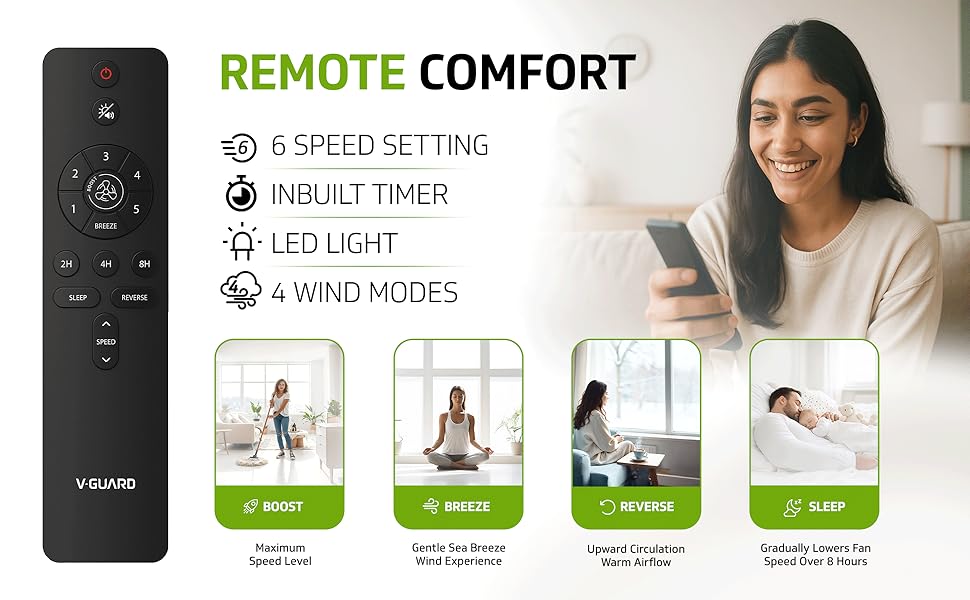
Image 2.2: The V-Guard Insight-G fan offers powerful cooling suitable for bedrooms, study rooms, and living rooms.
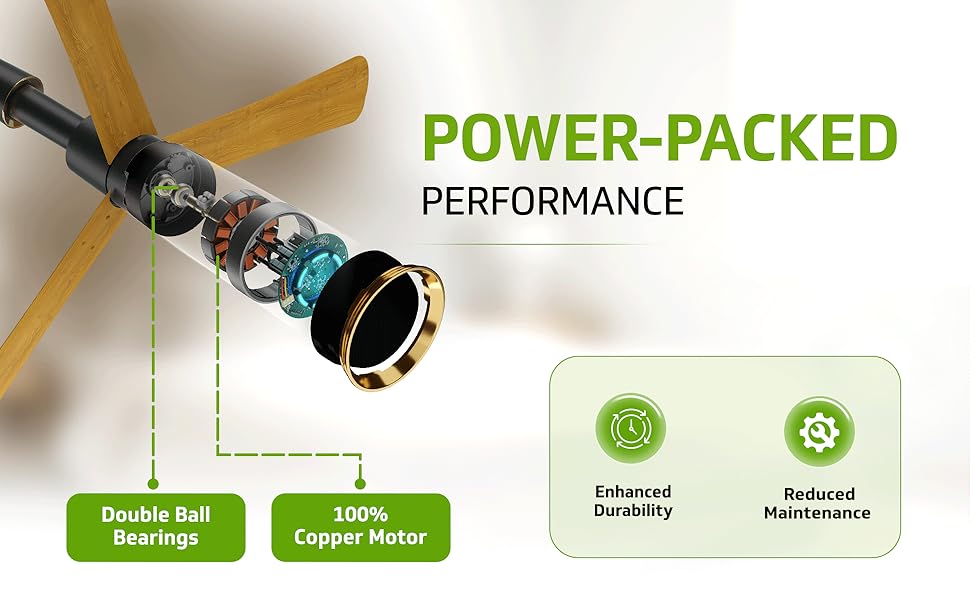
Image 2.3: Detailed view of the fan's aluminum blades, matte finish, and LED indicator.
3. What's in the Box
Upon unpacking, please ensure all the following components are present:
- Fan Motor (1 unit)
- Set of Blades (3 blades)
- Safety Rope (1 unit)
- Warranty Card (1 unit)
- Downrod (1 unit)
- Remote Control (1 unit)
4. Safety Instructions
To reduce the risk of fire, electric shock, or injury to persons, please observe the following safety precautions:
- Ensure the power supply is disconnected before installation, cleaning, or servicing.
- Installation must be performed by a qualified electrician in accordance with all local and national electrical codes.
- The mounting structure must be capable of supporting the weight of the fan (3.11 kg) and the dynamic load during operation.
- Maintain a minimum clearance of 2.3 meters (7.5 feet) from the floor to the bottom of the fan blades.
- Do not insert fingers or any objects into the fan blades while the fan is operating.
- Ensure all connections are secure and properly insulated.
5. Installation
Follow these general steps for installing your V-Guard Insight-G ceiling fan. For detailed diagrams and specific wiring instructions, refer to the separate installation guide provided with your product.
- Prepare for Installation: Turn off power at the main circuit breaker. Secure the electrical box to the ceiling joist.
- Mount the Hanging Bracket: Attach the hanging bracket to the electrical box using the provided screws and washers.
- Assemble the Downrod: Insert the downrod through the canopy and coupling. Secure the downrod to the motor housing with the pin and cotter pin.
- Hang the Fan: Carefully lift the fan assembly and place the downrod ball into the hanging bracket socket.
- Make Electrical Connections: Connect the fan's electrical wires to the household wiring according to the wiring diagram. Ensure proper grounding.
- Attach the Blades: Securely attach each of the three aluminum blades to the motor housing using the provided screws.
- Secure the Canopy: Slide the canopy up and secure it to the hanging bracket with the screws.
- Final Check: Ensure all connections are tight and the fan is securely mounted. Restore power.
Video 5.1: An animated overview of the V-Guard Insight-G fan assembly and features, demonstrating its design and components.
6. Operation
Your V-Guard Insight-G fan is operated using the included multi-feature remote control.
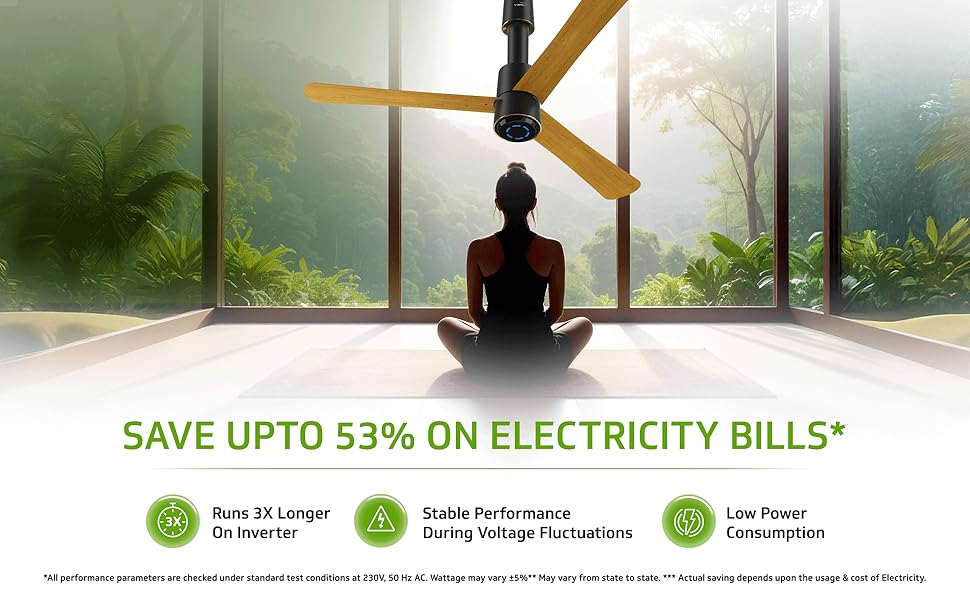
Image 6.1: The remote control for the V-Guard Insight-G fan, highlighting its 6 speed settings, inbuilt timer, LED light control, and 4 wind modes.
Remote Control Functions:
- Power ON/OFF: Press the power button to turn the fan on or off.
- Speed Settings: Select from 6 speed levels to adjust airflow intensity.
- Timer Function: Set the fan to turn off automatically after 2, 4, or 8 hours.
- Wind Modes: Choose from various modes for customized comfort:
- Boost Mode: Provides maximum speed for quick cooling.
- Breeze Mode: Simulates a natural, gentle breeze.
- Sleep Mode: Gradually lowers fan speed over 8 hours for comfortable sleep.
- Reverse Flow Mode: Changes blade direction for upward air circulation, useful for distributing warm air in cooler weather.
- LED Light Control: Turn the integrated LED light on or off.
Video 6.1: A short preview demonstrating the V-Guard Insight-G fan's features, including its remote control and various modes.
7. Maintenance
Regular maintenance ensures optimal performance and longevity of your fan.
- Cleaning: The fan blades feature a dust-repellent coating. To clean, wipe the blades and motor housing with a soft, damp cloth. Do not use abrasive cleaners or solvents.
- Blade Balance: Periodically check for any wobbling. If wobbling occurs, ensure all blade screws are tightened.
- General Inspection: Annually inspect all connections and mounting hardware for tightness.

Image 7.1: The anti-dust coating on the V-Guard Insight-G fan blades helps repel dust, making cleaning easier.
8. Troubleshooting
If you encounter any issues, refer to the following common problems and solutions:
| Problem | Possible Cause | Solution |
|---|---|---|
| Fan does not start | No power supply; Loose wiring; Remote control battery low | Check circuit breaker; Verify wiring connections; Replace remote control batteries. |
| Fan wobbles | Loose blade screws; Unbalanced blades; Loose mounting hardware | Tighten all blade screws; Ensure blades are correctly installed; Check and tighten mounting screws. |
| Remote control not working | Battery low/dead; Obstruction between remote and receiver | Replace batteries; Ensure clear line of sight to the fan's receiver. |
If the problem persists after attempting these solutions, please contact V-Guard customer support.
9. Specifications
| Specification | Detail |
|---|---|
| Brand | V-Guard |
| Model Name | Insight-G |
| Electric Fan Design | Ceiling Fan |
| Colour | Choco Gold Wood |
| Power Source | Corded Electric |
| Product Dimensions (D x W x H) | 60D x 24.5W x 24H Centimeters |
| Item Weight | 3.11 Kilograms |
| Room Type | Bedroom, Home Office, Living Room |
| Special Feature | Remote Controlled |
| Mounting Type | Ceiling Mount |
| Controller Type | Remote Control |
| Number Of Speeds | 6 |
| Wattage | 35 Watts |
| Number of Blades | 3 |
| Air Flow Capacity | 8299 Cubic Feet Per Minute (235 m³/min) |
| Speed | 370 RPM |
| Voltage | 230 Volts |
| Indoor Outdoor Usage | Indoor |
| Material Type | Aluminium |
| Blade Material | Aluminium |
| Finish Type | Matte |
10. Warranty and Support
Your V-Guard Insight-G Premium BLDC Ceiling Fan comes with a 5-Year Company Warranty, ensuring peace of mind and reliable performance.
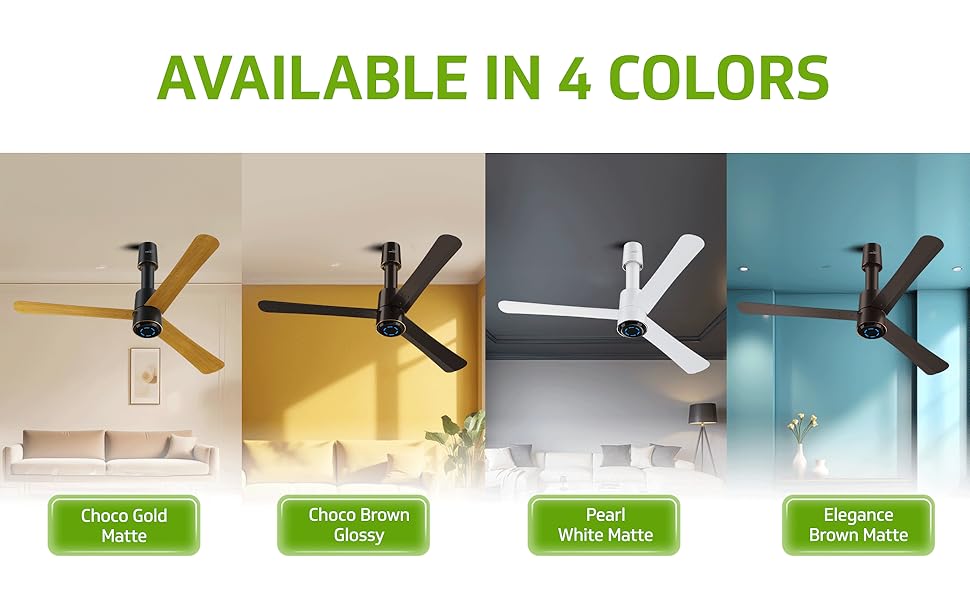
Image 10.1: V-Guard offers a Pan India service network with 60 months coverage and over 350 service centers.
Customer Support:
For any consumer complaints, service requests, or technical assistance, please contact:
Senior Engineer - Customer ServiceV-Guard Industries Ltd.
42/962, Vennala High School Road, Vennala, Kochi- 682028, Kerala, India
Call: 012 0485 0100, 1860 180 3000
E-mail: customercare@vguard.in


