
COCOCAM ZY-C2
COCOCAM 2PCS Solar Camera Outdoor Wireless User Manual
Model: ZY-C2
1. Introduction
Thank you for choosing the COCOCAM 2PCS Solar Camera Outdoor Wireless. This manual provides detailed instructions for the installation, operation, and maintenance of your new security cameras. Please read this manual thoroughly before use to ensure proper functionality and safety.

Image: Two COCOCAM ZY-C2 solar cameras, showcasing their design and integrated solar panels.
2. What's in the Box
Please check the contents of your package to ensure all items are present:
- 2 x COCOCAM ZY-C2 Solar Security Cameras
- 2 x Solar Panels (integrated or separate, depending on model variant)
- 2 x Mounting Brackets
- Mounting Screws and Wall Plugs
- USB Charging Cable
- User Manual (this document)
3. Product Overview
The COCOCAM ZY-C2 is a high-performance outdoor security camera designed for comprehensive surveillance. Key features include:
- 2K QHD Resolution: Delivers crisp 3MP image quality for clear video monitoring.
- Flexible 360° Coverage: Features 355° pan and 120° tilt rotation, controllable via the Cloudage/Cococam app, ensuring no blind spots.
- Solar Powered & 100% Wireless: Equipped with a solar panel and 5200mAh rechargeable batteries for continuous power, eliminating the need for frequent charging.
- AI Motion Detection: Optimized algorithms enhance human-like recognition, reducing false alarms. Supports optional paid features for pet, car, and package recognition.
- Color Night Vision: Provides clear, full-color video even in low-light conditions, alongside traditional infrared night vision.
- 2-Way Audio: Built-in microphone and speaker allow for real-time communication.
- IP66 Weatherproof: Designed to withstand various weather conditions, operating reliably from -25°C to 60°C (-13°F to 140°F).
- Dual Antennas: 4DBi dual antennas ensure stronger and more stable 2.4GHz Wi-Fi reception.

Image: The camera's dual solar panel design, illustrating 365-day power capability.

Image: Comparison of color night vision and infrared night vision, highlighting the camera's low-light capabilities.
4. Setup Guide
4.1 Charging the Battery
Although solar-powered, it is recommended to fully charge the camera's internal battery via the USB port before the first use. Connect the camera to a 5V/2A USB power adapter (not included) using the provided USB cable. The charging indicator light will show the charging status.
4.2 App Installation and Account Creation
- Download the 'Cloudage' or 'Cococam' app from your smartphone's app store (iOS or Android).
- Open the app and register a new account using your email address.
- Follow the on-screen prompts to complete the registration process.
4.3 Camera Pairing with Wi-Fi
- Ensure your Wi-Fi network is 2.4GHz. The camera does not support 5GHz Wi-Fi.
- In the app, tap '+' or 'Add Device' to add a new camera.
- Select the appropriate camera model or scan the QR code on the camera.
- Follow the in-app instructions to connect the camera to your Wi-Fi network. This typically involves generating a QR code on your phone screen for the camera to scan.
- Once connected, you will hear a confirmation sound from the camera, and it will appear in your app's device list.
4.4 Physical Installation
Choose a suitable outdoor location for installation, ensuring the solar panel receives adequate direct sunlight throughout the day. The camera can be mounted on a wall or ceiling.
- Mark the drilling points using the mounting bracket as a template.
- Drill holes and insert wall plugs if necessary.
- Secure the mounting bracket to the surface with screws.
- Attach the camera to the mounting bracket and adjust its angle for optimal viewing.
- Ensure the solar panel is positioned to maximize sun exposure.

Image: An outdoor mounted camera illustrating its pan and tilt range for comprehensive monitoring.
5. Operating Instructions
5.1 Live View and PTZ Control
Open the Cloudage/Cococam app and select your camera from the device list to access the live view. From here, you can:
- Pan/Tilt: Drag your finger across the screen to remotely adjust the camera's horizontal (355°) and vertical (120°) viewing angles.
- Digital Zoom: Pinch to zoom in or out on the live feed for more detail.
- Snapshot/Record: Capture still images or record video clips directly to your phone.
5.2 AI Motion Detection and Alerts
The camera uses advanced AI to detect motion and send instant alerts to your smartphone.
- Enable/Disable: Navigate to camera settings in the app to enable or disable motion detection.
- Sensitivity Adjustment: Adjust the detection sensitivity to minimize false alarms.
- Human Detection: Enable AI human detection for more accurate alerts.
- Paid Features: Optional paid features allow for recognition of pets, cars, and packages.
- Alert Methods: Configure push notifications, light warnings, sound warnings, or audible/light warnings via the app.
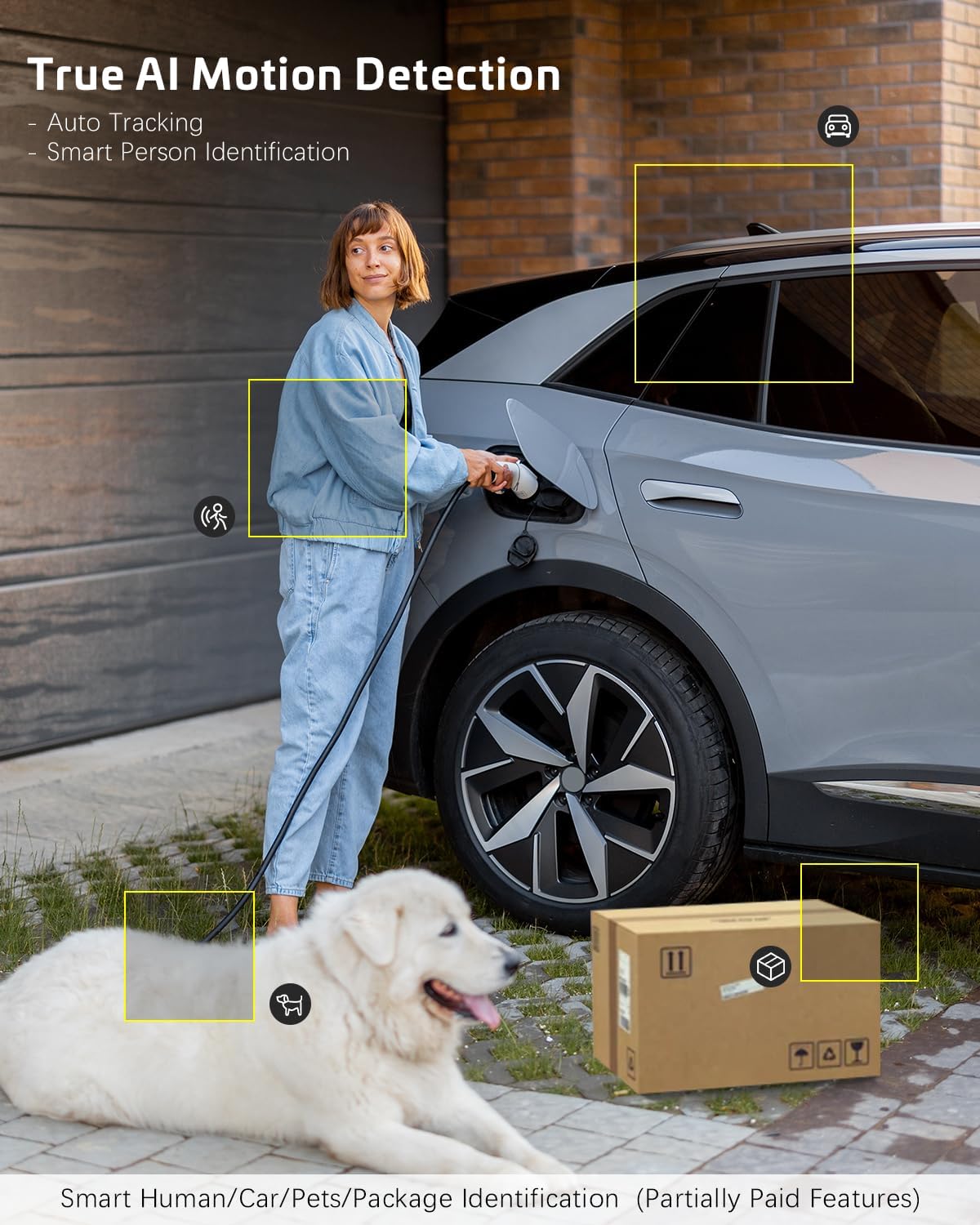
Image: AI motion detection in action, highlighting its ability to identify various objects like people, vehicles, and packages.
5.3 Night Vision Modes
The camera supports two night vision modes:
- Color Night Vision: Utilizes built-in spotlights to provide full-color video in dark environments.
- Infrared Night Vision: Uses infrared LEDs for black-and-white video in complete darkness.
- You can switch between these modes or set them to automatic in the app settings.
5.4 Two-Way Audio
To use the two-way audio feature:
- In the live view, tap the microphone icon to speak through the camera's speaker.
- Tap the speaker icon to listen to audio from the camera's microphone.
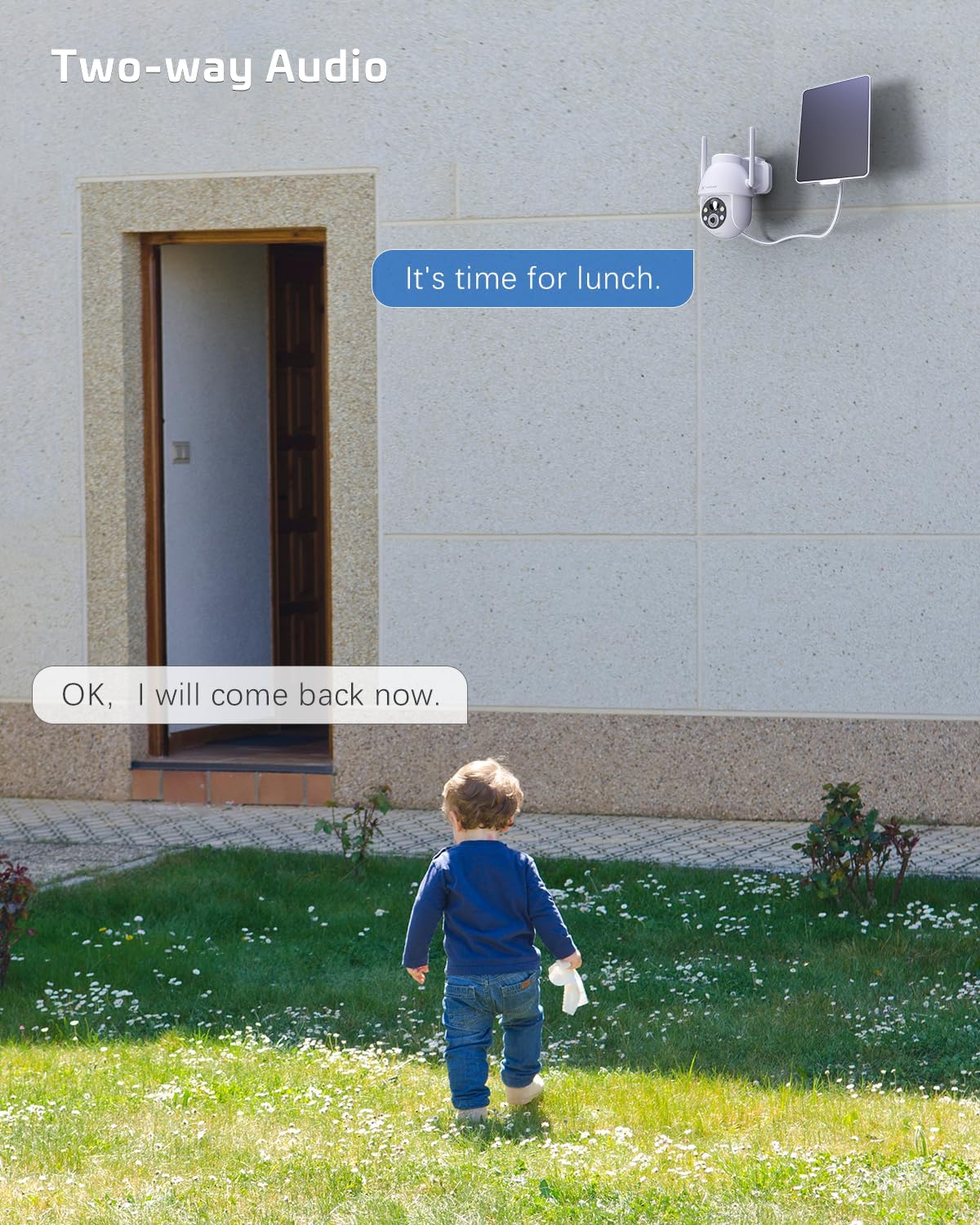
Image: A visual representation of the two-way audio feature, showing communication between a person and the camera.
5.5 Storage Options
The camera offers flexible storage solutions for recorded footage:
- TF Card Storage: Supports up to 128GB TF (microSD) card (not included) for local storage. Insert the card into the designated slot on the camera.
- Cloud Storage: A cloud storage service is available (paid feature) for secure, off-site storage of your video recordings. All cloud video is encrypted.
5.6 Multi-User Sharing
You can easily share camera access with family members or friends:
- In the app, go to the camera settings and find the 'Share Device' option.
- Generate a QR code or invite link for others to scan or click, granting them access to the camera feed.
6. Maintenance
To ensure optimal performance and longevity of your COCOCAM security camera:
- Regular Cleaning: Periodically wipe the camera lens and solar panel with a soft, damp cloth to remove dust and debris. Do not use harsh chemicals.
- Firmware Updates: Check the app regularly for firmware updates. Keeping your camera's firmware up-to-date ensures the latest features and security patches.
- Battery Health: While solar-powered, ensure the solar panel is free from obstructions to maintain optimal battery charge. In prolonged periods of low sunlight, consider manually charging the camera via USB.
- Environmental Conditions: The camera is IP66 weatherproof, but extreme conditions outside its operating temperature range (-25°C to 60°C / -13°F to 140°F) may affect performance.

Image: The camera operating effectively in rainy conditions, highlighting its IP66 weatherproof design.
7. Troubleshooting
7.1 Camera Offline / Disconnected
- Wi-Fi Signal: Ensure the camera is within range of your 2.4GHz Wi-Fi router and the signal strength is adequate.
- Router Settings: Verify that your router's settings are not blocking the camera. Restarting the router may help.
- Power Supply: Check if the camera has sufficient battery charge. Ensure the solar panel is clean and receiving sunlight.
- Re-pair: If issues persist, try re-pairing the camera with the app.
7.2 Motion Detection Issues (Too Many/Few Alerts)
- Sensitivity: Adjust the motion detection sensitivity in the app settings. Lower sensitivity for fewer false alarms, higher for more detections.
- Detection Zone: If available, configure specific detection zones to focus on critical areas and ignore irrelevant motion.
- AI Human Detection: Ensure AI human detection is enabled to filter out non-human movements.
7.3 Poor Image Quality
- Lens Cleanliness: Clean the camera lens to remove any smudges or dirt.
- Network Speed: Ensure your internet connection is stable and fast enough for 2K video streaming.
- Night Vision: If image quality is poor at night, check if the night vision mode is set correctly (color or infrared) and if the spotlights/IR LEDs are unobstructed.
7.4 Battery Not Charging
- Solar Panel: Ensure the solar panel is clean and positioned to receive direct sunlight for several hours a day.
- Cable Connection: Check the connection between the solar panel and the camera.
- Manual Charge: Try charging the camera directly via the USB port to confirm the battery is functional.
8. Specifications
| Feature | Specification |
|---|---|
| Model | ZY-C2 |
| Video Capture Resolution | 1440p (2K QHD) |
| Connectivity Technology | Wireless (2.4GHz Wi-Fi, Bluetooth) |
| Power Source | Battery Powered, Solar Powered |
| Battery Capacity | 5200mAh (rechargeable) |
| Memory Storage Capacity | 128 GB (TF card, not included) |
| Pan/Tilt Angle | 355° Pan, 120° Tilt |
| Weatherproof Rating | IP66 |
| Operating Temperature | -25°C to 60°C (-13°F to 140°F) |
| Mounting Type | Ceiling Mount, Wall Mount |
| Compatible OS | iOS, Android |
| Dimensions (L x W x H) | 18 x 17 x 14 cm |
| Item Weight | 1.3 kg |
9. Warranty and Support
COCOCAM provides a 2-year warranty for its cameras. If you encounter any problems using our products or require technical assistance, please do not hesitate to contact our customer support team. Refer to the contact information provided on the product packaging or the official COCOCAM website for support channels.
We are committed to providing high-quality service and ensuring your satisfaction with our products.
Related documentsZY-C2


Ask a question about this manual
Ask about setup, troubleshooting, compatibility, parts, safety, or missing instructions. Manuals+ will review the question and use this page’s manual context to help answer it.