
1. Introduction
Thank you for choosing the MOJOGEAR Wireless Powerbank 10,000 mAh. This portable power bank is designed to provide convenient and efficient charging for your mobile devices, featuring both wireless magnetic charging capabilities and traditional wired charging ports. It includes an integrated stand for enhanced usability.
Please read this manual carefully before using the product to ensure proper operation and to maximize its lifespan.
2. Package Contents
- MOJOGEAR Wireless Powerbank 10,000 mAh
- MagSafe Compatible Magnetic Ring
- USB-A to USB-C Cable (25 cm)
3. Product Overview
The MOJOGEAR Wireless Powerbank offers a versatile charging experience. Key features include:
- 10,000 mAh Capacity: Provides 1.5 to 4 full charges for most smartphones, depending on the model.
- Magnetic Wireless Charging: Compatible with MagSafe devices (iPhone 12 series and newer) for secure and cable-free charging up to 15W (7.5W for iPhone).
- Wired Charging: Equipped with a USB-C port (20W output, 18W input) and a USB-A port (22.5W output) for fast charging multiple devices simultaneously.
- Integrated Foldable Stand: Allows the power bank to function as a desktop stand, enabling hands-free viewing while charging.
- Compact Design: Dimensions of 10.6 x 7 x 1.6 cm and a weight of 202 grams make it highly portable.
- Pass-Through Charging: Charge your device while the power bank itself is being recharged.

Image: The MOJOGEAR Wireless Powerbank demonstrating wireless charging with a phone on its integrated stand.
4. Setup
4.1 Initial Charging of the Powerbank
- Before first use, fully charge the power bank.
- Connect the supplied USB-A to USB-C cable to the power bank's USB-C port.
- Connect the other end of the cable to a compatible USB wall adapter (not included).
- The LED indicators on the bottom of the power bank will illuminate to show the charging status. All four LEDs will be solid when fully charged.
5. Operating Instructions
5.1 Wireless Charging (MagSafe Compatible)
- Ensure your device is compatible with MagSafe or wireless charging.
- Align your MagSafe-compatible smartphone (e.g., iPhone 12, 13, 14, 15 series) with the magnetic charging pad on the power bank. The magnets will automatically snap the phone into place.
- Charging will begin automatically. The power bank delivers up to 15W wireless charging (7.5W for iPhones).
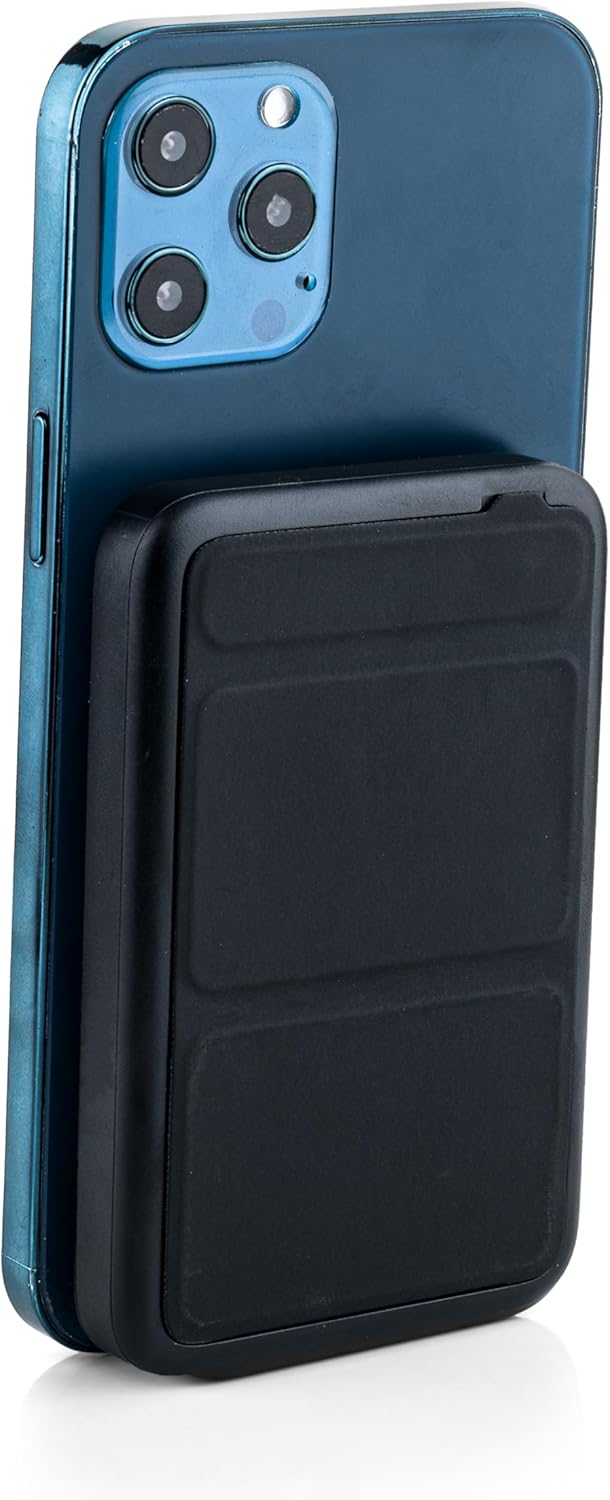
Image: The power bank magnetically attached to the back of a smartphone for wireless charging.
5.2 Wired Charging (USB-C and USB-A)
- Connect your device's charging cable to either the USB-C port (output up to 20W) or the USB-A port (output up to 22.5W) on the power bank.
- Connect the other end of the cable to your smartphone, tablet, e-reader, action camera, or wireless headphones.
- The power bank can charge up to three devices simultaneously (one wirelessly, two wired).
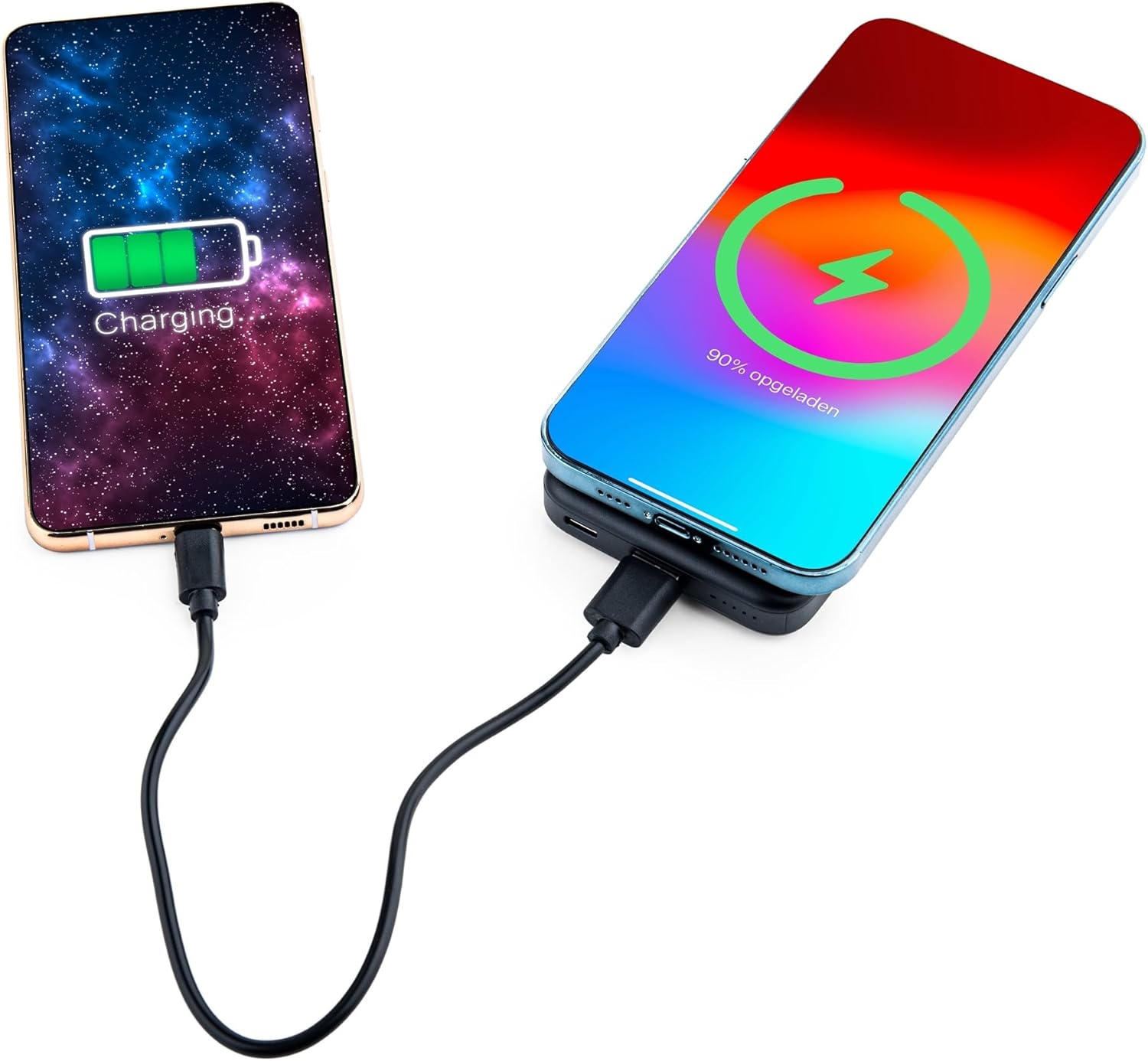
Image: Demonstrating simultaneous charging of two devices, one wirelessly and one via cable.
5.3 Using the Integrated Stand
- Locate the foldable stand on the back of the power bank.
- Gently pull out the stand to deploy it. It can be adjusted to two different viewing angles.
- Attach your MagSafe-compatible phone to the power bank's magnetic surface. The stand allows you to prop up your phone for hands-free viewing while it charges.

Image: A smartphone positioned on the power bank's stand for convenient viewing during wireless charging.
5.4 LED Indicator Status
The power bank features four LED status lights on the bottom to indicate the remaining battery level and charging status:
- 4 LEDs Solid: 75-100% charged
- 3 LEDs Solid: 50-75% charged
- 2 LEDs Solid: 25-50% charged
- 1 LED Solid: 0-25% charged
- Flashing LEDs: Indicates the power bank is currently charging.
6. MagSafe Compatibility for Non-MagSafe Devices
If your smartphone does not have built-in MagSafe compatibility, you can still utilize the magnetic attachment feature using the included magnetic ring:
- Clean the back surface of your phone or phone case thoroughly.
- Carefully peel off the adhesive backing from the magnetic ring.
- Center the magnetic ring on the back of your phone or phone case. Ensure it does not obstruct any cameras or sensors.
- Press firmly to secure the ring.
- Once the ring is attached, your phone can magnetically connect to the power bank for wireless charging.
7. Safety Information
To ensure safe operation and prevent damage, please observe the following:
- Do not expose the power bank to extreme temperatures, direct sunlight, or fire.
- Avoid dropping, disassembling, or modifying the device.
- Keep away from water and high humidity.
- Do not use if the power bank is damaged or swollen.
- Keep out of reach of children.
- This power bank is tested and protected against overcharge, over-discharge, overcurrent, and short circuits.
- The power bank is suitable for air travel.
8. Maintenance
To maintain the performance and longevity of your power bank:
- Clean the power bank with a soft, dry cloth. Do not use harsh chemicals or abrasive materials.
- Store in a cool, dry place when not in use.
- Recharge the power bank at least once every three months if unused for extended periods to preserve battery health.
9. Troubleshooting
- Device not charging wirelessly:
- Ensure your device supports wireless charging and is correctly aligned with the power bank's charging pad.
- Remove any thick phone cases that might interfere with wireless charging.
- Check if the power bank has sufficient charge.
- Device not charging via cable:
- Verify that the cable is securely connected to both the power bank and your device.
- Try a different cable or port to rule out a faulty cable or port.
- Check if the power bank has sufficient charge.
- Power bank not charging:
- Ensure the charging cable is properly connected to the power bank's USB-C input and a working power source.
- Try a different wall adapter or cable.
10. Specifications
| Model Number | MG-PB-8-BLACK |
| Battery Capacity | 10,000 mAh |
| USB-C Input | Max 18W |
| USB-C Output | Max 20W |
| USB-A Output | Max 22.5W |
| Wireless Output | Max 15W (iPhone Max 7.5W) |
| Dimensions | 10.6 x 7 x 1.6 cm |
| Weight | 202 grams |
| Material | Plastic, Metal |
| Color | Black |
| Special Features | MagSafe Compatible, Integrated Stand, Wireless Charging, Pass-Through Charging, Air Travel Approved |
11. Warranty and Support
The MOJOGEAR Wireless Powerbank 10,000 mAh comes with a 2-year warranty from the date of purchase. This warranty covers manufacturing defects and ensures the product functions as intended under normal use.
For technical support, warranty claims, or any questions regarding your product, please contact MOJOGEAR customer service through the retailer where you purchased the product or visit the official MOJOGEAR website for contact information.
