
1. Introduction
Thank you for choosing the VOCOlinc LS2 SmartGlow LED Light Strip. This product is designed to enhance your living space with customizable lighting, offering 16 million colors and various effects. It integrates seamlessly with Apple HomeKit, Amazon Alexa, and Google Assistant for convenient voice and app control. This manual provides essential information for safe installation, operation, and maintenance of your light strip.

Image: The VOCOlinc LS2 SmartGlow LED Light Strip, showing the product coiled next to its packaging, which highlights compatibility with Apple HomeKit.
2. What's in the Box
Verify that all components are present before proceeding with installation:
- VOCOlinc LS2 SmartGlow LED Light Strip (6.6FT / 2m)
- Power Adapter
- Controller Unit
- LS2 Extension Kit (if applicable, for extending up to 13.2FT / 4m)
- User Manual (this document)
3. Important Safety Information
Please read and follow these safety guidelines carefully to prevent damage to the product or personal injury:
- Indoor Use Only: This light strip is designed for indoor use and is NOT suitable for weather-exposed environments.
- Power Supply: Use only the provided power adapter. Do not connect the light strip to a power source with a different voltage than specified.
- Handling: Handle the LS2 LED Light Strip with care. Avoid excessive bending, twisting, or sharp folds, especially at the connection points.
- Cutting: If cutting the light strip, only cut along the designated cut marks. Cutting elsewhere may damage the strip and void the warranty.
- Installation Surface: Ensure the installation surface is clean, dry, and smooth for optimal adhesive performance.
- Ventilation: Do not cover the light strip with materials that could impede heat dissipation.
- Children: Keep the product out of reach of children.
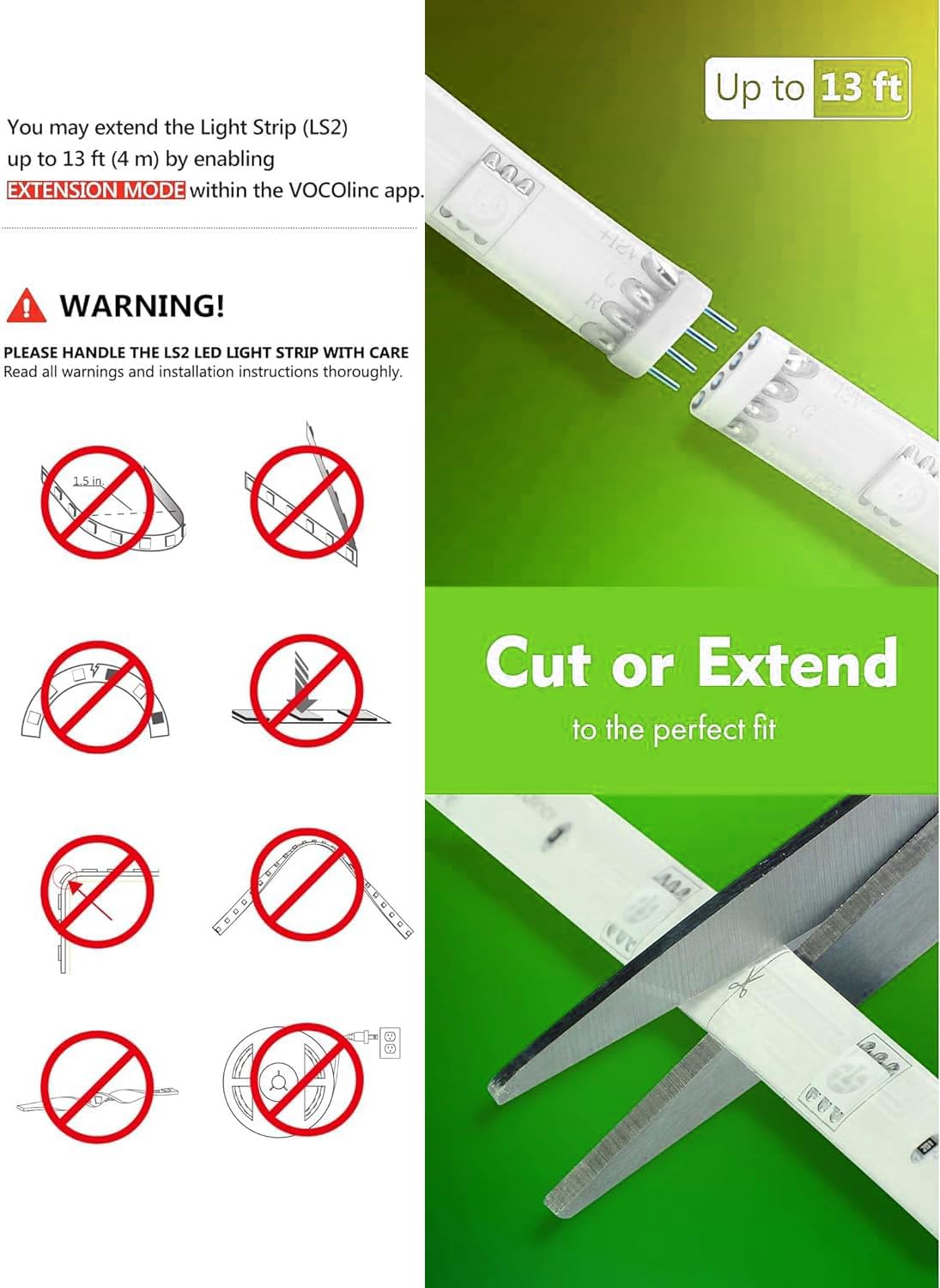
Image: A visual guide illustrating proper handling, cutting, and extension methods for the light strip, alongside warnings against improper bending or cutting.
4. Setup and Installation
4.1 Physical Installation
- Prepare the Surface: Clean the desired installation surface thoroughly to remove dust, dirt, and grease. Ensure it is dry.
- Plan Placement: Unroll the light strip and plan its placement. Avoid sharp corners or excessive bending.
- Peel and Stick: Carefully peel off the adhesive backing from the light strip and firmly press it onto the prepared surface. Apply pressure evenly along the strip.
- Connect Power: Connect the light strip to the controller unit, and then connect the controller unit to the power adapter. Plug the power adapter into a wall outlet.
4.2 App Installation and Pairing
The VOCOlinc LS2 SmartGlow LED Light Strip requires a 2.4GHz Wi-Fi network for initial setup and smart control.
- Download the App: Download the VOCOlinc app from the Apple App Store or Google Play Store.
- Power On: Ensure the light strip is powered on and blinking, indicating it's in pairing mode.
- Add Device: Open the VOCOlinc app, create an account if you haven't already, and follow the in-app instructions to add a new device. You may need to scan the HomeKit code located on the controller or packaging.
- Connect to Wi-Fi: During the setup process, connect the light strip to your 2.4GHz Wi-Fi network. Keep the light strip close to your Wi-Fi router during pairing for best results.
- Integrate with Smart Home Platforms: Once paired with the VOCOlinc app, you can link it to Apple HomeKit, Amazon Alexa, or Google Assistant through their respective apps or settings.
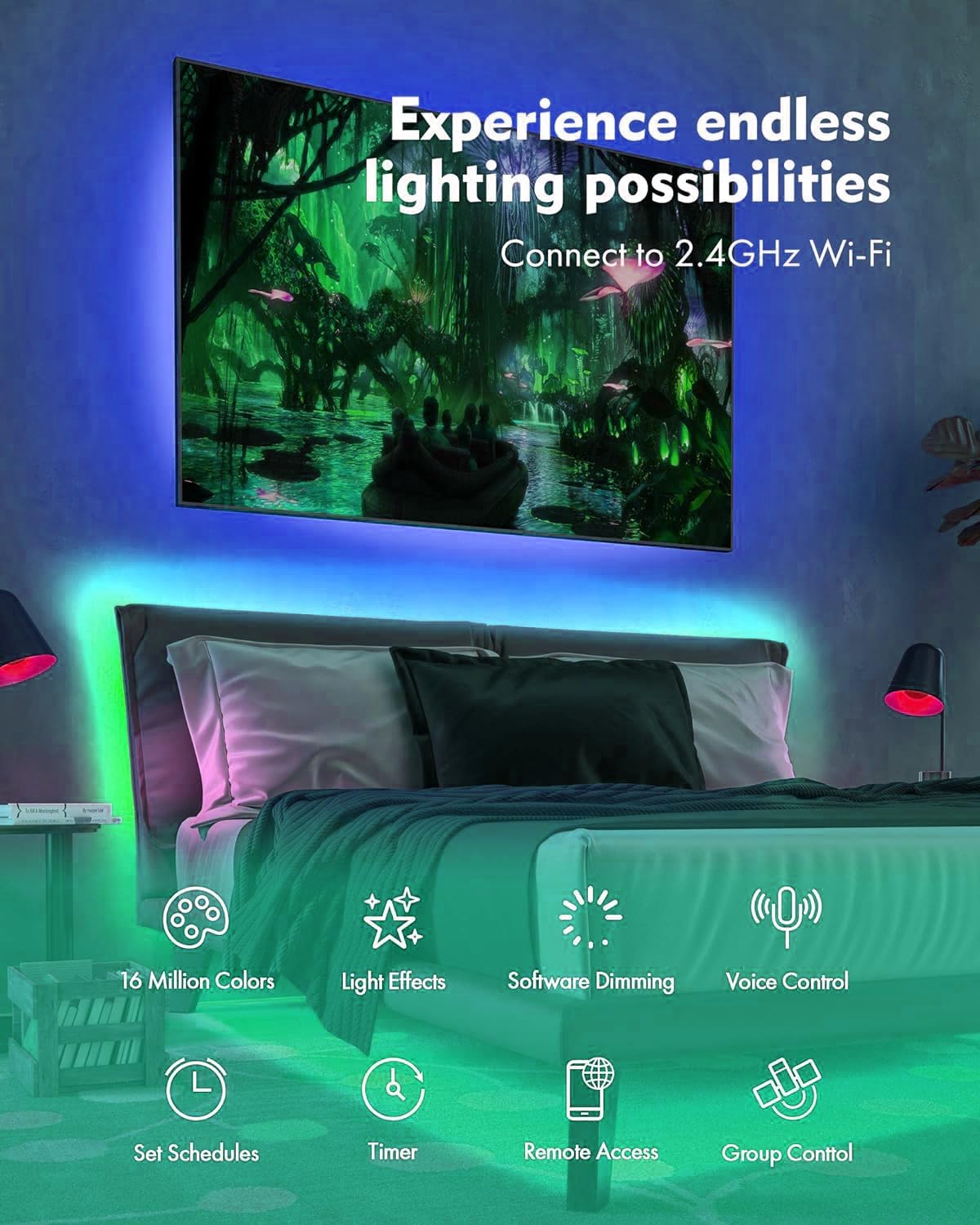
Image: A bedroom scene illuminated by the LED strip lights, emphasizing the product's features like 16 million colors, light effects, dimming, voice control, schedules, timer, remote access, and group control, along with the requirement for a 2.4GHz Wi-Fi connection.
5. Operating the Light Strip
5.1 Voice Control
Once integrated with your preferred smart home assistant, you can control the light strip using voice commands:
- Apple HomeKit (Siri): "Hey Siri, turn on the light strip." "Hey Siri, set the light strip to blue."
- Amazon Alexa: "Alexa, turn off the bedroom lights." "Alexa, set the TV light to red."
- Google Assistant: "Ok Google, dim the light strip to 50%." "Ok Google, change the light strip to green."
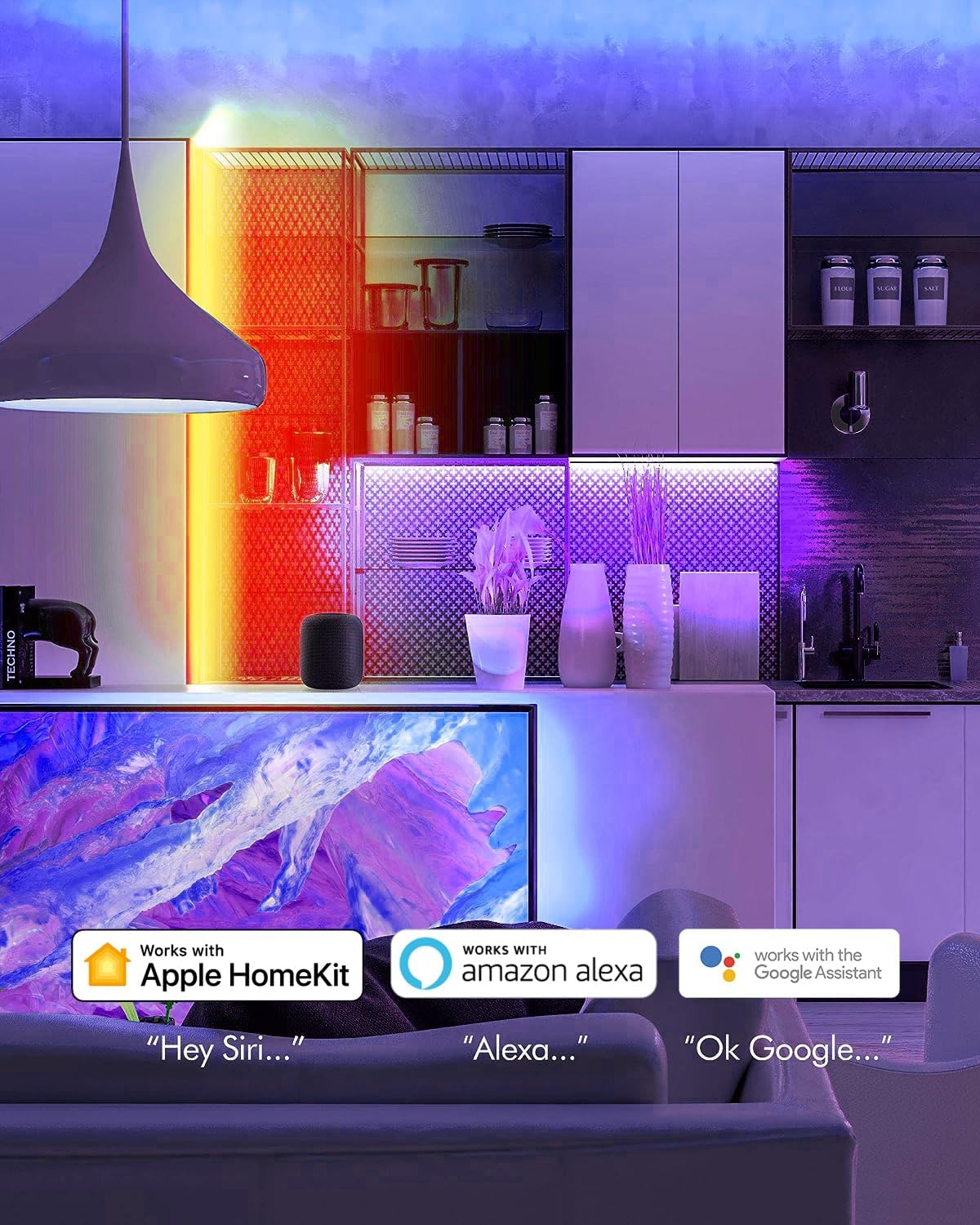
Image: A living room setting with speech bubbles demonstrating voice commands for Siri, Alexa, and Google Assistant to control the light strip.
5.2 App Control
The VOCOlinc app provides comprehensive control over your light strip:
- Color Selection: Choose from 16 million colors, including warm and cool whites, using the color wheel.
- Brightness Adjustment: Adjust the brightness level from 1% to 100%.
- Lighting Effects: Select from preset effects such as Blink, Breathe, Flicker, Flow, and Candle. You can also customize these effects.
- Scenes: Create and save custom lighting scenes for different moods or occasions.
- Schedules and Automations: Set schedules for the light strip to turn on/off, change color, or adjust brightness automatically. Use features like sunrise/sunset modes for a light alarm clock effect.
- Remote Access: Control your light strip from anywhere via the VOCOlinc Cloud (Android) or through an Apple HomeKit hub (Apple TV 4K/HD, HomePod) when away from home.

Image: A hand holding a smartphone displaying the VOCOlinc app, which shows options for 5 lighting effects (Blink, Candle, Breathe, Flicker, Flow) and a color selection interface with brightness control.
5.3 Extending or Cutting the Light Strip
The LS2 light strip can be extended or cut to fit your specific needs:
- Extension: The light strip can be extended up to 13.2ft (4m) using the LS2 extension kit. Ensure you enable "EXTENSION MODE" within the VOCOlinc app after connecting an extension.
- Cutting: The light strip can be cut at designated marks to achieve your preferred length. Refer to the visual guide in the safety section for correct cutting points.
6. Maintenance
To ensure the longevity and optimal performance of your VOCOlinc LS2 SmartGlow LED Light Strip:
- Cleaning: Gently wipe the light strip with a dry, soft cloth to remove dust. Do not use liquid cleaners or abrasive materials.
- Avoid Water: As the product is for indoor use only, avoid exposure to water or high humidity.
- Storage: If storing the light strip, ensure it is clean, dry, and coiled loosely to prevent damage.
7. Troubleshooting
If you encounter issues with your light strip, refer to the following common solutions:
| Problem | Possible Cause | Solution |
|---|---|---|
| Light strip does not turn on. | No power, loose connection. | Check if the power adapter is securely plugged into the outlet and the light strip. Ensure the outlet is functional. |
| Cannot connect to Wi-Fi or app. | Incorrect Wi-Fi band, weak signal, pairing issue. | Ensure your router is broadcasting a 2.4GHz Wi-Fi network. Move the light strip closer to the router during setup. Try a hard reset by unplugging the light strip for 1-2 minutes, then plugging it back in. Repeat the pairing process. |
| Light strip flickers or changes color unexpectedly. | Loose connection, power fluctuation, software glitch. | Check all physical connections. Try a hard reset (unplug for 1-2 minutes). Ensure the VOCOlinc app and your smart home apps are updated to the latest version. |
| Voice control not working. | Incorrect setup, network issue, incorrect commands. | Verify the light strip is correctly linked in your smart home assistant app (HomeKit, Alexa, Google Assistant). Ensure your Wi-Fi network is stable. Use the exact commands specified by your assistant. |
8. Specifications
- Model: 1 (LS2)
- Brand: VOCOlinc
- Color: Multi-colored (RGB)
- Length: 6.6FT (2m), extendable up to 13.2FT (4m) with LS2 extension kit
- Light Source Type: LED
- Number of Light Sources: 150
- Power Source: AC/DC (Corded)
- Indoor/Outdoor Usage: Indoor Only
- Control Method: App, Voice (Apple HomeKit, Amazon Alexa, Google Assistant)
- Wireless Connectivity: 2.4GHz Wi-Fi
- Item Weight: 11.3 ounces
- Package Dimensions: 5.63 x 5.08 x 1.97 inches
9. Warranty and Support
For warranty information and technical support, please refer to the official VOCOlinc website or contact their customer service directly. Keep your purchase receipt for warranty claims.
VOCOlinc Official Website: www.vocolinc.com


