
Introduction
The MOTOCOCHE Articulating Borescope Inspection Camera is a versatile visual inspection device designed for examining hard-to-reach areas. Featuring a 210° two-way steering lens, HD1080P video recording, 720P photo capture, and IP67 waterproof rating, it is ideal for various applications including automotive inspection, industrial maintenance, and HVAC systems. This manual provides detailed instructions for setup, operation, and maintenance to ensure optimal performance of your device.
Setup
Charging the Device
The borescope is equipped with a 3000mAh replaceable lithium polymer battery, supporting up to 3 hours of continuous use. To charge, connect the device using a Type-C/USB cable to a 5V adapter or mobile power source. Ensure the charging voltage and current are 5V/1A. Avoid using adapters with higher voltage to prevent damage.
Memory Card Installation
The device includes an 8GB large-capacity memory card for storing JPG photos and AVI videos. Ensure the memory card is properly installed before use. If an 'SD Error' occurs, reinstall the SD card.
Language Settings
The borescope supports eight language settings: English, French, Spanish, German, Italian, Russian, Chinese, and Japanese. You can adjust the language through the device's menu.

Image: The borescope's 5-inch LCD display showing the language selection menu, with flags representing the eight supported languages.
Operating Instructions
Powering On/Off
Press and hold the power button to turn the device on or off. The machine defaults to the brightest light setting upon startup.
Adjusting LED Brightness
The camera lens features 6 high-brightness LED lights. Press the light control button to cycle through 3 levels of adjustable brightness, suitable for various dark environments.

Image: A visual representation of the borescope's probe head with its 6 LED lights, demonstrating the three adjustable brightness levels for different inspection conditions.
Using the 210° Two-Way Steering Lens
Utilize the large yellow handle on the grip to turn and position the probe's camera head. This allows for flexible navigation through curved, tight, or narrow passages, providing optimal viewing angles up to 210° bi-directionally.

Image: A detailed graphic illustrating the 210-degree two-way articulation capability of the borescope's camera head, controlled by a knob on the main unit.
Photo and Video Capture
The articulating endoscope camera supports taking 720P photos and 1080P videos. Use the dedicated button to switch between photo and video recording modes. Press the trigger button to capture a photo or start/stop video recording.

Image: The borescope's screen displaying icons for 720P image and 1080P video recording, highlighting the one-button switch functionality.
Reviewing Captured Media
Access the gallery mode to review stored JPG photos and AVI videos. The built-in 8GB memory card stores all captured media.
Media Integration
Product Images

Image: The MOTOCOCHE Articulating Borescope unit, highlighting its 3000mAh Lithium Polymer battery for extended use.

Image: The borescope unit with a visual callout for the included 8GB large-capacity memory card, supporting photo and video storage.
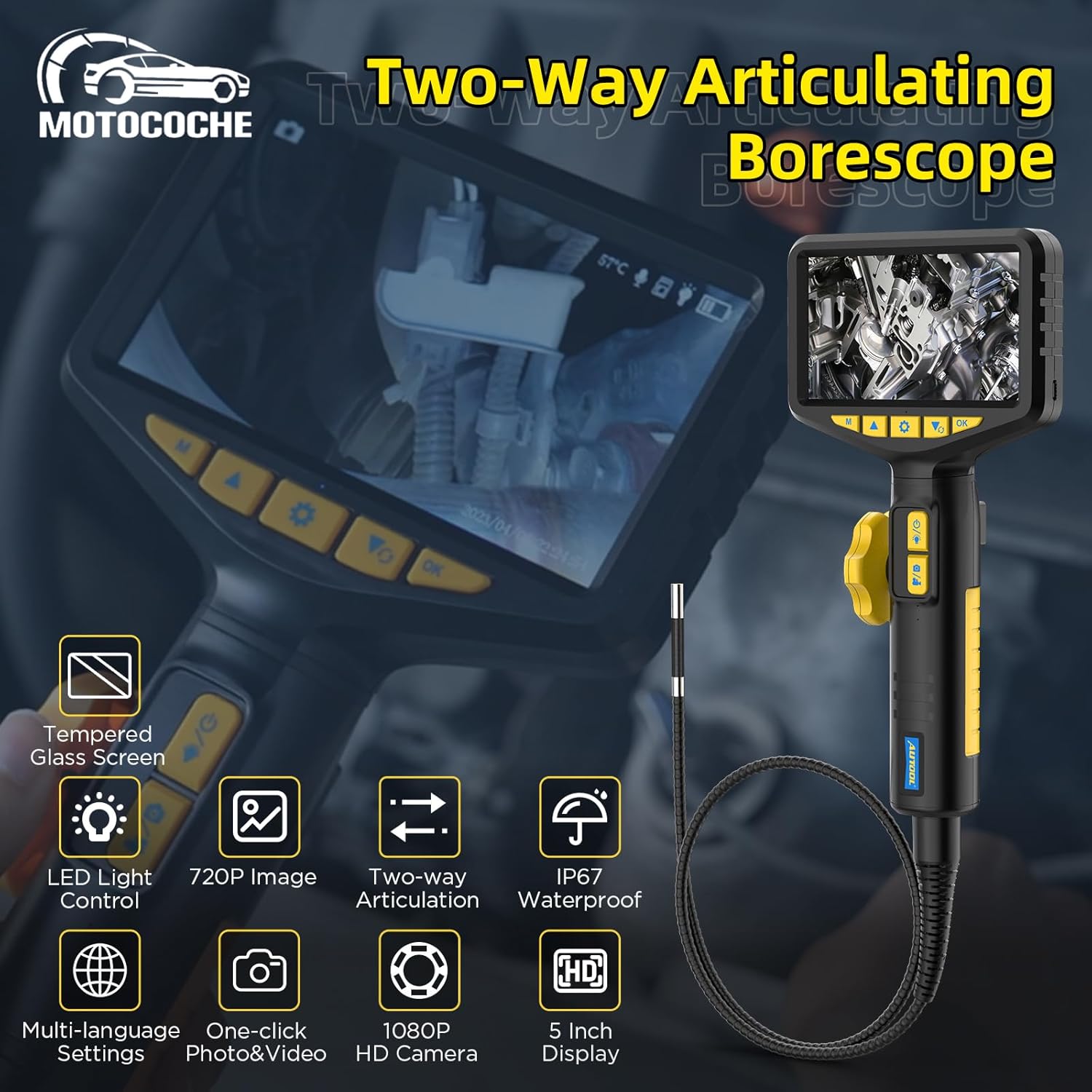
Image: The borescope's 5-inch HD IPS LCD display, made of oil-resistant tempered glass, and the IP67 waterproof camera probe for harsh conditions.
Official Product Videos
Video: A short demonstration of the MOTOCOCHE Two-Way Articulating Borescope with Light, showcasing its flexible probe and integrated lighting for inspection.
Video: A detailed overview of the Articulating Borescope Inspection Camera, highlighting its features including the 8GB memory card and articulating capabilities.
Maintenance
Cleaning the Camera Lens
Regularly clean the camera lens with a soft, lint-free cloth to ensure clear image quality. If the image is blurry, a dirty lens might be the cause.
Battery Care
To prolong battery life, always use a 5V/1A adapter for charging. Avoid fast charging or using adapters with higher voltage, as this may damage the product.
Troubleshooting

Image: A table outlining common fault phenomena, their cause analysis, and recommended troubleshooting steps for the borescope.
| Fault Phenomenon | Cause Analysis | Troubleshooting |
|---|---|---|
| Power fail | Battery Loss | Charge the borescope |
| Automatic shut-down | Low battery or automatic shutdown is set. | Charge the borescope and turn off the automatic shutdown setting |
| SD Error | SD is not installed well | Reinstall the SD |
| Charge fail | The charging port is dirty or the charging cable is damaged | Replace the charging cable |
| Image Blur | The lens is dirty | Wipe the lens clean with a cleaning cloth |
| SD Recording Fail | Insufficient SD Capacity | Replace SD or clean-up files |
Specifications

Image: A graphic displaying the detailed product specifications of the borescope, including dimensions, camera features, and power details.
- Package Dimensions: 16.5 x 8.6 x 3.5 inches
- Item Weight: 2.76 pounds
- Camera Diameter: 6.35mm
- Pixel: 2000K
- Depth of Field: 70°
- Angle of View: 20-100mm
- Manual Dimming: Three-level dimming
- Input Power: DC 5V
- Working Time: 3hr
- Battery Capacity: 3000mAh
- Camera Light Source: 6 kinds of LED lights
- Bending Radius: 35mm
- Operating Environment: -10~80°C
- Humidity: 15-90%
- High Temperature Protection: Intelligent protection
- Waterproof Level: IP67
- Cable Material: Flexible metal cable
- Cable Length: 1m/3.3ft
- Steering Direction: Two-way
- Articulating Angle: 0°-210°
- Video Capture Resolution: 1080p
- Color: black
What's in the Box
- Articulating Endoscope
Warranty & Support
For warranty information, technical support, or service inquiries, please refer to the product packaging or contact MOTOCOCHE customer service directly. Keep your purchase receipt for any warranty claims.