
1. Introduction
Thank you for purchasing the Sainyer X7 Mini Projector. This manual provides essential information for setting up, operating, and maintaining your projector. Please read it thoroughly before use to ensure optimal performance and safety.

The Sainyer X7 Mini Projector, showcasing its ability to project vibrant images.
2. Safety Information
- Do not look directly into the projector lens when the lamp is on.
- Ensure proper ventilation around the projector to prevent overheating.
- Keep the projector away from water or any liquids.
- Use only the power adapter provided with the projector.
- Do not attempt to repair the projector yourself. Contact customer support for assistance.
3. Package Contents
Verify that all items are present in your package:
- Sainyer X7 Projector
- Remote Control
- HDMI Cable
- Power Cord
- User Manual
4. Product Overview
The Sainyer X7 Mini Projector offers a high-quality viewing experience with its native 1080p resolution and 4K decoding support. It features advanced connectivity options and user-friendly adjustments.
Key Features:
- Native 1080p Resolution & 4K Support: Enjoy clear and vibrant images with native Full HD resolution and support for 4K video decoding.
- Electric Focus & Keystone Correction: Easily adjust focus and correct trapezoidal distortion using the remote control, eliminating complex manual operations.
- Zoom Function: Adjust the projection screen size from 100% down to 50% to fit various viewing environments.
- Dual-Band 2.4G+5G WiFi: Connect to your home network for seamless streaming and screen mirroring from Android, iOS, and Windows devices.
- Bluetooth 5.0: Connect wirelessly to external audio devices like headphones, earphones, speakers, and soundbars.
- Built-in HiFi Speakers: Two 5W speakers provide powerful and immersive audio.
- Wide Compatibility: Equipped with HDMI, USB, AV, and 3.5mm audio ports for connecting various devices.
- Large Projection Size: Capable of projecting an image up to 300 inches.

The projector's optical system, highlighting its 1080P native resolution and 4K Ultra HD support.
5. Setup
5.1 Physical Placement
Place the projector on a stable, flat surface or mount it on a ceiling. Ensure there are no obstructions around the ventilation openings. The optimal projection distance ranges from 1.5 meters to 5 meters.
5.2 Power Connection
- Connect the power cord to the projector's power input.
- Plug the other end of the power cord into a power outlet.
- Press the power button on the projector or remote control to turn it on.
5.3 Focus and Keystone Adjustment
The Sainyer X7 features electric focus and keystone correction for easy image adjustment.
- Electric Focus: If the projected image appears blurry, press the 'F+' or 'F-' buttons on the remote control to quickly achieve a clear focus.
- Electric Keystone Correction: The projector automatically corrects vertical trapezoidal distortion. You can also manually adjust it using the remote control for optimal image shape. The projector supports up to ±60° vertical keystone correction.
- Zoom Function: To adjust the screen size without moving the projector, navigate to the projector settings and find "window zoom." You can reduce the image size from 100% to 50%.

The electric focus feature allows for quick and easy image clarity adjustments.

Illustration of the electric keystone correction (±60°) and 50% zoom capabilities.
6. Operating Instructions
6.1 Connecting Devices
The Sainyer X7 projector offers multiple ways to connect your devices:
- HDMI: Connect computers, laptops, TV Sticks, DVD players, PS game consoles, and TV boxes using an HDMI cable.
- USB: Connect USB memory drives for direct media playback.
- AV: Use the AV port for older devices.
- 3.5mm Audio Jack: Connect external speakers or headphones for enhanced audio.
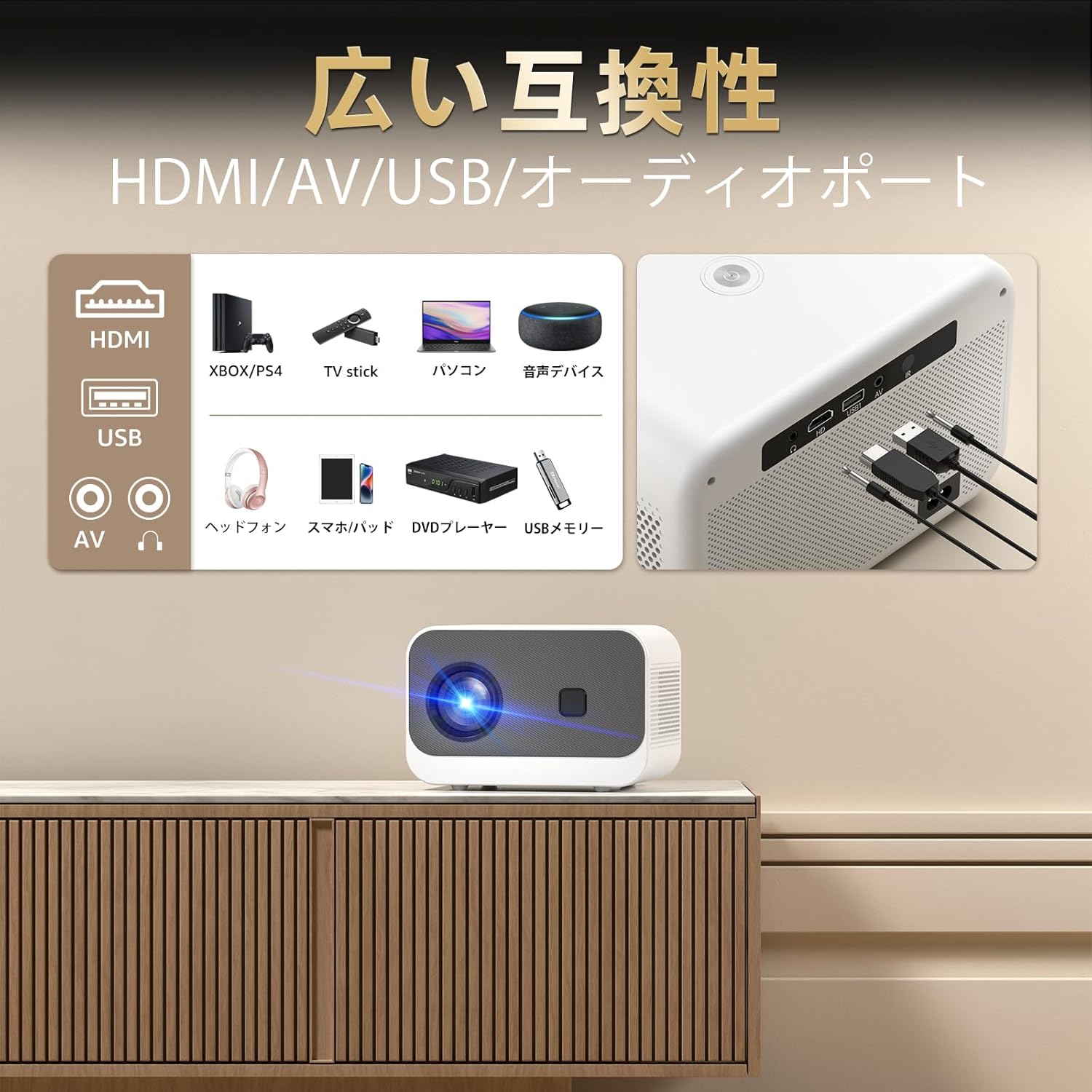
Overview of the projector's wide compatibility with HDMI, USB, AV, and audio ports.
6.2 Wireless Connectivity (WiFi & Screen Mirroring)
The projector supports both 2.4G and 5GHz WiFi for stable and fast wireless connections.
- Connect to WiFi: Press the dedicated Wi-Fi shortcut key on the remote control to quickly access the Wi-Fi settings. Select your home WLAN network and enter the password.
- Screen Mirroring: Once connected to WiFi, you can mirror the screen of your Android, iOS, or Windows devices wirelessly.
- iOS Wired Connection: For iOS devices, you can also connect directly using an original iOS charging cable to play pre-downloaded videos without an internet connection.
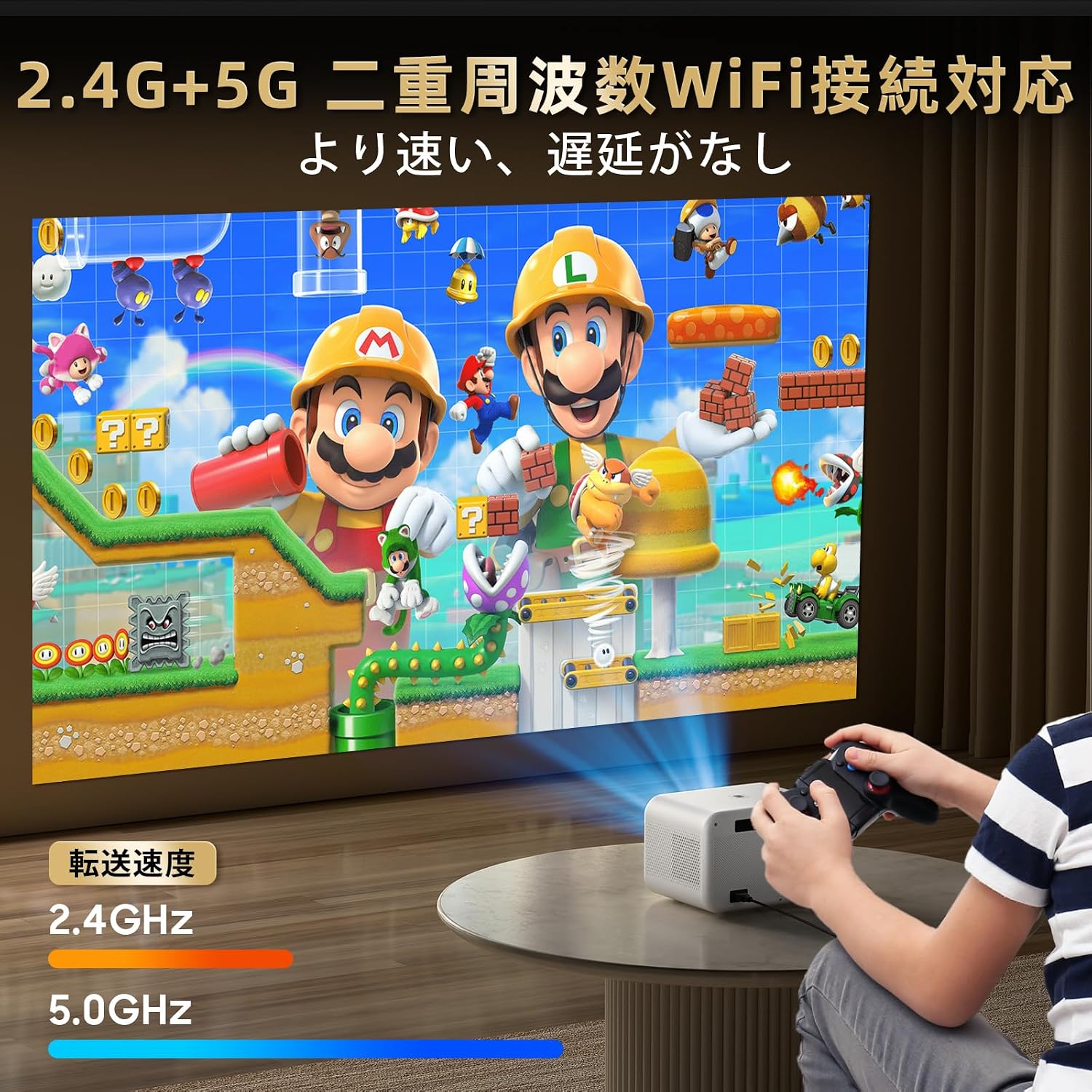
The projector supports dual-band 2.4G and 5G WiFi for faster and more stable connections.
6.3 Bluetooth Audio Output
Connect external Bluetooth audio devices for a personalized sound experience.
- Enable Bluetooth: Go to the projector's settings and enable Bluetooth.
- Pair Device: Put your Bluetooth headphones, earphones, speaker, or soundbar into pairing mode.
- Connect: Select your device from the list on the projector's screen to pair and connect.

The Bluetooth 5.0 function allows easy connection to various audio devices.
7. Maintenance
- Cleaning the Lens: Use a soft, lint-free cloth specifically designed for optical lenses. Do not use abrasive cleaners.
- Cleaning the Exterior: Wipe the projector's exterior with a soft, dry cloth.
- Storage: When not in use for extended periods, store the projector in a cool, dry place, protected from dust.
8. Troubleshooting
| Problem | Possible Solution |
|---|---|
| No image projected | Check power connection. Ensure input source is correctly selected. Verify device connection (HDMI, USB, etc.). |
| Image is blurry | Adjust focus using the 'F+' / 'F-' buttons on the remote control. Ensure the projection surface is flat. |
| No sound | Check volume settings on both the projector and the connected device. Ensure external audio devices are correctly connected via Bluetooth or 3.5mm jack. |
| Cannot connect to WiFi | Ensure the WiFi password is correct. Check if the projector is within range of the WiFi router. Try restarting the projector and router. |
| Remote control not working | Check battery levels. Ensure there are no obstructions between the remote and the projector's IR receiver. |
9. Specifications
| Feature | Detail |
|---|---|
| Model | X7 |
| Display Technology | LED, LCD |
| Native Resolution | 1920 x 1080 (Full HD) |
| 4K Support | Yes (4K decoding) |
| Contrast Ratio | 20000:1 |
| Max Projection Size | 300 inches |
| Projection Distance | 1.5 m - 5 m |
| Focus Adjustment | Electric Focus |
| Keystone Correction | Electric Keystone Correction (Digital) |
| Zoom Function | Yes (100%-50%) |
| WiFi Connectivity | 2.4G + 5GHz |
| Bluetooth | Bluetooth 5.0 |
| Input Ports | HDMI, USB, AV, 3.5mm Audio Jack |
| Built-in Speakers | 2 x 5W HiFi Speakers |
| Power Consumption | 70 W |
| Dimensions (L x W x H) | 30.48 x 22.86 x 20.32 cm (12 x 9 x 8 inches) |
| Weight | 1.72 kg |
| Color | White & Gray |
| Recommended Uses | Gaming, Home Cinema |
10. Warranty and Support
Sainyer products come with a standard manufacturer's warranty. For detailed warranty information, please refer to the warranty card included in your package or visit the official Sainyer website. If you encounter any issues or have questions regarding your Sainyer X7 Mini Projector, please contact our customer support team for assistance.
You can find support contact information on our official website or through your purchase platform.