
1. Introduction
Thank you for choosing the Xoopar Ice-Powerbank. This device is a portable 5000 mAh external battery designed to charge your mobile devices on the go, featuring an integrated touch-sensitive LED light. This manual provides essential information for safe and efficient use of your power bank.
2. Product Overview
The Xoopar Ice-Powerbank is a compact and lightweight portable charger. It features a 5000 mAh high-density battery, an integrated 10 cm charging cable with Lightning and USB-C outputs, and a USB-C input for recharging the power bank. The device also includes a tactile LED light for illumination.
Key Features:
- 5000 mAh Battery: Provides up to two full charges for most smartphones.
- Integrated Cable: 10 cm cable with both Lightning and USB-C connectors for versatile device compatibility.
- Tactile LED Light: Built-in light for convenience in low-light conditions.
- Recycled Materials: Constructed with 28% GRS certified recycled plastic and 2% recycled PC.
- Compact Design: Lightweight and slim for easy portability.

Image: Overview of Xoopar Ice-Powerbank features, highlighting its recycled plastic construction, capacity for approximately two charges, and slim profile. Note: The image text "Wireless charging" and "Battery free" are inaccurate for this model; it uses wired charging and contains an internal battery.

Image: A display of Xoopar Ice-Powerbanks in different colors, emphasizing the 5000 mAh battery capacity and the integrated touch light feature.
3. Setup
3.1 Charging the Power Bank
- Locate the USB-C input port on the Xoopar Ice-Powerbank.
- Connect a USB-C charging cable (not included) to the power bank's input port.
- Connect the other end of the USB-C cable to a compatible USB power adapter (e.g., wall charger, computer USB port).
- The LED indicators on the power bank will illuminate to show the charging status. When all indicators are solid, the power bank is fully charged.
Note: For optimal charging speed, use a 5V/3A compatible power adapter.
3.2 Connecting Devices for Charging
- Identify the integrated 10 cm charging cable on the power bank.
- Select the appropriate connector for your device:
- Lightning: For Apple iPhones, iPads, and other Lightning-compatible devices.
- USB-C: For Android smartphones, tablets, and other USB-C compatible devices.
- Plug the chosen connector into your device's charging port.
- The power bank will automatically begin charging your device.

Image: The Xoopar Ice-Powerbank connected to a smartphone, illustrating the device charging process using the integrated cable.

Image: A detailed view of the integrated charging cable, highlighting both the USB-C and Lightning connectors for broad compatibility.
4. Operating Instructions
4.1 Using the Power Bank
Once your device is connected, the power bank will automatically detect it and begin charging. The LED indicators will show the remaining battery level of the power bank. Disconnect your device once it is fully charged or when you no longer need to charge.
4.2 Using the Integrated LED Light
The Xoopar Ice-Powerbank features a tactile LED light. To activate or deactivate the light, gently tap the designated area on the power bank. The light provides convenient illumination in dark environments.

Image: Several Xoopar Ice-Powerbanks, with one unit demonstrating the integrated LED light in an active state.
5. Maintenance
- Keep the power bank dry and away from moisture.
- Avoid extreme temperatures (hot or cold).
- Do not drop, disassemble, or attempt to repair the device yourself.
- Clean the exterior with a soft, dry cloth. Do not use harsh chemicals or abrasive materials.
- Store the power bank in a cool, dry place when not in use. For long-term storage, charge the power bank to approximately 50% every three months to maintain battery health.
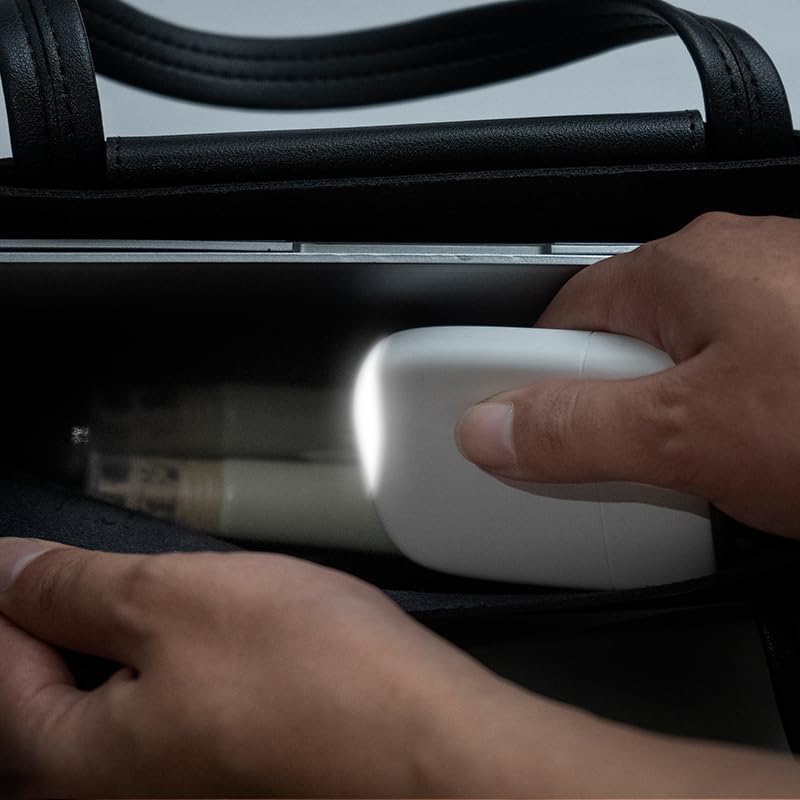
Image: A hand placing the Xoopar Ice-Powerbank into a bag, illustrating its compact size and suitability for portable use and storage.
6. Troubleshooting
| Problem | Possible Cause | Solution |
|---|---|---|
| Power bank not charging device. | Low power bank battery; incorrect cable connection; device not compatible. | Recharge power bank; ensure cable is securely connected; verify device compatibility. |
| Power bank not recharging. | Faulty charging cable or adapter; USB-C input port issue. | Try a different USB-C cable and power adapter; ensure connections are secure. |
| LED light not working. | Not activated correctly; internal malfunction. | Gently tap the designated area to activate; if issue persists, contact support. |
7. Specifications
- Model Name: Ice-P
- Model Number: XP61145
- Battery Capacity: 5000 mAh (Lithium-polymer)
- Input: USB Type-C, 5V/3A
- Output: USB Type-C, Lightning, 5V/3A (shared)
- Dimensions (L x W x H): 7.6 cm x 6.5 cm x 1.4 cm
- Weight: 85 Grams
- Material: 28% GRS certified recycled plastic, 2% recycled PC
- Special Features: Compact, integrated flashlight (LED light), lightweight, slim, LED indicators.
- Compatibility: Universal for smartphones, tablets, wireless earphones, etc.

Image: A visual representation of the Xoopar Ice-Powerbank's dimensions, indicating a height of 75mm and a width of 65mm.
8. Warranty and Support
The Xoopar Ice-Powerbank comes with a 2-year product warranty from the date of purchase. This warranty covers manufacturing defects and material faults under normal use. It does not cover damage caused by misuse, accidents, unauthorized modifications, or normal wear and tear.
For warranty claims or technical support, please contact Xoopar customer service through their official website or your retailer. Please have your proof of purchase and product model number (XP61145) ready.
9. Safety Information
- Do not expose the power bank to fire or high temperatures.
- Do not immerse the power bank in water or other liquids.
- Keep out of reach of children.
- Dispose of the power bank responsibly according to local regulations for electronic waste.
- Avoid using the power bank if it is visibly damaged or swollen.

