
1. Introduction
Thank you for choosing the DreamQuest Mini PC N95. This compact and powerful mini PC is designed for various applications, from home entertainment to office tasks. This manual provides essential information on setting up, operating, maintaining, and troubleshooting your device to ensure optimal performance and longevity.
2. What's in the Box
Carefully unpack your DreamQuest Mini PC N95 and ensure all items are present. If any items are missing or damaged, please contact customer support.
- 1 x DreamQuest N95 Mini PC (16GB RAM, 512GB SSD)
- 1 x HDMI Cable
- 1 x VESA Mount with Screws
- 1 x Power Adapter
- 1 x User Manual

Image: Contents of the DreamQuest Mini PC N95 package.
3. Product Overview and Key Features
The DreamQuest Mini PC N95 is equipped with advanced components for efficient performance in a compact form factor.
- Processor: 12th Generation Intel Alder Lake-N95 (4C/4T, 6M Smart Cache, up to 3.4 GHz)
- Memory: 16GB DDR4 RAM
- Storage: 512GB M.2 SSD (expandable up to 2TB)
- Graphics: Intel UHD Graphics, supporting 4K UHD and triple-screen display
- Operating System: Windows 11 Pro (pre-installed)
- Connectivity: Dual-Band Wi-Fi (2.4GHz+5GHz 802.11ax), Bluetooth 4.2, Dual Gigabit Ethernet
- Ports: 4x USB 3.2 Gen2, 3x HDMI, 2x 1000M LAN, 1x DC Jack, 1x Audio (3.5mm)
- Cooling: Built-in ultra-quiet smart fan
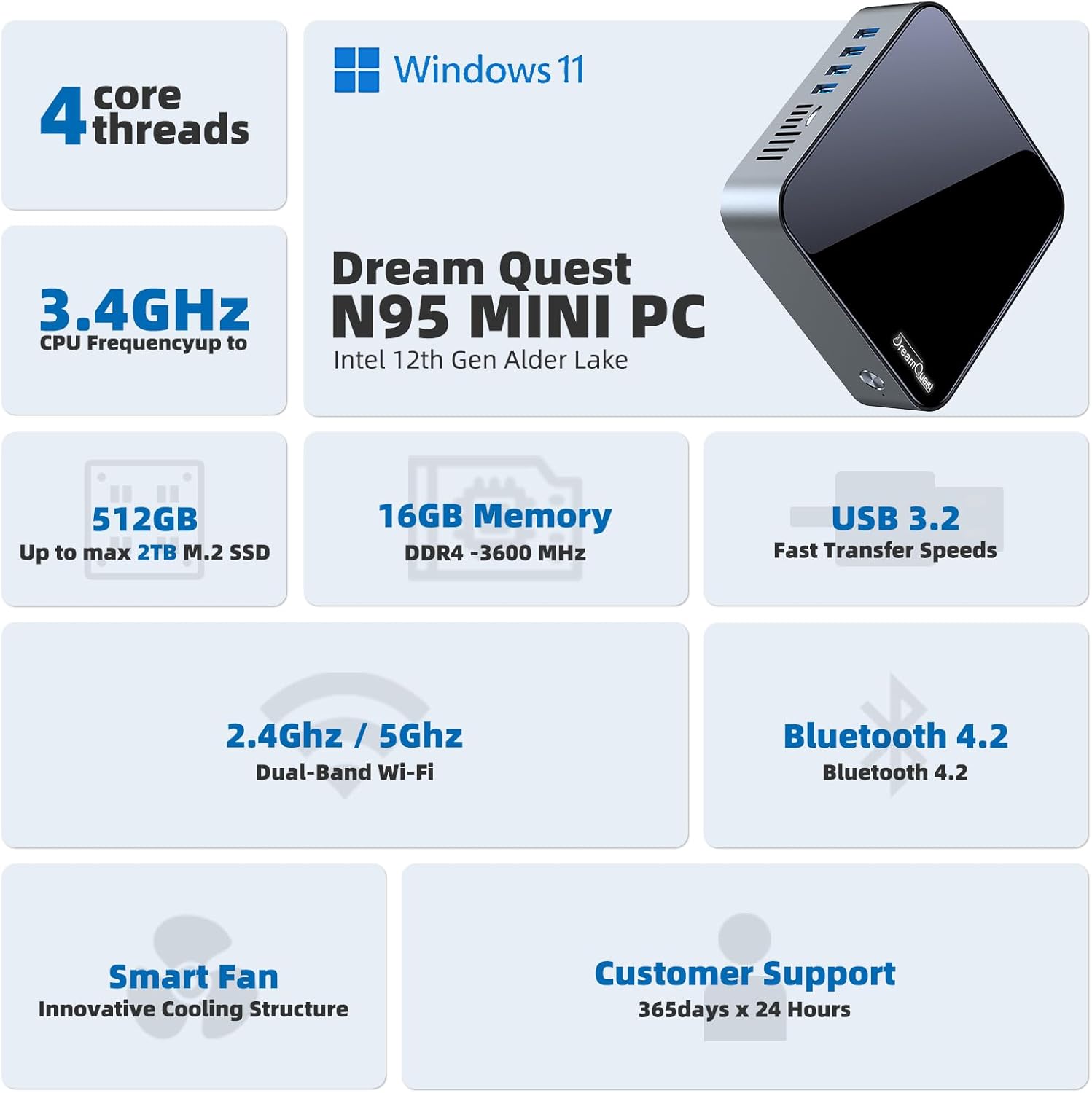
Image: The DreamQuest Mini PC N95.

Image: Overview of the Mini PC's key specifications and features.

Image: The Intel N95 12th Gen Alder Lake processor.
Video: An animated overview showcasing the internal components and features of the DreamQuest Mini PC N95, including the Intel N95 processor, RAM, SSD, and various ports.
4. Setup Guide
Follow these steps to set up your DreamQuest Mini PC N95:
- Connect Peripherals: Connect your monitor(s) to the HDMI ports. Connect your keyboard and mouse to the USB ports.
- Network Connection: For a wired connection, plug an Ethernet cable into one of the LAN ports. For wireless, ensure your Wi-Fi network is available after powering on.
- Power Connection: Connect the power adapter to the DC jack on the mini PC, then plug the adapter into a power outlet.
- Power On: Press the power button on the front of the mini PC. The system will boot into Windows 11 Pro.
- Initial Setup: Follow the on-screen instructions to complete the Windows 11 Pro setup, including language, region, and network settings.

Image: Port layout of the DreamQuest Mini PC N95.

Image: Triple-screen display setup with the Mini PC.
5. Operating System
Your DreamQuest Mini PC N95 comes with Windows 11 Pro pre-installed, offering a secure and user-friendly computing experience. For detailed information on Windows 11 Pro, please refer to Microsoft's official documentation.
- Power On/Off: Press the power button once to turn on. To shut down, use the Windows Start menu.
- Restart: Select 'Restart' from the Windows Start menu.
- Sleep Mode: Select 'Sleep' from the Windows Start menu to put the PC into a low-power state.
- Updates: Ensure your Windows 11 Pro is kept up-to-date for security and performance. Access Windows Update via Settings.
6. Storage and Memory
The Mini PC is equipped with 16GB DDR4 RAM and a 512GB M.2 SSD for fast boot times and application loading. The storage can be expanded if needed.
- SSD: The 512GB M.2 SSD provides high-speed data access. It supports M.2 2280 NVMe/SATA3 SSDs and is configurable for up to 2TB storage.
- RAM: The 16GB DDR4 RAM (3600MHz) ensures smooth multitasking.

Image: High-speed 512GB M.2 SSD.

Image: 16GB DDR4 3600MHz Memory for efficient multitasking.

Image: Speed comparison between M.2 SSD and HDD.
7. Connectivity
The DreamQuest Mini PC N95 offers versatile connectivity options:
- Wi-Fi: Dual-Band 2.4GHz+5GHz 802.11ax for fast wireless internet access.
- Bluetooth: Bluetooth 4.2 for connecting wireless peripherals like keyboards, mice, and headphones.
- Ethernet: Two 1000M LAN ports for stable wired network connections.
- USB Ports: Four USB 3.2 Gen2 ports for high-speed data transfer and connecting various USB devices.
- HDMI: Three HDMI ports for connecting multiple displays, supporting 4K UHD output.

Image: Wireless connectivity features of the Mini PC.
8. Cooling System
The Mini PC features a built-in ultra-quiet smart fan radiator to effectively cool the CPU processor, reduce hardware loss, and maintain optimal performance even under load. Proper ventilation is crucial for efficient cooling.

Image: Internal cooling system with smart fan.
9. Mounting Options
The compact design of the DreamQuest Mini PC N95 allows for flexible placement. It can be placed on a desk or mounted behind a monitor or on a wall using the included VESA mount.

Image: Various mounting and placement options for the Mini PC.
10. Maintenance
Regular maintenance helps ensure the longevity and performance of your Mini PC:
- Cleaning: Gently wipe the exterior with a soft, dry cloth. Use compressed air to clear dust from vents periodically. Ensure the device is powered off and unplugged before cleaning.
- Software Updates: Regularly check for and install Windows updates and driver updates to maintain system stability and security.
- Ventilation: Ensure the Mini PC is placed in a well-ventilated area and that its vents are not obstructed to prevent overheating.
11. Troubleshooting
If you encounter issues with your DreamQuest Mini PC N95, refer to the following common solutions:
| Problem | Possible Solution |
|---|---|
| PC does not power on | Check power adapter connection to the PC and wall outlet. Ensure the power button is pressed firmly. |
| No display on monitor | Verify HDMI cable connections. Ensure monitor is powered on and set to the correct input source. Try a different HDMI port or cable. |
| Wi-Fi or Bluetooth not working | Check Windows settings to ensure Wi-Fi/Bluetooth are enabled. Restart the PC. Update network drivers. |
| System runs slowly or freezes | Close unnecessary applications. Check for background processes. Ensure adequate ventilation to prevent overheating. Run a disk cleanup. |
| USB devices not recognized | Try a different USB port. Restart the PC. Update USB drivers. |
| PC unexpectedly restarts or shuts down | Ensure proper ventilation. Check for Windows updates or driver issues. If persistent, contact support. |
For further assistance, please refer to the support section.
12. Specifications
| Feature | Detail |
|---|---|
| Processor | Intel Alder Lake-N95 (12th Gen), 3.4 GHz (Max Turbo Frequency), 4 Cores/4 Threads, 6MB Smart Cache |
| RAM | 16 GB DDR4 SDRAM (3600MHz) |
| Storage | 512 GB M.2 SSD (Supports M.2 2280 NVMe/SATA3 SSD, configurable up to 2TB) |
| Graphics Coprocessor | Intel UHD Graphics |
| Max Screen Resolution | 4096x2160@60Hz Pixels |
| Operating System | Windows 11 Pro |
| Wireless Type | 802.11ax (Dual-Band 2.4GHz+5GHz) |
| Bluetooth | Bluetooth 4.2 |
| Ports | 4x USB 3.2 Gen2, 2x 1000M LAN, 3x HDMI, 1x DC Jack, 1x Audio (3.5mm) |
| Hardware Platform | PC |
| Item Weight | 2.44 pounds |
| Package Dimensions | 9.57 x 6.69 x 2.99 inches |
| Power Source | DC |
13. Warranty and Support
DreamQuest offers a one-year limited warranty for your Mini PC N95. For any pre-sales or after-sales support, please feel free to contact our professional customer service team. We are committed to providing lifetime professional customer service.
Please retain your proof of purchase for warranty claims.


