1. Introduction
The ZGCINE ZG-H90 Battery Grip is a versatile power solution designed for videographers and content creators. It provides extended power for various devices, including video lights and cameras, through multiple output options. This manual provides essential information for the safe and efficient use of your ZG-H90 Battery Grip.
2. Package Contents
Please verify that all items listed below are included in your package:
- ZGCINE ZG-H90 Battery Grip x 1
- D-Tap to DC Cable x 1
- USB-C Charging Cable x 1
- Lamp Holder Head Connector x 1
- Instruction Manual x 1

Figure 1: ZG-H90 Battery Grip and its components, including the grip, D-Tap to DC cable, USB-C cable, and lamp holder head.
3. Key Features
- USB-C PD Input/Output: Supports convenient charging of the grip and powering of compatible devices.
- D-Tap 14.8V Output: Provides a reliable power source for video lights and other D-Tap compatible equipment.
- Charging Indicator Lights: Keep you informed about the current charging status and remaining battery level.
- Universal Mounting Options: Features an Arri interface, lamp holder head interface, and 1/4-inch thread for attaching various video lights or devices.
- Ergonomic Design: Specifically designed for comfortable handheld use with outdoor fill lights.

Figure 2: Detailed view of the ZG-H90's USB-C PD (Input/Output) and D-Tap (14.8V/10A Output) ports, along with the battery level indicators.
4. Setup and Installation
4.1 Attaching to a Device
The ZG-H90 Battery Grip offers multiple ways to connect to your equipment:
- Direct 1/4-inch Thread: The top of the grip features a standard 1/4-inch screw for direct attachment to cameras, monitors, or other accessories.
- Arri Interface: The grip includes an Arri interface for secure mounting with compatible accessories, preventing rotation.
- Lamp Holder Head: Utilize the included lamp holder head connector to attach the grip to light stands or other fixtures, providing stability and flexibility.

Figure 3: ZG-H90 Battery Grip connected to a video light, demonstrating a typical setup.
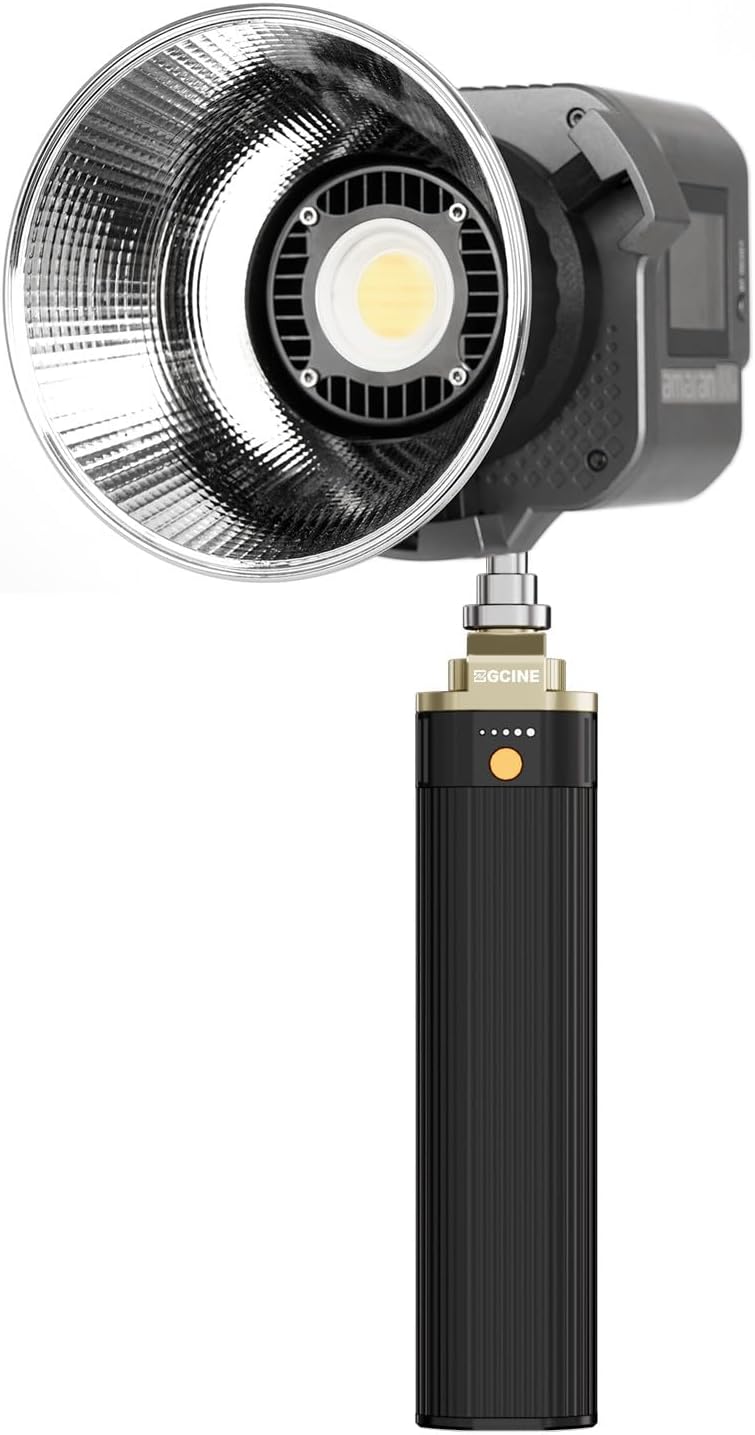
Figure 4: Various mounting interfaces on the ZG-H90, including the 1/4-inch screw and Arri locating pins.
4.2 Charging the Battery Grip
To charge the ZG-H90 Battery Grip, connect the provided USB-C charging cable to the USB-C PD port on the grip and to a compatible USB-C power adapter (not included). The charging indicator lights will illuminate to show the charging progress.
5. Operating Instructions
5.1 Powering Devices via USB-C PD
Connect your USB-C compatible device (e.g., camera, smartphone, tablet) to the USB-C PD port on the ZG-H90 using a USB-C to USB-C cable. The grip supports up to 100W output, providing fast and efficient power delivery.
5.2 Powering Devices via D-Tap
For devices requiring D-Tap power, connect the provided D-Tap to DC cable to the D-Tap port on the grip and to your compatible device. The D-Tap output provides 14.8V, suitable for many professional video lights and accessories.
5.3 Battery Level Indicator
The ZG-H90 features LED indicator lights to display the remaining battery capacity. Press the power button once to activate the indicators. Each light typically represents a percentage of the total charge.
5.4 Usage Examples
Video 1: Demonstration of the ZGCINE H90 Battery Grip powering a video light in a handheld setup.
Video 2: Unboxing and setup of the ZGCINE ZG-H90 Pro Battery Grip, showing its use with an LED light.

Figure 5: Illustrates the ZG-H90 in a practical outdoor filming scenario, providing portable power for lighting.
6. Maintenance
6.1 Cleaning
Wipe the battery grip with a soft, dry cloth. Do not use harsh chemicals or abrasive materials, as this may damage the surface or internal components.
6.2 Storage
Store the ZG-H90 in a cool, dry place away from direct sunlight and extreme temperatures. For long-term storage, ensure the battery is charged to approximately 50-70% capacity and recharge every 3-6 months to maintain battery health.
7. Troubleshooting
- Device not powering on: Ensure the battery grip is sufficiently charged. Check all cable connections for security. Verify the device being powered is compatible with the output voltage/wattage.
- Battery grip not charging: Confirm the USB-C charging cable is properly connected to both the grip and a functional power adapter. Ensure the power adapter meets the required specifications for USB-C PD input.
- Loose connection: Tighten all mounting screws and connectors to ensure a stable connection between the grip and your device.
8. Specifications
| Product Dimensions | 8.27 x 1.57 x 2.76 inches |
| Item Weight | 1.87 pounds |
| Manufacturer | ZGCINE |
| Battery Capacity | 88.8Wh (Internal) |
| USB-C PD Input/Output | Supports PD charging and power delivery |
| D-Tap Output | 14.8V |
9. Warranty and Support
For warranty information and technical support, please refer to the official ZGCINE website or contact your local distributor. Keep your purchase receipt as proof of purchase for warranty claims.
You can visit the ZGCINE Store on Amazon for more product information and support options.


