
LEMNOI SG7
LEMNOI SG7 Educational Day/Night Alarm Clock for Children - User Manual
Model: SG7
Introduction
This manual provides detailed instructions for the setup, operation, and maintenance of your LEMNOI SG7 Educational Day/Night Alarm Clock. Please read it thoroughly to ensure proper use and to maximize the product's features.
Safety Information
- Keep the device away from water and moisture.
- Do not expose to extreme temperatures.
- Use only the provided USB-C cable for charging.
- Keep out of reach of small children to prevent choking hazards from small parts.
- Do not attempt to disassemble or repair the device yourself. Contact customer support if issues arise.
Package Contents
Please check the package for the following items:
- LEMNOI SG7 Educational Day/Night Alarm Clock
- USB-C Charging Cable
- User Manual
Product Overview
The LEMNOI SG7 is designed to assist children with sleep training and morning routines. It features:
- Day/Night Educational Icons: Green sun for wake-up, blue moon for sleep.
- 5-Color LED Night Light: Adjustable brightness.
- 7 Musical Alarm Options: Gentle wake-up sounds.
- Dual Alarms & Snooze Function: Customizable for weekdays and weekends.
- Digital Display with Temperature Monitor: 12/24 hour format, F/C conversion.
- Touch/Sound Activated Screen: Screen turns off after 20 seconds of inactivity.
- Built-in 2000mAh Lithium Battery: USB-C rechargeable.

Front view of the LEMNOI SG7 alarm clock, displaying time, temperature, and day/night icons.
Setup
1. Initial Charging
Before first use, fully charge the alarm clock. Connect the provided USB-C cable to the charging port on the back of the device and plug it into a compatible USB power adapter (not included).
- The charging indicator light will illuminate during charging.
- A full charge typically takes approximately 3 hours.
- The battery icon on the display will show charging status.
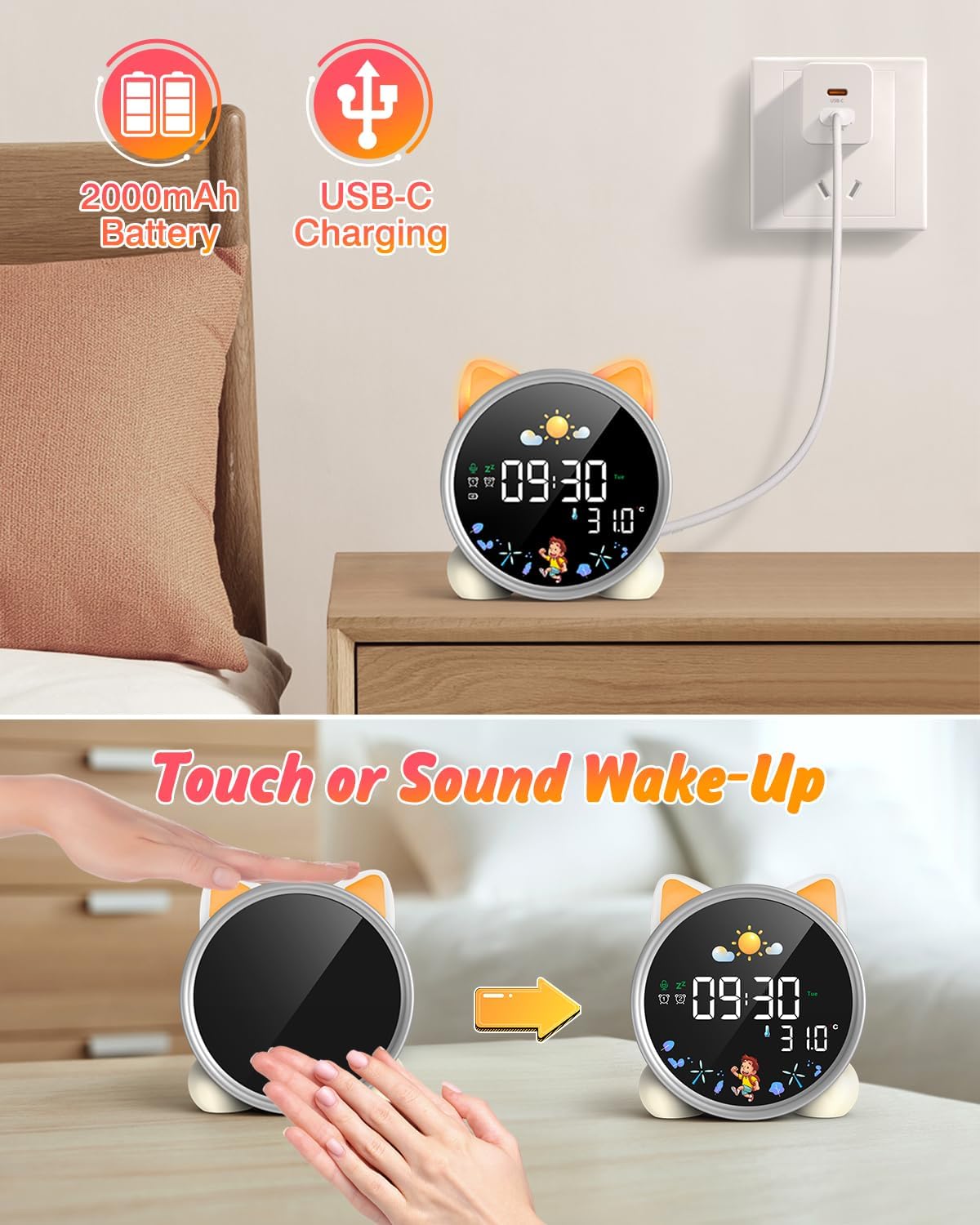
The alarm clock being charged via its USB-C port.
2. Power On/Off
The device powers on automatically when connected to power. To manually power on/off or wake the screen:
- Wake Screen: Tap the device or make a sound near it. The screen will illuminate for 20 seconds.
- Power On/Off: The device is designed to be always on for alarm functions.
Activating the screen by tapping the device.
Operating Instructions
1. Setting Time and Date
The alarm clock supports 12/24 hour format and displays the day of the week. Specific buttons for setting are not detailed in the provided text, but typically involve a "Set" or "Mode" button.
- Refer to the physical manual for exact button functions (e.g., "SET" button).
- Press and hold the "SET" button to enter time setting mode.
- Use "+" and "-" buttons to adjust hours, minutes, and other settings.
- Press "SET" again to confirm each setting and move to the next.
2. Day/Night Educational Mode
This feature uses color-changing lights and icons to signal wake-up and sleep times.
- Wake-up: Green light and sun icon appear to indicate it's time to wake up.
- Sleep: Blue light and moon icon appear to indicate it's time to sleep.

Day/Night mode with green sun for wake-up and blue moon for sleep.
3. Dual Alarms and Snooze Function
Set two independent alarms for different routines.
- Setting Alarms: The dual alarms can be customized for any day from Monday to Sunday. Consult the full manual for specific steps to set Alarm 1 and Alarm 2.
- Snooze: When an alarm sounds, press the "SNOOZE" button on top for an additional 9 minutes of sleep. This can be repeated up to 3 times.

Illustration of the snooze function and dual alarm capability.
4. Night Light (5 Colors & Brightness Levels)
The alarm clock functions as a night light with 5 color options and adjustable brightness.
- Color Options: Yellow, Blue, Purple, White, and Gradient.
- Brightness: 3 levels of brightness (0%, 30%, 70%, 100%) for the screen display. The night light itself also has adjustable brightness.
- Refer to the physical manual for instructions on cycling through colors and adjusting brightness.

The 5 available night light colors and screen brightness options.
5. Music and Sound Machine
The alarm clock offers 7 musical options for a gentle wake-up or soothing sleep environment.
- 7 musical options are available.
- Refer to the physical manual for instructions on selecting and setting music.

The 7 sound options available for the alarm clock.
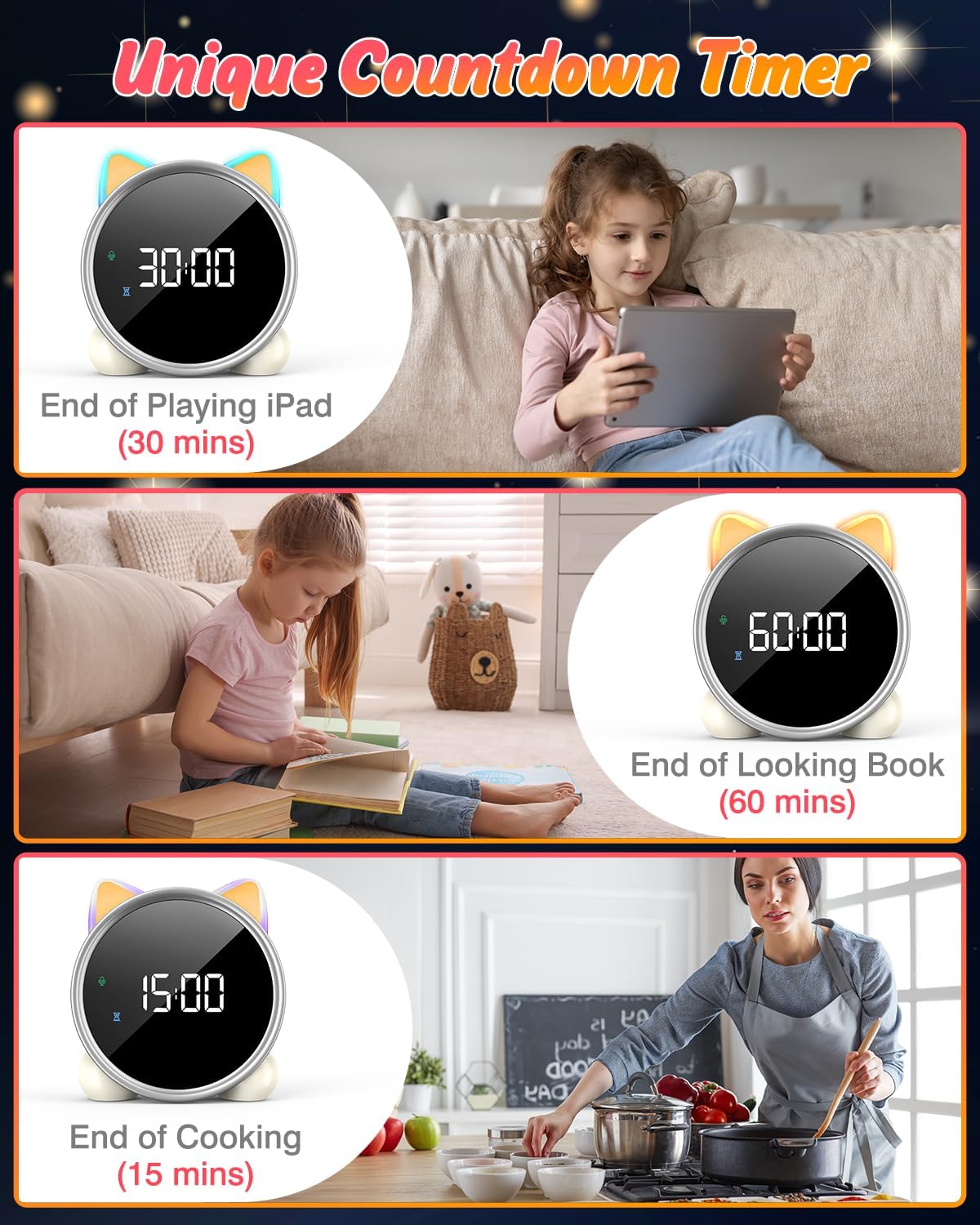
6. Countdown Timer
A unique countdown timer feature can be used for various activities.
- Useful for managing screen time, reading sessions, or cooking.
- Refer to the physical manual for instructions on setting the countdown timer.
Examples of the countdown timer in use for various activities.
7. Temperature Display
The alarm clock displays the ambient temperature and supports both Celsius and Fahrenheit units.
- Supports F/C temperature conversion.
- Refer to the physical manual for instructions on switching between units.
8. Screen Activation (Touch/Sound)
The screen can be activated by touch or sound and will automatically turn off after a period of inactivity to save power.
- Tap the device or make a sound to wake the screen.
- The screen will turn off after 20 seconds of no interaction.
Maintenance
- Cleaning: Wipe the device with a soft, dry cloth. Do not use abrasive cleaners or solvents.
- Storage: Store in a cool, dry place when not in use for extended periods.
- Battery Care: To prolong battery life, avoid fully discharging the battery frequently. Recharge when the low battery indicator appears.
Troubleshooting
| Problem | Possible Cause | Solution |
|---|---|---|
| Screen does not turn on. | Low battery or device is off. | Charge the device using the USB-C cable. Tap the device or make a sound to activate the screen. |
| Battery drains quickly. | Night light mode consumes more power. | It is recommended to keep the device plugged in when using night light mode for extended periods. Ensure the screen brightness is not set too high if battery life is a concern. |
| Difficulty setting time/alarms. | Incorrect button sequence or unfamiliarity with controls. | Refer to the "Operating Instructions" section and the detailed physical manual for precise button functions and sequences. |
| Screen remains on constantly. | Possible setting error or malfunction. | Ensure the screen auto-off feature is enabled (if applicable, check manual). If the issue persists, try a soft reset (if available, check manual) or contact customer support. |
Specifications
- Brand: LEMNOI
- Model Number: SG7
- Color: Rose
- Product Dimensions (L x W x H): 13.1 x 3.81 x 14.5 cm
- Material: Plastic
- Features: Adjustable brightness, Snooze function
- Item Weight: 265 grams
- Display Type: Digital
- Power Source: Battery Powered (Built-in 2000mAh Lithium Battery, USB-C charging)
- Room Type: Bedroom
- Shape: Cat
- Indoor/Outdoor Use: Indoor
Warranty and Support
For warranty information or technical support, please refer to the contact details provided with your purchase or visit the official LEMNOI website. Keep your proof of purchase for any warranty claims.
Related documentsSG7

Ask a question about this manual
Ask about setup, troubleshooting, compatibility, parts, safety, or missing instructions. Manuals+ will review the question and use this page’s manual context to help answer it.