
Introduction
Thank you for purchasing the Mesqool Vibrating Alarm Clock. This device is designed to provide a reliable and discreet wake-up experience through powerful vibration, sound, or a combination of both. Its compact, cordless design and long-lasting battery make it ideal for various settings, including bedrooms, living rooms, and offices. This manual provides detailed instructions for setup, operation, and maintenance to ensure optimal performance.
Safety Information
- Keep the device away from water and high humidity.
- Do not expose to extreme temperatures or direct sunlight.
- Avoid dropping or subjecting the device to strong impacts.
- Use only the provided Type-C charging cable.
- Do not attempt to disassemble or repair the device yourself.
- Keep out of reach of small children to prevent accidental operation or damage.
Package Contents
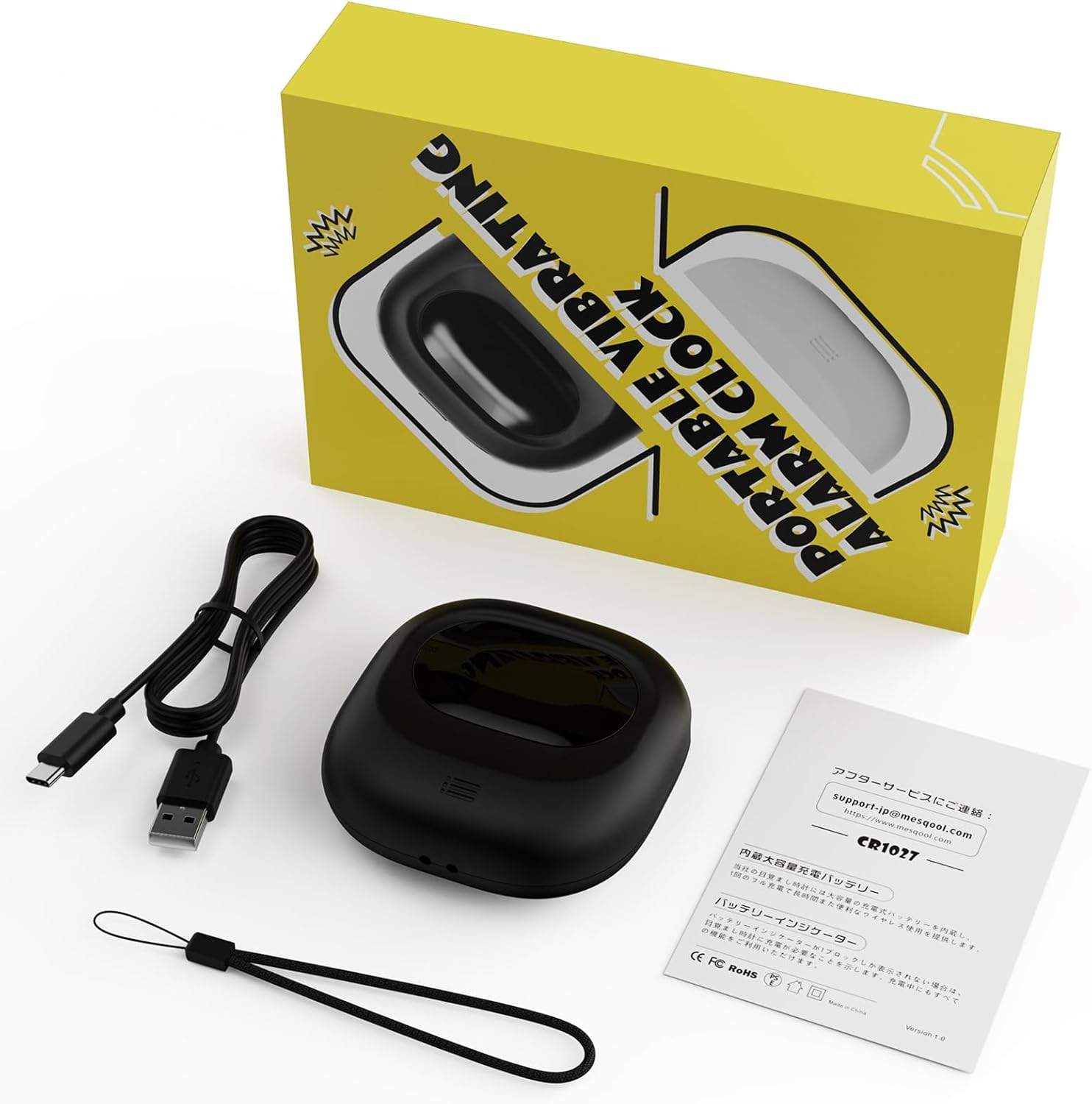
Image: Mesqool Vibrating Alarm Clock package contents, showing the black alarm clock, a Type-C charging cable, and the user manual.
- Mesqool Vibrating Alarm Clock (Model: CR1027)
- Type-C USB Charging Cable
- User Manual
Product Overview
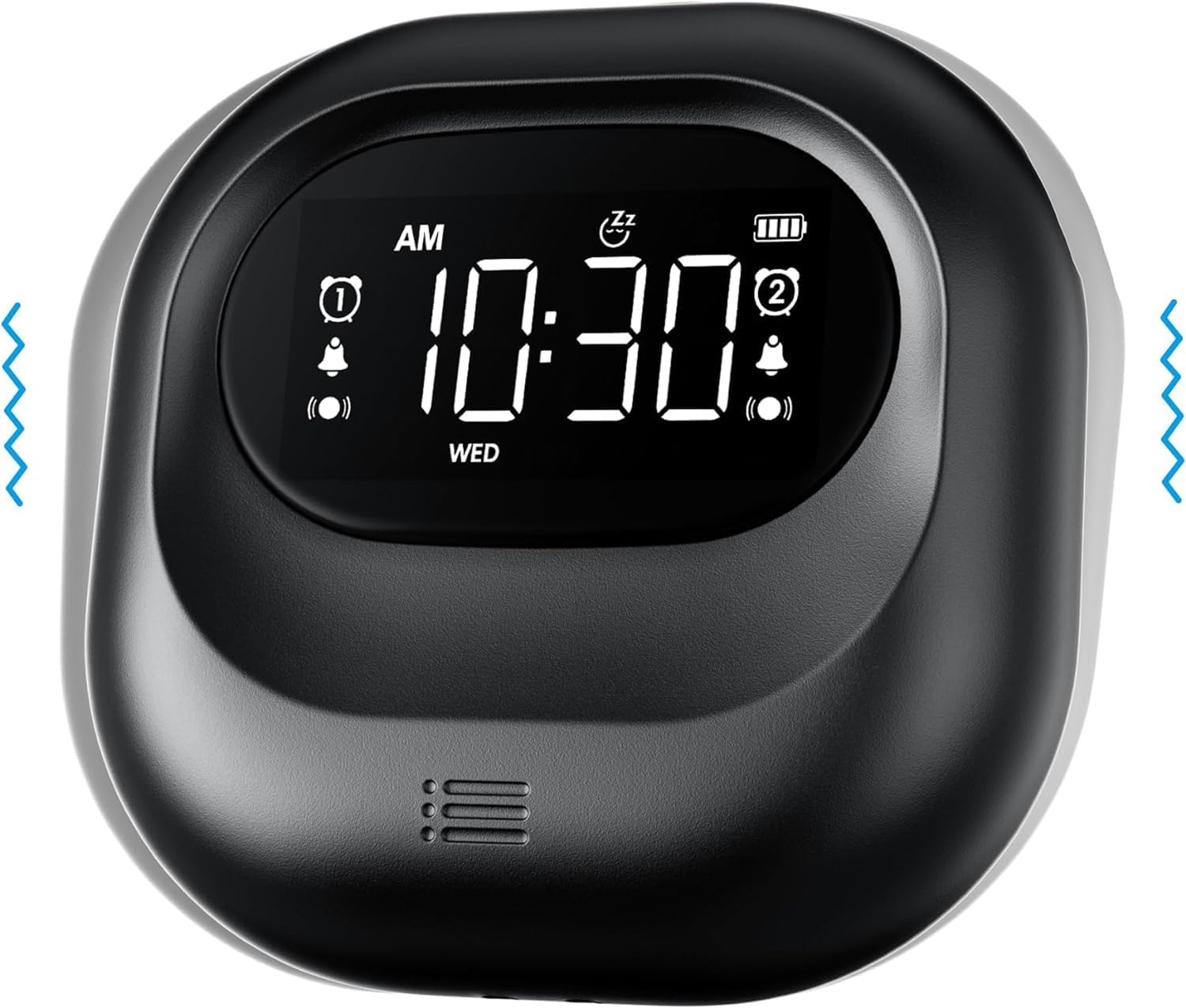
Image: Front view of the Mesqool Vibrating Alarm Clock, highlighting the digital display with time, alarm indicators, and battery level.
Controls and Display:
- Digital LCD Display: Shows time, alarm status, day of the week, and battery level. Features a backlight for visibility in the dark.
- Time/Snooze Button: Used to set time and activate snooze.
- +/- Buttons: Adjust values (time, alarm, volume, vibration intensity).
- Alarm 1/2 Buttons: Activate/deactivate and set individual alarms.
- Mode Switch: Select alarm mode (Buzzer, Vibration, Both).
- Vibration Intensity Switch: Adjust vibration strength (Low, Medium, High).
- Lock Switch: Prevents accidental button presses.
- Type-C Charging Port: For charging the internal battery.
Setup
1. Initial Charging:
Before first use, fully charge the alarm clock. Connect the provided Type-C USB cable to the charging port on the device and the other end to a USB power adapter (not included), computer, or power bank. The battery indicator on the display will show charging status. A full charge ensures optimal battery life.
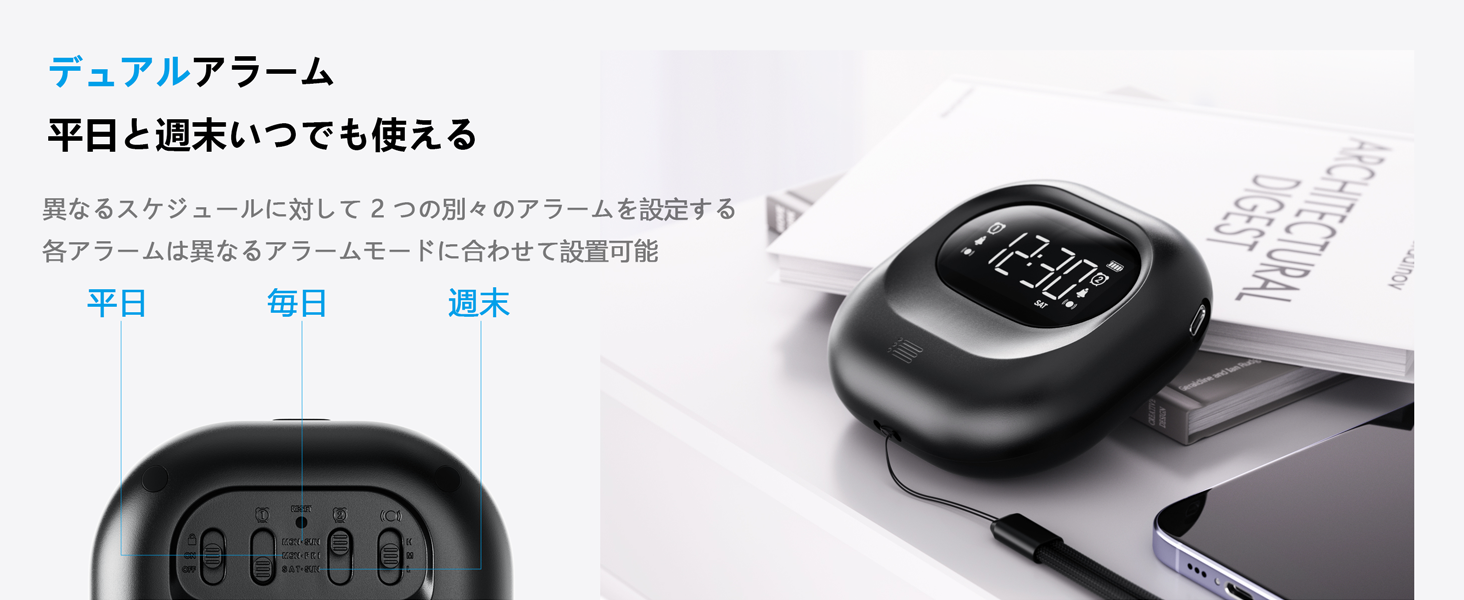
Image: The alarm clock connected to a Type-C charging cable, illustrating the charging process and battery indicator on the display.
2. Power On/Off:
The device powers on automatically when charged or a button is pressed. It enters an automatic standby mode after 30 seconds of inactivity to conserve power. To fully power off, use the dedicated power switch if available (refer to product overview for specific button layout).
Operating Instructions
1. Setting the Time:
- Press and hold the TIME/SNOOZE button until the hour digit flashes.
- Use the +/- buttons to adjust the hour.
- Press TIME/SNOOZE again to move to minutes, then adjust with +/-.
- Repeat for year, month, and day settings.
- Press TIME/SNOOZE to confirm and exit.
- To switch between 12-hour and 24-hour format, press the TIME/SNOOZE button briefly during normal time display.
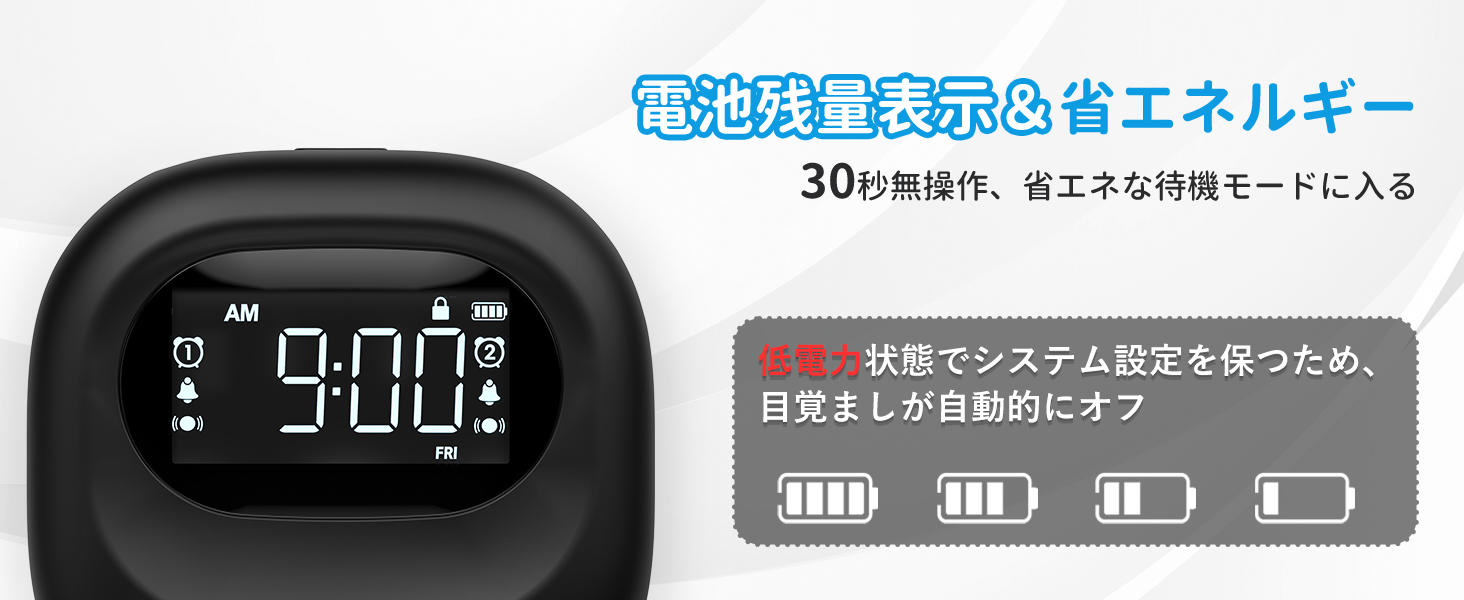
Image: The alarm clock displaying time in both 12-hour and 24-hour formats, demonstrating the adjustable time format feature.
2. Setting Alarms (Alarm 1 & Alarm 2):
The clock features two independent alarms. You can set different times for weekdays, weekends, or every day.
- Press and hold the ALARM 1 or ALARM 2 button until the alarm time flashes.
- Use the +/- buttons to adjust the alarm hour.
- Press the respective ALARM button again to move to minutes, then adjust with +/-.
- Press the ALARM button again to select the alarm frequency:
- MON-FRI: Alarm activates on weekdays.
- SAT-SUN: Alarm activates on weekends.
- EVERY DAY: Alarm activates daily.
- Press the ALARM button to confirm and exit.
- To activate/deactivate an alarm, briefly press the corresponding ALARM 1 or ALARM 2 button. An alarm icon will appear/disappear on the display.
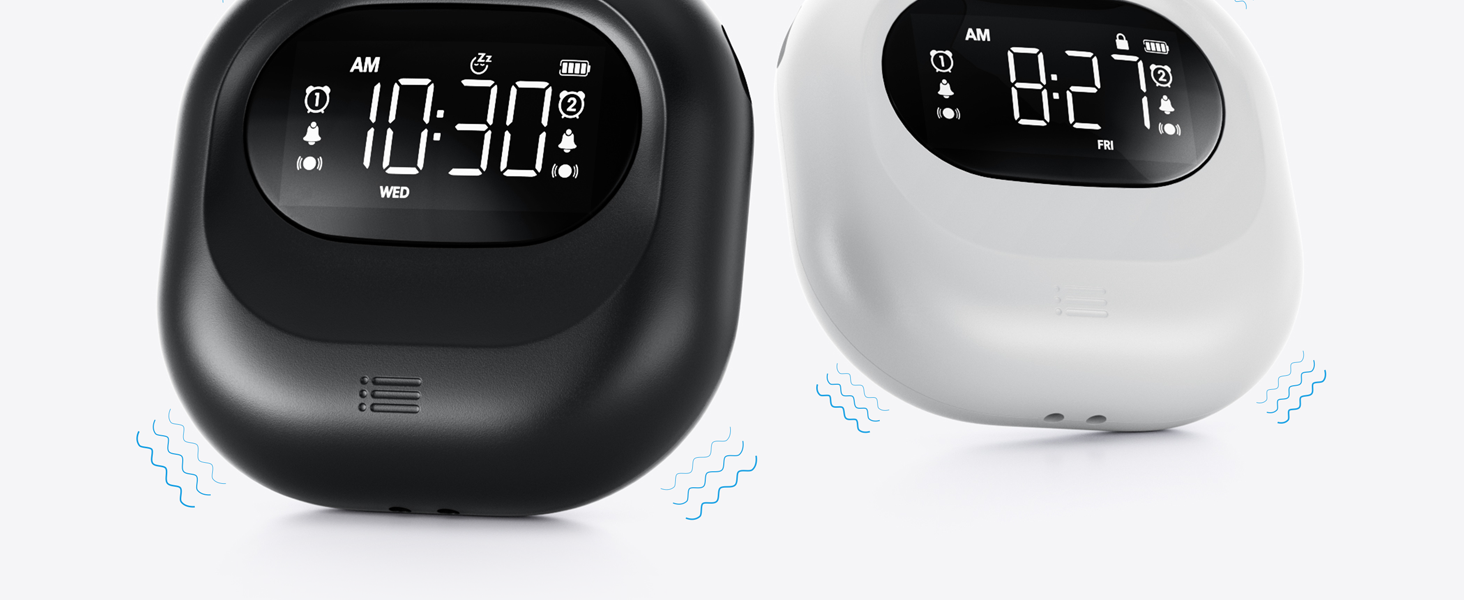
Image: The alarm clock illustrating the dual alarm feature with options for weekday, weekend, and everyday settings.
3. Alarm Modes:
Choose from three wake-up modes to suit your preference:
- Buzzer Only: Standard audible alarm.
- Vibration Only: Silent vibration for discreet wake-up.
- Buzzer + Vibration: Both audible and vibrating alarm for heavy sleepers.
Use the MODE switch on the side/back of the device to select your desired mode.
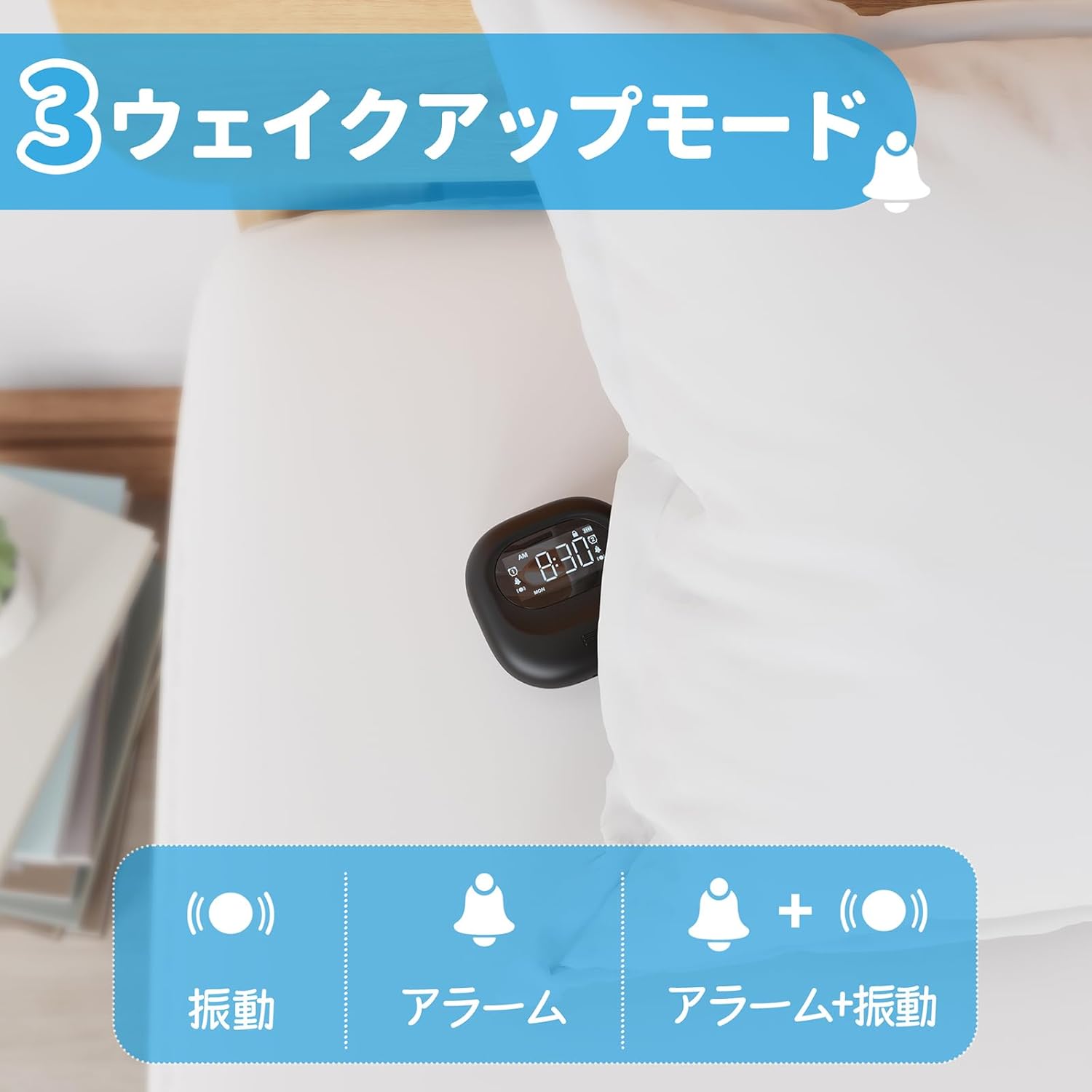
Image: A visual representation of the three alarm modes available on the Mesqool alarm clock: vibration only, buzzer only, and a combination of buzzer and vibration.
4. Vibration Intensity:
Adjust the vibration strength to your comfort level (Low, Medium, High) using the dedicated switch on the device. This is particularly useful for heavy sleepers or those who prefer a gentler wake-up.

Image: The alarm clock demonstrating its three adjustable vibration intensity levels (Low, Medium, High) for personalized wake-up.
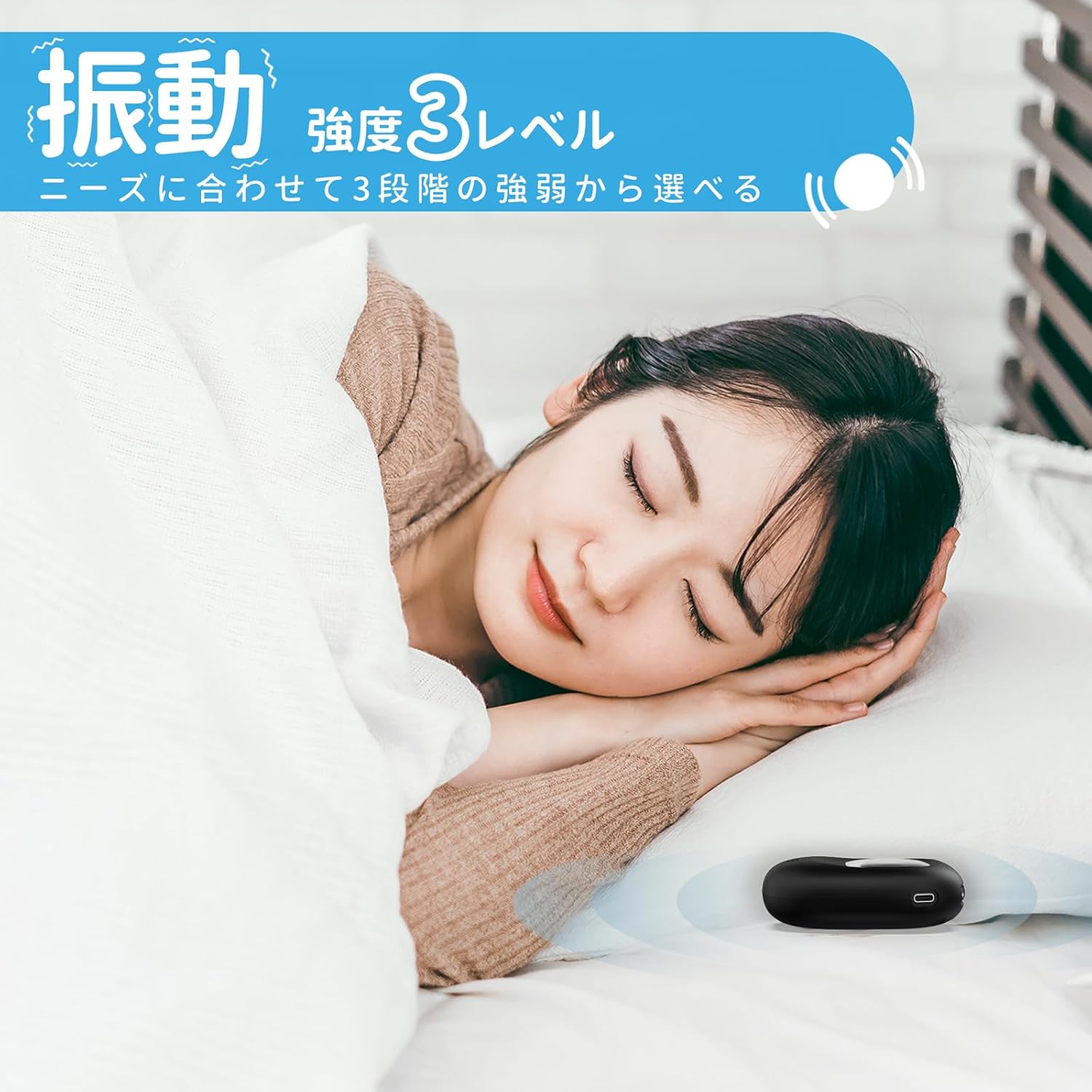
Image: A woman sleeping peacefully with the Mesqool Vibrating Alarm Clock positioned discreetly under her pillow, highlighting its silent wake-up capability.
5. Snooze Function:
When the alarm sounds, press the TIME/SNOOZE button to activate the snooze function. The alarm will pause for 9 minutes and then sound again. This can be repeated up to 9 times.
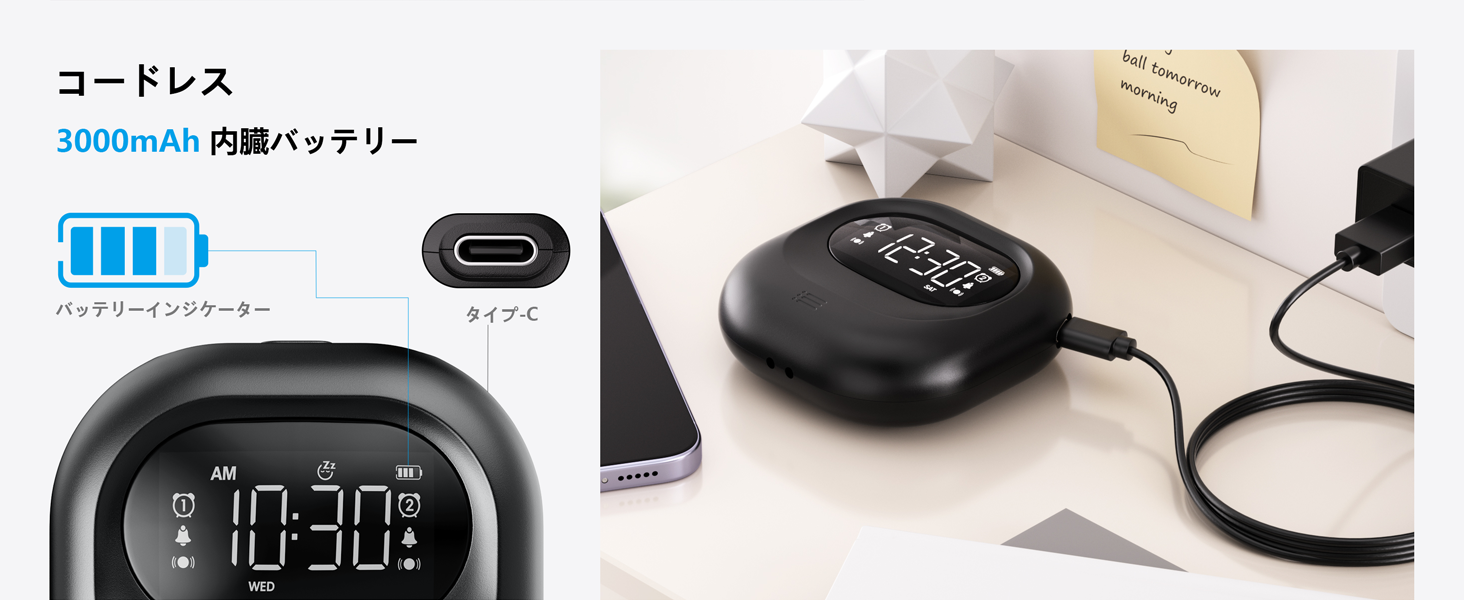
Image: The alarm clock illustrating its snooze feature, which allows for a 9-minute delay before the alarm sounds again.
6. Display Backlight and Lock Mode:
- Backlight: The LCD display features a backlight for easy viewing in low light conditions. It automatically enters standby mode after 30 seconds of inactivity to save power and prevent sleep disturbance.
- Lock Mode: To prevent accidental changes to settings, especially during sleep or when handled by children, activate the lock mode using the LOCK switch. Once locked, buttons will not respond to presses.
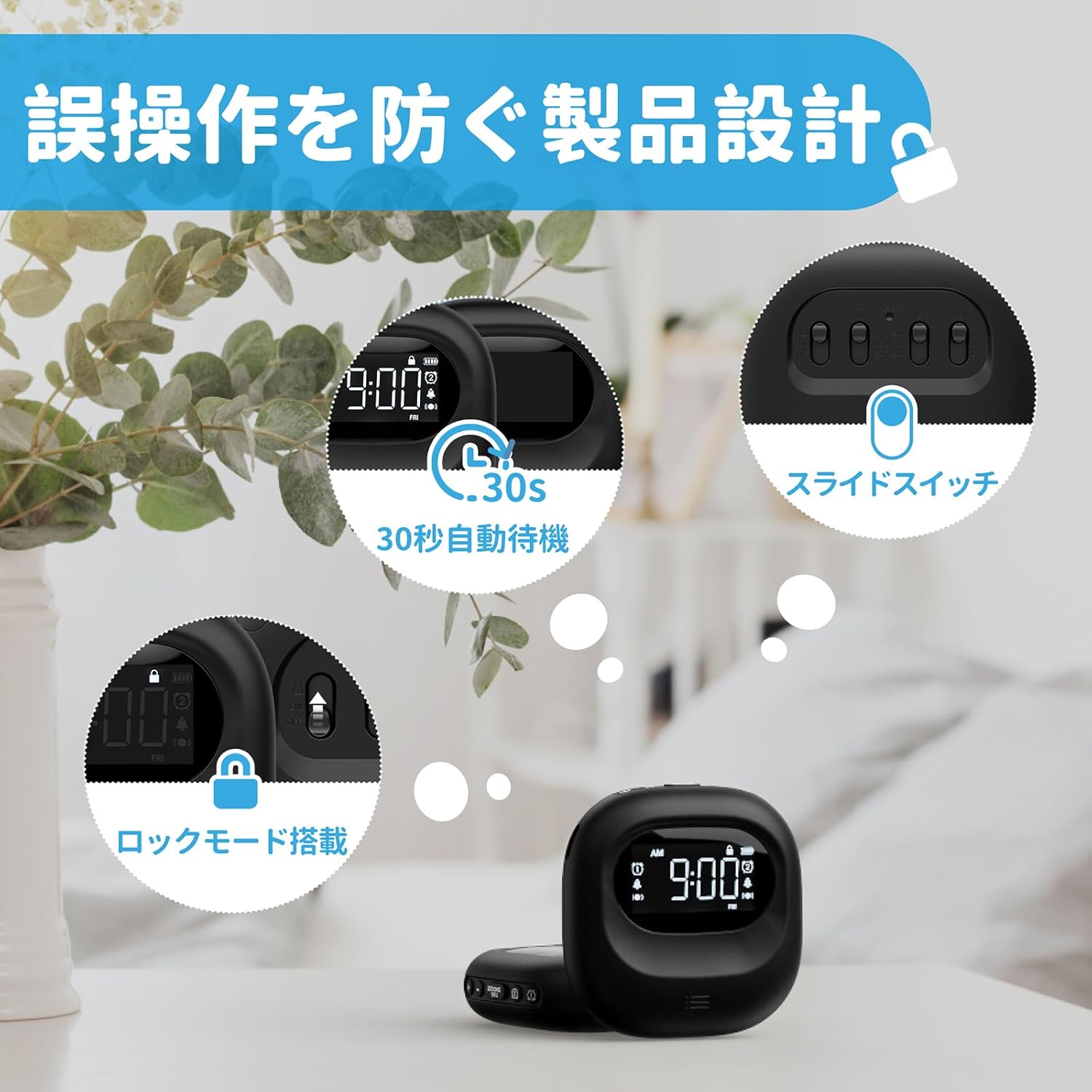
Image: The alarm clock highlighting its lock mode, designed to prevent unintended changes to settings, particularly useful when placed under a pillow or near children.
Maintenance
- Clean the device with a soft, dry cloth. Do not use abrasive cleaners or solvents.
- Avoid exposing the device to extreme temperatures or direct sunlight for prolonged periods.
- Store in a cool, dry place when not in use.
Troubleshooting
| Problem | Possible Cause | Solution |
|---|---|---|
| Device does not turn on. | Battery is depleted. | Charge the device fully using the Type-C cable. |
| Alarm does not sound/vibrate. | Alarm is not activated or mode is incorrect. | Ensure the alarm icon is displayed and the alarm mode switch is set correctly (Buzzer, Vibration, or Both). |
| Buttons are unresponsive. | Lock mode is enabled. | Disable the lock mode using the LOCK switch. |
| Display is dim or off. | Device is in power-saving standby mode. | Press any button to reactivate the display. Ensure battery is charged. |
Specifications
- Model: CR1027
- Brand: Mesqool
- Dimensions: 8.5 cm (width) x 2.7 cm (height)
- Package Size: 14.7 x 10.1 x 3.4 cm
- Weight: 0.19 kg
- Color: Black
- Display Type: Digital LCD
- Power Source: Battery Powered (Rechargeable Lithium-ion)
- Battery Capacity: 3000mAh (Internal)
- Features: Large Capacity Battery, Vibration, Dual Alarm, Snooze, Backlight, 12/24H Time Format, Lock Mode.
- Frame Material: Plastic
Official Product Video
Video: An official product video demonstrating the features and usage of the Mesqool Vibrating Alarm Clock, including its vibration function and dual alarm capabilities.
Warranty and Support
Mesqool products are designed for durability and performance. For warranty information, technical support, or any inquiries regarding your device, please refer to the contact information provided on the product packaging or visit the official Mesqool website. Please retain your purchase receipt for warranty claims.


