
Introduction
Thank you for choosing the Wantek 881F Mono Headset. This headset is designed for clear communication and comfortable use in various environments, including call centers, online conferences, and multimedia applications. It features a noise-cancelling microphone and versatile connectivity options to ensure compatibility with a wide range of devices.

Package Contents
Please check the box for the following items:
- Wantek 881F Mono Headset
- Detachable USB-A Connector
- USB-A to Type-C Adapter
- User Manual (this document)
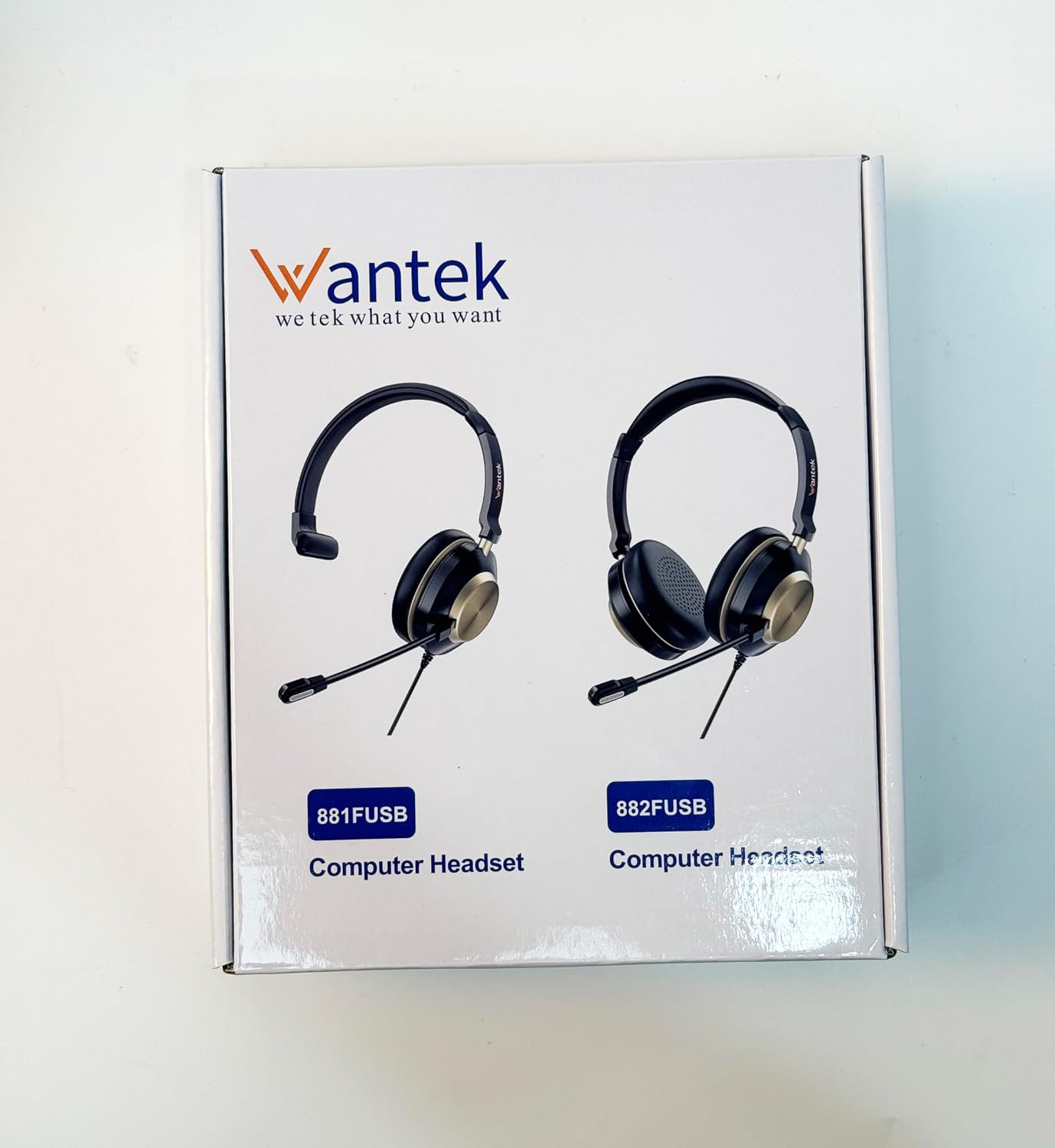

Product Overview
The Wantek 881F headset combines comfort with high-quality audio and microphone performance. Key features include:
- Noise-Cancelling Microphone: Reduces background noise by up to 97% for clear voice transmission. The microphone boom is flexible and rotates 330 degrees for optimal positioning on either ear.
- Comfortable Design: Features soft, breathable ear cushions and an adjustable headband for extended wear comfort.
- High-Definition Sound: Delivers clear audio for calls, music, and other media.
- Inline Controls: Easy access to volume adjustment and microphone mute functions.


Setup
The Wantek 881F headset offers versatile connectivity options:
- 3.5mm Jack Connection: Connect the 3.5mm jack directly to your PC, laptop, tablet, or smartphone's audio port.
- USB-A Connection: For Windows PCs and laptops, attach the detachable USB-A connector to the 3.5mm jack cable, then plug the USB-A connector into an available USB-A port on your device.
- USB-C Connection: For MacBook, Android phones, or other devices with a Type-C port, use the provided USB-A to Type-C adapter. First, connect the detachable USB-A connector to the 3.5mm jack cable, then plug the USB-A connector into the Type-C adapter, and finally, plug the Type-C adapter into your device's Type-C port.
Once connected, your operating system should automatically detect the headset. You may need to select the headset as the default audio input and output device in your sound settings.

Operating Instructions
The inline control box provides convenient access to essential functions:
- Volume Control: Use the '+' and '-' buttons to adjust the listening volume.
- Microphone Mute: Press the microphone button to mute or unmute the microphone. An indicator light on the control box will show the microphone status.
- Speaker On/Off: Press the speaker button to turn the headset speakers on or off.
- Call Control: For compatible applications, the call button can be used to answer or end calls.
A small clip is attached to the cable to secure the control box to your clothing for easy access.

Maintenance
To ensure the longevity and optimal performance of your Wantek 881F headset, follow these maintenance guidelines:
- Cleaning: Gently wipe the headset with a soft, dry cloth. Do not use harsh chemicals or abrasive cleaners.
- Storage: Store the headset in a cool, dry place away from direct sunlight and extreme temperatures.
- Cable Care: Avoid sharp bends or excessive pulling on the cable to prevent damage.
- Ear Cushions: Periodically check ear cushions for wear and tear. Replacement cushions may be available from Wantek support.
Troubleshooting
If you encounter issues with your headset, please refer to the following common solutions:
- No Sound/Microphone Not Working:
- Ensure the headset is securely connected to your device.
- Check your device's sound settings to confirm the Wantek 881F is selected as the default playback and recording device.
- Verify that the volume is not muted and is set to an audible level using both the inline controls and your device's system volume.
- Test the headset with a different device or port to rule out device-specific issues.
- Poor Sound Quality:
- Ensure the connectors are clean and free of debris.
- Adjust the volume to prevent distortion.
- Check for interference from other electronic devices.
- Microphone Noise/Echo:
- Ensure the microphone is positioned correctly near your mouth.
- Adjust microphone sensitivity in your device's sound settings.
- The noise-cancelling feature should minimize background noise; ensure you are in a reasonably quiet environment.
If these steps do not resolve the issue, please contact Wantek customer support.
Specifications
| Feature | Specification |
|---|---|
| Brand | Wantek |
| Model Name | 881F |
| Model Number | LS-881FUSB |
| Connectivity Technology | Wired (3.5mm Jack, USB-A, Type-C via adapter) |
| Ear Placement | On-Ear |
| Form Factor | Supra-Aural |
| Impedance | 1 Ohms |
| Noise Control | Noise Isolation (Microphone Noise Cancellation) |
| Audio Driver Type | Dynamic |
| Frequency Range | 20 Hz - 20,000 Hz |
| Control Type | Volume Control, Microphone Mute |
| Compatible Devices | Computer, Laptop, Tablet, Phone |
| Cable Features | Detachable USB-A connector |
| Material | Leather, Metal, Polycarbonate (PC) |
| Color | Matte Black |
Warranty and Support
Wantek is committed to customer satisfaction. Your Wantek 881F headset comes with the following:
- 30-Day Money-Back Guarantee: If you are not completely satisfied, you may return the product within 30 days for a full refund.
- 1-Year Warranty: If you encounter any issues within one year of purchase, Wantek will provide a suitable solution, including repair or replacement.
For technical support, warranty claims, or any other inquiries, please contact Wantek customer service through the retailer where you purchased the product or visit the official Wantek website for contact information.