
1. Safety Information
Before beginning installation, ensure the power supply is disconnected at the circuit breaker. All wiring must comply with national and local electrical codes. If you are unfamiliar with electrical wiring, consult a qualified electrician. Ensure the mounting structure can support the fan's weight. Maintain a minimum clearance of 7 feet from the floor to the fan blades and 18 inches from the wall to the blade tips. Do not connect the fan to a dimmer switch or fan speed switch, as this can cause operational malfunctions.
2. Package Contents
Verify all components are present before beginning installation:
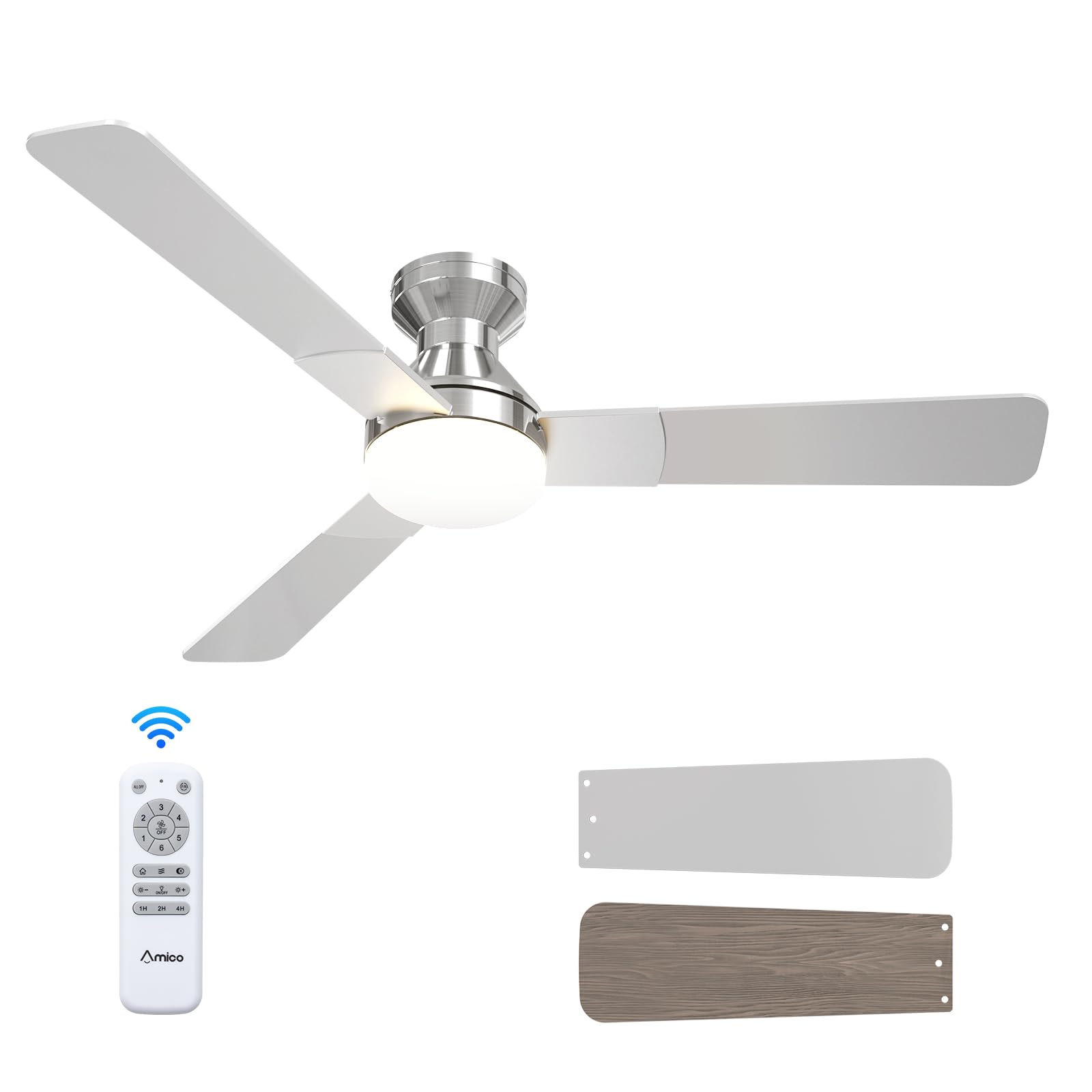
- Ceiling Fan Unit
- ABS Lampshade
- Light Kit (LED)
- Mounting Hardware
- Remote Control
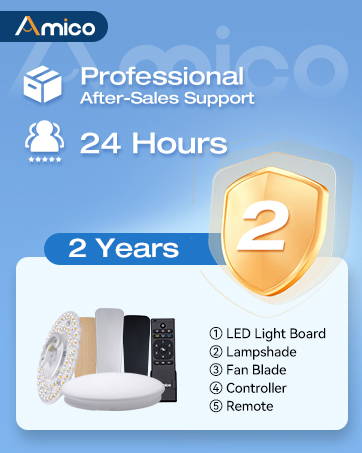
Illustration of various ceiling fan components included in the package.
Unboxing and Component Overview
This video provides an overview of the Amico ceiling fan components as they are unboxed, highlighting the included parts and instructions for easy installation.
3. Product Specifications
| Brand | Amico |
| Model Number | KFM52PLY3B02R1 |
| Size | 52 Inch |
| Color | Nickel |
| Product Dimensions | 52"D x 52"W x 15.7"H |
| Power Source | 120V AC input, DC motor |
| Number of Blades | 3 |
| Blade Material | Engineered Wood |
| Light Type | LED (replaceable) |
| Number of Speeds | 6 |
| Noise Level | 35 Decibels |
| Control Method | Remote Control |
| Indoor/Outdoor Usage | Indoor, Outdoor (Damp Rated) |
4. Installation
Follow these steps for a safe and efficient installation of your Amico ceiling fan. It is recommended to have a second person assist during certain stages of installation.
4.1 Pre-Installation Checks
- Ensure the power is OFF at the circuit breaker before starting.
- Confirm your ceiling junction box is securely mounted and capable of supporting the fan's weight (at least 35 lbs).
- Gather necessary tools: screwdriver, wire strippers, electrical tape, ladder.

Image illustrating the mounting bracket and electrical wiring connections for installation.
4.2 Mounting the Bracket
Attach the mounting bracket to the ceiling junction box using the provided screws. Ensure it is firmly secured to prevent wobbling.

Diagram showing the ceiling fan mounting directly to a standard ceiling junction box for easy DIY installation.
4.3 Wiring
Connect the fan's electrical wires to the household wiring according to the color codes: Black (Live), White (Neutral), Yellow/Green (Earth). Use wire nuts to secure connections. Ensure all connections are tight and insulated. Important: Do not connect to dimmer switches or fan speed switches to prevent operational malfunctions.

Illustration showing compatible conventional wall switches and incompatible dimmer/fan speed switches.
4.4 Attaching Motor and Blades
Carefully lift the fan motor assembly and attach it to the mounting bracket. Secure it with the designated screws. Then, attach the three fan blades to the motor housing. The blades are reversible, with a nickel finish on one side and an oak grain on the other, allowing you to choose the aesthetic that best suits your decor.

Close-up view of the fan motor assembly with reversible blades, showing the nickel and oak grain sides.
4.5 Installing the Light Kit
Connect the LED light kit to the fan's wiring. Secure the light kit to the fan motor assembly using the provided screws. Ensure the connections are firm.
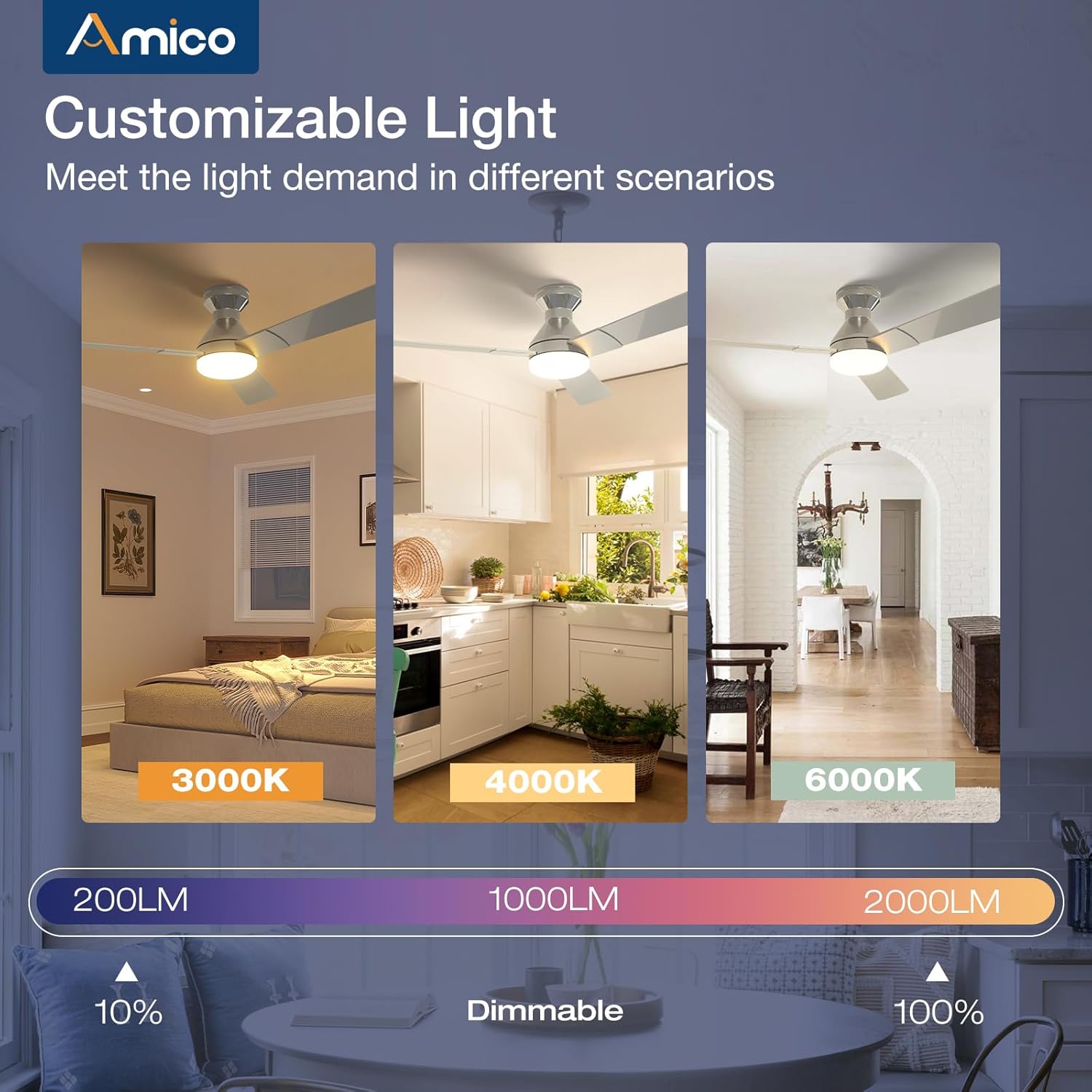
Image detailing the installation of the LED light kit onto the ceiling fan.
4.6 Final Assembly
Attach the lampshade or light cover to the light kit, twisting or securing it into place as per the design. Restore power at the circuit breaker and test the fan and light functions using the remote control.

Image showing the final step of attaching the light cover to the ceiling fan.
Installation Video Guide
This video demonstrates the installation process, highlighting how easy it is to set up the Amico ceiling fan, even for remodels.
5. Operating Instructions
Your Amico ceiling fan is designed for ease of use with a comprehensive remote control.
5.1 Remote Control Functions

Image of the remote control with labeled buttons for various functions.
- Power Button: Turns the fan and light on/off.
- Fan Speed (1-6): Adjusts fan speed from gentle breeze (1) to strong wind (6).
- Reverse Function: Changes the direction of blade rotation for summer (downward airflow) or winter (upward airflow) use.
- Light On/Off: Toggles the light independently.
- Light Brightness (+/-): Dims or brightens the light (10%-100%).
- Color Temperature: Cycles through 3000K (warm white), 4000K (natural white), and 6000K (cool white).
- Timer (1H, 2H, 4H): Sets the fan and/or light to turn off automatically after the selected duration.
Remote Control Demonstration
This video demonstrates the various functions of the remote control, including fan speed, light temperature, and dimming capabilities.
5.2 Fan Speed and Airflow
The fan offers 6 adjustable speeds to suit your comfort needs, from a gentle, comfortable breeze to a strong cooling wind. The DC motor ensures powerful yet quiet operation.

Diagram illustrating the 6 adjustable fan speeds and their corresponding wind levels.
5.3 Customizable Light
The integrated LED light is dimmable from 10% to 100% and offers three color temperature options: 3000K (warm), 4000K (natural), and 6000K (cool). Adjust the light to match your activity or mood.
Image showing the three color temperature options (3000K, 4000K, 6000K) and dimmable range of the fan light.
5.4 Reversible DC Motor
The reversible DC motor allows you to change the direction of the fan blades. In summer, set the fan to rotate counter-clockwise for a downward airflow that creates a cooling effect. In winter, set it to rotate clockwise for an upward airflow that helps circulate warm air trapped near the ceiling.

Diagram illustrating the summer (cooling) and winter (warming) modes of the reversible DC motor.
5.5 Timer Setting
Utilize the timer function to automatically turn off the fan and/or light after 1, 2, or 4 hours, promoting energy efficiency and convenience, especially during sleep.

Graphic showing the 1-hour, 2-hour, and 4-hour timer settings for the fan.
5.6 Memory Function
The fan and light feature memory functions. Once you select your desired light brightness, color temperature, and fan speed, these settings will be retained even after turning the unit off and on via the wall switch. This avoids the need to reset your preferences each time.

Illustration demonstrating how the fan and light settings are remembered after being turned off and on.
5.7 Quiet Operation
Engineered for minimal noise, the fan operates at a low 35dB, comparable to the sound of falling leaves, ensuring a quiet living environment suitable for bedrooms and nurseries.

Graphic comparing the fan's low noise level (35dB) to common ambient sounds.
6. Maintenance
Regular maintenance ensures optimal performance and longevity of your ceiling fan.
- Cleaning: Periodically wipe the fan blades and motor housing with a soft, damp cloth. Do not use abrasive cleaners or solvents.
- Light Cover: The ABS lampshade can be removed and cleaned with mild soap and water. Ensure it is completely dry before reattaching.
- Blade Screws: Check all blade attachment screws periodically to ensure they are tight.
- LED Light Kit: The LED light kit is replaceable. If replacement is needed, contact customer support for compatible parts.
7. Troubleshooting
If you encounter any issues with your Amico ceiling fan, refer to the following common troubleshooting steps:
- Fan Does Not Start:
- Check that power is supplied to the fan.
- Ensure all wire connections are secure.
- Verify the remote control batteries are functional and correctly inserted.
- Light Does Not Work:
- Check the light kit's electrical connections.
- Ensure the light function on the remote is activated.
- Fan Wobbles:
- Ensure the mounting bracket is securely fastened to the ceiling junction box.
- Check that all blade screws are tightened.
- Verify blades are not bent or damaged.
- Remote Control Not Responding:
- Replace the remote control batteries.
- Ensure there are no obstructions between the remote and the fan's receiver.
8. Warranty and Support
Amico is committed to customer satisfaction. Your ceiling fan comes with a 24-month worry-free warranty. We also provide 24-hour technical support to assist with any issues during use or installation.
Contact Information:
- Email: support@amicolight.com
- Phone: +1 (888) 676-1042 (Monday - Friday from 9:00 AM - 5:00 PM PT)

Graphic detailing Amico's after-sales support and warranty information.


