
1. Important Safety Instructions
Read all safety warnings, instructions, illustrations, and specifications provided with this power tool. Failure to follow all instructions listed below may result in electric shock, fire, and/or serious injury. Save all warnings and instructions for future reference.
- Work Area Safety: Keep the work area clean and well-lit. Cluttered or dark areas invite accidents. Do not operate power tools in explosive atmospheres, such as in the presence of flammable liquids, gases, or dust.
- Electrical Safety: Power tool plugs must match the outlet. Never modify the plug in any way. Do not abuse the cord. Never use the cord for carrying, pulling, or unplugging the power tool.
- Personal Safety: Always wear eye protection. Use hearing protection when operating power tools for extended periods. Dress properly. Do not wear loose clothing or jewelry. Keep hair and clothing away from moving parts.
- Power Tool Use and Care: Do not force the power tool. Use the correct power tool for your application. Disconnect the battery pack from the power tool before making any adjustments, changing accessories, or storing power tools.
- Battery Tool Use and Care: Recharge only with the charger specified by the manufacturer. Use power tools only with specifically designated battery packs.
2. Product Overview
2.1 Components Included
The Avhrit Cordless Impact Wrench kit includes the following items:
- 1pc Impact Wrench
- 2pcs 4.0AH Lithium-Ion Batteries
- 1pc Fast Charger
- 4pcs Impact Sockets (17mm, 19mm, 21mm, 24mm)
- 4pcs Screw Bits
- 4pcs Drill Bits
- 1pc Changeover Head
- 1pc Belt Clip
- 1pc Portable Strap
- 1pc Customized Storage Case
- 1pc Instruction Guide (this manual)
2.2 Key Features
- Powerful Brushless Motor: Delivers up to 700N.m (516Ft-lbs) max torque and 2700 RPM for efficient operation.
- 3-in-1 Functionality: Operates as an impact wrench, impact drill, and power screwdriver.
- Long-lasting Batteries: Two 4.0Ah Lithium-Ion batteries provide extended working time.
- 4 Variable Speed Modes: Adjustable speeds (0-1000/1500/2100/2700 RPM) for various tasks.
- Forward & Reverse with Brake-Stop Mode: Easy direction change and automatic brake in reverse to prevent nut loss.
- Built-in LED Light: Illuminates the work area for improved visibility in dark spaces.
- Lightweight and Compact Design: Weighs 4.3 lbs with battery for reduced user fatigue.

Figure 1: Avhrit Cordless Impact Wrench showcasing its 700N.m (516 Ft-lbs) maximum torque capability.

Figure 2: Illustration of the superior brushless motor, highlighting increased torque, power, and reduced noise.
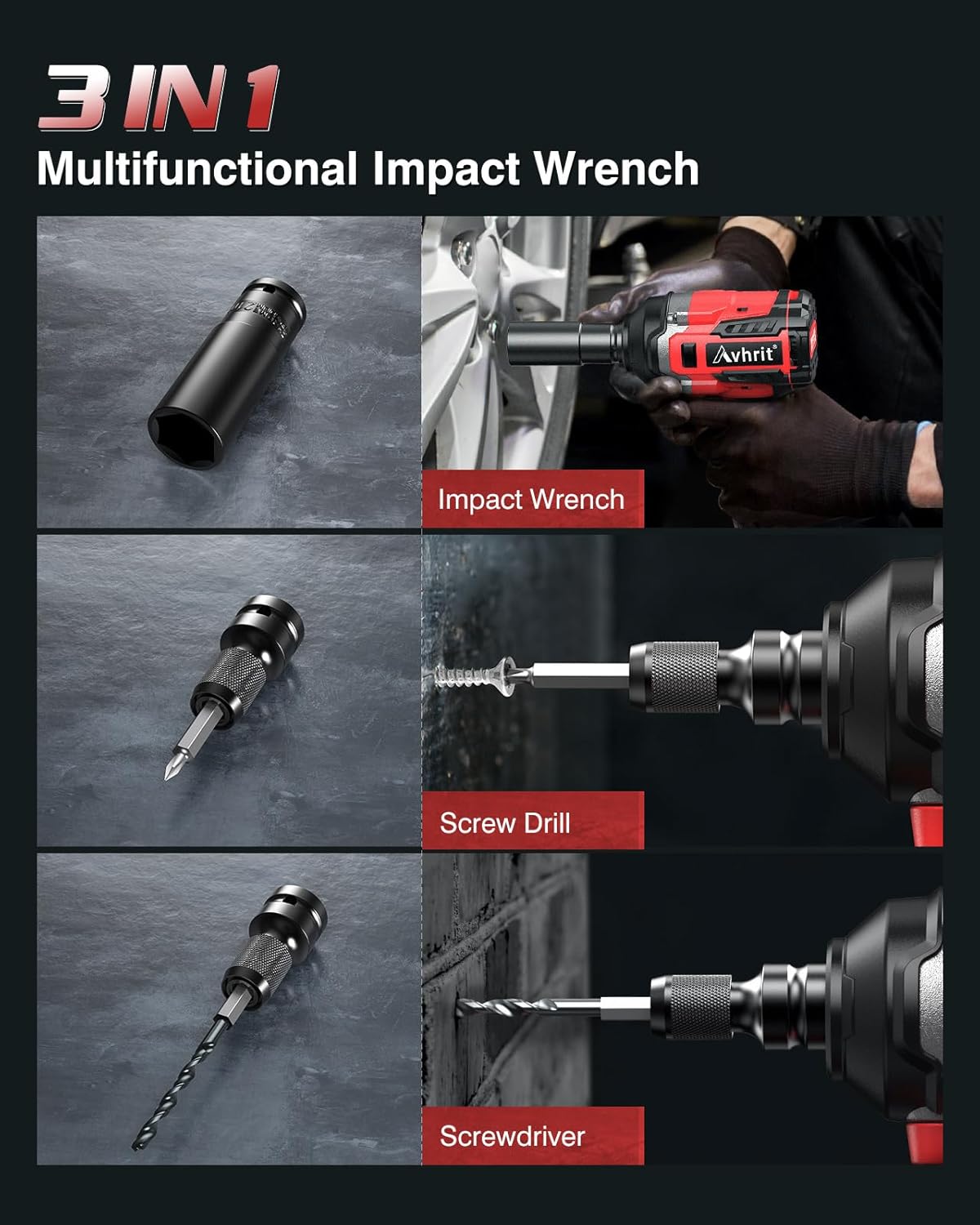
Figure 3: The 3-in-1 functionality of the impact wrench, demonstrating its use as an impact wrench, screw drill, and screwdriver.
3. Getting Started
3.1 Battery Charging and Installation
- Charging the Battery: Connect the fast charger to a power outlet. Insert the 4.0Ah battery into the charger. The indicator light on the charger will show the charging status. Ensure the battery is fully charged before first use.
- Installing the Battery: Align the battery pack with the base of the impact wrench. Slide the battery into the tool until it clicks securely into place.
- Removing the Battery: Press the battery release button (usually located on the side of the battery pack) and slide the battery out of the tool.
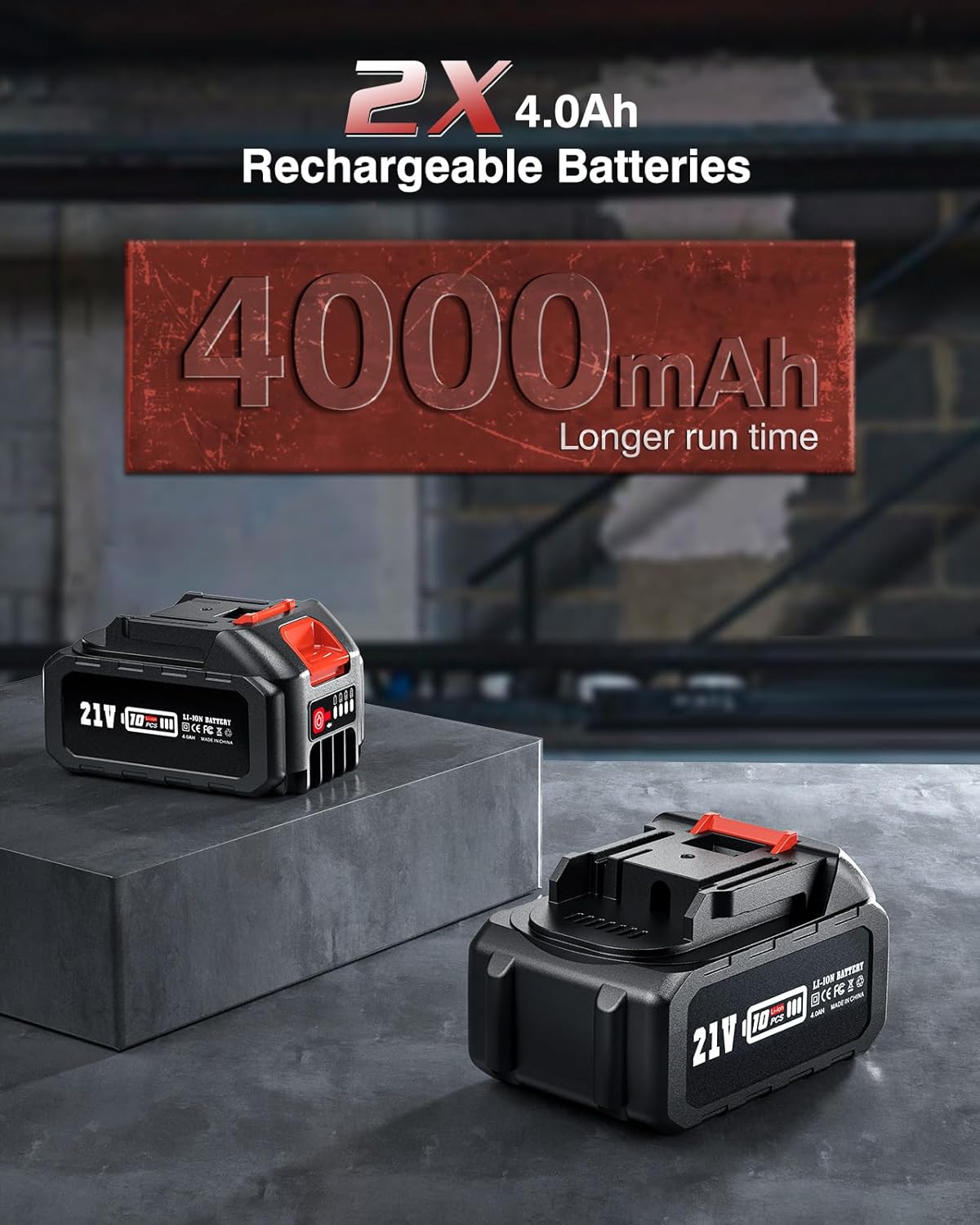
Figure 4: Two 4.0Ah rechargeable batteries, designed for longer run time.
3.2 Attaching Sockets and Bits
- Ensure the tool is off and the battery is removed before attaching or removing accessories.
- For impact sockets, align the square drive of the socket with the 1/2 inch anvil on the wrench. Push the socket firmly onto the anvil until it locks into place.
- For screw bits or drill bits, use the provided changeover head. Attach the changeover head to the 1/2 inch anvil. Then, insert the desired screw bit or drill bit into the chuck of the changeover head and tighten securely.
- To remove, reverse the installation steps.
4. Operation
4.1 Power On/Off
The tool is activated by pressing the trigger switch. The speed of the tool is controlled by the amount of pressure applied to the trigger. Releasing the trigger turns the tool off.
4.2 Speed Control
The Avhrit impact wrench features 4 variable speed modes. Press the 'Mode' button to cycle through the available speeds:
- Mode 1: 0-1000 RPM (Low speed, suitable for driving screws or delicate tasks)
- Mode 2: 0-1500 RPM (Medium speed, suitable for drilling holes)
- Mode 3: 0-2100 RPM (Higher speed, for general fastening)
- Mode 4: 0-2700 RPM (Maximum speed, ideal for removing stubborn wheel nuts or bolts)

Figure 5: The impact wrench displaying its four adjustable speed settings, ranging from 0-1000 RPM to 0-2700 RPM.
4.3 Forward & Reverse and Brake-Stop Mode
The forward/reverse selector switch is located above the trigger. Push the switch to the left for forward rotation and to the right for reverse rotation.
- Forward Rotation: Used for tightening fasteners.
- Reverse Rotation: Used for loosening fasteners.
- Safe Mode: To prevent accidental activation, set the selector switch to the middle position.
- Brake-Stop Mode (in Reverse): When operating in reverse, once a nut or bolt is loosened, the tool's brake activates, reducing speed and torque. This feature helps prevent the loosened fastener from flying off.

Figure 6: Visual guide for operating the forward and reverse switch, showing how to change rotation direction.
4.4 LED Work Light
The impact wrench is equipped with a built-in LED light to illuminate the work area.
- To turn the LED light ON, press and hold the 'Mode' button for 3 seconds.
- To turn the LED light OFF, press and hold the 'Mode' button for another 3 seconds. This conserves battery power.

Figure 7: The impact wrench in use, demonstrating the built-in LED light illuminating a dark workspace.
4.5 Applications
The Avhrit Cordless Impact Wrench is versatile for various tasks:
- Car Repair: Ideal for tightening or loosening wheel nuts on cars and motorcycles.
- Construction: Suitable for scaffolding installation and securing bolts on structures.
- Home Improvement: Can be used as an impact drill for creating holes or a power screwdriver for furniture assembly and other DIY projects.

Figure 8: Collage showing the impact wrench used for car repair, tightening screws, scaffolding installation, and drilling holes.
5. Maintenance and Care
5.1 Cleaning
Regularly clean the tool's ventilation openings to prevent overheating. Use a soft, damp cloth to wipe down the exterior. Do not use harsh chemicals or abrasive cleaners.
5.2 Battery Care
- Store batteries in a cool, dry place away from direct sunlight and extreme temperatures.
- Do not store batteries in a discharged state for extended periods. Recharge them periodically if not in use.
- Avoid dropping or physically damaging the battery packs.
5.3 Storage
When not in use, store the impact wrench and its accessories in the provided customized storage case. Ensure the tool is clean and dry, and the battery is removed before storage. Store in a secure location out of reach of children.
6. Troubleshooting
If you encounter issues with your Avhrit Cordless Impact Wrench, refer to the following common problems and solutions:
| Problem | Possible Cause | Solution |
|---|---|---|
| Tool does not start | Battery not charged or improperly installed. Forward/reverse switch in middle (safe) position. | Ensure battery is fully charged and correctly installed. Move forward/reverse switch to desired operating position. |
| Reduced power or torque | Battery charge is low. Incorrect speed mode selected. | Recharge the battery. Select a higher speed mode using the 'Mode' button. |
| Battery not charging | Charger not properly connected. Faulty battery or charger. | Check charger connection to power outlet and battery. If problem persists, contact customer support. |
| Accessory (socket/bit) falls off | Accessory not fully seated or locked. | Ensure the socket or changeover head is pushed firmly onto the anvil until it clicks. For bits, ensure the chuck is tightened. |
7. Technical Specifications
| Specification | Value |
|---|---|
| Model Number | AH02 |
| Max Torque | 700 N.m (516 Ft-lbs) |
| No-Load Speed | 0-2700 RPM (4 variable speeds) |
| Voltage | 21 Volts (DC) |
| Drive Size | 1/2 Inch Square |
| Battery Type | Lithium Ion |
| Battery Capacity | 4.0 Ah |
| Motor Type | Brushless |
| Item Weight (with battery) | 3.8 kg (4.3 lbs) |
| Material | Metal |
| Special Features | Cordless, Reverse Rotation, LED Light |
8. Warranty and Customer Support
Avhrit products are manufactured to high-quality standards and are warranted against defects in materials and workmanship. Please retain your proof of purchase for warranty claims.
For technical assistance, troubleshooting not covered in this manual, or warranty inquiries, please contact Avhrit customer support through the retailer where the product was purchased or visit the official Avhrit website for contact information.
