
Pulsar PGD16ISCO
Contents
Pulsar PGD16ISCO Ultra Light Quiet 1600W Portable Gas Inverter Generator User Manual
Model: PGD16ISCO | Brand: Pulsar
1. Product Overview
The Pulsar PGD16iSCO inverter generator is designed for portability and quiet operation, suitable for various applications including camping, outdoor events, and light job site use. It delivers clean and stable energy, making it safe for sensitive electronics.
- Power Output: 1600 peak watts and 1200 rated watts.
- Engine: 57cc gasoline engine.
- Quiet Operation: Operates at 56 decibels.
- Clean Power: Less than 3% total harmonic distortion (THD) for sensitive electronics.
- Safety Feature: Equipped with CO Sentry sensor for carbon monoxide protection.
- Outlets: Two 120V NEMA 5-20R receptacles and two USB-A ports.
- Extended Run Time: 0.6-gallon fuel tank provides 6.5 hours of operation at half load.
- Portability: Weighs only 24 pounds.
- Parallel Capability: Can be linked with another unit for increased power (kit sold separately).
- Compliance: CARB Compliant.

Figure 1.1: Front view of the Pulsar PGD16ISCO Inverter Generator.
2. Safety Information
Operating a generator safely is paramount. Always read and understand the complete safety instructions in the full user manual before operation. Key safety considerations include:
- Carbon Monoxide Hazard: Generators produce carbon monoxide (CO), an odorless, colorless, and deadly gas. Always operate the generator outdoors in a well-ventilated area, far away from windows, doors, and vents. Never operate indoors or in enclosed spaces.
- CO Sentry: This generator is equipped with CO Sentry technology, which automatically shuts down the engine if carbon monoxide levels become dangerously high. This feature is an added safety measure and does not replace the need for proper ventilation.
- Electrical Safety: Do not operate the generator in wet conditions. Ensure all connections are secure and dry. Use ground fault circuit interrupters (GFCIs) when operating in damp locations.
- Fuel Safety: Gasoline is highly flammable. Store fuel in approved containers in a well-ventilated area away from ignition sources. Do not refuel a hot or running engine.
- Hot Surfaces: The generator's engine and muffler become very hot during operation and remain hot for some time after shutdown. Avoid contact to prevent burns.

Figure 2.1: The CO Sentry system provides protection against carbon monoxide.
3. Components and Controls
Familiarize yourself with the key components and control panel of your Pulsar PGD16ISCO generator.
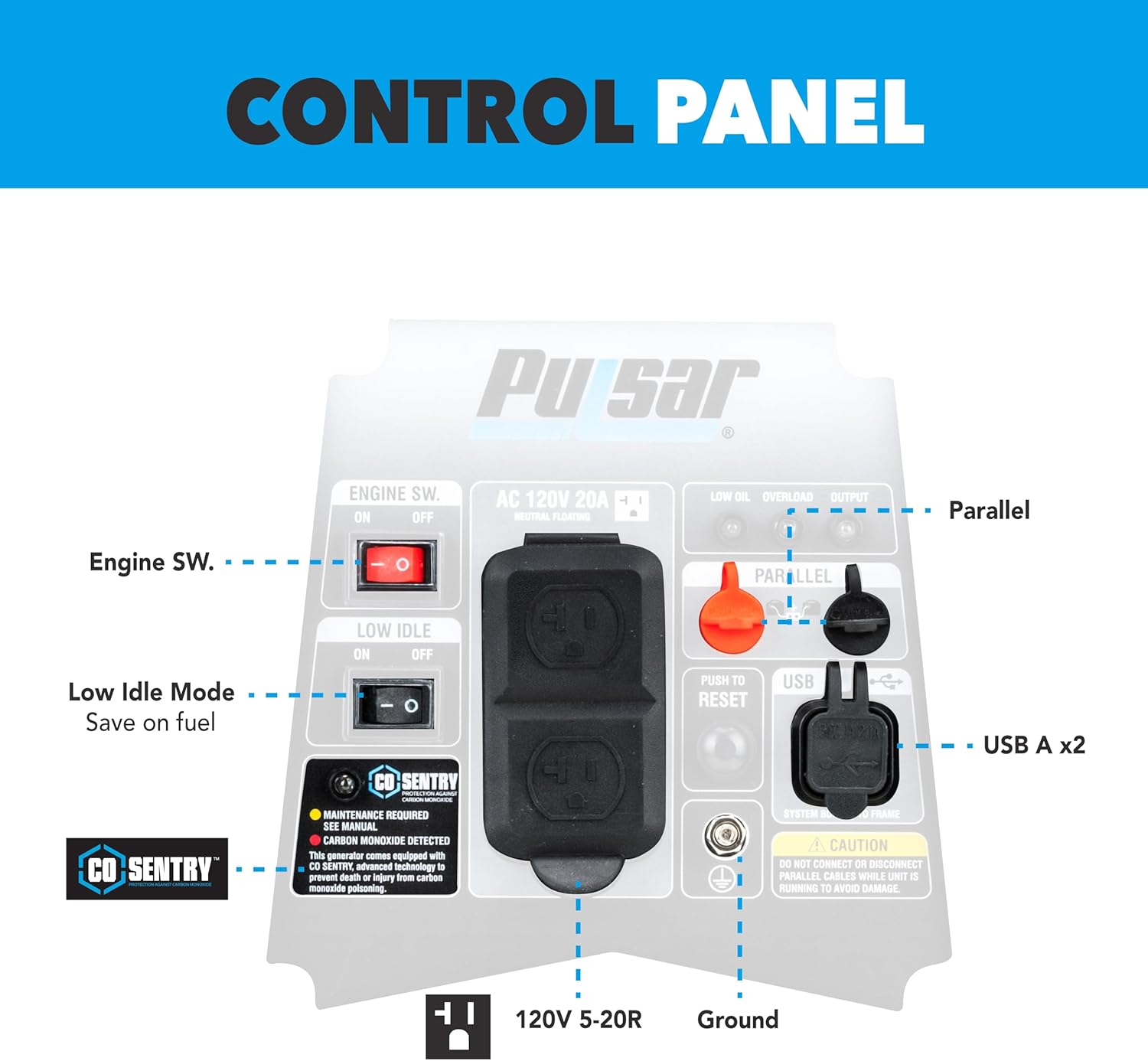
Figure 3.1: Detailed view of the control panel.
- Engine Switch: Controls the engine's power (ON/OFF).
- Low Idle Mode: Engages an economy mode to save fuel and reduce noise when power demand is low.
- AC 120V 20A Outlets (x2): Standard household outlets for connecting appliances.
- USB-A Ports (x2): For charging USB-powered devices.
- Parallel Ports: Used to connect two PGD16ISCO units for increased power output.
- Push to Reset: Circuit breaker reset button.
- Ground Terminal: For connecting a ground wire.
- Fuel Switch: Controls fuel flow (OFF/ON).
- Recoil Start Handle: Used to manually start the engine.

Figure 3.2: Side view showing the fuel switch and recoil start.
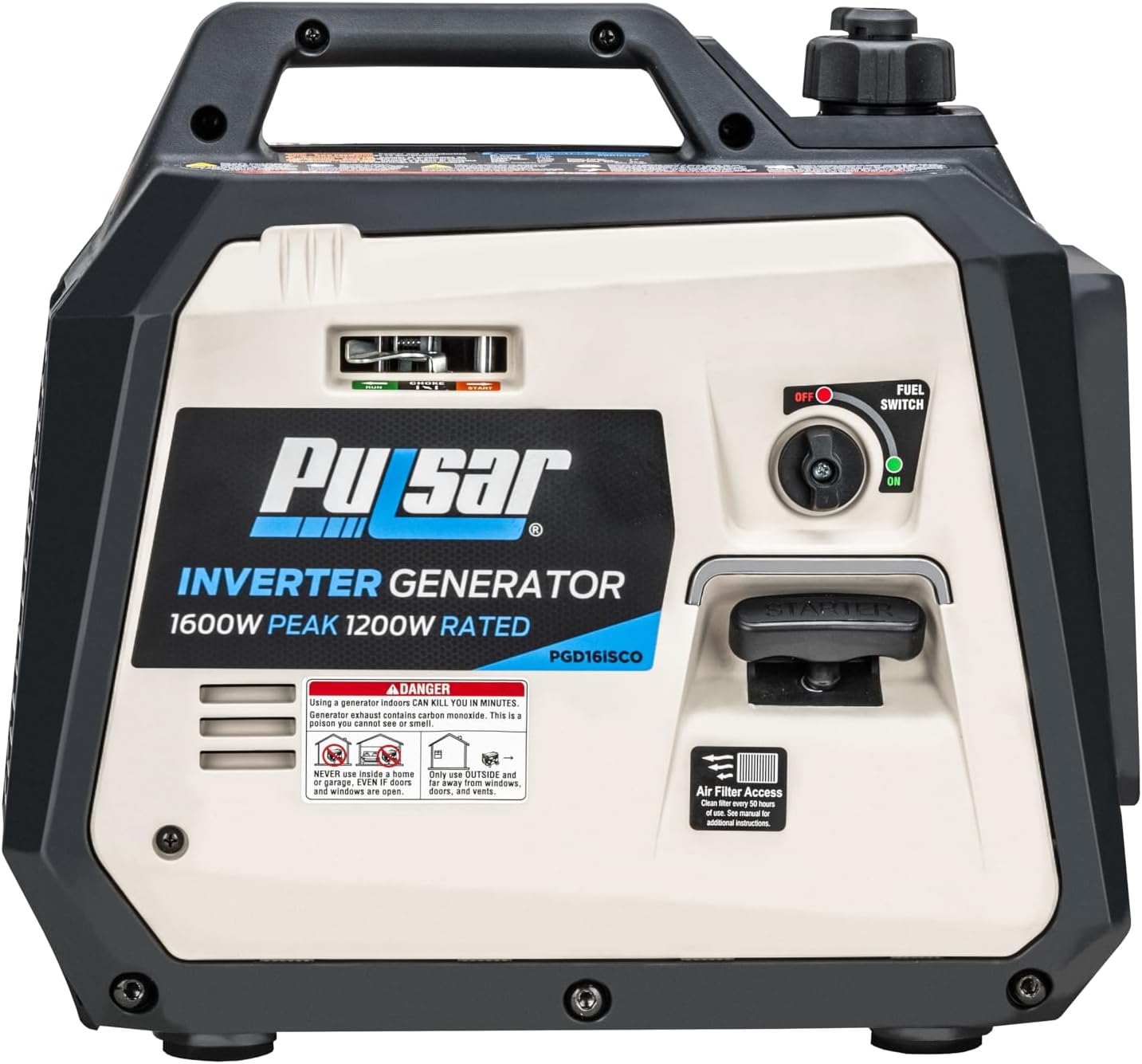
Figure 3.3: Back view showing the control panel and exhaust.
4. Setup
Before first use, proper setup is essential for safe and efficient operation.
4.1 Unpacking and Inspection
- Carefully remove the generator and all accessories from the packaging.
- Inspect for any shipping damage. If damage is found, contact customer support immediately.
- Verify all included components are present: spark plug wrench, engine oil, and oil funnel.
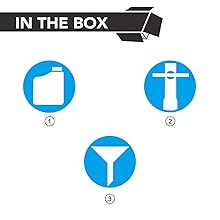
Figure 4.1: Standard accessories included with the generator.
4.2 Adding Engine Oil
The generator is shipped without engine oil. You must add the correct amount of oil before starting the engine.
- Place the generator on a level surface.
- Locate the oil fill cap/dipstick.
- Using the provided funnel, slowly pour the included engine oil into the oil fill opening until it reaches the upper mark on the dipstick. Do not overfill.
- Securely replace the oil fill cap/dipstick.
4.3 Adding Fuel
Use fresh, unleaded gasoline with an octane rating of 87 or higher.
- Ensure the generator is turned OFF and cool.
- Remove the fuel cap.
- Carefully pour gasoline into the fuel tank, filling it to just below the filler neck. Do not overfill.
- Securely replace the fuel cap.

Figure 4.2: This generator operates on gasoline, providing 1600 peak and 1200 rated watts.
5. Operating Instructions
5.1 Starting the Generator
- Ensure the generator is on a level surface and in a well-ventilated outdoor area.
- Turn the fuel switch to the "ON" position.
- Turn the engine switch to the "ON" position.
- Pull the recoil start handle firmly and smoothly until the engine starts.
- Once started, allow the engine to warm up for a few moments.
Video 5.1: Official product video demonstrating features and operation of the Pulsar PGD16iSCO generator.
5.2 Connecting Devices
Once the generator is running, you can connect your electrical devices.
- Plug your 120V AC appliances into the NEMA 5-20R receptacles.
- Connect USB-powered devices to the USB-A ports.
- Ensure the total wattage of connected devices does not exceed the generator's rated wattage (1200W) to prevent overload.

Figure 5.1: Available power outlets on the control panel.
5.3 Low Idle Mode
Engage the Low Idle mode to optimize fuel consumption and reduce noise when the power demand is low. The engine speed will automatically adjust based on the load.
5.4 Parallel Operation
To double your power output, two PGD16ISCO units can be connected in parallel using a compatible parallel kit (sold separately). Follow the instructions provided with the parallel kit for safe connection.
5.5 Stopping the Generator
- Disconnect all electrical loads from the generator.
- Turn the engine switch to the "OFF" position.
- Turn the fuel switch to the "OFF" position.
6. Maintenance
Regular maintenance ensures the longevity and reliable performance of your generator.
- Engine Oil: Check oil level before each use. Change oil after the first 20 hours of operation, then every 50 hours or annually.
- Air Filter: Inspect the air filter every 50 hours or annually. Clean or replace if dirty.
- Spark Plug: Inspect the spark plug every 100 hours or annually. Clean or replace as needed.
- Fuel System: For long-term storage (over 30 days), drain the fuel tank and carburetor to prevent fuel degradation issues.
- General Cleaning: Keep the generator clean and free of debris.
7. Troubleshooting
This section covers common issues you might encounter. For detailed troubleshooting, refer to the complete user manual.
| Problem | Possible Cause | Solution |
|---|---|---|
| Engine will not start | No fuel, low oil, engine switch OFF, fuel switch OFF, spark plug issue. | Add fuel, add oil, turn switches ON, check/clean/replace spark plug. |
| No power output | Overload, circuit breaker tripped, device issue. | Reduce load, press "Push to Reset" button, check device. |
| Engine runs rough | Stale fuel, dirty air filter, dirty spark plug. | Drain old fuel and add fresh, clean/replace air filter, clean/replace spark plug. |
| CO Sentry shutdown | High carbon monoxide levels. | Move generator to a well-ventilated outdoor area. Allow to cool before restarting. |
8. Specifications
| Feature | Detail |
|---|---|
| Brand | Pulsar |
| Model Name | PGD16ISCO |
| Engine Type | 4 Stroke |
| Engine Displacement | 57 Cubic Centimeters |
| Fuel Type | Gasoline |
| Starting Wattage | 1600 Watts |
| Running Wattage | 1200 Watts |
| Voltage | 120 Volts |
| Frequency | 60 Hz |
| Runtime (at half load) | 6.5 hours |
| Item Weight | 24 Pounds |
| Product Dimensions (L x W x H) | 17"L x 9.6"W x 15.7"H |
| Special Features | Overload Protection, Low Oil Shutdown, Lightweight, CO Sensor |
| Included Components | Spark plug wrench, engine oil, oil funnel |
| CARB Compliant | Yes |
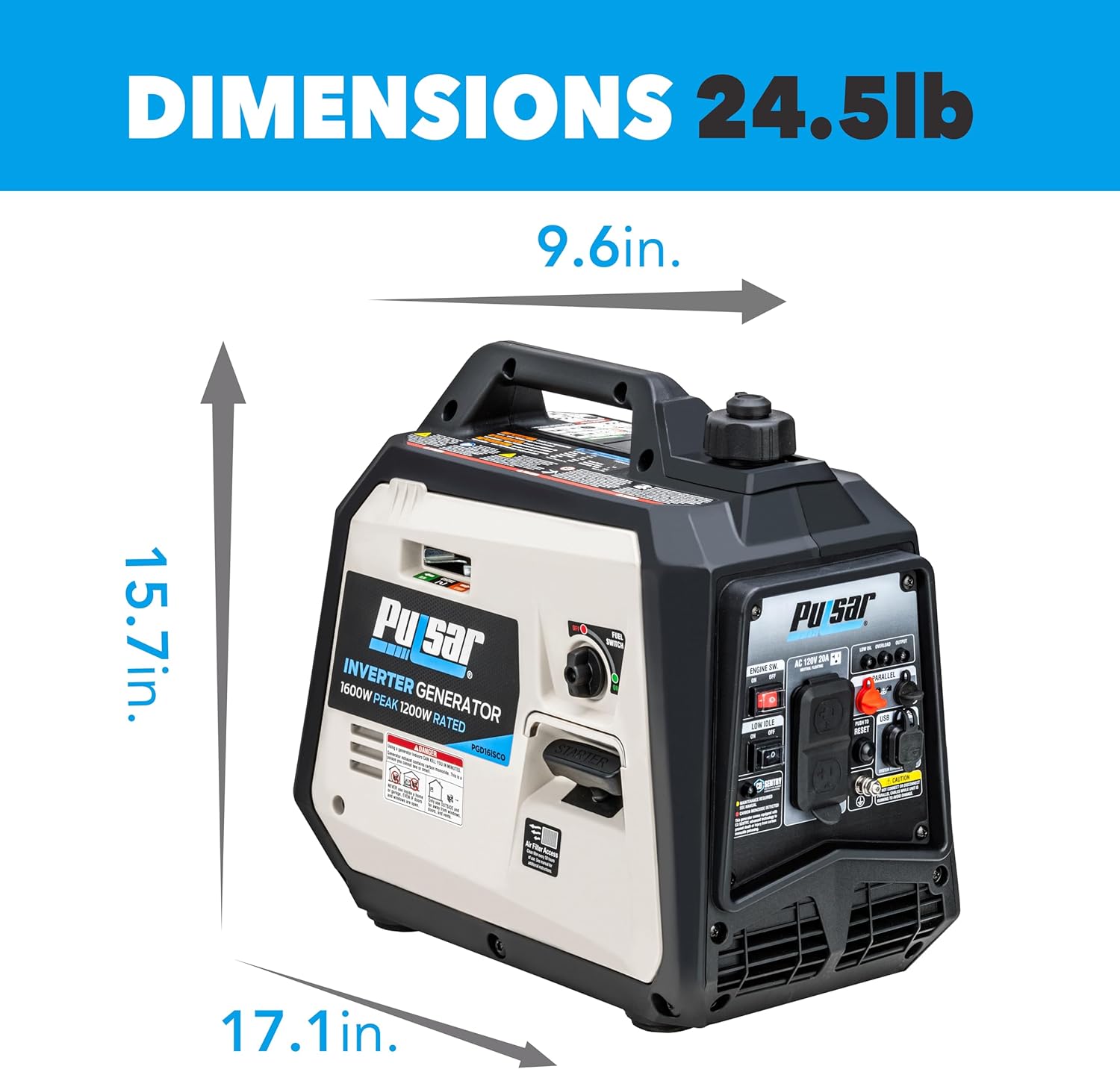
Figure 8.1: Product dimensions for the PGD16ISCO generator.

Figure 8.2: Reference table for typical appliance wattage requirements.
9. Warranty and Support
For warranty information, technical support, or to purchase replacement parts, please refer to the official Pulsar website or contact their customer service department. Keep your purchase receipt as proof of purchase for warranty claims.
For additional resources and product information, visit the Pulsar Store on Amazon.
Documents and downloads
Ask a question about this manual
Ask about setup, troubleshooting, compatibility, parts, safety, or missing instructions. Manuals+ will review the question and use this page’s manual context to help answer it.