
TELESIN TELESIN Head Strap Cap Clip Mount
TELESIN Head Strap Cap Clip Mount User Manual
Model: TELESIN Head Strap Cap Clip Mount
Product Overview
The TELESIN Head Strap Cap Clip Mount is a versatile 2-in-1 accessory designed for capturing point-of-view (POV) footage with smartphones and action cameras. It can be worn as a head strap or quickly converted into a cap/backpack clip, providing flexibility for various activities.

Figure 1: TELESIN Head Strap Cap Clip Mount, showing its use as a head strap, with a phone clip, and as a cap clip.
Key Features
- 2-in-1 Design: Functions as both a head strap and a quick-release cap/backpack clip.
- Adjustable Elasticity: Features elastic nylon straps with dual adjustment buckles for a comfortable and secure fit on various head sizes (55-65cm).
- Anti-slip Stable Fit: Integrated skin-friendly, non-slip rubber strips enhance friction and stability, preventing slippage during movement.
- Wide Compatibility: Compatible with a broad range of smartphones (iPhone, Samsung Galaxy, Android) and action cameras (GoPro Max/Min, Hero 13/12/11/10/9/8/7/6/5/4 series, Insta360 Go2, Insta360 One R/RS, Insta360 X3/X2, ONE, DJI Action 3/2).
- Strong Grip Cap Clip: The cap clip features eight anti-slip silicone pads and four grooves for secure attachment to hats or backpack straps.

Figure 2: The 2-in-1 design allows for quick conversion between head strap and cap clip.

Figure 3: The head strap can be adjusted from 55cm to 65cm for a custom fit.
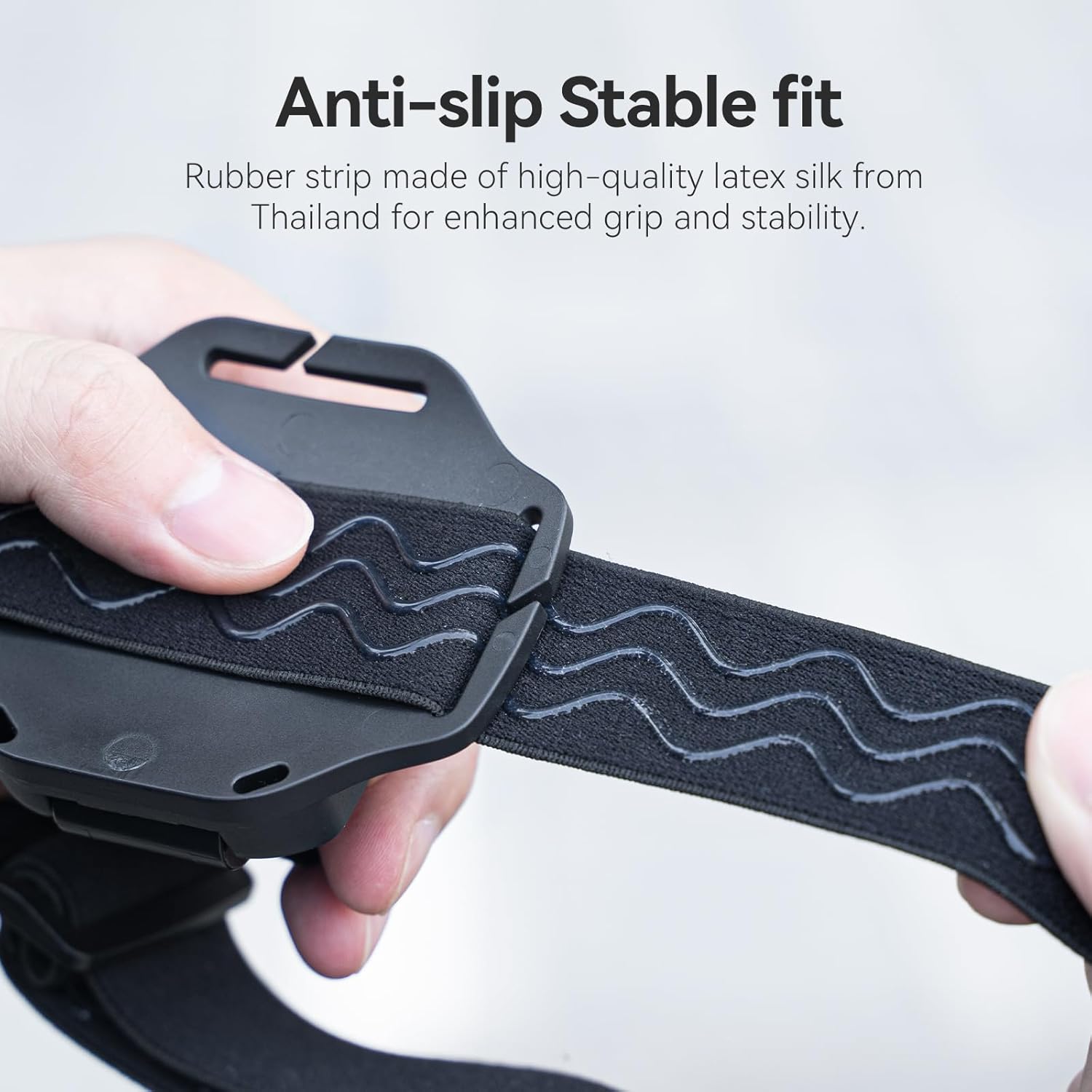
Figure 4: High-quality latex silk rubber strip provides enhanced grip and stability.
Package Contents
The package includes the following items:
- Head Strap Mount
- Quick Release Cap Clips
- Accessories for sports cameras and cell phones (includes 3-prong GoPro style mount and screw, 2-prong mount with 1/4-20 tripod screw, and cell phone mount)
Setup & Assembly
Attaching the Phone Clip / Action Camera Mount
The head strap features a quick-release base for easy attachment and detachment of the phone clip or action camera mount. Follow these steps:
- Identify the quick-release base on the head strap.
- Align the desired mount (phone clip or action camera mount) with the slot on the quick-release base.
- Slide the mount into the slot until it clicks securely into place.
- Insert the provided pin through the aligned holes to secure the mount. Tighten the screw on the pin to ensure a firm connection.

Figure 5: Steps for inserting and securing the mount to the quick-release base.
Adjusting the Head Strap
The head strap is designed with elastic nylon and dual adjustment buckles for a customizable fit:
- To adjust the size, locate the adjustment buckles on the straps.
- Pull the straps through the buckles to tighten or loosen the fit, ensuring it is snug but comfortable on your head or helmet. The wearable range is 55-65cm.
Converting to Cap Clip
To convert the head strap to a cap clip:
- Remove the pin securing the mount to the head strap's quick-release base.
- Gently pull the quick-release base backward and slide it out from the head strap assembly.
- The detached quick-release base now functions as a cap clip. Attach your phone clip or action camera mount to this base as described above.
- Clip the base onto your hat brim, backpack strap, or other suitable surface. The eight anti-slip silicone pads ensure a strong and secure grip.
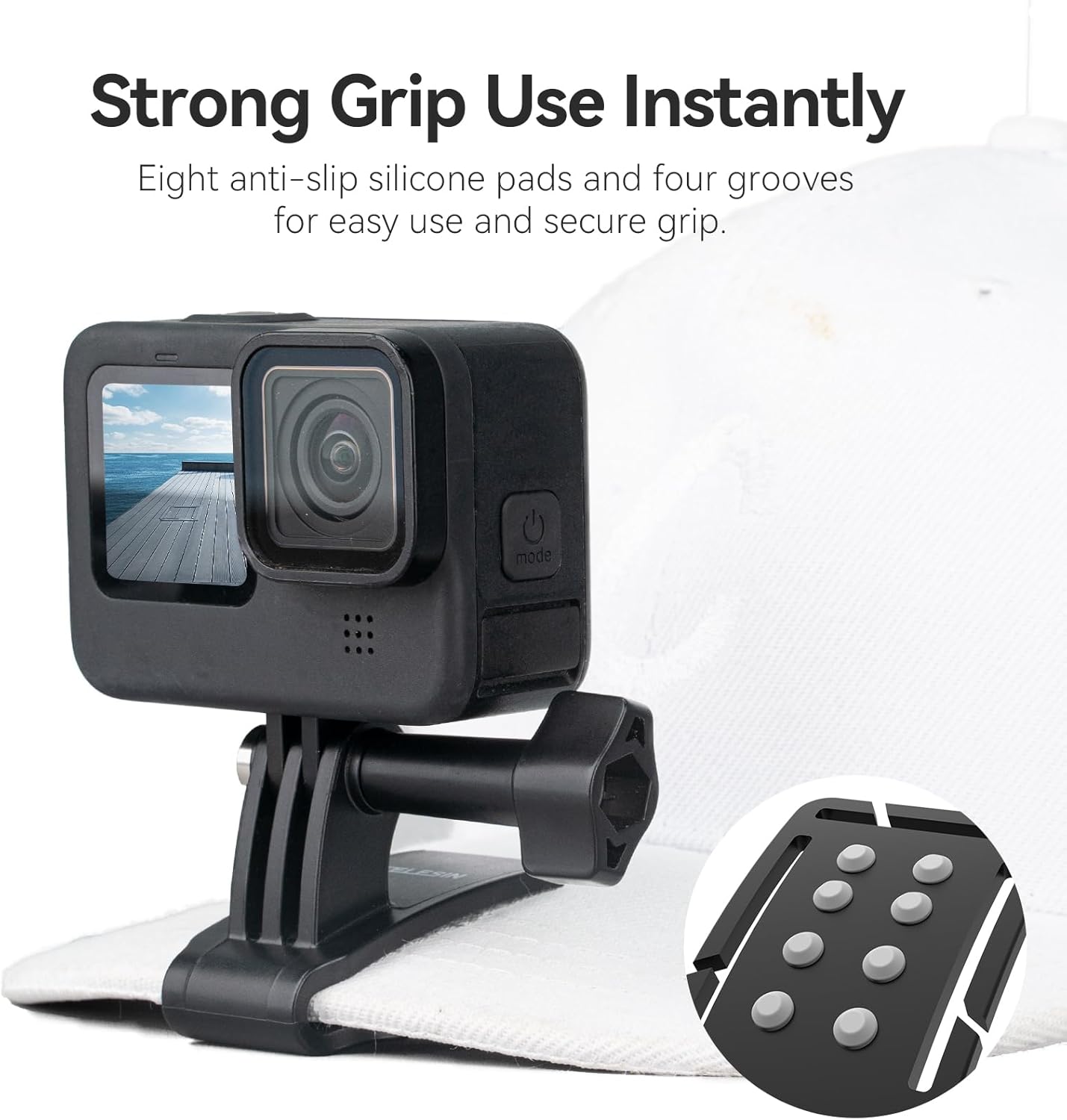
Figure 6: The cap clip features silicone pads for a strong, instant grip.
Operating Instructions
Mounting a Smartphone
The included phone clip expands to securely hold most smartphones. Simply pull the top jaw of the phone clip upwards to open it, insert your smartphone, and release to allow the spring-loaded jaws to grip the device. Ensure your phone is centered for optimal balance.
Mounting an Action Camera
For action cameras, use the appropriate 3-prong mount adapter. Align the camera's mounting tabs with the adapter's prongs and secure it with the provided screw. Ensure the screw is tightened firmly to prevent camera movement during activity.
Recommended Usage Scenarios
This mount is ideal for capturing first-person perspective videos during various activities:
- Kayaking
- Mountain hiking
- Biking
- Skiing
- Snowboarding
- Snorkeling
- X-gaming
- Other outdoor sports
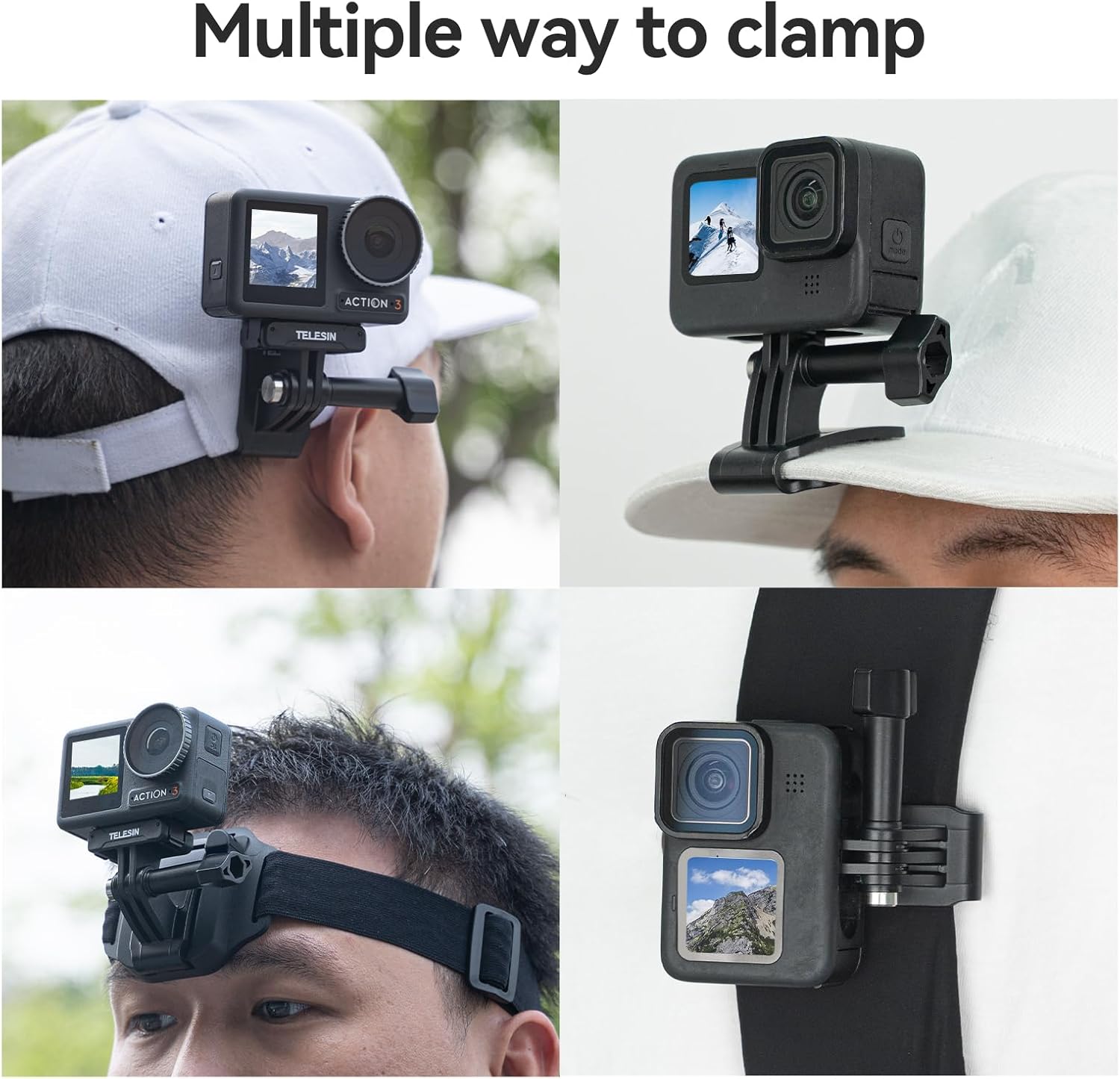
Figure 7: The mount can be used on a head strap, cap, or backpack.
Maintenance
To ensure the longevity and hygiene of your TELESIN Head Strap Cap Clip Mount:
- The elastic band is detachable and washable. Gently remove the elastic band from the main mount assembly.
- Hand wash the elastic band with mild soap and water. Rinse thoroughly and air dry completely before reattaching.
- Wipe down the plastic components with a damp cloth as needed. Avoid harsh chemicals or abrasive cleaners.

Figure 8: The elastic band can be detached for cleaning.
Troubleshooting
- Mount feels loose: Ensure the pin is fully inserted and the screw is tightened securely. Check that the quick-release base is fully engaged in the head strap or cap clip slot.
- Phone/Camera not stable: Verify that the phone clip or action camera mount is properly attached and tightened. For phones, ensure it is centered and the jaws are gripping firmly. For action cameras, confirm the 3-prong adapter screw is tight.
- Head strap slipping: Adjust the elastic straps to a snug fit. The anti-slip rubber strip should be in contact with your head or helmet.
Specifications
| Feature | Detail |
|---|---|
| Package Dimensions | 6.5 x 6.1 x 2.4 inches |
| Item Weight | 3.35 ounces |
| ASIN | B0CLLP1BQQ |
| Color | Black |
| Manufacturer | TELESIN° |
| Date First Available | October 23, 2023 |
| Compatible Devices | Smartphones |
| Compatible Phone Models | iPhone |
| Mounting Type | Head Mount |

Figure 9: Visual representation of product specifications including wearable range, size, weight, and material.
Warranty & Support
TELESIN provides comprehensive support for your product:
- After-sales Service: Enjoy 24-hour after-sales service for any inquiries or assistance.
- Premium Support: Benefit from 2 years of premium support, ensuring long-term satisfaction with your purchase.
Related Documents - TELESIN Head Strap Cap Clip Mount
 |
TELESIN GP-WBT-001 Underwater Remote Selfie Stick User Manual User manual for the TELESIN GP-WBT-001 underwater remote selfie stick, detailing installation, functions, warnings, and charging for action cameras like GoPro. |
 |
TELESIN Underwater Selfie Stick with Remote Control Quick Start Guide for GoPro HERO 13/12/11/10/9/8 A quick start guide for the TELESIN Underwater Selfie Stick with Remote Control, compatible with GoPro HERO 13/12/11/10/9/8 cameras. Includes installation, connection, functions, and charging instructions. |
 |
TELESIN 1.2M/3M Carbon Fiber Selfie Stick User Manual - Features, Specs, Operation Comprehensive user manual for the TELESIN 1.2M/3M Carbon Fiber Selfie Stick. Learn about its features, specifications, basic operation, mounting, maintenance, and safety guidelines. |
 |
TELESIN GP-WBT-001 Underwater Selfie Stick with Remote Control User Guide Official user guide for the TELESIN GP-WBT-001 Underwater Selfie Stick with Remote Control, compatible with GoPro HERO 12/11/10/9/8/MAX cameras. Includes setup, functions, warnings, and specifications. |
 |
Telesin GP-PB-001 10000mAh Action Camera Power Bank User Guide Comprehensive user guide for the Telesin GP-PB-001 10000mAh portable power bank, designed for GoPro action cameras and other devices. Learn how to charge, specifications, and safety precautions. |
 |
TELESIN Shorty Rechargeable Tripod with Remote Control User Manual User manual for the TELESIN Shorty Rechargeable Tripod with Remote Control, covering setup, operation, features, and safety warnings for camera use. Includes product specifications and regulatory information. |
Ask a question about this manual
Ask about setup, troubleshooting, compatibility, parts, safety, or missing instructions. Manuals+ will review the question and use this page’s manual context to help answer it.