Introduction
Thank you for choosing the Juskys 50L Automatic Sensor Bin. This innovative waste bin is designed for hygienic and convenient waste disposal in your home or office. Featuring a motion sensor for touchless operation and a durable stainless steel construction, it offers a modern solution for managing waste. Please read this manual carefully before use to ensure proper setup, operation, and maintenance.
Safety Instructions
- General Safety: Keep the bin away from direct sunlight, heat sources, and moisture. Do not immerse the lid in water.
- Battery Safety: Use only the specified type and number of batteries (4x AA, not included). Do not mix old and new batteries, or different types of batteries. Ensure batteries are inserted with correct polarity. Remove batteries if the bin will not be used for an extended period.
- Placement: Place the bin on a stable, flat surface. Ensure there is enough clearance above the sensor for the lid to open freely. Avoid placing the bin in high-traffic areas where accidental sensor activation might occur.
- Children and Pets: Keep children and pets away from the sensor mechanism to prevent accidental opening or injury.
Package Contents
Please check that all components are present:
- 1 x Juskys 50L Automatic Sensor Bin (Stainless Steel Body)
- 1 x Sensor Lid (Polystyrene)
- 1 x Clamping Ring for Trash Bags
- 1 x Instruction Manual
Setup
- Unpacking: Carefully remove all components from the packaging.
- Battery Installation:

Image: Detail of the sensor lid, indicating the location for battery insertion.
Locate the battery compartment on the underside of the sensor lid. Insert 4x AA batteries (not included) according to the polarity markings (+/-). Close the battery compartment cover securely. - Placing the Trash Bag:

Image: A person demonstrating how to insert a trash bag and secure it with the clamping ring.
Place a suitable 50-liter trash bag into the bin. Secure the top edge of the trash bag under the provided clamping ring to prevent it from slipping. - Attaching the Lid: Carefully place the sensor lid onto the bin body, ensuring it sits flush and is properly aligned.
- Positioning: Place the assembled bin in your desired location. Ensure the sensor area is unobstructed.
Operating Instructions
Motion Sensor Operation

Image: A hand activating the motion sensor, illustrating the automatic lid opening.
- To open the lid automatically, simply wave your hand or an object within 10-15 cm (4-6 inches) above the sensor located on the front of the lid.
- The lid will open smoothly and remain open for approximately 5 seconds.
- After 5 seconds, the lid will close automatically and silently.
Manual/Touch Panel Operation

Image: A detailed view of the bin's lid, highlighting the manual 'OPEN' and 'CLOSE' buttons.
- For extended opening, press the 'OPEN' button on the touch control panel. The lid will stay open until you press the 'CLOSE' button.
- To close the lid manually, press the 'CLOSE' button.
Maintenance
Cleaning
- Exterior: Wipe the stainless steel body with a soft, damp cloth and a mild detergent. Dry thoroughly to prevent water spots. Do not use abrasive cleaners or scourers.
- Lid: Clean the polystyrene lid with a damp cloth. Do not submerge the lid in water or allow water to enter the battery compartment or sensor area.
- Interior: The interior of the bin can be cleaned with a damp cloth and mild detergent. Ensure it is completely dry before placing a new trash bag.
Battery Replacement
When the sensor's response becomes slow or the lid does not open/close properly, it is time to replace the batteries. Follow the battery installation steps in the Setup section.
Troubleshooting
| Problem | Possible Cause | Solution |
|---|---|---|
| Lid does not open/close automatically. | 1. Batteries are low or depleted. 2. Batteries are inserted incorrectly. 3. Sensor is obstructed or dirty. 4. Sensor is exposed to direct sunlight or strong artificial light. | 1. Replace batteries. 2. Check battery polarity. 3. Clean the sensor area. Ensure no objects are blocking the sensor. 4. Relocate the bin to an area with less direct light. |
| Lid opens unexpectedly. | 1. Sensor is too sensitive or in a high-traffic area. 2. Strong vibrations nearby. | 1. Relocate the bin or ensure sufficient clearance around the sensor. 2. Move the bin away from vibrating appliances. |
| Lid closes too quickly or slowly. | Low battery power. | Replace batteries. |
Specifications
- Model: 300632
- Capacity: 50 Liters
- Dimensions (approx.): 56.8 x 43 x 33 cm (Package dimensions, actual product dimensions may vary slightly)
- Material: Stainless Steel (Body), Polystyrene (Lid)
- Color: Silver
- Power: 4x AA Batteries (not included)
- Special Features: Motion Sensor, Touch Control Panel, Silent Closing, Clamping Ring for Trash Bags
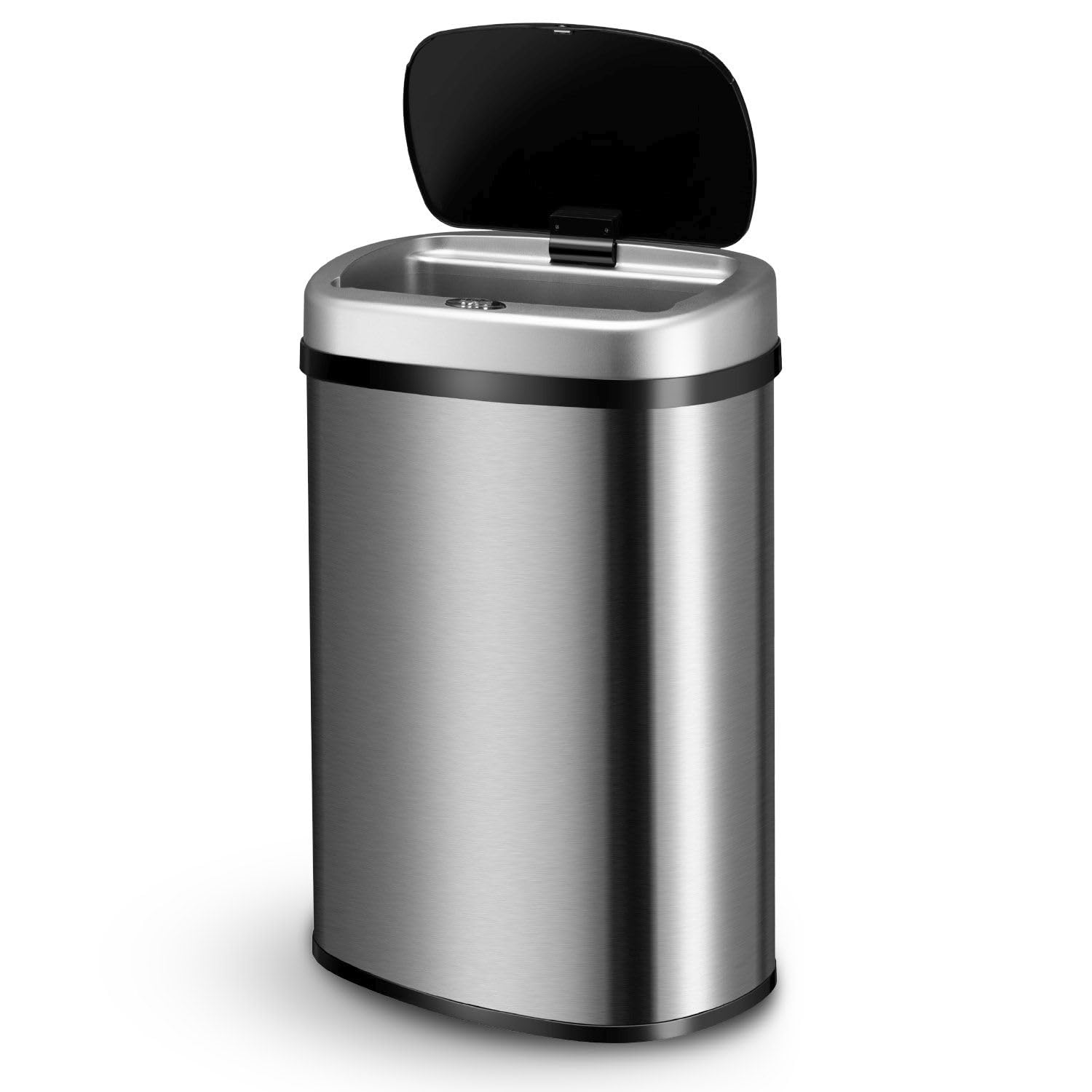
Image: The Juskys 50L Automatic Sensor Bin with key dimensions (height, width, depth) indicated.
Warranty and Support
Juskys products are manufactured with quality and durability in mind. This product comes with a standard manufacturer's warranty. For specific warranty details, please refer to the documentation provided at the time of purchase or contact your retailer.
If you encounter any issues or have questions regarding your Juskys 50L Automatic Sensor Bin, please contact Juskys customer support through the retailer's platform or visit the official Juskys website for assistance.


