
POLESNOW P18
POLESNOW P18 Hidden Camera Detector User Manual
Model: P18
1. Introduction
This manual provides detailed instructions for the safe and effective use of your POLESNOW P18 Hidden Camera Detector. Please read this manual thoroughly before operating the device and retain it for future reference.
The POLESNOW P18 is a multifunctional device designed to detect various hidden surveillance equipment, including wireless cameras, GPS trackers, and listening devices. It utilizes advanced detection technologies to help protect your privacy in various environments such as homes, offices, hotels, and vehicles.
2. What's in the Box
- POLESNOW P18 Hidden Camera Detector
- Type-C Charging Cable
- User Manual (this document)
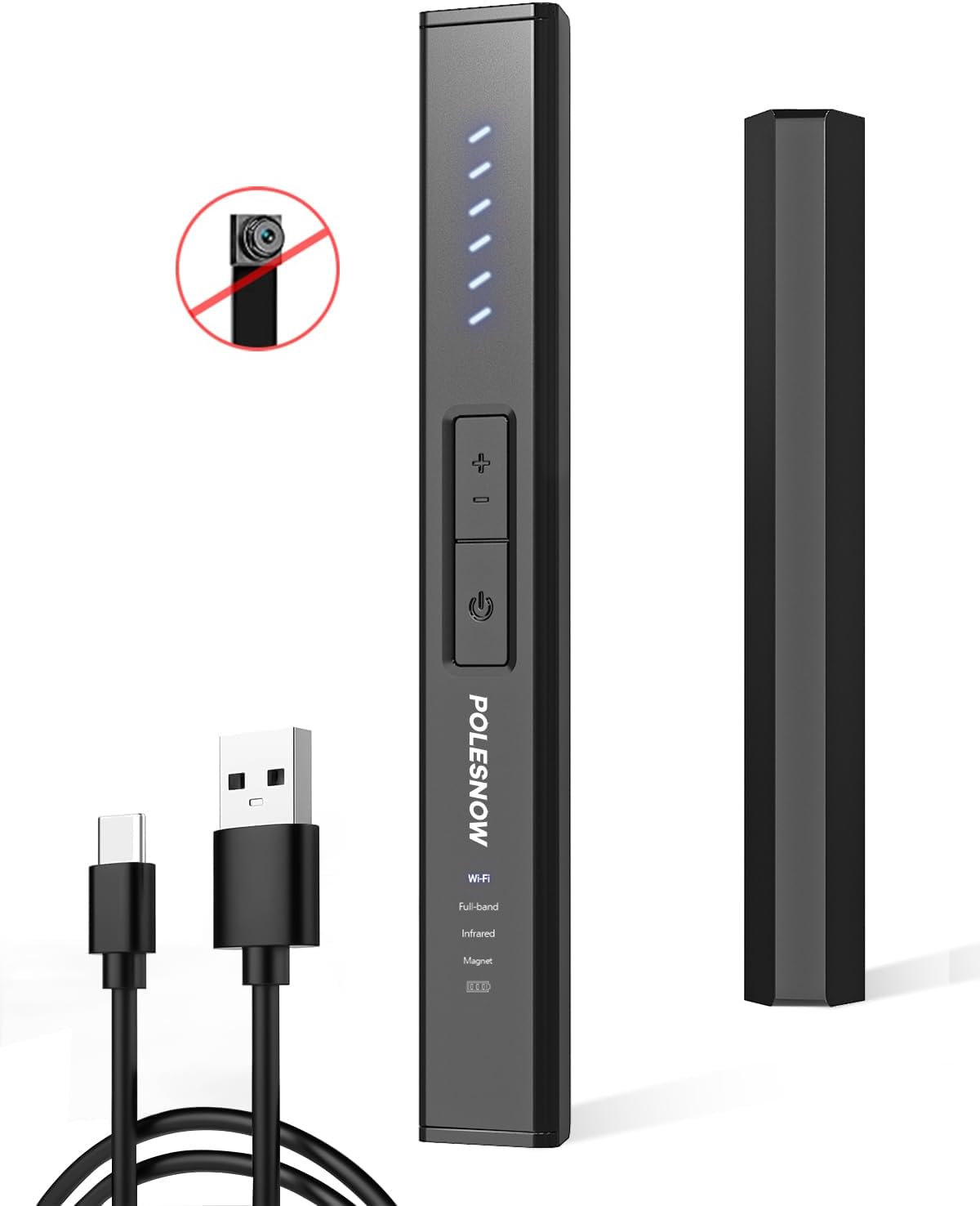
Image: The POLESNOW P18 detector and its included Type-C charging cable.
3. Product Overview
The POLESNOW P18 features a compact design with multiple detection modes and adjustable sensitivity for comprehensive surveillance detection.

Image: Front view of the POLESNOW P18 detector, highlighting its control buttons and signal indicator lights.
Key Features:
- 6 Detection Modes: Strong Magnetic, Wireless Signal, Anti-Theft Alarm, Full-Band, Camera, Infrared Detection.
- Adjustable Sensitivity: 6 levels for precise detection.
- Silent/Beep Mode: Switchable for discreet or audible alerts.
- Long Battery Life: Up to 25 hours continuous working time.
- Compact and Portable: Easy to carry for travel and daily use.

Image: An illustration detailing the six professional detection modes available on the POLESNOW P18 device.
4. Setup
4.1 Charging the Device
- Connect the provided Type-C charging cable to the charging port on the detector.
- Connect the other end of the cable to a standard USB power adapter (not included) or a computer's USB port.
- The charging indicator lights will illuminate during charging. The device is fully charged when all indicator lights are solid.
A full charge typically takes approximately 1 hour and provides up to 25 hours of continuous operation.
4.2 Power On/Off
- To Power On: Press and hold the power button (ⓘ) for 3 seconds until the indicator lights illuminate.
- To Power Off: Press and hold the power button (ⓘ) for 3 seconds until the indicator lights turn off.
5. Operating Instructions
5.1 General Detection Guidelines
- Before starting detection, turn off known wireless devices (e.g., cell phones, Wi-Fi routers) in the immediate vicinity to minimize interference and ensure accurate results.
- Move slowly and methodically when scanning an area.
- Adjust sensitivity as needed to pinpoint the source of signals.
5.2 Mode Selection
The POLESNOW P18 offers 6 detection modes. Press the 'M' button (Mode button) to cycle through the available modes. The active mode will be indicated by a specific light or icon on the device.
- Wireless Signal Detection (Wi-Fi): Detects wireless cameras and other wireless transmitting devices.
- Full-Band Detection: Scans a broad frequency range (1MHz-6.5GHz) for various wireless signals.
- Infrared Detection: Used to locate hidden cameras by identifying their lenses through infrared light reflection.
- Strong Magnetic Detection: Identifies magnetic GPS trackers or other devices attached with magnets.
- Camera Detection: Specifically designed to find hidden cameras.
- Anti-Theft Alarm System: Functions as a motion-activated alarm.
5.3 Sensitivity Adjustment
Use the '+' and '-' buttons to adjust the detection sensitivity. Higher sensitivity allows for detection of weaker signals or devices further away, but may also increase false positives from ambient signals. Lower sensitivity helps pinpoint closer devices and reduce interference.

Image: The POLESNOW P18 detector displaying its 6 levels of sensitivity adjustment (F1-F6) for precise detection.
5.4 Detecting Hidden Cameras
To detect hidden cameras, use the Infrared Detection mode. Scan the area slowly, looking for red reflection spots. Hidden camera lenses will reflect the infrared light emitted by the detector, making them visible.

Image: A user scanning a hotel room with the POLESNOW P18 detector to find hidden cameras.

Image: The detector's infrared light reflecting off a hidden camera lens, indicating its presence.
5.5 Detecting GPS Trackers and Listening Devices
For GPS trackers and listening devices, utilize the Wireless Signal Detection, Full-Band Detection, or Strong Magnetic Detection modes. Move the detector around the suspected area (e.g., vehicle interior, furniture). The signal indicator lights will increase as you approach a transmitting device. For magnetic trackers, the Strong Magnetic mode will provide a specific alert.

Image: A user scanning the interior of a car with the POLESNOW P18 detector to locate hidden GPS tracking devices.
5.6 Silent/Beep Mode
To switch between silent and beep modes, briefly press the 'S' button (Sound button). In silent mode, the device will vibrate or show visual indicators without audible alerts, useful for discreet detection.

Image: The POLESNOW P18 detector being used in a meeting room, demonstrating its silent mode feature.
5.7 Anti-Theft Alarm System
To activate the anti-theft alarm mode, long-press both the '+' and '-' buttons simultaneously for approximately 3 seconds. Once activated, if the device detects movement, it will emit a beep and flash its lights, serving as a personal alarm.

Image: The POLESNOW P18 detector demonstrating its anti-theft alarm system when attached to a bag.
6. Maintenance
- Cleaning: Wipe the device with a soft, dry cloth. Do not use abrasive cleaners or solvents.
- Storage: Store the detector in a cool, dry place away from direct sunlight and extreme temperatures.
- Battery Care: For optimal battery life, charge the device regularly, even if not in frequent use. Avoid fully discharging the battery for extended periods.
7. Troubleshooting
| Problem | Possible Cause | Solution |
|---|---|---|
| Device does not power on. | Low battery. | Charge the device using the provided Type-C cable. |
| Frequent false alarms or high interference. | High sensitivity setting; presence of known wireless devices (phones, Wi-Fi). | Reduce sensitivity using the '-' button. Turn off nearby personal wireless devices. |
| Cannot detect hidden cameras in Infrared mode. | Not scanning slowly enough; camera is well-hidden or not reflective. | Scan the area very slowly and thoroughly. Ensure the room is dimly lit for better visibility of reflections. |
| Anti-theft alarm does not activate. | Alarm mode not properly activated. | Long-press both '+' and '-' buttons for 3 seconds to activate the anti-theft alarm mode. |
8. Specifications
| Model Name | P18 |
| Brand | POLESNOW |
| Dimensions (L x W x H) | 4 x 2.1 x 5.9 inches |
| Item Weight | 5.3 ounces |
| Power Source | Battery Powered |
| Battery Type | 3.7V / 240 mAh Lithium Battery |
| Working Time | Up to 25 hours (continuous) |
| Charging Time | Approx. 1 hour |
| Charging Connector | Type-C |
| Frequency Detection Range | 1MHz - 6.5GHz |
| Signal Detection Range | 5cm - 15m (depending on signal strength and sensitivity) |
| Sensitivity | 6 levels adjustable |
| Material | Polyolefin |
9. Warranty and Support
POLESNOW strives to provide high-quality products and excellent customer service. For any assistance, questions, or concerns regarding your P18 Hidden Camera Detector, please contact our customer support team.
- Customer Support: We provide 24-hour customer support. Please refer to the contact information provided with your purchase or visit the official POLESNOW website.
- Warranty Information: Specific warranty details are typically included with your purchase documentation. Please retain your proof of purchase for warranty claims.
Ask a question about this manual
Ask about setup, troubleshooting, compatibility, parts, safety, or missing instructions. Manuals+ will review the question and use this page’s manual context to help answer it.