Important Safety Instructions
Please read these instructions carefully before installing and using your Grundig GDSP 2474 BW range hood. Keep this manual for future reference.
- Electrical Safety: Ensure the power supply matches the voltage specified on the rating plate. Always disconnect the appliance from the power supply before cleaning or maintenance.
- Installation: Installation must be carried out by a qualified technician in accordance with local regulations and standards. Ensure adequate ventilation in the room.
- Fire Hazard: Do not flambé under the range hood. Never leave frying pans unattended during use, as overheated oil can ignite. Clean grease filters regularly to prevent grease build-up.
- Children: This appliance is not intended for use by persons (including children) with reduced physical, sensory or mental capabilities, or lack of experience and knowledge, unless they have been given supervision or instruction.
- Ventilation: The air must not be discharged into a flue that is used for exhausting fumes from appliances burning gas or other fuels.
Product Overview
The Grundig GDSP 2474 BW is a 60cm horizontal glass range hood designed for wall mounting, providing efficient ventilation for your kitchen.
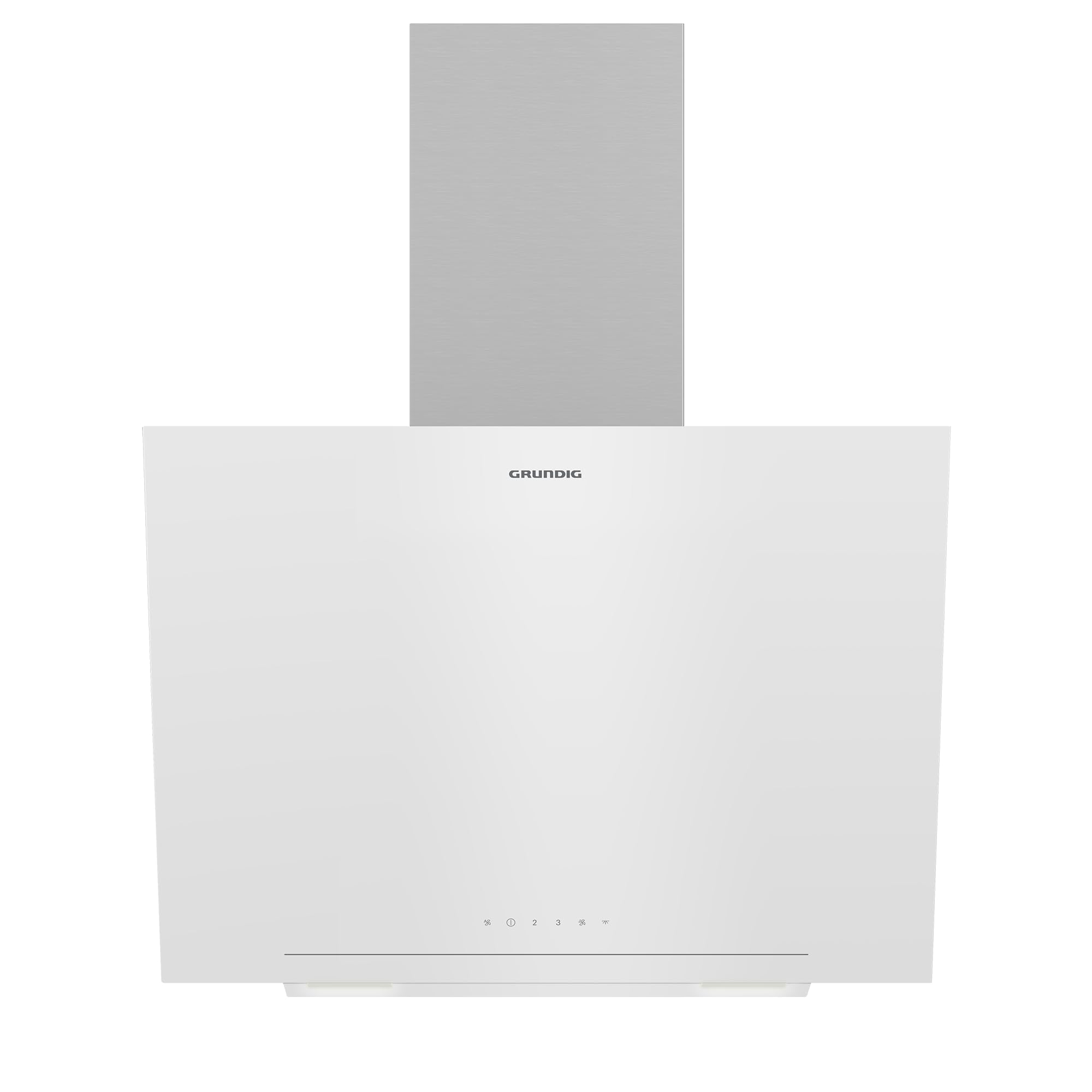
Figure 1: Overall view of the Grundig GDSP 2474 BW 60cm Horizontal Glass Range Hood. This image shows the white glass panel, the control interface, and the stainless steel chimney section.
Main Components:
- Hood Body: The main structure housing the motor and filters.
- Glass Panel: The decorative and functional horizontal glass surface.
- Control Panel: Touch controls for fan speed and lighting.
- Grease Filters: Removable metal filters to trap grease particles.
- Lighting: Integrated LED lights to illuminate the cooking area.
- Chimney Section: Covers the ducting and mounting hardware.

Figure 2: Close-up view of a metal grease filter. This filter is designed to be easily removable for cleaning.

Figure 3: Detailed view of the control panel and integrated LED lights. The control panel features touch-sensitive buttons for various functions.
Installation
The Grundig GDSP 2474 BW range hood is designed for wall mounting. Due to the complexity and safety requirements, professional installation is highly recommended.
Key Installation Steps (Overview):
- Preparation: Ensure the wall is strong enough to support the hood's weight. Mark drilling points according to the provided template (not included in this manual, refer to packaging).
- Mounting: Secure the mounting bracket to the wall. Attach the hood body to the bracket.
- Ducting: Connect the exhaust outlet to the ventilation duct system. Ensure the ducting is properly sealed and free of obstructions.
- Electrical Connection: Connect the range hood to a suitable electrical outlet. This step must be performed by a qualified electrician.
- Chimney Installation: Install the decorative chimney sections to cover the ducting and electrical connections.
Note: Always consult the detailed installation guide provided with the product packaging for precise measurements and instructions.
Operating Instructions
The range hood features a touch control panel for easy operation.

Figure 4: Close-up of the touch control panel and LED lights. The symbols indicate power, fan speeds, and lighting functions.
Control Panel Functions:
- Power Button (⏻): Press to turn the range hood on or off.
- Fan Speed Buttons (1, 2, 3): Select the desired fan speed.
- Speed 1: For light cooking and simmering.
- Speed 2: For normal cooking.
- Speed 3: For heavy frying or strong odors.
- Light Button (💡): Press to turn the cooking area lights on or off.
Usage Tips:
- Turn on the range hood a few minutes before you start cooking to create an airflow.
- Allow the hood to run for 5-10 minutes after cooking to clear residual fumes and odors.
- Use the appropriate fan speed for the amount of steam and odors being produced.
Maintenance and Cleaning
Regular maintenance ensures optimal performance and extends the lifespan of your range hood.
Cleaning the Grease Filters:
- Frequency: Clean metal grease filters every 2-4 weeks, depending on usage.
- Removal: Disconnect power. Locate the filter release latches and carefully remove the filters.
- Cleaning: Wash filters by hand in hot soapy water or in a dishwasher (ensure they are suitable for dishwasher cleaning, check product specifications).
- Drying & Reinstallation: Allow filters to dry completely before reinstalling them.
Cleaning Surfaces:
- Exterior: Wipe the exterior surfaces with a soft cloth dampened with mild detergent. Do not use abrasive cleaners or corrosive products.
- Glass Panel: Clean the glass panel with a glass cleaner and a soft cloth to avoid scratches.
- Interior: Periodically wipe the interior surfaces (after disconnecting power) to remove any grease build-up.
Light Bulb Replacement:
If the LED lights require replacement, contact a qualified service technician. Do not attempt to replace LED modules yourself.
Troubleshooting
Before contacting customer service, please check the following common issues:
| Problem | Possible Cause | Solution |
|---|---|---|
| Range hood does not start. | No power supply; power cord unplugged; fuse blown. | Check power connection; check household fuse/circuit breaker. |
| Poor suction performance. | Grease filters are dirty; ducting is blocked or too long; fan speed too low. | Clean grease filters; check ducting for obstructions; increase fan speed. |
| Lights not working. | Light switch off; LED module faulty. | Press the light button; contact service for LED replacement. |
| Excessive noise. | Loose parts; fan impeller obstructed; improper installation. | Check for loose parts; ensure no obstructions in fan; verify installation. |
If the problem persists after checking these points, please contact Grundig customer service.
Technical Specifications
| Feature | Specification |
|---|---|
| Brand | Grundig |
| Model | GDSP 2474 BW |
| Mounting Type | Wall Mount |
| Dimensions (Approx. Package) | 50 x 40 x 30 cm |
| Weight (Approx. Package) | 2 Kilogram |
| Manufacturer Reference | 8690842605253 |
| ASIN | B0CLHKZ8P1 |
Specifications are subject to change without notice for product improvement.
Warranty and Customer Support
Your Grundig GDSP 2474 BW range hood comes with a manufacturer's warranty. Please refer to the warranty card included with your product for specific terms and conditions.
For technical assistance, spare parts, or warranty claims, please contact Grundig customer service:
- Website: www.grundig.com
- Phone: Refer to your local Grundig support contact information.
When contacting support, please have your model number (GDSP 2474 BW) and serial number ready.


