
Artisan Power 394-00010
Instruction Manual: Artisan Power 394-00010 Replacement Battery
For Skybitz SmartTank ST90, TankLink, and Telular Wireless Tank Monitors
Product Overview
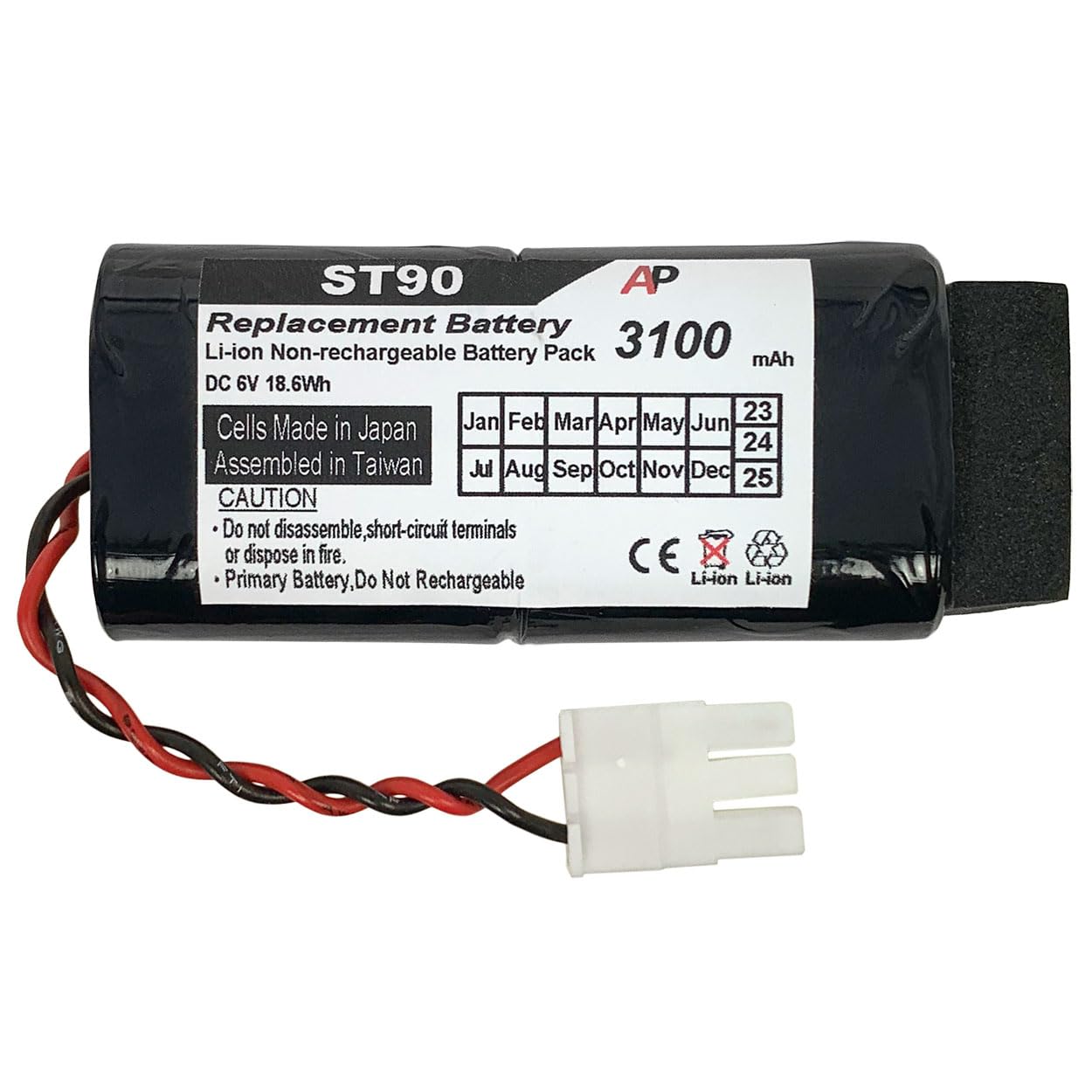
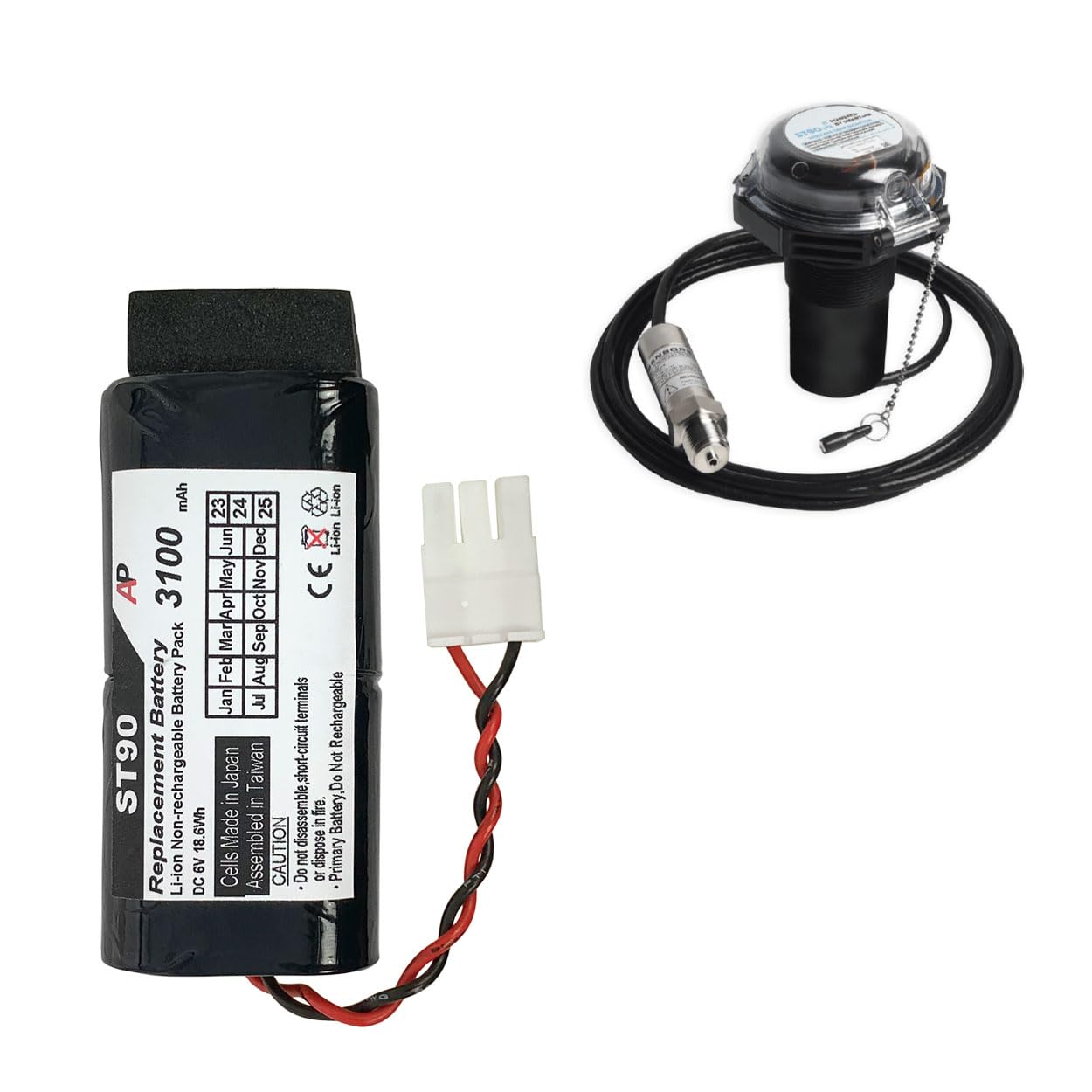
This document provides essential information for the safe and effective use of the Artisan Power 394-00010 Non-Rechargeable Replacement Battery. This battery is specifically designed to replace the original battery in Skybitz SmartTank ST90, TankLink, and Telular Wireless Tank Monitors.
The Artisan Power 394-00010 battery is a Li-ion non-rechargeable pack with a 3100 mAh capacity, providing 6.0 Volts and 18.6 Watt Hours. It is manufactured with performance-grade battery cells from Japan, ensuring reliable operation for your monitoring devices.
Safety Information and Warnings
Please read and understand all safety instructions before handling or installing the battery. Failure to follow these instructions may result in fire, electric shock, injury, or damage to the battery or device.
- Non-Rechargeable: This battery is a primary (non-rechargeable) battery. Do NOT attempt to recharge it. Recharging may cause leakage, fire, or explosion.
- Disassembly: Do NOT disassemble, open, or shred the battery. Internal components may be hazardous.
- Short-Circuit: Do NOT short-circuit the battery terminals. This can cause excessive heat, fire, or explosion.
- Heat Exposure: Do NOT expose the battery to heat or fire. Avoid storage in direct sunlight.
- Water Exposure: Do NOT expose the battery to water or other liquids.
- Impact: Do NOT subject the battery to mechanical shock.
- Disposal: Dispose of used batteries promptly and according to local regulations. Do not dispose of with household waste.
- Children: Keep batteries out of reach of children.
- Leakage: In the event of battery leakage, avoid contact with skin and eyes. If contact occurs, wash the affected area with plenty of water and seek medical advice.
Setup and Installation
This section outlines the general steps for replacing the battery in compatible devices. Always refer to your specific device's manual for detailed instructions and safety precautions before proceeding.
- Preparation: Ensure the device is powered off and disconnected from any external power sources. Gather necessary tools, which may include a screwdriver or other specialized tools for opening the device casing.
- Locate Battery Compartment: Identify the battery compartment on your Skybitz SmartTank ST90, TankLink, or Telular Wireless Tank Monitor. This may require opening the device's outer casing.
- Remove Old Battery: Carefully disconnect the old battery from its connector. Note the orientation of the connector to ensure correct installation of the new battery. Remove the old battery from its housing.
- Install New Battery: Insert the Artisan Power 394-00010 replacement battery into the compartment, ensuring it fits securely. Connect the battery's plug to the device's corresponding port, matching the orientation noted earlier. Do not force the connection.
- Secure Device: Close and secure the device's casing. Ensure all screws or latches are properly fastened to maintain the device's integrity and environmental sealing.
- Power On: Power on your device and verify that it functions correctly.
Operating Instructions
Once installed, the Artisan Power 394-00010 battery provides power to your Skybitz SmartTank ST90, TankLink, or Telular Wireless Tank Monitor. As a non-rechargeable battery, its operation is passive, providing consistent power until its capacity is depleted.
- The battery will begin powering the device immediately upon proper installation and connection.
- Monitor your device's battery indicator (if available) to determine when replacement is necessary.
- The lifespan of the battery will vary depending on the device's power consumption and environmental conditions.
Maintenance and Storage
Proper maintenance and storage can help ensure the longevity and safety of your battery.
- Storage: Store unused batteries in a cool, dry place, away from direct sunlight and extreme temperatures.
- Packaging: Keep batteries in their original packaging until ready for use to prevent short-circuiting.
- Cleaning: If necessary, gently wipe the battery's exterior with a dry, clean cloth. Do not use liquids or abrasive cleaners.
- Disposal: When the battery is depleted, dispose of it responsibly. Do not throw it in general waste. Consult local regulations for proper Li-ion battery disposal or recycling centers.
Troubleshooting
If you encounter issues after installing the Artisan Power 394-00010 battery, refer to the following common troubleshooting steps:
| Problem | Possible Cause | Solution |
|---|---|---|
| Device does not power on after battery installation. |
|
|
| Battery life is shorter than expected. |
|
|
Specifications
| Feature | Detail |
|---|---|
| Battery Type | Li-ion Non-Rechargeable Battery Pack |
| Voltage | 6.0 Volts |
| Capacity | 3100 mAh |
| Watt Hour Rating | 18.6 Wh |
| Replaces Part Number | 394-00010 |
| Compatible Devices | Skybitz SmartTank ST90, TankLink, Telular Wireless Tank Monitor |
| Cell Origin | Made in Japan |
| Assembled In | Taiwan |
| Manufacturer | Artisan Power |
| Package Dimensions | 3.66 x 2.36 x 0.98 inches |
| Item Weight | 2.89 ounces |
Warranty and Support
Artisan Power is committed to providing high-quality replacement battery packs. For specific warranty information regarding your Artisan Power 394-00010 battery, please refer to the warranty details provided at the time of purchase or visit the official Artisan Power website.
For technical support, product inquiries, or assistance with troubleshooting, please contact Artisan Power directly. You can find contact information and additional resources on the official Artisan Power store page:
Ask a question about this manual
Ask about setup, troubleshooting, compatibility, parts, safety, or missing instructions. Manuals+ will review the question and use this page’s manual context to help answer it.