Introduction
This manual provides comprehensive instructions for the setup, operation, and maintenance of your Katouigb Programmable Remote Control Robot Dog Toy. Please read this manual thoroughly before use to ensure proper function and to maximize your enjoyment of the product.
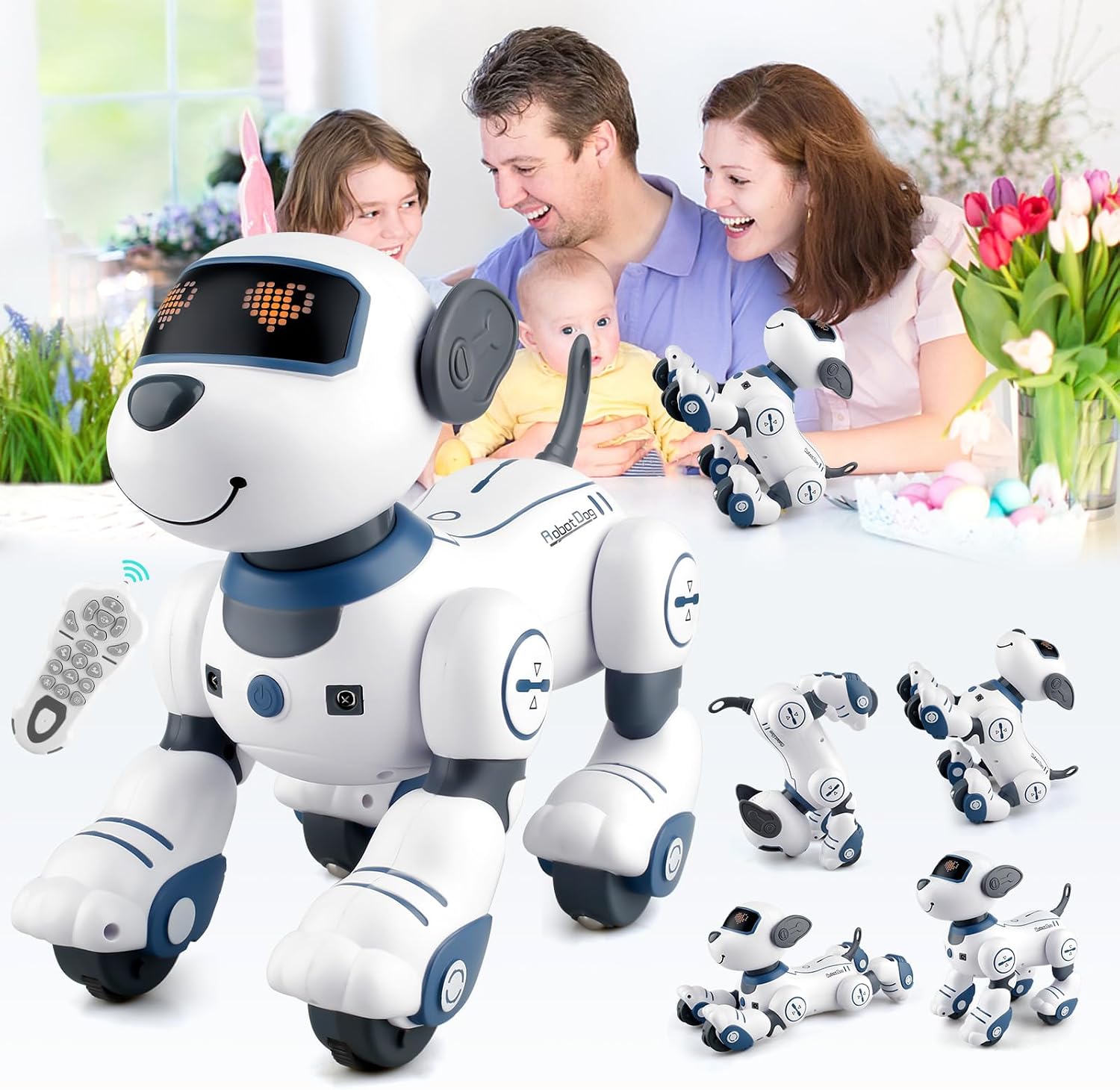
Image: The Katouigb Robot Dog Toy, a white and blue robotic puppy, is shown in various poses with a family interacting in the background, highlighting its interactive nature.
Setup
Package Contents
Ensure all items are present:
- Robot Dog Toy
- Remote Control
- Rechargeable Battery for Robot Dog
- USB Charging Cable
- Small Screwdriver
- Instruction Manual (this document)
Battery Installation and Charging
- Robot Dog Battery: Use the provided screwdriver to open the battery compartment on the robot dog. Insert the rechargeable battery, ensuring correct polarity. Close the compartment securely.
- Remote Control Batteries: Open the battery compartment on the remote control. Insert two (2) AAA batteries (not included), ensuring correct polarity. Close the compartment securely.
- Initial Charge: Connect the robot dog's rechargeable battery to the USB charging cable. Plug the USB cable into a suitable USB power source (e.g., computer, wall adapter). The charging time is approximately 120 minutes. An adult should supervise the charging process.

Image: A detailed diagram illustrating the robot dog's components (LED indicator, ears, loudspeaker, tail, sensors, wheels, power button) and a four-step guide for battery installation and charging: 1. Opening the battery box, 2. Taking out the batteries, 3. Connecting the charging cable, and 4. Charging the device.
Power On/Off
- To Power On: Press the power button located on the robot dog. The LED indicator light will illuminate.
- To Power Off: Press and hold the power button until the robot dog powers down.
Operating Instructions
The robot dog offers various interactive features controlled via the remote or through direct interaction.

Image: A diagram of the remote control, clearly labeling buttons for functions such as Forward, Turn Left, Turn Right, Volume Up/Down, Programming, Stand Upside Down, Lie Down, Act Like a Spoiled Child, Show an Acrobatic Dance, Nursery Rhymes, Follow, Back, Sit Down, Push-up, Greet, and Stop/Stand to Attention.
Remote Control Functions
Refer to the remote control diagram for button locations.
- Movement: Use the directional buttons (Forward, Back, Turn Left, Turn Right) to control the robot dog's movement.
- Stunts: Press buttons such as 'Stand Upside Down', 'Lie Down', 'Push-up', 'Act like a spoiled child', or 'Show an acrobatic dance' to make the robot dog perform various tricks.
- Singing & Dancing: Press the 'Sing' or 'Dance' buttons. The robot dog has 3 different songs and dances. Repeatedly pressing the same button will cycle through them.
- Volume Adjustment: Use the 'Volume+' and 'Volume-' buttons to adjust the sound level. There are 4 adjustable volume levels.
- Greet: Press the 'Greet' button for a friendly interaction.
- Stop/Stand to Attention: Use this button to halt current actions or make the dog stand still.

Image: The robot dog is depicted performing several stunts and poses, including 'Lie down', 'Stand upside down', 'Push-up', 'Forward', 'Sit down', and 'Acrobatic dance', demonstrating its interactive capabilities.
Programming Mode
The robot dog can be programmed to perform a sequence of up to 100 commands.
- Press the 'Programming' button on the remote control to enter programming mode.
- Press the desired command buttons in the sequence you wish the robot dog to perform (e.g., Forward, Push-up, Sit Down).
- Press the 'Programming' button again to execute the programmed sequence.

Image: A child is shown interacting with the robot dog and its remote control, with an overlay illustrating the programming sequence: pressing the programming button, followed by a series of actions like 'Stand upside down', 'Push-up', 'Lie down', and 'Forward', which the robot dog will then execute.
Interactive Features
- Touch Response: When you touch the robot dog's chin, it will respond with sounds and actions.
- Follow Mode: Activate 'Follow Mode' via the remote control. The robot dog will use its sensors to follow your movements, accompanied by audio.

Image: This image displays two interactive features: 'Touch Response', where a child touches the robot dog's chin and it responds with 'Hello!', and 'Follow Mode', showing a baby with the robot dog, which is designed to follow movements with audio, acting as a companion.

Image: A child is shown dancing alongside the robot dog, which is playing music. The image also illustrates 'Nursery Rhymes & 4 Adjustable Volume' with musical notes and a visual representation of four volume levels.
Maintenance
General Care
- Keep the robot dog and remote control clean by wiping with a dry, soft cloth.
- Avoid exposing the product to water or excessive moisture.
- Do not expose to direct sunlight or extreme temperatures.
Battery Care
- Always ensure the robot dog's rechargeable battery is fully charged before extended play.
- If the product will not be used for a long period, remove all batteries from both the robot dog and the remote control to prevent leakage.
- Dispose of used batteries responsibly according to local regulations.
Troubleshooting
If you encounter issues with your robot dog, please refer to the following common solutions:
| Problem | Possible Cause | Solution |
|---|---|---|
| Robot dog does not turn on. | Battery is not charged or incorrectly installed. | Ensure the rechargeable battery is fully charged and correctly inserted. |
| Remote control does not work. | Remote control batteries are low or incorrectly installed. | Replace AAA batteries in the remote control, ensuring correct polarity. |
| Robot dog is unresponsive to commands. | Interference or out of range. Low battery in robot dog or remote. | Move closer to the robot dog. Ensure both robot dog and remote have sufficient battery charge. |
| Follow mode is not working correctly. | Sensor obstruction or insufficient lighting. | Ensure the robot dog's sensors are clean and unobstructed. Test in a well-lit area. |
Specifications
| Model Number | B0CLGZSHXS |
| Brand | Katouigb |
| Manufacturer | okoium |
| Product Dimensions | 1 x 1 x 1 inches |
| Item Weight | 2.18 pounds |
| Recommended Age | 3 years and up |
| Battery Type (Robot Dog) | Rechargeable (included) |
| Battery Type (Remote Control) | 2 x AAA (not included) |
Warranty and Support
Specific warranty information for this product is not provided in the available documentation. For support or inquiries, please refer to the retailer or manufacturer's contact information provided at the point of purchase.