
Introduction
The FULLOSUN DL-ICE 3D Illusion Night Light is a versatile LED lamp designed to provide ambient lighting with a unique visual effect. It features 16 color options, multiple control modes, and a low-power, eye-friendly design. This manual provides instructions for proper setup, operation, and maintenance of your night light.
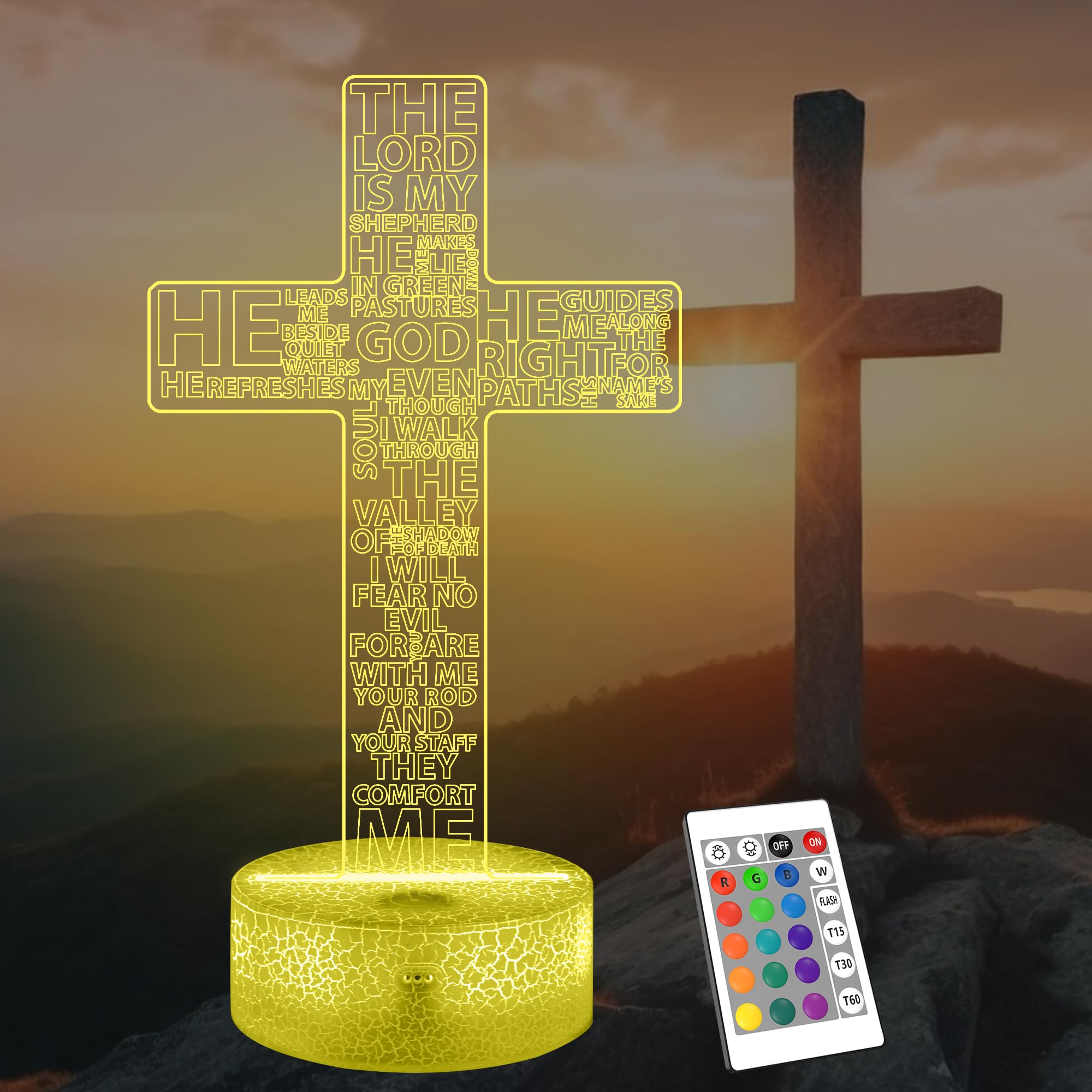
Image: The FULLOSUN 3D Illusion Night Light featuring a crucifix design, illuminated in blue.
Package Contents
Please verify that all items listed below are included in your package:
- 1 x Optical Acrylic Plate (Crucifix design)
- 1 x ABS Base (approx. 3.4” x 3.4” x 1.9”)
- 1 x Remote Control
- 1 x USB Cable (approx. 59” length)
- 1 x User Manual

Image: A visual representation of the night light's package contents, including the acrylic plate, base, remote, USB cable, and manual.
Setup Instructions
- Prepare the Acrylic Plate: Carefully remove the protective films from both sides of the optical acrylic plate. Hold the plate by its edges to avoid leaving fingerprints on the surface.
- Insert the Acrylic Plate: Gently insert the prepared acrylic plate into the slot on the ABS base. Ensure it is seated firmly.
- Power Connection: Connect the provided USB cable to the ABS base and plug the other end into a USB power source (e.g., computer, USB wall adapter, power bank). Alternatively, you can power the device using 3 x AA batteries (not included) by inserting them into the battery compartment on the bottom of the base.
- Remote Control Preparation: Before first use, pull out the insulating strip from the battery compartment of the remote control.

Image: Visual guide demonstrating how to remove the protective films from the acrylic plate before use.
Operating Instructions
Touch Mode (Base Button)
- Press the touch button on the base once to change the color.
- Each press cycles through the available 7 colors (Red, Green, Blue, Yellow, Cyan, Purple, White).
- After cycling through all single colors, the 8th press will activate an automatic color-changing mode.
- Pressing again will turn the light off.
Remote Control Mode
The remote control offers more comprehensive functions:
- On/Off: Use the ON and OFF buttons to power the light.
- Color Selection: Choose from 16 distinct colors using the dedicated color buttons on the remote.
- Brightness Adjustment: Use the brightness up (↑) and brightness down (↓) buttons to adjust the light intensity across 5 levels.
- Flash Modes: Select from 4 flash speeds and various color-changing patterns (e.g., gradual, regular/irregular, fast/slow) using the FLASH, STROBE, FADE, and SMOOTH buttons.
- Timer Function: Set a timer for the light to automatically turn off after a specified duration using the T15 (15 minutes), T30 (30 minutes), or T60 (60 minutes) buttons.

Image: The remote control displaying buttons for power, color selection, and mode changes, alongside a visual of the 16 available colors.

Image: Illustration of the night light's dimmable feature with 5 brightness levels and timer options (15, 30, 60 minutes).
Maintenance
- Cleaning: To clean the acrylic plate, gently wipe it with a soft, lint-free cloth. Avoid abrasive cleaners or materials that could scratch the surface. If necessary, use a small amount of water or a mild glass cleaner. Always hold the plate by its edges during cleaning.
- Base Cleaning: Wipe the ABS base with a dry or slightly damp cloth. Do not immerse the base in water.
- Battery Replacement: If the remote control stops responding, replace its button cell battery (CR2025 or equivalent). If using AA batteries for the base, replace them when the light dims or stops functioning.
- Storage: When not in use for extended periods, disconnect the power supply and store the night light in a cool, dry place.
Troubleshooting
| Problem | Possible Cause | Solution |
|---|---|---|
| Light does not turn on. | No power supply; loose connection; dead batteries. | Ensure USB cable is securely connected and power source is active. If using batteries, check if they are inserted correctly and replace if dead. |
| Remote control not working. | Insulating strip not removed; remote battery dead; remote out of range. | Remove the insulating strip. Replace the remote control battery. Ensure the remote is pointed at the base within a reasonable distance. |
| Colors are not changing or stuck on one color. | Incorrect mode selected; temporary malfunction. | Try pressing different color buttons on the remote or cycling through touch mode. Disconnect power for 30 seconds and reconnect to reset the device. |
| Light is dim. | Brightness setting is low; batteries are low. | Increase brightness using the remote control. If using batteries, replace them. |
Specifications
- Model Number: DL-ICE
- Material: Optical Acrylic Plate, ABS Base
- Light Source: LED
- Power: 0.5W
- Consumption: 3W
- Voltage: 5V
- Power Supply: USB Cable (included) or 3 x AA Batteries (not included)
- LED Life Span: Approximately 10,000 hours
- Product Dimensions (Acrylic Plate): 12.8 cm (5.04 in) width x 20.8 cm (8.20 in) height
- Product Dimensions (Base): 8.6 cm (3.38 in) diameter x 3.3 cm (1.3 in) height
- Control Methods: Touch Button on Base, Remote Control
- Colors: 16 colors (via remote), 7 colors (via touch button)
- Additional Features: Dimmable, Multiple Flash Modes, Timer Function (15/30/60 min)
- UPC/GTIN: 744306754495
Safety Information
- This product is intended for indoor use only. Do not expose to water or high humidity.
- Keep out of reach of small children to prevent accidental ingestion of small parts (e.g., remote battery).
- Do not attempt to disassemble or modify the product. This may void any potential warranty and could lead to damage or injury.
- Use only the provided USB cable or a certified equivalent.
- Avoid placing the light in direct sunlight or near heat sources.
Warranty and Support
For any questions, concerns, or technical support regarding your FULLOSUN DL-ICE 3D Illusion Night Light, please contact the manufacturer or your retailer. Please retain your proof of purchase for any warranty claims.