
Introduction
This manual provides essential information for the safe and effective use of your OTL Technologies Pikachu Moulded Ears Children's Headphones. Please read these instructions carefully before use and retain them for future reference.
What's in the Box
- 1 headphone
Product Overview

Figure 1: Front view of the OTL Pikachu Moulded Ears Children's Headphones, showcasing the yellow earcups with Pikachu's face and black headband.

Figure 2: A child wearing the OTL Pikachu Moulded Ears Children's Headphones, demonstrating the comfortable fit and design.
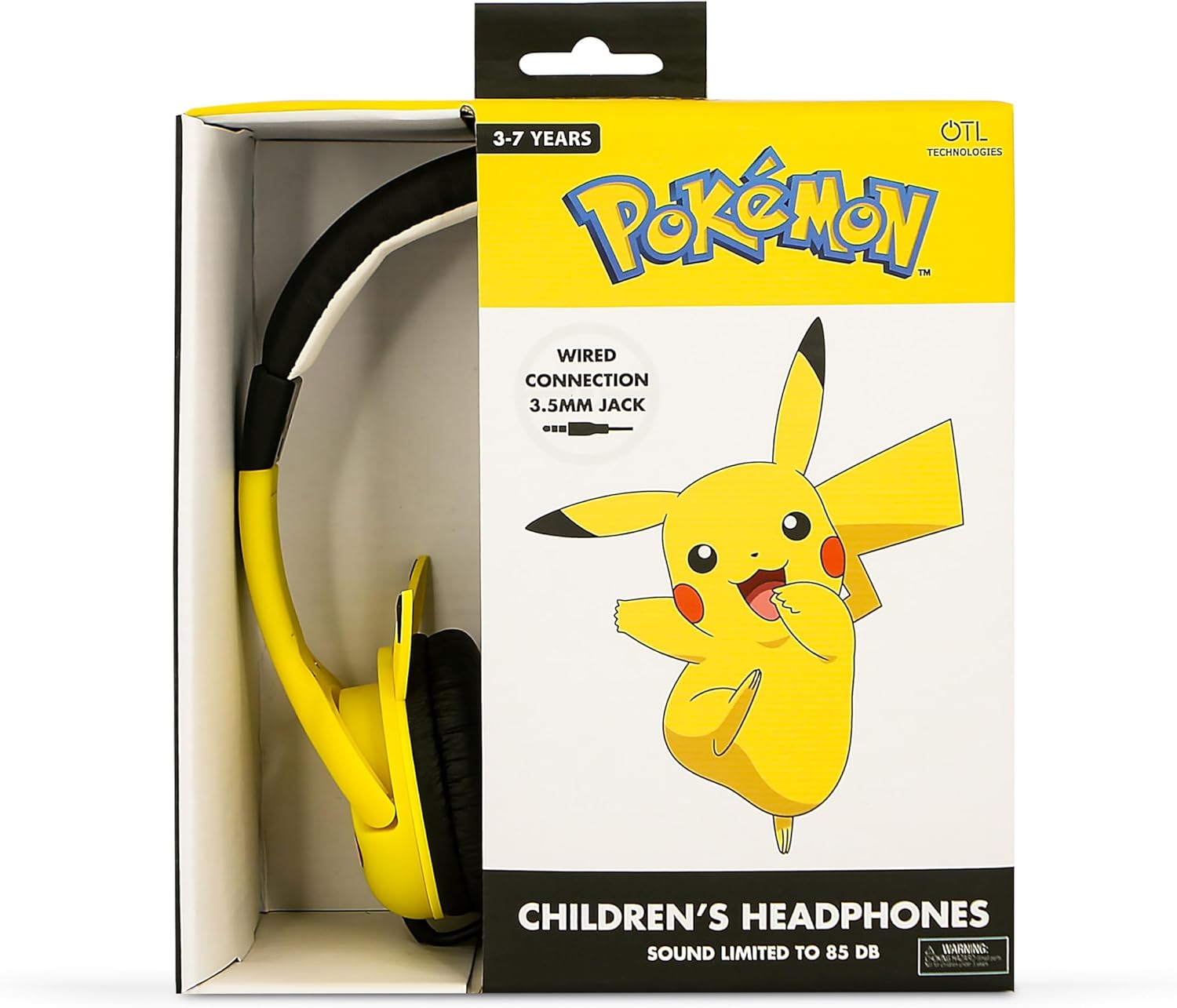
Figure 3: The product packaging for the OTL Pikachu Moulded Ears Children's Headphones, highlighting key features and age recommendation.
Setup Instructions
- Adjust the Headband: Gently slide the earcups up or down along the headband to achieve a comfortable and secure fit for the user. The headband is adjustable to accommodate various head sizes.
- Connect to Device: Locate the 3.5mm audio jack on your device (e.g., laptop, smartphone, tablet). Insert the 3.5mm jack from the headphones firmly into the device's audio port.
- Verify Connection: Ensure the jack is fully inserted to prevent sound issues.
Operating Instructions
- Volume Control: These headphones feature a sound limit of 85 dB to protect young ears. Adjust the volume directly on your connected device. The headphones will not exceed the safe listening level.
- Audio Playback: Once connected, begin playing audio from your device. Sound will be transmitted through the headphones.
- Media Control: The headphones support basic media control through the connected device.
Maintenance
- Cleaning: Use a soft, dry cloth to clean the headphones. Do not use liquid cleaners or abrasive materials.
- Storage: Store the headphones in a cool, dry place away from direct sunlight and extreme temperatures.
- Cable Care: Avoid sharp bends or excessive pulling on the cable to prevent damage.
Troubleshooting
- No Sound:
- Ensure the 3.5mm jack is fully inserted into both the headphones and the audio device.
- Check the volume level on your connected device.
- Test the headphones with another device to rule out a device-specific issue.
- Poor Sound Quality:
- Ensure the audio jack is clean and free of debris.
- Try adjusting the audio settings on your device.
- Headphones do not fit comfortably:
- Adjust the headband by sliding the earcups to find the optimal fit.
Specifications
| Feature | Detail |
|---|---|
| Brand | OTL Technologies |
| Model Name | Premium Junior |
| Connectivity Technology | Wired |
| Headphones Jack | 3.5 mm Jack |
| Sensitivity | 85 dB |
| Frequency Response | 20000 Hz |
| Impedance | 32 Ohms |
| Age Range (Description) | Kid (3-7 years) |
| Material | Plastic |
| Item Weight | 3.17 ounces (90 Grams) |
| Product Dimensions | 6.1 x 1.18 x 6.1 inches |
| Included Components | 1 headphone |
| Color | Yellow |
| Ear Placement | On Ear |
| Form Factor | On Ear |
| Control Type | Media Control |
| Cable Feature | Fixed cable |
| Water Resistance Level | Not Water Resistant |
Warranty and Support
For warranty information and customer support, please refer to the documentation provided with your purchase or contact OTL Technologies directly through their official website.
Official Product Video
Video: Product Overview of OTL Technologies Headphones. This video provides a general overview of the product's features and design.
