
1. Introduction
Thank you for choosing the Goldair Patio Infra Red Heater, model GPCH-2000A. This heater is designed to provide efficient and direct warmth for your outdoor living spaces. Utilizing infrared technology, it heats objects directly rather than the surrounding air, making it effective even in breezy conditions. Please read this manual thoroughly before installation and operation to ensure safe and optimal performance.
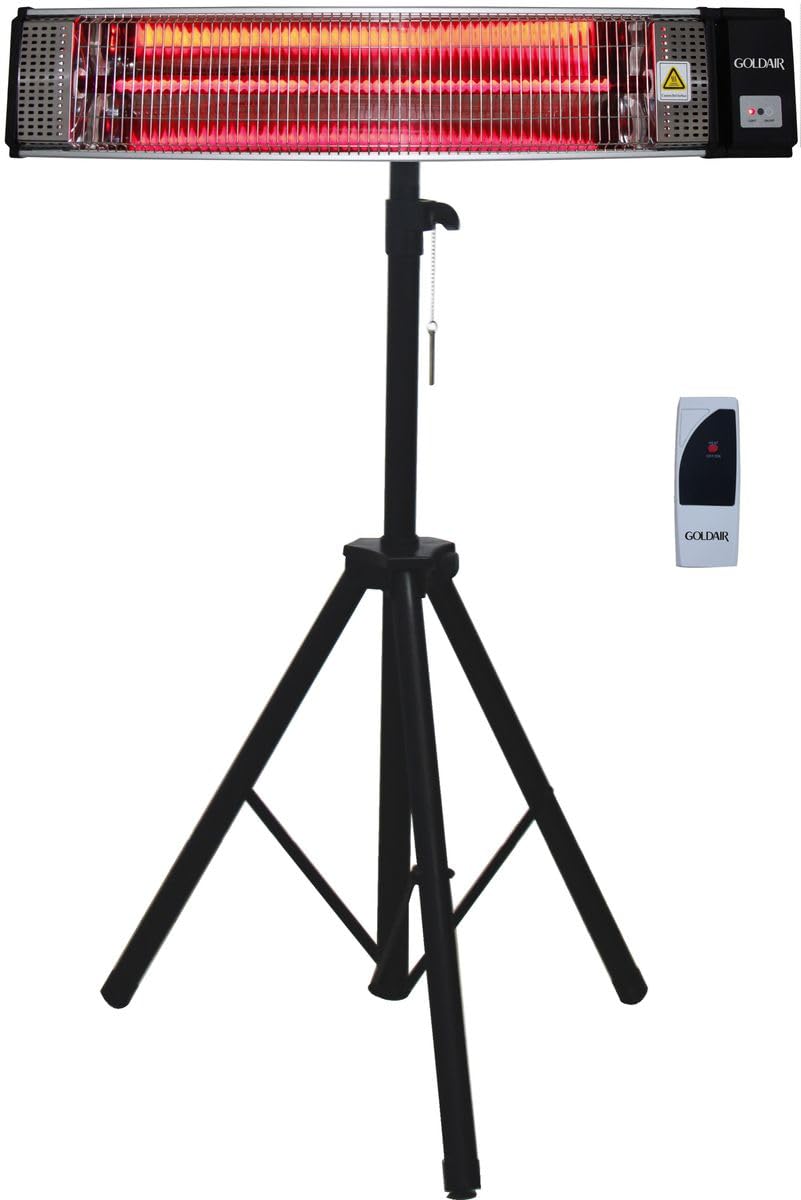
Figure 1: Goldair Patio Infra Red Heater GPCH-2000A with tripod stand and remote control.
2. Important Safety Instructions
WARNING: Failure to follow these safety instructions may result in fire, electric shock, or injury.
- Read all instructions before using this heater.
- This heater is hot when in use. To avoid burns, do not let bare skin touch hot surfaces.
- Always unplug the heater when not in use.
- Do not operate any heater with a damaged cord or plug, or after the heater malfunctions or has been dropped or damaged in any manner.
- Do not use outdoors or in wet locations. This heater is designed for outdoor patio use, but must be protected from direct rain and moisture.
- Do not run cord under carpeting. Do not cover cord with throw rugs, runners, or similar coverings. Arrange cord away from traffic area and where it will not be tripped over.
- To disconnect heater, turn controls to OFF, then remove plug from outlet.
- Do not insert or allow foreign objects to enter any ventilation or exhaust opening as this may cause an electric shock or fire, or damage the heater.
- To prevent a possible fire, do not block air intakes or exhaust in any manner. Do not use on soft surfaces, like a bed, where openings may become blocked.
- A heater has hot and arcing or sparking parts inside. Do not use it in areas where gasoline, paint, or flammable liquids are used or stored.
- Use this heater only as described in this manual. Any other use not recommended by the manufacturer may cause fire, electric shock, or injury to persons.
- Always plug heaters directly into a wall outlet/receptacle. Never use with an extension cord or relocatable power tap (outlet/power strip).
- Ensure the heater is placed on a stable, level surface to prevent tipping.
- Keep flammable materials, such as furniture, pillows, bedding, papers, clothes, and curtains at least 1 meter (3 feet) from the front of the heater.
3. Package Contents
Verify that all components are present and undamaged before assembly.
- Infrared Heater Unit (1)
- Tripod Stand (1)
- Wall Mount Bracket (1)
- Remote Control (1)
- Instruction Manual (1)
- Mounting Hardware (screws, anchors)
4. Setup and Installation
The Goldair Patio Infra Red Heater GPCH-2000A offers versatile installation options: a tripod stand for portable use or a wall mount for fixed placement.
4.1 Tripod Stand Assembly
- Unfold the tripod legs and ensure they are fully extended and stable.
- Secure the legs in position using the locking mechanism on the stand.
- Attach the heater unit to the top of the tripod stand using the provided screws and bracket. Ensure it is securely fastened and level.
- Adjust the height and angle of the heater as desired, then tighten all adjustment knobs to lock it in place.
- Place the assembled heater on a firm, level surface, away from flammable materials.
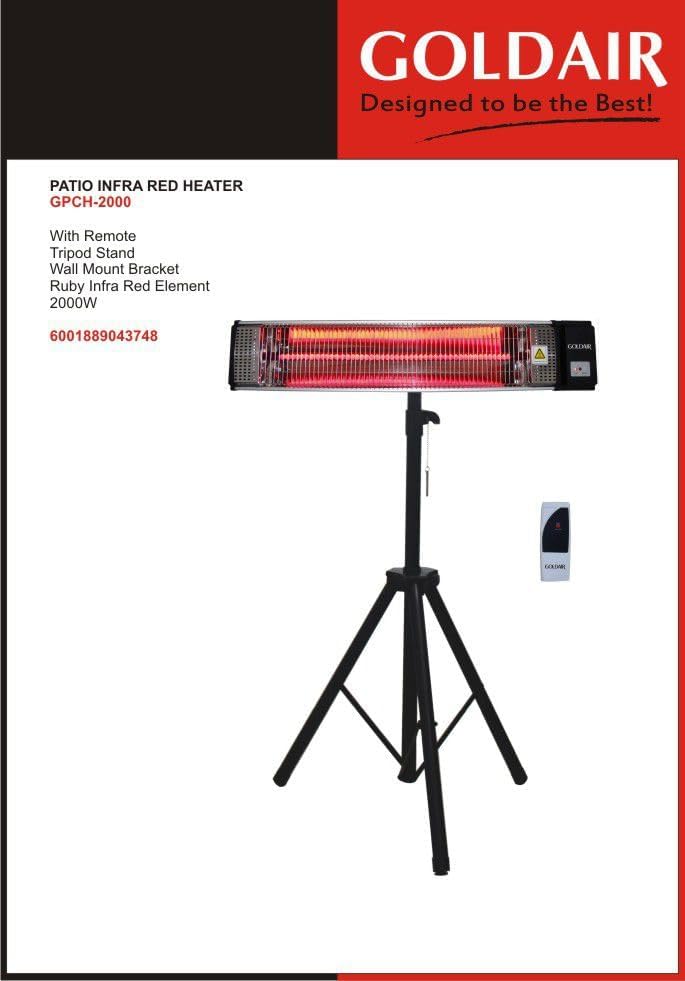
Figure 2: Heater unit mounted on the adjustable tripod stand.
4.2 Wall Mount Installation
For permanent installation, use the provided wall mount bracket.
- Select a suitable wall location, ensuring it is a sturdy surface capable of supporting the heater's weight. Maintain a minimum clearance of 1 meter (3 feet) from ceilings, walls, and flammable objects.
- Mark the drilling points for the wall mount bracket.
- Drill holes and insert wall anchors if necessary.
- Secure the wall mount bracket to the wall using the provided screws.
- Attach the heater unit to the wall mount bracket, ensuring it is firmly secured and level.
- Adjust the angle of the heater as needed, then tighten the locking screws.
5. Operating Instructions
The Goldair Patio Infra Red Heater GPCH-2000A is easy to operate using either the integrated controls or the remote control.
5.1 Powering On/Off
- Ensure the heater is properly installed and plugged into a suitable electrical outlet.
- Press the power button on the heater unit or the remote control to turn the heater ON. The indicator light will illuminate.
- Press the power button again to turn the heater OFF.
5.2 Adjusting Heat Settings
This heater features adjustable temperature settings.
- Use the '+' and '-' buttons on the heater or remote control to cycle through the available heat levels.
- Select the desired heat output for your comfort.
5.3 Remote Control Operation
The remote control provides convenient operation from a distance.
- Point the remote control directly at the heater's receiver.
- Buttons typically include: Power ON/OFF, Heat Level Up (+), Heat Level Down (-).
- Ensure the remote control has working batteries.

Figure 3: Detail of the infrared heating element or control interface.
6. Maintenance
Regular maintenance ensures the longevity and efficient operation of your Goldair Patio Infra Red Heater.
6.1 Cleaning
- Always unplug the heater and allow it to cool completely before cleaning.
- Wipe the exterior surfaces with a soft, damp cloth. Do not use abrasive cleaners or solvents.
- Ensure no water enters the interior of the heater.
- Do not attempt to clean the heating element directly. If dust accumulates, use a soft brush or compressed air to gently remove it.
6.2 Storage
- When not in use for extended periods, store the heater in a cool, dry place.
- If possible, store it in its original packaging to protect it from dust and damage.
7. Troubleshooting
Refer to this section for common issues and their solutions.
| Problem | Possible Cause | Solution |
|---|---|---|
| Heater does not turn on. | No power supply. Power button not pressed. Remote control batteries dead. | Check if the power cord is securely plugged in. Ensure the wall outlet is functional. Press the power button on the unit. Replace remote control batteries. |
| Heater produces insufficient heat. | Incorrect heat setting. Heater too far from area. Strong breeze. | Increase the heat setting. Reposition the heater closer to the desired heating area. Infrared heaters heat objects directly; ensure objects are within range. Consider windbreaks for very breezy conditions. |
| Heater suddenly turns off. | Overheating protection activated. Power surge. | Unplug the heater, allow it to cool for 10-15 minutes, then plug it back in. Ensure proper ventilation and clearance. Check other appliances on the same circuit. |
| Remote control not working. | Dead batteries. Obstruction between remote and heater. | Replace batteries. Ensure a clear line of sight to the heater's receiver. |
8. Specifications
Technical details for the Goldair Patio Infra Red Heater GPCH-2000A.
- Brand: Goldair
- Model Number: GPCH-2000A
- Colour: Black
- Special Feature: Adjustable Temperature
- Item Weight: 6.6 kg
- Product Dimensions: 97.2D x 15.6W x 30.8H centimetres
- Power Source: Corded Electric
- Heating Method: Radiant (Infrared)
- Indoor/Outdoor Usage: Outdoor
- Form Factor: Cabinet
9. Warranty and Support
For warranty information, technical support, or service inquiries, please contact Goldair customer service. Keep your purchase receipt as proof of purchase.
- Customer Service: Refer to the Goldair official website or product packaging for contact details.
- Online Support: www.goldair.co.za
Note: Spare part information is not available or provided at this time.


