
Introduction
The Sonmol Digital Breathing Exercise Device is designed to strengthen respiratory muscles, improve breathing control, and promote diaphragmatic breathing. This device is suitable for individuals seeking to enhance lung function, including those with low exercise endurance or specific respiratory needs. It features adjustable resistance levels, digital measurement capabilities, and an accompanying mobile application for tracking progress and interactive training.
What's Included
Carefully unpack your Sonmol Digital Breathing Exercise Device and ensure all components are present:
- Lung Trainer
- Digital Manometer
- Nose Clip
- Connection Tube
- Travel Case
- App (download required)

Image: All components included in the Sonmol Digital Breathing Exercise Device package.
Video: A demonstration of the items included in the Sonmol Digital Breathing Exercise Device package.
Product Overview
The Sonmol Digital Breathing Exercise Device consists of a lung trainer with adjustable resistance and a digital manometer for precise measurements. The lung trainer features independent dials for both inhalation and exhalation resistance, offering 6 levels for each, totaling 36 customizable combinations.

Image: The lung trainer with its adjustable resistance levels for both inhalation and exhalation.
Setup
1. App Download and Installation
- Scan the QR code provided in the user manual or search for "eRMT" in your device's App Store (iOS) or Google Play Store (Android).
- Download and install the eRMT app.
- Allow all required permissions during installation for full functionality.
2. Bluetooth Connection
- Ensure Bluetooth is enabled on your smartphone.
- Power on the digital manometer by pressing the power button.
- Open the eRMT app and tap the device connection icon (often represented by a Bluetooth symbol or device image) to pair with your Sonmol device.
- Confirm successful connection within the app.

Image: Steps for powering on the device and connecting it via Bluetooth to the eRMT app.
Operating Instructions
1. Adjusting Resistance Levels
The lung trainer has separate dials for inhalation and exhalation resistance. Rotate the dials to select your desired resistance level from 1 to 6. Start at Level 1 and gradually increase as your breathing strength improves. The inhalation and exhalation levels can be adjusted independently.
2. Daily Training
For daily training, use the device with the eRMT app. The app automatically saves daily training data, including Maximum Inspiratory Pressure (MIP) and Maximum Expiratory Pressure (MEP) readings, and displays improvement charts over time. Recommended usage is 2-3 times per day, with each session lasting 5-10 minutes. Each session should last at least 30 seconds for data recording.

Image: The eRMT app interface displaying daily training progress and history.

Image: Real-time data synchronization during a breathing exercise session.
Video: Instructions on how to use the Sonmol digital lung trainer for daily exercises.
3. MIP & MEP Measurement
The device supports Maximum Inspiratory Pressure (MIP) and Maximum Expiratory Pressure (MEP) tests using the digital manometer and testing mouthpiece. Perform these tests every 4 weeks to track your progress. Ensure the manometer and testing mouthpiece are securely connected before use. Power on the Digital Manometer first to enable data syncing, as the breathing trainer does not have built-in Bluetooth.
- Connect the breathing exerciser and the electronic manometer using the connection tube.
- Power on the digital manometer.
- Press the "MAX" button to enter testing mode.
- Begin the test by inhaling or exhaling forcefully through the mouthpiece.
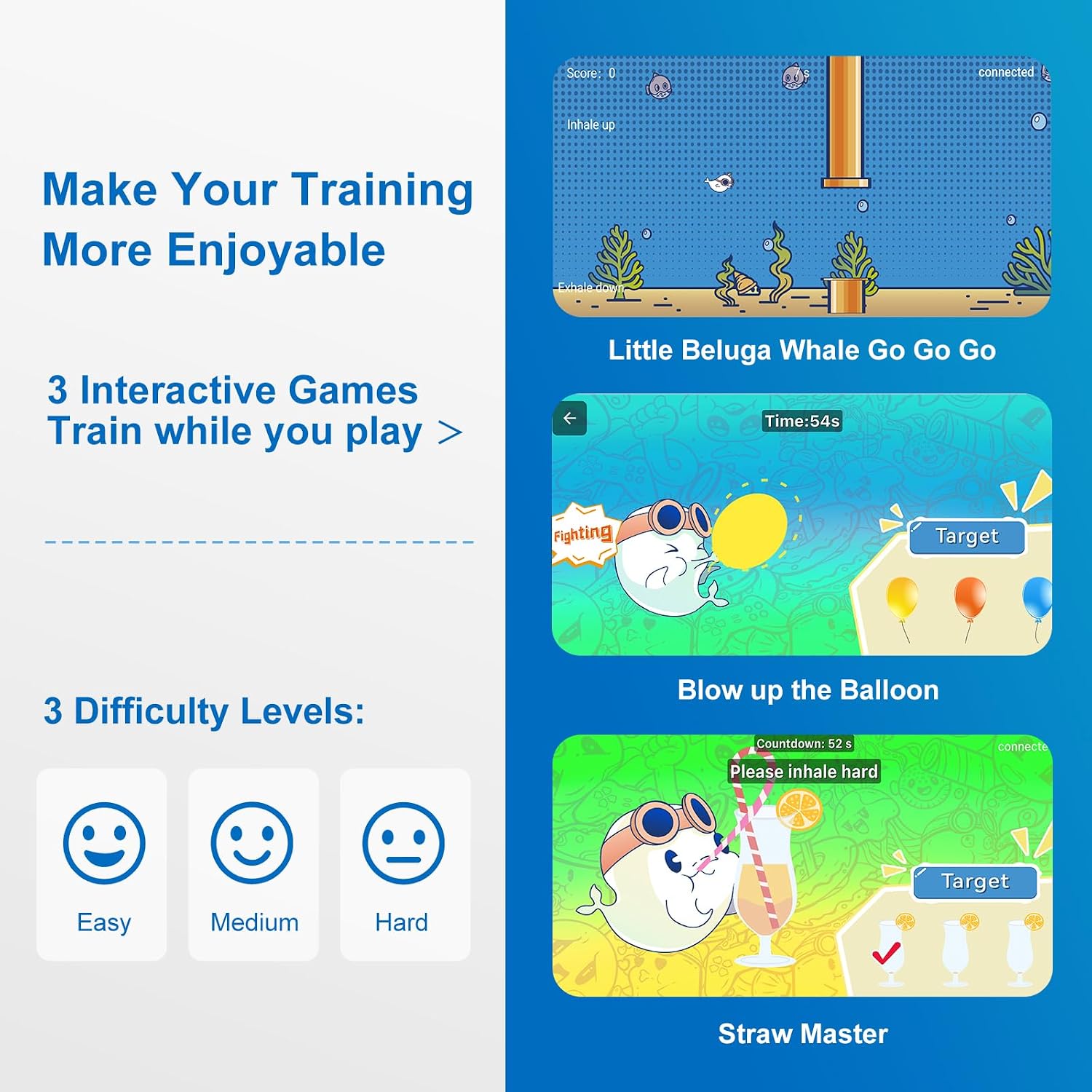
Image: Performing MIP and MEP tests and viewing results in the app.
Video: Troubleshooting tips for the Sonmol digital breathing exerciser.
4. Interactive Training Games
The eRMT app includes interactive games like "Little Beluga Whale" and "Inflate the Balloon" to make training more engaging. These games offer 3 difficulty levels (Easy, Medium, Hard) and provide a fun way to practice breathing exercises.

Image: Examples of interactive games within the eRMT app for enjoyable training.
Maintenance
To ensure the longevity and hygiene of your Sonmol Digital Breathing Exercise Device, follow these maintenance guidelines:
- Cleaning: The device features detachable components for easy cleaning. After each use, disassemble the mouthpiece and other removable parts. Wash them with mild soap and warm water. Rinse thoroughly and allow to air dry completely before reassembling.
- Storage: Store the device in its included portable travel case when not in use. This protects it from dust and damage, making it convenient for travel.
- Materials: The device is made of high-quality, BPA-free materials. Avoid using harsh chemicals or abrasive cleaners, as these may damage the device.
Troubleshooting
If you encounter issues with your Sonmol Digital Breathing Exercise Device, refer to the following common solutions:
- App Display Issues (iOS): If using an iPhone and app buttons are not fully visible, navigate to your phone's main settings. Change your display zoom from "Zoomed" to "Default" to ensure the app resizes correctly.
- Bluetooth Connection Problems: Ensure the digital manometer is powered on and Bluetooth is active on your smartphone. Try restarting both the device and the app. If issues persist, unpair and re-pair the device.
- Inaccurate Readings: Verify that the connection tube, mouthpiece, and manometer are securely attached. Ensure there are no leaks in the connections.
- Device Not Responding: Check the battery level of the digital manometer. If low, replace or recharge as necessary.
Video: A guide to common troubleshooting steps for the Sonmol digital breathing exerciser.
Specifications
| Product Dimensions | 3 x 2.1 x 6 inches |
| Item Weight | 4 ounces |
| Manufacturer | Sonmol |
| ASIN | B0CLDJFM75 |
| First Available Date | October 19, 2023 |
Warranty and Support
For warranty information or technical support, please refer to the documentation included with your product or contact Sonmol customer service directly. Contact details can typically be found on the manufacturer's official website or through the retailer where the product was purchased.