Introduction
This manual provides instructions for the setup, operation, and maintenance of your MOMAX Key Tracker BR7. This device is designed to help you locate your personal items using the Apple Find My network.

Image: The MOMAX Key Tracker BR7, a small white circular device with the MOMAX logo, shown alongside its included white silicone strap.
Product Features
- Apple Find My Network Compatibility: Utilizes the Apple Find My network for broad location tracking. Note: Compatible with iOS devices only. Android devices are not supported.
- Easy Item Tracking: Locate items on a map or activate a loud buzzer (up to 80 dB) when nearby.
- Left-Behind Alerts: Receive notifications on your iOS device if you leave your tracked item behind.
- Lost Mode: Enable Lost Mode to display contact information for anyone who finds your item.
- IP66 Water-Resistant: Designed to withstand splashes and rain (not for long-term immersion).
- Replaceable CR2032 Battery: Provides approximately one year of battery life.
- Included Handing Strap: A high-quality silicone lanyard for easy attachment to various items.

Image: The MOMAX Key Tracker BR7 with its white silicone handing strap, shown attached to the handle of a yellow suitcase, demonstrating its portability and ease of attachment.
Setup Guide
Follow these steps to set up your MOMAX Key Tracker BR7 with the Apple Find My app.
- Prepare Your Device: Ensure your iOS device (iPhone, iPad, or iPod touch) is running the latest version of iOS/iPadOS and has Bluetooth enabled.
- Open Find My App: Launch the "Find My" application on your iOS device.
- Add New Item: In the Find My app, navigate to the "Items" tab. Tap the "+" icon and select "Add Other Item".
- Connect to Tracker: The app will search for nearby compatible items. Your MOMAX Key Tracker BR7 should appear. Tap to connect.
- Name Your Tracker: Assign a name to your tracker (e.g., "Keys," "Wallet," "Backpack") and choose an emoji to represent it.
- Finish Setup: Follow any remaining on-screen prompts to complete the pairing process.

Image: A visual guide showing the four steps to set up the MOMAX Key Tracker BR7: opening the Find My app, connecting to the tracker, naming it, and finishing the setup.
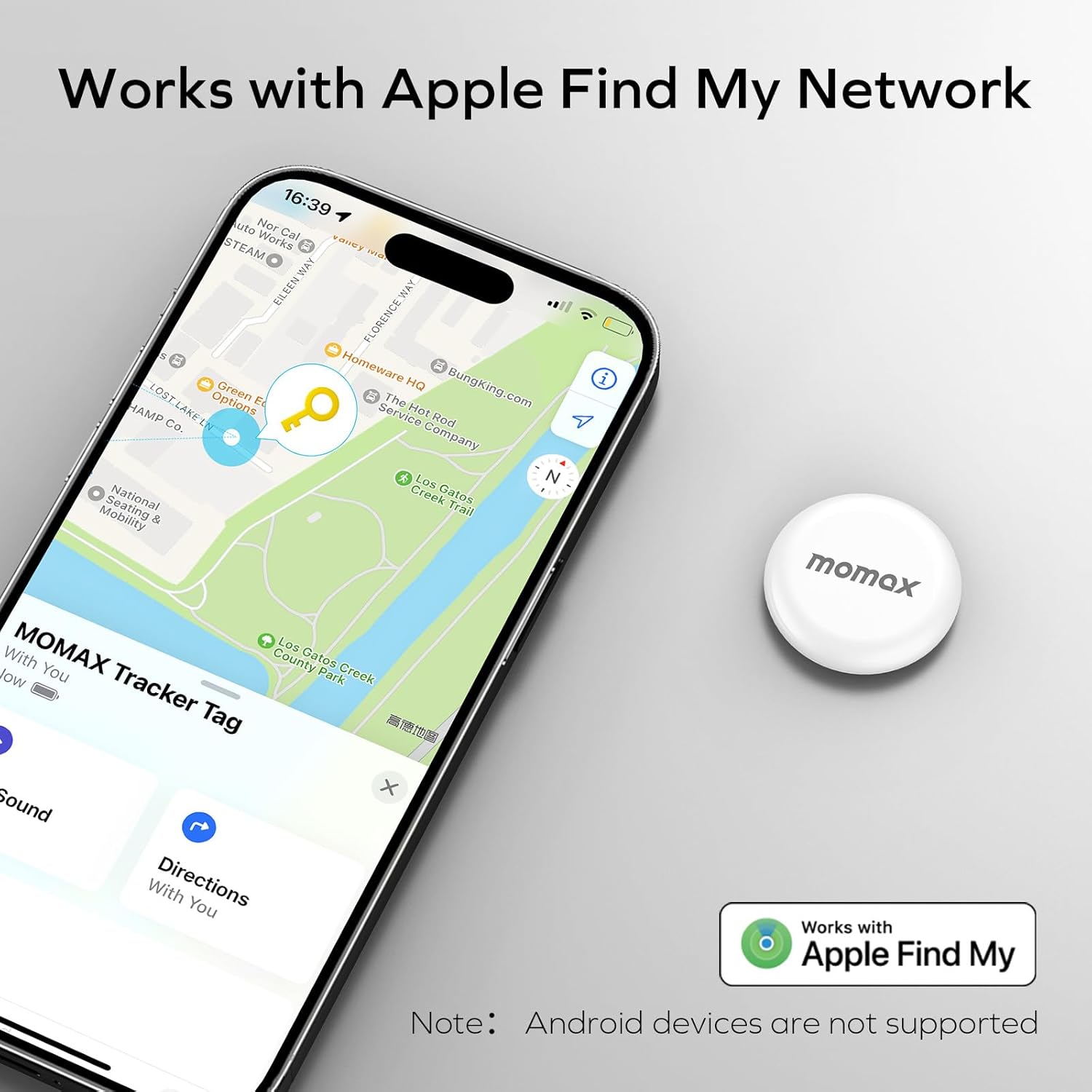
Image: A smartphone displaying the Apple Find My app interface, showing the location of a MOMAX Key Tracker BR7 on a map, with the tracker itself placed next to the phone.
Operating Instructions
Locating Your Item
The MOMAX Key Tracker BR7 offers two primary methods for locating your items:
- Map Tracking (Long Range):
When your item is far away, open the Find My app and select your tracker from the "Items" tab. The app will display its last known location on a map. You can then get directions to that location.

Image: A person holding a smartphone displaying the Find My app, showing directions to a MOMAX Key Tracker BR7 attached to car keys, indicating long-range tracking.
- Sound Alert (Short Range):
When you are within Bluetooth range (approximately 20 meters) of your item, you can make the tracker play a loud sound (up to 80 dB) to pinpoint its exact location. In the Find My app, select your tracker and tap "Play Sound."

Image: A MOMAX Key Tracker BR7 placed on a sofa, emitting sound waves, with a smartphone nearby showing the Find My app interface indicating the tracker is ringing to help locate it within 20 meters.
Left-Behind Alerts
To prevent losing your items, enable Left-Behind Alerts:
- In the Find My app, select your MOMAX Key Tracker BR7.
- Go to the "Notifications" section.
- Toggle on "Notify When Left Behind."
- You can set specific locations where you do not want to be notified (e.g., your home or office).

Image: A smartphone showing a pop-up notification for a "Left-Behind Alert" from the MOMAX Key Tracker BR7, indicating the tracker has been disconnected from the phone at a distance of 100 meters.

Image: A three-step visual guide demonstrating how to enable the "Notify When Left Behind" feature in the Find My app, including setting a new location for exclusion.
Lost Mode
If your item is lost, you can activate Lost Mode to help others return it to you:
- In the Find My app, select your MOMAX Key Tracker BR7.
- Scroll down to "Lost Mode" and tap "Enable."
- Follow the prompts to enter your contact phone number or email address.
- When someone finds your tracker and taps it with an NFC-enabled smartphone, they will see your contact information.

Image: A four-step visual guide demonstrating how to activate "Lost Mode" in the Find My app, including checking information, adding contact details, and confirming activation.
Identifying a Found Item
If you find a MOMAX Key Tracker BR7 that is not yours, you can identify it using the Find My app:
- Open the Find My app and go to the "Items" tab.
- Tap "Identify Found Item."
- Hold your iPhone near the found tracker.
- If the tracker is in Lost Mode, you will see information about how to contact the owner.

Image: A four-step visual guide demonstrating how to identify a found item using the Find My app, including selecting "Identify Found Item," searching, learning more, and checking information on a website.
Maintenance
Battery Replacement
The MOMAX Key Tracker BR7 uses a replaceable CR2032 coin cell battery, providing approximately one year of battery life. When the battery is low, you will receive a notification on your iOS device. To replace the battery:
- Locate the small gap on the side of the tracker.
- Use a card pin or a similar thin tool to gently pry open the tracker along the gap.
- Carefully separate the two halves of the shell.
- Remove the old CR2032 battery and insert a new one, ensuring correct polarity (+ side up).
- Align the two halves of the tracker and press them firmly together until they click into place.

Image: A three-step diagram illustrating the battery exchange process for the MOMAX Key Tracker BR7: inserting a pin to pry open, sliding to separate the shell, and exchanging the CR2032 battery.
Water Resistance
The MOMAX Key Tracker BR7 is rated IP66 water-resistant. This means it is protected against powerful water jets and dust. It can withstand splashes and rain but should not be immersed in water for extended periods.

Image: A MOMAX Key Tracker BR7 shown with water splashing around it, illustrating its IP66 water-resistant design, suitable for splashes and rain.
Troubleshooting
- Tracker Not Appearing in Find My App:
- Ensure your iOS device's Bluetooth is enabled.
- Make sure the tracker's battery is not depleted. Replace if necessary.
- Bring the tracker closer to your iOS device during the pairing process.
- Restart your iOS device and try again.
- No Sound When Playing Alert:
- Ensure the tracker is within Bluetooth range (approx. 20 meters) of your iOS device.
- Check the tracker's battery level. A low battery might affect sound output.
- Verify that the volume on your iOS device is not muted or too low.
- Inaccurate Location or Delayed Updates:
- The accuracy of location tracking depends on the density of the Apple Find My network. In areas with fewer Apple devices, updates may be less frequent or precise.
- Ensure your iOS device has a stable internet connection (Wi-Fi or cellular data) for map updates.
- Left-Behind Alerts Not Working:
- Confirm that "Notify When Left Behind" is enabled in the Find My app settings for your tracker.
- Check if you have set any "Notify Me Except At" locations that might be preventing alerts.
- Ensure your iOS device has sufficient battery and is connected to the internet.
- Battery Drains Quickly:
- Ensure you are using a fresh, high-quality CR2032 battery.
- Frequent "Play Sound" commands or constant searching in dense environments might slightly reduce battery life.
- If battery life is significantly shorter than one year, consider replacing the battery with a new one from a reputable brand.
Specifications
| Model Number | BR7 |
| Dimensions | 5.91 x 3.35 x 0.75 inches (Package) |
| Item Weight | 0.634 ounces |
| Connectivity | Bluetooth (for short-range detection) |
| Compatibility | iOS devices only (Apple Find My network) |
| Battery Type | 1 x CR2032 (included, replaceable) |
| Battery Life | Approximately 1 year |
| Water Resistance | IP66 (splash and rain resistant) |
| Material | Silicone |
| Color | White |
| Manufacturer | MOMAX |
Warranty Information
For detailed warranty information regarding your MOMAX Key Tracker BR7, please refer to the official MOMAX website or contact their customer support directly. Warranty terms and conditions may vary by region and retailer.
Customer Support
If you encounter any issues or have questions not covered in this manual, please contact MOMAX customer support for assistance. Contact details can typically be found on the official MOMAX website or on the product packaging.