
Introduction
Thank you for choosing the Contixo F21 Pro Drone. This manual provides essential information for the safe operation, setup, and maintenance of your drone. Please read this manual thoroughly before operating the device to ensure proper usage and to prevent damage.
1. Setup
1.1 What's in the Box
Verify that all components are present in the package:
- Contixo F21 Pro Drone
- Remote Control (with 4.3" integrated screen)
- 2 x 3.7V 1200mAh Batteries
- 8 x Propeller Replacements
- 4 x Propeller Guards
- USB Charging Cable
- 16GB SD Card
- Screwdriver
- Landing Pad
- Carrying Case
- Instruction Manual
- Quick Guide

1.2 Battery Charging and Installation
The drone is powered by two 3.7V 1200mAh Lithium-Ion batteries. Ensure both batteries are fully charged before first use.
- Connect the USB charging cable to the battery and a suitable USB power adapter (not included).
- The charging indicator on the battery will show its status (refer to the Quick Guide for specific light patterns).
- Once fully charged, disconnect the battery.
- Insert the charged battery into the drone's battery compartment until it clicks securely into place.

1.3 Propeller Installation
The drone comes with pre-installed propellers. If replacement is needed:
- Identify the correct propeller for each motor (marked A or B).
- Use the provided screwdriver to remove the screw holding the old propeller.
- Place the new propeller onto the motor shaft, aligning it correctly.
- Secure the propeller with a screw. Ensure all propellers are firmly attached before flight.
1.4 Remote Control Setup
The remote control features an integrated 4.3-inch screen for live video feed and flight data.
- Ensure the remote control is charged.
- Power on the remote control.
- Power on the drone.
- The remote control and drone should automatically pair. If not, refer to the Quick Guide for pairing instructions.

1.5 Drone Preparation
The F21 Pro drone features a foldable design for portability.
- Gently unfold the drone arms until they lock into position.
- Attach the propeller guards if flying indoors or in crowded areas for added protection.

2. Operating Instructions
2.1 Basic Flight Controls
Familiarize yourself with the remote control sticks and buttons for basic flight maneuvers:
- Take-off/Landing: Use the dedicated one-key take-off/landing button or manually control with the throttle stick.
- Altitude Hold: The drone maintains a stable altitude automatically, allowing for easier control.
- Directional Control: Use the directional stick to move the drone forward, backward, left, and right.
- Rotation: Use the rotation control to turn the drone left or right.
2.2 Intelligent Flight Modes
The F21 Pro drone includes several intelligent flight features to enhance your experience:
- Obstacle Avoidance: Equipped with 270° environmental perception, the drone can sense obstacles and automatically stop to prevent collisions. This feature is primarily for indoor use.

- Optical Flow Positioning: This system helps the drone hover steadily, improving stability, especially for beginners.
- Altitude Hold: Maintains a consistent altitude, simplifying flight control.

- Gesture Selfie: Activate camera functions with simple hand gestures.
- Follow Object/Palm Follow: The drone can track and follow a designated object or your palm.
- Gravity Control: Control the drone's movement by tilting your remote.
- 360° Flips and Rolls: Execute aerial acrobatics with a dedicated button.


2.3 Camera Operation
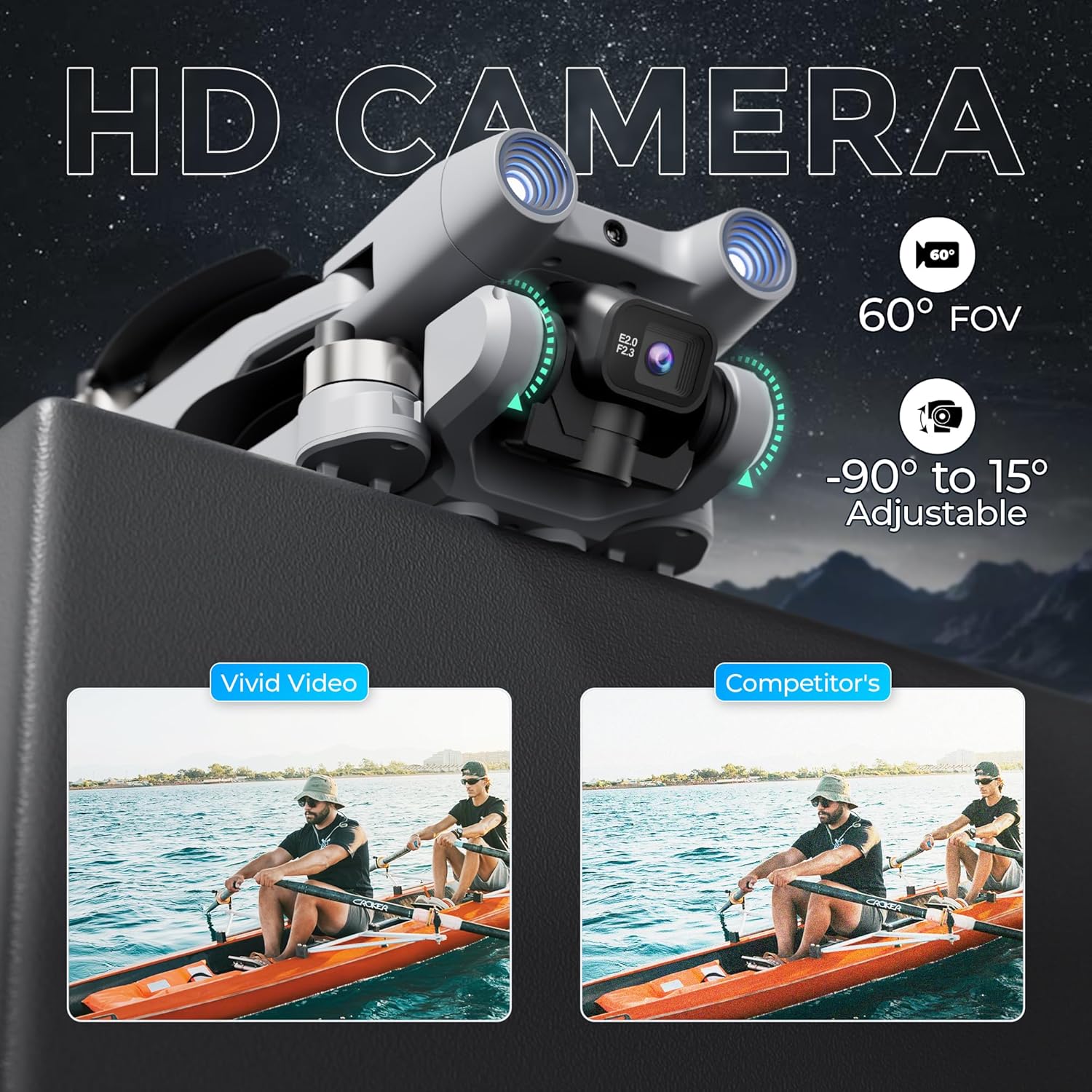
The F21 Pro features a dual camera system with adjustable angles.
- The main camera offers a 60° Field of View (FOV) and can be adjusted from -90° to 15°.
- Video capture resolution is 480p, with an output resolution of 1920x1080 pixels.
- Images are captured in JPEG format, and videos in MP4.
- Use the controls on the remote to adjust the camera angle and initiate recording or photo capture.
2.4 Flight Performance
- Flight Time: Each battery provides approximately 15 minutes of flight, totaling up to 30 minutes with both included batteries.
- Flight Range: The drone has a maximum flight range of up to 300 feet and video transmission up to 240 feet.
- Brushless Motors: Equipped with efficient and quiet 1503 brushless motors for stable flight.
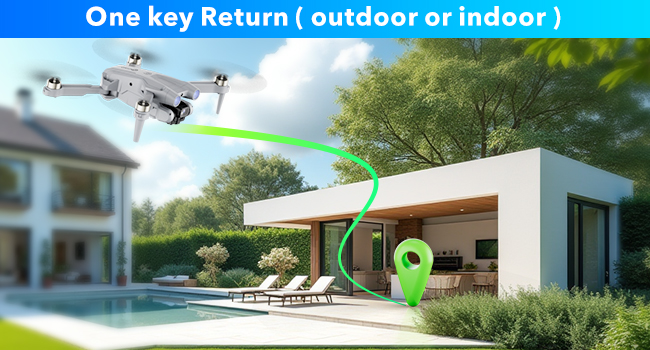
- One-Key Return: The drone features a one-key return function for easy recall.
2.5 Operation Video
Watch this video for a visual guide on operating your Contixo F21 Pro Drone.
3. Maintenance
3.1 Propeller Replacement
Inspect propellers regularly for damage. Replace any bent, cracked, or chipped propellers immediately using the provided replacements and screwdriver. Ensure correct propeller type (A or B) is installed on the corresponding motor.
3.2 Battery Care
- Always use the original charging cable.
- Do not overcharge or over-discharge batteries.
- Store batteries in a cool, dry place away from direct sunlight and extreme temperatures.
- If not used for an extended period, charge batteries to approximately 50% capacity.
3.3 Cleaning
Use a soft, dry cloth to clean the drone and remote control. Avoid using liquids or solvents that could damage electronic components.
4. Troubleshooting
If you encounter issues with your Contixo F21 Pro Drone, refer to the following common problems and solutions:
| Problem | Possible Cause | Solution |
|---|---|---|
| Drone does not power on | Battery not charged or incorrectly installed | Ensure battery is fully charged and correctly inserted. |
| Drone is unstable or veers during flight | Propellers damaged; Drone not calibrated; Environmental interference | Check and replace damaged propellers. Perform drone calibration as per Quick Guide. Fly in calm conditions away from strong winds or magnetic interference. |
| Short flight time | Battery not fully charged; Old or damaged battery | Ensure batteries are fully charged. Consider replacing old batteries if performance degrades significantly. |
| Loss of control or unresponsive remote | Drone out of range; Signal interference; Low remote battery | Keep drone within specified range. Avoid areas with strong Wi-Fi or radio signals. Ensure remote control battery is charged. |
| Camera not recording or taking photos | SD card full or not inserted; Camera malfunction | Check if the 16GB SD card is correctly inserted and has free space. Format the SD card if necessary. |
5. Specifications
| Feature | Detail |
|---|---|
| Brand | Contixo |
| Model Name | F21 Pro |
| Special Features | 360 Degree Flip, Foldable, Integrated GPS, Obstacle Avoidance, Portable |
| Age Range (Description) | Adult |
| Color | Grey |
| Video Capture Resolution | 480p |
| Connectivity Technology | Wi-Fi |
| Included Components | Drone, Remote Control, 2 Batteries, 8 Propellers, USB Cable, Landing Pad, 16GB SD Card, Screwdriver, Carrying Case |
| Skill Level | Beginner |
| Item Weight | 5.8 Ounces (approx. 164g) |
| Battery Capacity | 1200 Milliamp Hours (per battery) |
| Video Capture Format | MP4 |
| Remote Control Technology | 2.4 GHz |
| Control Type | Remote Control |
| Maximum Range | 350 Feet (Flight), 240 Feet (Video Transmission) |
| Wireless Communication Technology | Wi-Fi |
| Battery Cell Composition | Lithium Ion |
| Supported Image Format | JPEG |
| Video Output Resolution | 1920x1080 Pixels |
| Optical Sensor Technology | Optical Flow, CMOS |
| Material | Plastic |
| Item Dimensions L x W x H | 5.28"L x 5.28"W x 1.02"H (folded) |
6. Warranty Information
Contixo products are covered by a limited warranty against manufacturing defects. For specific warranty terms and conditions, please refer to the warranty card included in your product packaging or visit the official Contixo website. Keep your proof of purchase for warranty claims.
7. Customer Support
For technical assistance, troubleshooting, or any questions regarding your Contixo F21 Pro Drone, please contact Contixo customer support. Contact details can be found on the official Contixo website or in the Quick Guide provided with your product.


