Introduction
Thank you for choosing the Retekess TR638 Portable AM FM SW Radio. This device offers versatile listening options with its multi-band reception, digital tuning, and various playback features. This manual provides detailed instructions to help you set up, operate, and maintain your radio for optimal performance and longevity.
Product Features
- LCD Display: Provides clear frequency, time, and battery information. Features 3 adjustable brightness levels for comfortable viewing indoors and outdoors.
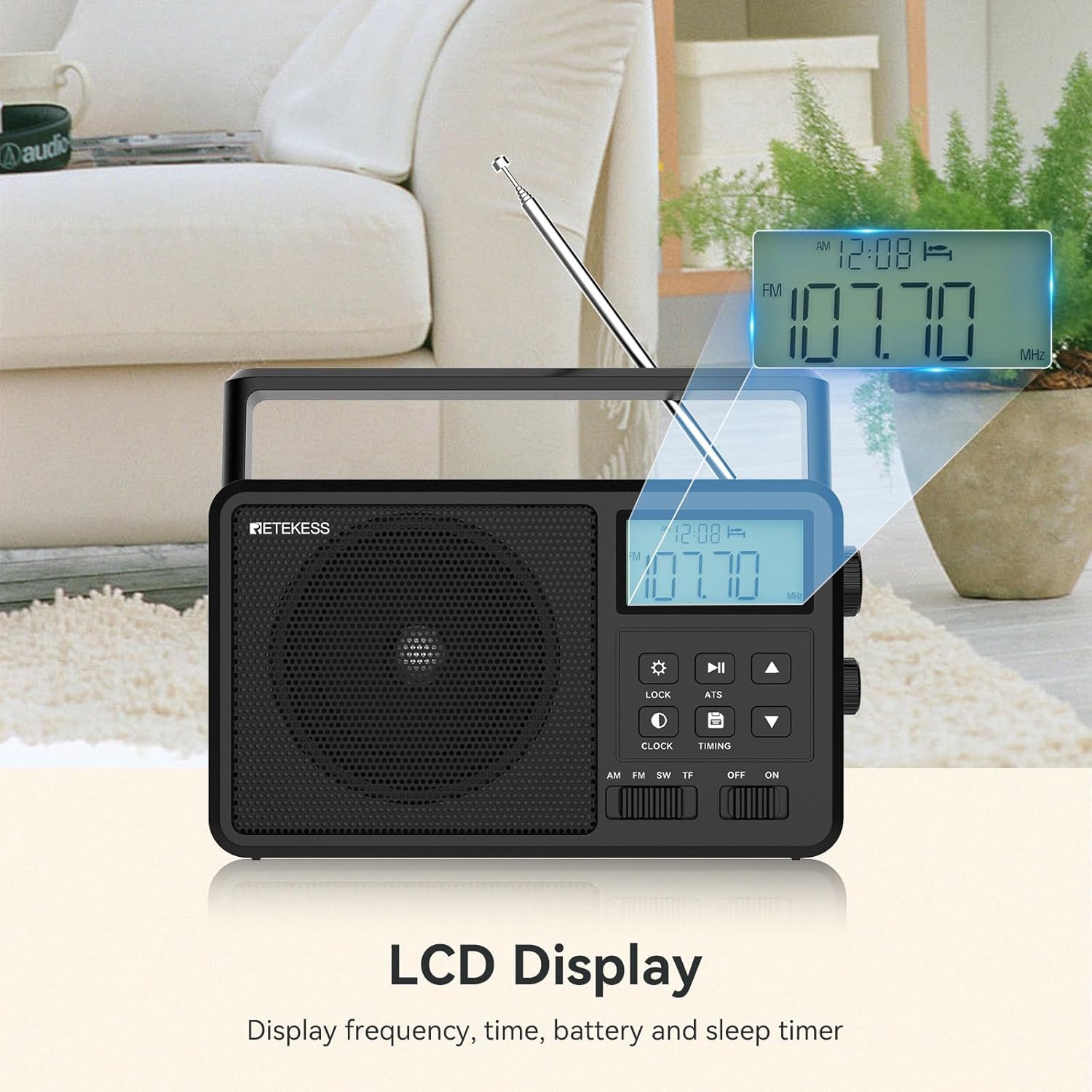
Image: The radio's LCD screen clearly shows the frequency, time, and battery status.
- External Antenna Socket: Equipped with an external antenna socket, allowing connection of an external antenna for enhanced signal reception, particularly for shortwave bands.

Image: The back of the radio features a dedicated socket for connecting an external antenna.
- Bluetooth Compatibility: Connect the radio to your smartphone or other Bluetooth-enabled devices to stream audio wirelessly.

Image: A smartphone is shown wirelessly connected to the radio via Bluetooth, streaming music.
Video: Demonstration of Bluetooth pairing and audio playback.
- Two Power Supplies: Operates on 4 AA batteries (not included) for portable use or via AC power for home use.
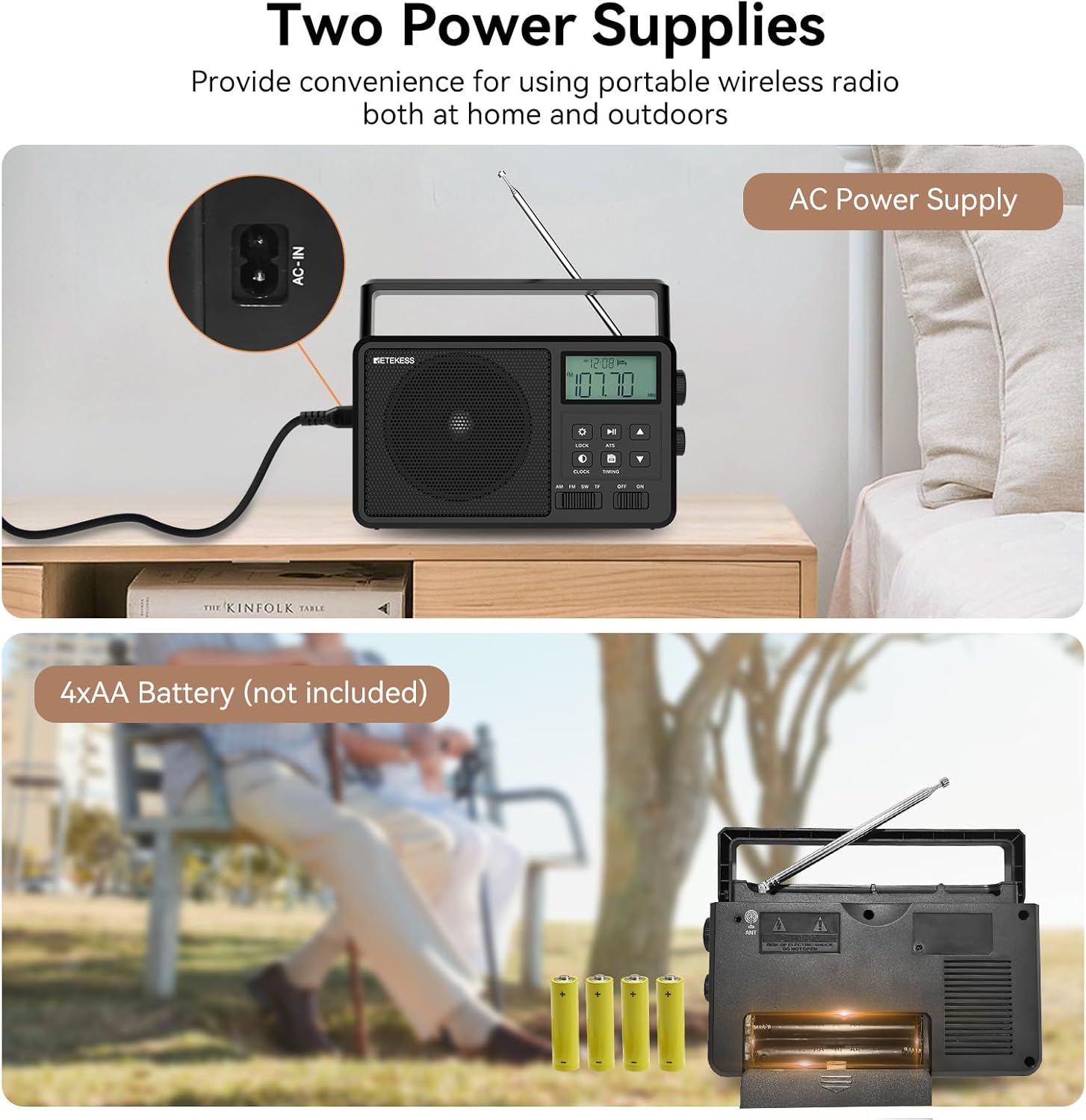
Image: The radio can be powered by an AC adapter or 4 AA batteries.
Video: Illustrates connecting the AC power cable and inserting batteries.
- Multi-device Connectivity: Supports TF card and USB audio playback. Includes a 3.5mm earphone jack for private listening.
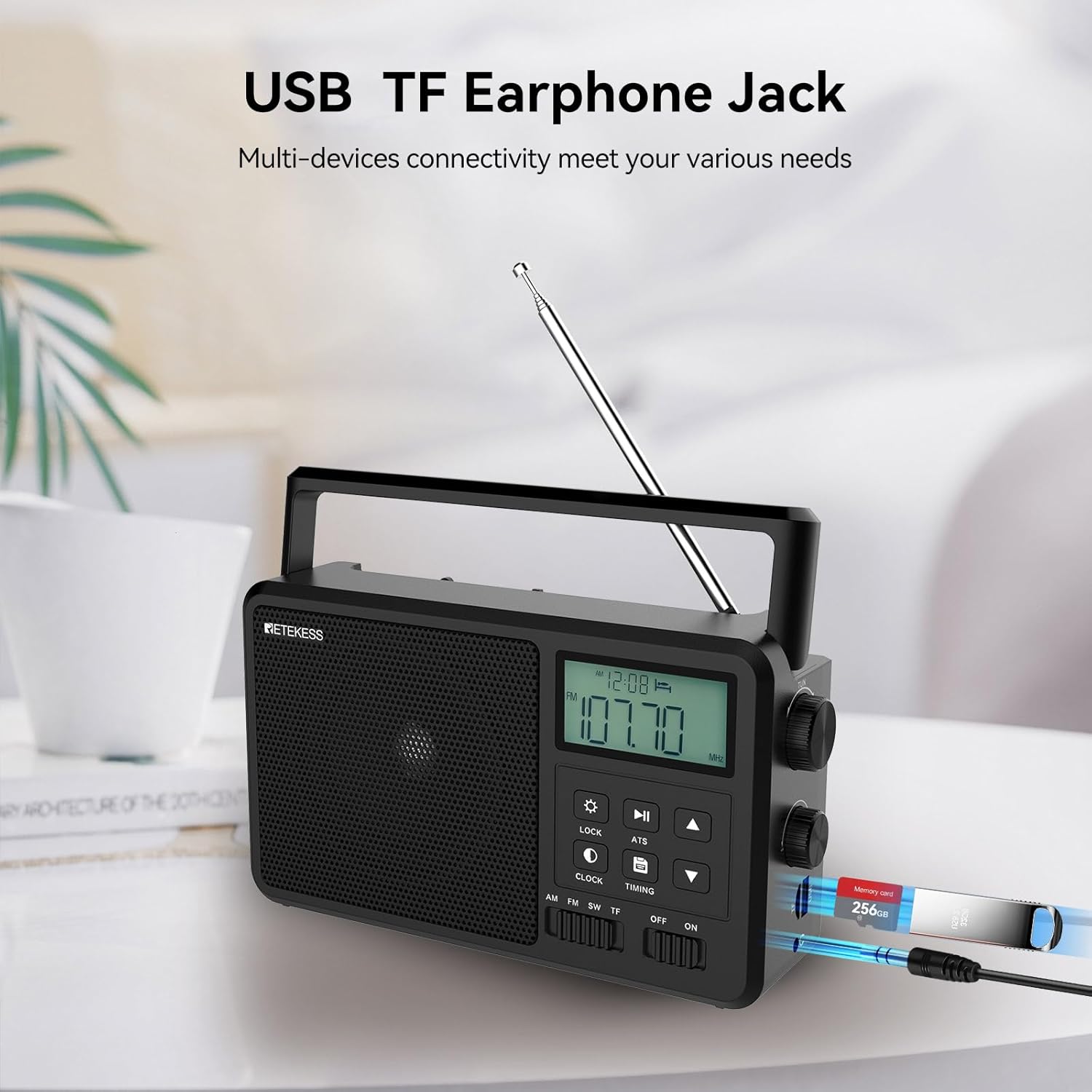
Image: The radio features ports for TF cards, USB drives, and a 3.5mm headphone jack.
Video: Demonstrates inserting a TF card and switching to USB playback mode.
- Clear Sound Quality: Equipped with a loud speaker for clear audio output.
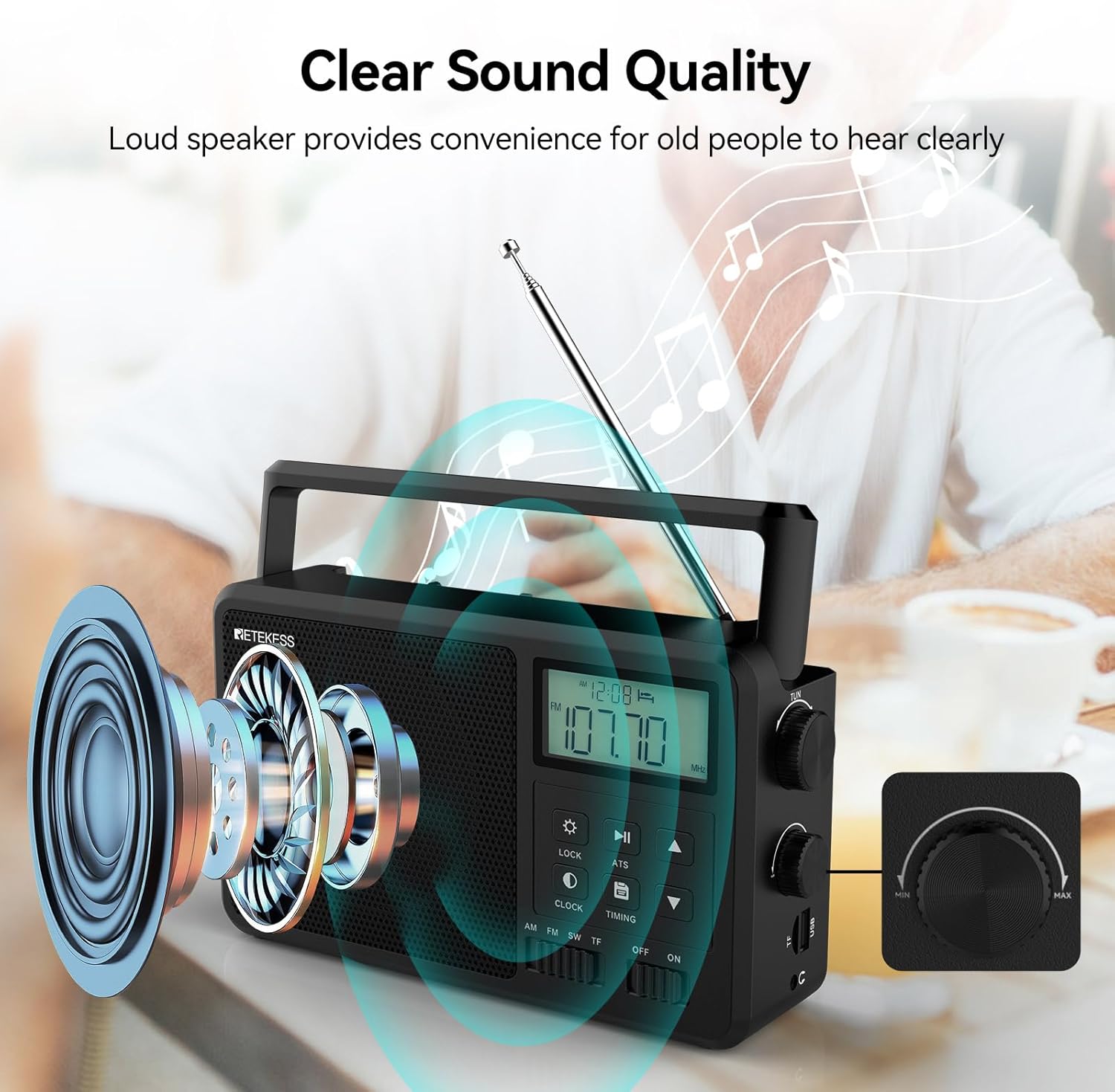
Image: The radio's speaker is designed to deliver clear and robust sound.
- Retractable Antenna: Extendable up to 62cm (24 inches) for improved radio reception.
- AM/FM/SW Reception: Provides reception across AM, FM, and Shortwave bands for diverse listening options.
- Timer Function: Features a sleep timer to automatically turn off the radio and an alarm clock function.
Video: Shows how to set the sleep timer function on the radio.
- User-Friendly Design: Portable with a convenient handle for easy transport.
- Large Control Knobs: Features large tuning and volume knobs for easy operation.

Image: The radio is equipped with prominent, easy-to-grip control knobs for tuning and volume.
Setup
1. Powering the Radio
The Retekess TR638 can be powered by either AC current or 4 AA batteries.
- AC Power: Connect the provided AC power cord to the 'AC-IN' port on the back of the radio and then plug it into a standard wall outlet.
- Battery Power: Open the battery compartment cover on the back of the radio. Insert 4 AA batteries, ensuring correct polarity (+/-). Close the cover securely.
2. Antenna Setup
For optimal radio reception, especially for FM and SW bands, extend the telescopic antenna fully. For AM reception, the internal ferrite bar antenna is typically sufficient, but adjusting the radio's orientation may improve signal strength.
- Telescopic Antenna: Gently pull the telescopic antenna upwards and extend it to its full length. Rotate it for best reception.
- External Antenna: If using an external antenna, connect it to the 'ANT' socket on the back of the radio.
Operating Instructions
1. Basic Operation
- Power On/Off: Use the 'ON/OFF' switch located on the side of the radio to turn the unit on or off.
- Volume Control: Rotate the 'VOLUME' knob on the side of the radio to adjust the sound level.
2. Radio Mode
- Band Selection: Press the 'AM', 'FM', or 'SW' buttons on the front panel to select the desired radio band.
- Tuning: Use the 'TUNING' knob on the side to manually scan for stations. Alternatively, use the 'Up' and 'Down' arrow buttons for fine-tuning.
- Automatic Tuning System (ATS): Press the 'ATS' button to automatically scan and store available stations within the selected band.
3. Bluetooth Mode
- Activate Bluetooth: Press the 'BT' button to switch to Bluetooth mode. The LCD will display 'bt'.
- Pairing: On your mobile device, enable Bluetooth and search for 'TR638'. Select it to pair. Once connected, the radio will indicate successful pairing.
- Playback Control: Use the 'Play/Pause', 'Next', and 'Previous' buttons on the radio or your connected device to control audio playback.
4. TF Card / USB Playback
- Insert Media: Insert a TF card into the 'TF' slot or a USB drive into the 'USB' port.
- Select Mode: The radio should automatically switch to TF or USB mode. If not, press the 'TF/USB' button to cycle through modes.
- Playback Control: Use the 'Play/Pause', 'Next', and 'Previous' buttons to navigate your audio files.
5. Timer and Clock Functions
- Setting the Clock: Press the 'CLOCK' button to enter clock setting mode. Use the 'Up' and 'Down' arrow buttons to adjust hours and minutes, and 'Next' to confirm.
- Sleep Timer: Press the 'TIMING' button repeatedly to set the sleep timer (e.g., 120, 90, 60, 30, 15, 10 minutes). The radio will automatically turn off after the set time.
- Alarm Clock: Refer to the detailed instructions in the included user manual for setting the alarm function.
6. LCD Brightness
- Adjust Brightness: Press the 'SETTINGS' button (gear icon) to cycle through the 3 available LCD brightness levels.
Maintenance
- Cleaning: Use a soft, dry cloth to clean the radio's exterior. Do not use abrasive cleaners or solvents.
- Battery Care: If the radio will not be used for an extended period, remove the batteries to prevent leakage and damage.
- Storage: Store the radio in a cool, dry place away from direct sunlight and extreme temperatures.
- Antenna Care: When not in use, retract the telescopic antenna to prevent damage.
Troubleshooting
| Problem | Possible Cause | Solution |
|---|---|---|
| No power | Batteries are dead or incorrectly inserted; AC adapter not connected. | Replace batteries, check polarity, or ensure AC adapter is securely plugged in. |
| Poor radio reception | Antenna not extended; weak signal; interference. | Extend telescopic antenna, rotate radio for better signal, try an external antenna, move away from electronic devices. |
| Bluetooth not connecting | Radio not in Bluetooth mode; device not discoverable; too far from radio. | Ensure radio is in BT mode, make sure your device's Bluetooth is on and discoverable, move device closer to the radio. |
| TF/USB playback issues | Incorrect file format; corrupted media; radio not in correct mode. | Ensure audio files are in supported formats (e.g., MP3), try a different TF card/USB drive, select TF/USB mode. |
Specifications
- Brand: Retekess
- Model Number: EUF9274A
- Color: Black
- Special Feature: Lightweight
- Connectivity Technology: Auxiliary, Bluetooth
- Compatible Devices: Headphones, Speaker, MP3 Player, Laptop, Smartphone, Tablet, Earphone
- Product Dimensions: 23L x 8.5W x 13.5H centimeters
- Tuner Technology: Digital
- Power Source: Battery Powered, AC Powered
- Supported Radio Bands: AM, FM, SW
- Included Components: AC Line x1, User Manual x1, Radio x1
Warranty and Support
Retekess offers a 1-year warranty and a 30-day return policy without requiring a specific reason. Beyond the warranty period, maintenance services are still available, with buyers responsible for associated costs. For support, please contact Retekess on Amazon, and a response will be provided within 12 hours.


