Introduction
Thank you for choosing the GAOMON SW01 Full Bed Frame. This manual provides detailed instructions for assembly, operation, maintenance, and troubleshooting to ensure safe and optimal use of your new bed frame. This bed frame features a storage headboard with a charging station, integrated LED lights, and four under-bed storage drawers.
Safety Information
- Read all instructions carefully before assembly and use.
- Keep all small parts and packaging materials away from children.
- Assemble the bed frame on a soft, clean surface to prevent scratches.
- Ensure all bolts and screws are securely tightened before use. Periodically check and re-tighten as needed.
- Do not exceed the maximum weight capacity of 1000 lbs.
- Use only the recommended mattress height of 8"-12" for optimal fit and safety.
- Avoid placing heavy objects on the headboard shelf to prevent damage or injury.
- Keep liquids away from the charging station to prevent electrical hazards.
Product Overview
The GAOMON SW01 Full Bed Frame is designed for comfort and functionality, offering ample storage and modern features.

Image: Detailed product dimensions of the GAOMON Full Bed Frame, showing overall length, width, and height, as well as dimensions for the headboard and drawers. The bed has a weight capacity of 1000 lbs.

Image: A complete view of the GAOMON Full Bed Frame in a bedroom, showcasing its rustic brown finish, storage headboard, and under-bed drawers. The bed is made of metal and wood.
Package Contents
Please ensure all parts are present before beginning assembly. Refer to the assembly video for visual guidance on identifying parts.
Video: This video demonstrates the unboxing and layout of all components included with the GAOMON Full Bed Frame, including metal frame parts, wooden slats, headboard sections, drawers, and hardware. (0:00 - 0:09)
Assembly Instructions
Assembly is recommended for two people and takes approximately 40 minutes. Do not fully tighten screws until all parts are connected.
- Assemble the Central Support Beam:
Connect the central support beam components (K, J, Y1, R) using the provided screws and Allen wrench. Ensure they are aligned correctly before tightening. - Assemble the Side Rails:
Connect the side rail components (L, M, Y1, R) in a similar manner to the central beam. - Connect Side Rails to Central Support:
Attach the assembled side rails to the central support structure using the designated hardware. - Attach Headboard Side Panels:
Secure the headboard side panels (A1, A2) to the main headboard section (B) using screws (T4). - Attach Headboard to Frame:
Connect the assembled headboard to the bed frame using screws (T5, T3). - Attach Footboard to Frame:
Secure the footboard (D) to the bed frame using screws (V2). - Attach Side Panels to Footboard:
Connect the footboard side panels (E1, E2) to the footboard using screws (T2, T1). - Install Slats:
Place the wooden slats across the bed frame. Ensure they are evenly spaced and secured if applicable. - Install Charging Station:
Insert the charging station (U3) into the designated slot on the headboard and secure it with screws (V1). - Install LED Lights:
Connect the LED light strip (U2) and controller (U1) and attach them to the headboard using screws (V2).
Video: Step-by-step guide on assembling the central support beam of the bed frame. (0:10 - 0:26)
Video: Demonstrates the assembly of the bed frame's side rails. (0:27 - 0:43)
Video: Shows how to connect the side rails to the central support frame. (0:44 - 1:00)
Video: Guide for attaching the headboard side panels to the main headboard. (1:51 - 2:06)
Video: Instructions for securing the headboard to the bed frame. (2:07 - 2:21)
Video: Guide for attaching the footboard to the bed frame. (2:22 - 2:50)
Video: Instructions for attaching the side panels to the footboard. (2:51 - 3:09)
Video: Demonstrates the installation of the wooden slats onto the bed frame. (3:10 - 3:33)
Video: Shows how to install the charging station into the headboard. (3:34 - 3:43)
Video: Instructions for installing the LED light strip and controller. (3:44 - 3:52)
Operating Instructions
LED Lights
- The bed frame features a built-in RGB LED light strip.
- Control the LED lights using the included remote controller or a compatible mobile application.
- Choose from 12 scene modes, 7 static colors, and 3 brightness modes.
- The LED lights can change color with the rhythm of sound and music for dynamic effects.
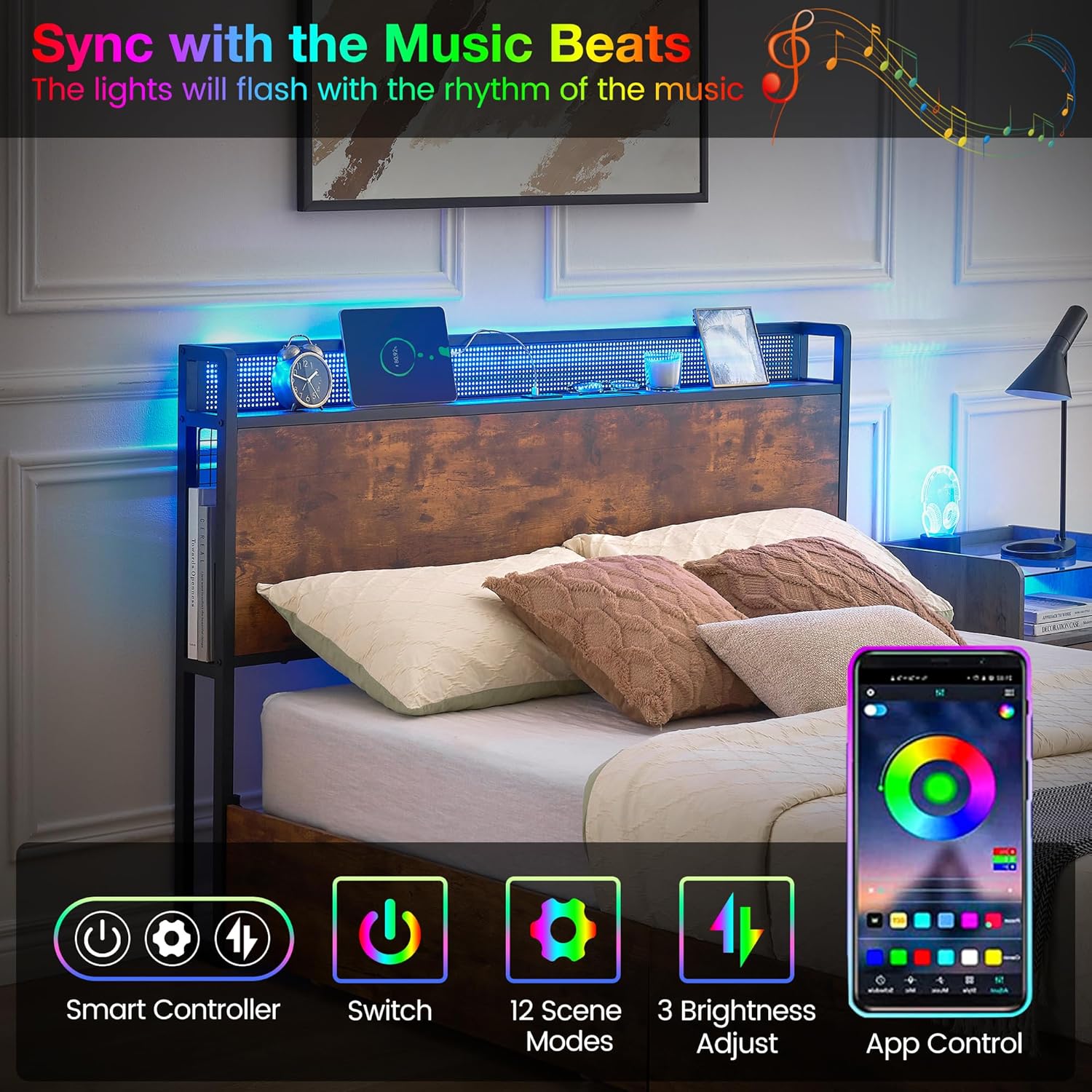
Image: The bed frame's LED lights are shown syncing with music, highlighting the smart controller, switch, 12 scene modes, 3 brightness adjustments, and app control features.
Video: A brief overview of the LED bed frame with headboard and storage drawers, demonstrating the lighting features and storage options. (0:00 - 0:20)
Charging Station
- The headboard includes 3 USB outlets (5V/2A) and 1 Type-C charging port (20W).
- Use these ports to conveniently charge your electronic devices such as phones, tablets, and smartwatches.
- Ensure the bed frame is plugged into a power outlet for the charging station to function.

Image: A close-up view of the headboard's charging station, showing the USB ports, Type-C port, and power cord connection.
Storage Drawers & Mesh Baskets
- The bed frame includes 4 large storage drawers with wheels for easy access.
- Use the drawers to store clothes, bedding, or other items, maximizing space utilization.
- Iron wire mesh storage baskets are integrated on both sides of the headboard for books, magazines, or small personal items.
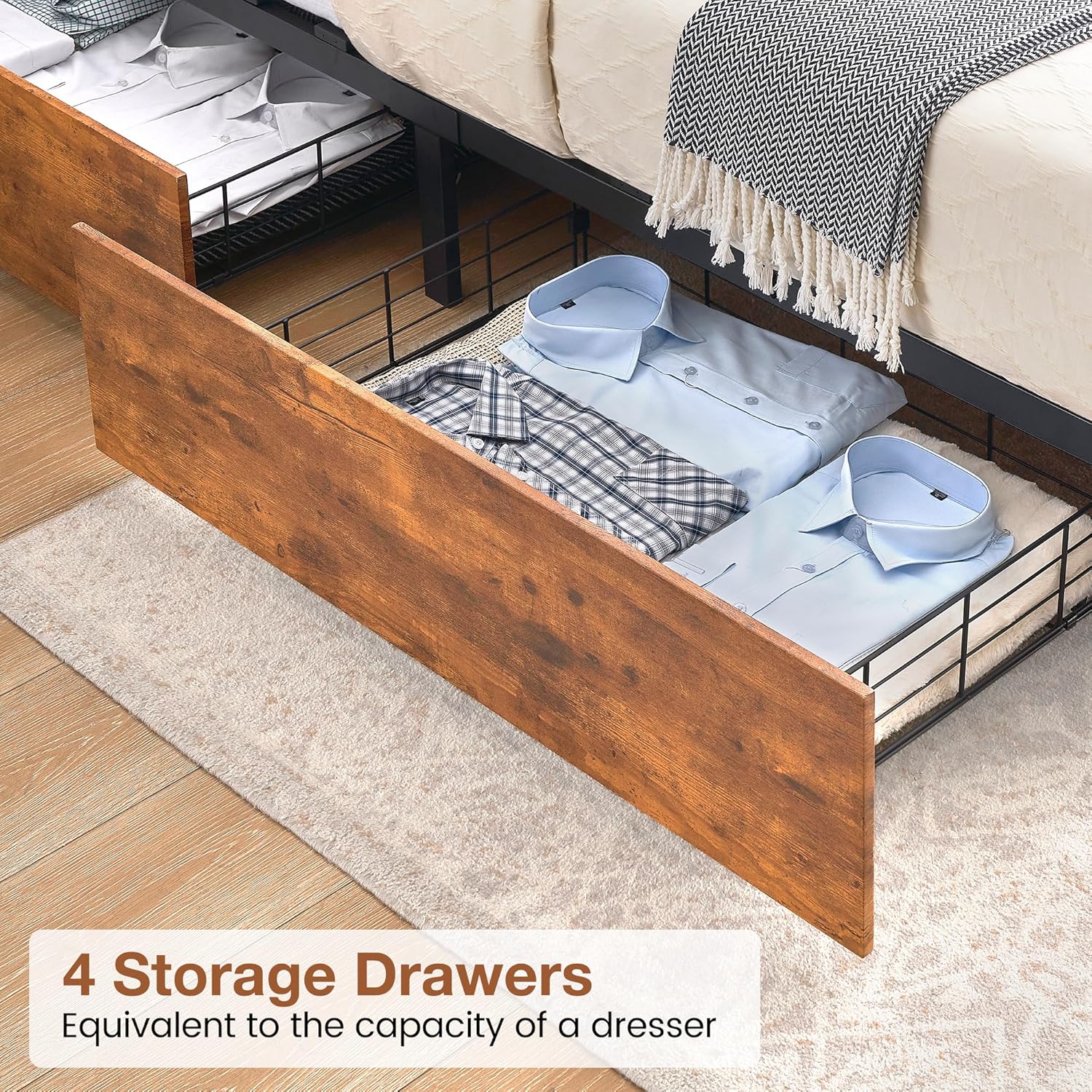
Image: Four under-bed storage drawers are shown pulled out, filled with folded shirts, demonstrating their capacity.

Image: A side view of the headboard, highlighting the 15.7-inch tall mesh storage basket, ideal for books and magazines.
Maintenance
- Cleaning: For the fabric parts of the headboard and footboard, dry clean only. For metal and wood surfaces, wipe with a soft, damp cloth. Avoid harsh chemicals.
- Hardware Check: Periodically inspect all bolts and screws to ensure they remain tight. Re-tighten as necessary to maintain stability and prevent squeaking.
- Slats: Ensure slats are properly seated and not damaged. Replace any broken slats immediately to maintain mattress support.
- LED Lights: If LED lights malfunction, check the power connection and controller. Do not attempt to repair electrical components yourself.
- Charging Station: Keep the charging ports free of dust and debris. Do not force plugs into the outlets.
Troubleshooting
| Problem | Possible Cause | Solution |
|---|---|---|
| Bed frame is wobbly or squeaks. | Loose hardware. | Check and tighten all bolts and screws. Ensure all connections are secure. |
| LED lights are not working. | Power connection issue, faulty controller, or damaged light strip. | Ensure the power cord is securely plugged in. Check the controller for battery or damage. Contact customer support if the issue persists. |
| Charging station is not providing power. | Bed frame not plugged in, power outage, or internal wiring issue. | Verify the bed frame's main power cord is plugged into a working wall outlet. Check for tripped circuit breakers. |
| Drawers are difficult to pull out or push in. | Obstruction, misaligned wheels, or uneven flooring. | Check for items blocking the drawers. Ensure the wheels are properly aligned in their tracks. Adjust the bed frame's position if flooring is uneven. |
Specifications
- Model: SW01
- Size: Full
- Product Dimensions: 80.8"L x 52.3"W x 42"H
- Material: Metal, Wood
- Color: Brown
- Weight Capacity: Up to 1000 lbs
- Special Features: Lighted (RGB LED), No Box Spring Needed, Squeak Resistant, 4 Storage Drawers, USB & Type-C Charging Ports
- Recommended Mattress Height: 8"-12"
- Assembly Required: Yes
Warranty and Support
For warranty information or customer support, please refer to the documentation included with your purchase or contact GAOMON customer service directly. Keep your purchase receipt for warranty claims.


