1. Introduction and Overview
Thank you for choosing the GOYOUTH Walking Pad Treadmill. This compact and versatile fitness machine is designed to integrate seamlessly into your home or office environment, allowing you to stay active while working or relaxing. Featuring a unique 5% incline and a robust design, it offers an effective workout experience. This manual provides essential information for safe operation, maintenance, and troubleshooting to ensure optimal performance and longevity of your device.

The GOYOUTH Walking Pad is designed for both walking and light jogging, fitting perfectly under a standing desk.
2. Safety Information
Please read all safety instructions carefully before using the treadmill. Failure to follow these instructions may result in injury or damage to the product.
- Placement: Place the treadmill on a flat, stable surface with adequate clear space around it (at least 2 feet from walls or furniture).
- Weight Limit: Do not exceed the maximum user weight of 300 lbs (136 kg).
- Footwear: Always wear appropriate athletic footwear while using the treadmill.
- Children and Pets: Keep children and pets away from the treadmill during operation.
- Emergency Stop: Familiarize yourself with the emergency stop procedure.
- Power Cord: Ensure the power cord is not pinched or damaged. Do not operate if the cord is damaged.
- Health: Consult a physician before starting any new exercise program, especially if you have pre-existing health conditions.
3. Product Features
The GOYOUTH Walking Pad Treadmill is equipped with features designed for convenience, performance, and durability:
- 5% Fixed Incline: Designed to enhance calorie burning and muscle engagement, simulating uphill walking.
- Powerful Motor: Features a 2.25 HP motor for stable and continuous power.
- Compact & Portable: Hollowed-out design reduces weight, and built-in transport wheels allow for easy movement and vertical storage. No assembly required.
- LED Display: Integrated LED screen on the top displays real-time data including speed, calories burned, running time, and distance.
- Remote Control: Conveniently adjust settings with the included remote control, which can be stored in a dedicated groove on the treadmill.
- Bluetooth Connectivity & Speaker: Connect your device via Bluetooth to play music through the integrated speaker.
- Advanced Cooling System: Ensures longer service life and stable performance.
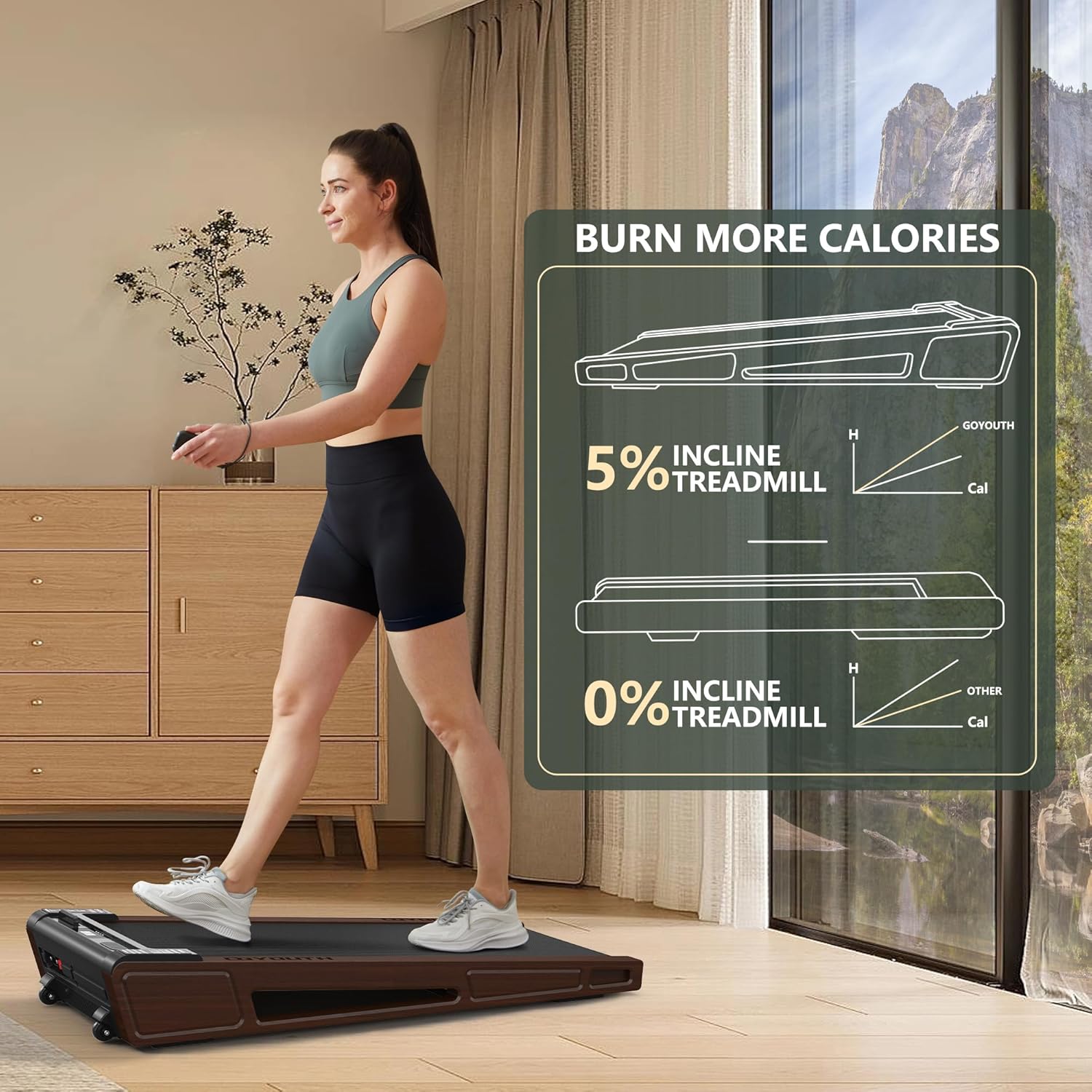
Benefits of the 5% incline for enhanced workouts.

Powerful motor and quiet operation.

Designed for easy portability and vertical storage.

Bluetooth connectivity for audio playback.
4. Setup
The GOYOUTH Walking Pad Treadmill requires no assembly and is ready to use right out of the box.
- Unpacking: Carefully remove the treadmill from its packaging.
- Placement: Place the treadmill on a firm, level surface. Ensure there is sufficient clear space around the unit for safe operation.
- Power Connection: Plug the power cord into a grounded electrical outlet.
- Initial Check: Before first use, ensure the walking belt is centered and free of any obstructions.
5. Operating Instructions
Your GOYOUTH Walking Pad is controlled via a remote and features an intuitive LED display.
- Power On: Connect the power cord. The LED display will illuminate.
- Start/Stop: Use the remote control to start and stop the treadmill. It is recommended to start the treadmill at a low speed before stepping on.
- Speed Adjustment: Use the '+' and '-' buttons on the remote to adjust the speed. The speed range is 0.5 KPH to 6 KPH.
- Display Metrics: The LED display continuously shows real-time data including:
- TIME: Duration of your workout.
- CAL: Calories burned.
- SPEED: Current walking/jogging speed.
- DIST: Distance covered.
- Bluetooth Pairing: To connect your device for music, enable Bluetooth on your phone/tablet and search for the treadmill's Bluetooth name (refer to the specific name in your device's Bluetooth settings, usually 'GOYOUTH' or similar). Once connected, you can play audio through the treadmill's built-in speaker. Note: The Bluetooth connection voice prompt may be loud.
- Remote Storage: Place the remote control in the designated groove on the treadmill's console to prevent loss.

Monitor your workout progress on the integrated LED display.
6. Maintenance
Regular maintenance ensures the longevity and smooth operation of your treadmill.
- Lubrication: The walking belt requires periodic lubrication to reduce friction and wear. Use the provided lubricant and follow the instructions in the included user manual for proper application frequency and method.
- Belt Adjustment: If the walking belt shifts to one side or feels loose, it may need adjustment. Refer to the detailed instructions in the physical user manual for how to use the included tool kit to center and tension the belt.
- Cleaning: Wipe down the treadmill with a damp cloth after each use to remove sweat and dust. Do not use abrasive cleaners.
- Storage: When not in use, the treadmill can be stored vertically to save space. Ensure it is unplugged before moving or storing.

Understanding the belt structure aids in proper maintenance.
7. Troubleshooting
If you encounter any issues with your GOYOUTH Walking Pad, refer to the common problems and solutions below. For more complex issues, please contact customer support.
| Problem | Possible Cause | Solution |
|---|---|---|
| Treadmill does not power on. | Power cord not properly connected; outlet issue. | Ensure power cord is securely plugged into both the treadmill and a working outlet. Check circuit breaker. |
| Belt slips or skips during use. | Belt needs lubrication or adjustment. | Apply lubricant as per maintenance instructions. Adjust belt tension and centering using the provided tool kit. |
| Loud noise during operation. | Lack of lubrication; loose components. | Lubricate the belt. Check for any loose screws or parts and tighten them. |
| Bluetooth voice prompt is too loud. | Fixed volume setting. | This is a known characteristic. There is no direct volume control for the voice prompt. |
8. Specifications
Detailed technical specifications for your GOYOUTH Walking Pad Treadmill:
| Feature | Specification |
|---|---|
| Brand | GOYOUTH |
| Model Name | Z05B |
| Product Dimensions (LxWxH) | 50"D x 23"W x 7"H (127cm x 58.4cm x 17.8cm) |
| Maximum Weight Recommendation | 300 Pounds (136 kg) |
| Maximum Horsepower | 2.25 HP |
| Speed Range | 0.5 - 6 Kilometers per Hour |
| Maximum Incline Percentage | 5% (fixed) |
| Deck Length | 41 Inches (104 cm) |
| Deck Width | 16 Inches (40.6 cm) |
| Frame Material | Alloy Steel (with Wood finish) |
| Display Type | LED |
| Connectivity Technology | Bluetooth |
| Included Components | Lubricant, Power Cord, Remote Control, Tool Kit, User Manual |
| Assembly Required | No |

Key dimensions and weight capacity of the walking pad.
9. Warranty and Support
GOYOUTH is committed to providing excellent customer service and product support.
- Warranty: Your GOYOUTH Walking Pad Treadmill comes with a 1-year warranty from the date of purchase. This warranty covers failures caused by non-human factors. Please retain your proof of purchase for warranty claims.
- Customer Support: The GOYOUTH after-sales team is available 24/7/365 to assist you with any questions, concerns, or issues you may have.
- Returns: During the return period recognized by Amazon, you can directly apply for a return and refund.
For assistance, please refer to the contact information provided in your purchase documentation or visit the official GOYOUTH store on Amazon.
10. Official Product Videos
Based on the provided information, there are no official product videos from the seller available for embedding in this manual.