
1. Introduction
Thank you for purchasing the Willz WLCMD211WE-10 Countertop Microwave Oven. This manual provides essential information for the safe and efficient operation, maintenance, and troubleshooting of your new appliance. Please read this manual thoroughly before use and retain it for future reference.
2. Important Safety Instructions
When using electrical appliances, basic safety precautions should be followed, including the following:
- Read all instructions before using the appliance.
- Do not operate the microwave oven if it has a damaged cord or plug, if it is not working properly, or if it has been damaged or dropped.
- Do not heat liquids or other foods in sealed containers as they are liable to explode.
- Do not use corrosive chemicals or vapors in this appliance.
- Close supervision is necessary when the appliance is used by or near children.
- Ensure the appliance is properly grounded.
- Do not attempt to operate this oven with the door open as this can result in harmful exposure to microwave energy.
- Only allow qualified service personnel to service or repair the oven.
3. Product Overview
3.1 Components
The package includes the following items:
- 1 x Countertop Microwave Oven
- 1 x Glass Tray
- 1 x Roller Ring
- 1 x Shaft
- 1 x Power Cord (integrated)
3.2 Control Panel Features
Familiarize yourself with the control panel for optimal use of your microwave oven.

Image: Detailed view of the control panel, highlighting the LED display, touch button panel, and push-button door release.
- LED Display: Shows cooking time, power level, and current time.
- One-Touch Cook Menus: Buttons for Potato, Popcorn, Pizza, Beverage, Frozen Dinner, Reheat.
- Time/Weight Defrost: For defrosting food by time or weight.
- Power Level: Adjusts microwave power from 0% to 100%.
- Express Cook (1-6): Quick start cooking for 1 to 6 minutes.
- Clock/Timer: Sets the clock and kitchen timer function.
- STOP/CANCEL: Stops cooking or clears settings.
- START/+30 SEC: Starts cooking or adds 30 seconds to cooking time.
- Number Pad (0-9): For entering cooking times and other numerical inputs.
4. Setup
4.1 Unpacking and Placement
- Remove all packing materials from inside and outside the oven.
- Check the oven for any damage, such as a misaligned door or dents. Do not operate if damaged.
- Place the microwave on a flat, stable surface strong enough to hold its weight.
- Ensure adequate ventilation: leave at least 3 inches (7.5 cm) of space on the top, sides, and rear of the oven.
- Do not block air vents.
4.2 Turntable Assembly
- Place the roller ring in the center of the microwave oven cavity.
- Place the glass tray securely on top of the roller ring. Ensure it sits properly on the shaft.

Image: The microwave with its door open, illustrating the interior space, the glass turntable, and the roller ring in place.
4.3 Power Connection
Plug the power cord into a standard 120V/60Hz grounded electrical outlet. Do not use an extension cord.
5. Operating Instructions
5.1 Setting the Clock
- Press the 'CLOCK/TIMER' button once.
- Use the number pad to enter the current time (e.g., 12:30 for 12:30 PM).
- Press the 'CLOCK/TIMER' button again to confirm.
5.2 Basic Microwave Cooking
- Place food in a microwave-safe container on the glass tray.
- Close the door securely.
- Enter the desired cooking time using the number pad (e.g., 1 for 1 minute, 30 for 30 seconds).
- Press 'START/+30 SEC' to begin cooking.
5.3 Adjusting Power Levels
To cook at a power level other than 100%:
- Enter the desired cooking time.
- Press the 'POWER LEVEL' button.
- Use the number pad to select a power level from 0 to 10 (10 for 100%, 1 for 10%).
- Press 'START/+30 SEC'.
5.4 One-Touch Cook Menus
For quick cooking of common items:
- Potato: Press 'POTATO' button.
- Popcorn: Press 'POPCORN' button.
- Pizza: Press 'PIZZA' button.
- Beverage: Press 'BEVERAGE' button.
- Frozen Dinner: Press 'FROZEN DINNER' button.
- Reheat: Press 'REHEAT' button.
The oven will automatically set the appropriate cooking time and power level for the selected item.
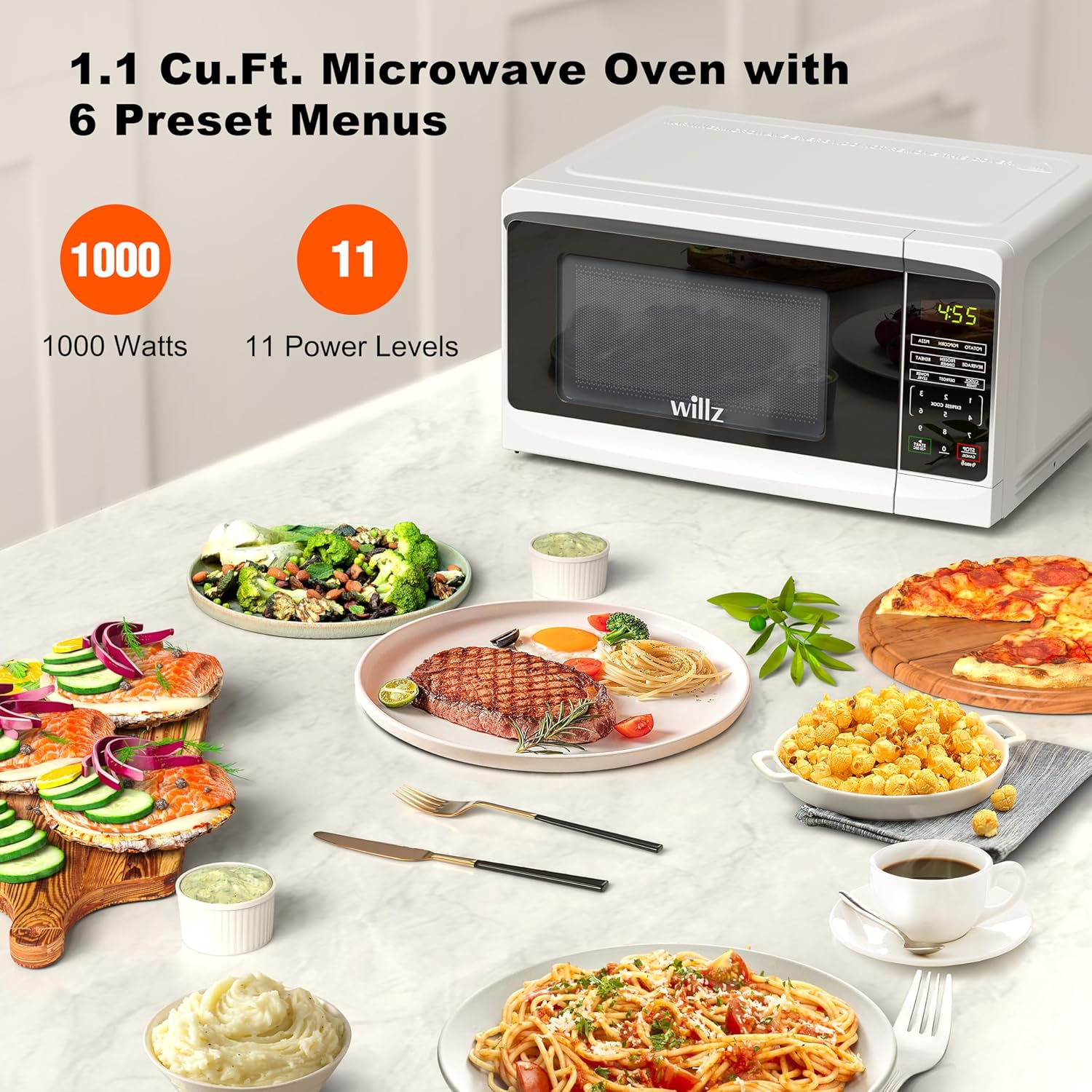
Image: The Willz microwave oven shown with a variety of prepared meals, emphasizing its 1000-watt power and 11 power level settings.
5.5 Time/Weight Defrost
This feature allows defrosting by either time or the weight of the food.
- Press the 'TIME/WEIGHT DEFROST' button.
- Select 'DEFROST BY TIME' or 'DEFROST BY WEIGHT' using the number pad.
- Enter the desired time or weight.
- Press 'START/+30 SEC'.

Image: A couple is shown in a kitchen setting, using the Willz microwave oven for reheating, with several prepared dishes visible on the countertop.
5.6 Express Cook
For quick cooking without setting a specific time:
- Press any number from 1 to 6 on the number pad. The oven will start cooking immediately for that number of minutes at 100% power.
5.7 Multi-Stage Cooking
This feature allows you to program two cooking stages with different power levels and times.
- Program the first stage (time and power level).
- Program the second stage (time and power level).
- Press 'START/+30 SEC'. The oven will automatically switch from the first stage to the second.
5.8 Child Safety Lock
To prevent unintended operation by children:
- To activate: Press and hold the 'STOP/CANCEL' button for 3 seconds. A lock indicator will appear on the display.
- To deactivate: Press and hold the 'STOP/CANCEL' button for 3 seconds again. The lock indicator will disappear.
5.9 Kitchen Timer
This function operates independently of the microwave cooking function.
- Press the 'CLOCK/TIMER' button twice.
- Enter the desired time using the number pad.
- Press 'START/+30 SEC'. The timer will count down without microwave operation.
5.10 Add 30 Seconds
During cooking, press 'START/+30 SEC' to add 30 seconds to the current cooking time. This button also serves as a quick start for 30 seconds of cooking at 100% power when the oven is idle.
6. Maintenance and Cleaning
Regular cleaning helps maintain the performance and longevity of your microwave oven.
6.1 Exterior Cleaning
- Wipe the exterior with a damp cloth and mild soap. Dry thoroughly.
- Avoid abrasive cleaners or harsh chemicals.
6.2 Interior Cleaning
- Wipe the interior cavity with a damp cloth after each use.
- For stubborn food splatters, place a bowl of water with lemon slices inside and microwave for 2-3 minutes. The steam will loosen the residue, making it easier to wipe clean.
- Ensure the interior light is clean for better visibility.
6.3 Glass Tray and Roller Ring
- The glass tray and roller ring can be removed and washed in warm, soapy water or in the dishwasher.
- Ensure they are completely dry before placing them back in the oven.
7. Troubleshooting
If you encounter issues with your microwave oven, refer to the following common problems and solutions:
| Problem | Possible Cause | Solution |
|---|---|---|
| Oven does not start | Power cord not plugged in; Door not closed properly; Child lock activated. | Ensure plug is secure; Close door firmly; Deactivate child lock (hold STOP/CANCEL for 3 seconds). |
| Food not heating | Incorrect cooking time or power level set; Microwave-safe dish not used. | Adjust time/power; Use appropriate cookware. |
| Turntable not rotating | Turntable or roller ring not positioned correctly; Debris under turntable. | Re-position turntable and roller ring; Clean under the turntable. |
| Light bulb not working | Bulb needs replacement. | Contact customer support for service. Do not attempt to replace yourself. |
If the problem persists after trying these solutions, please contact customer support.
8. Specifications
Detailed technical specifications for the Willz WLCMD211WE-10 Microwave Oven:
| Feature | Specification |
|---|---|
| Model Number | WLCMD211WE-10 |
| Capacity | 1.1 Cubic Feet |
| Wattage | 1000 Watts |
| Voltage | 120 Volts / 60Hz |
| Product Dimensions (W x D x H) | 21.02" x 15.43" x 11.14" |
| Item Weight | 35.2 pounds |
| Color | White |
| Installation Type | Countertop |
| Controller Type | Touch |
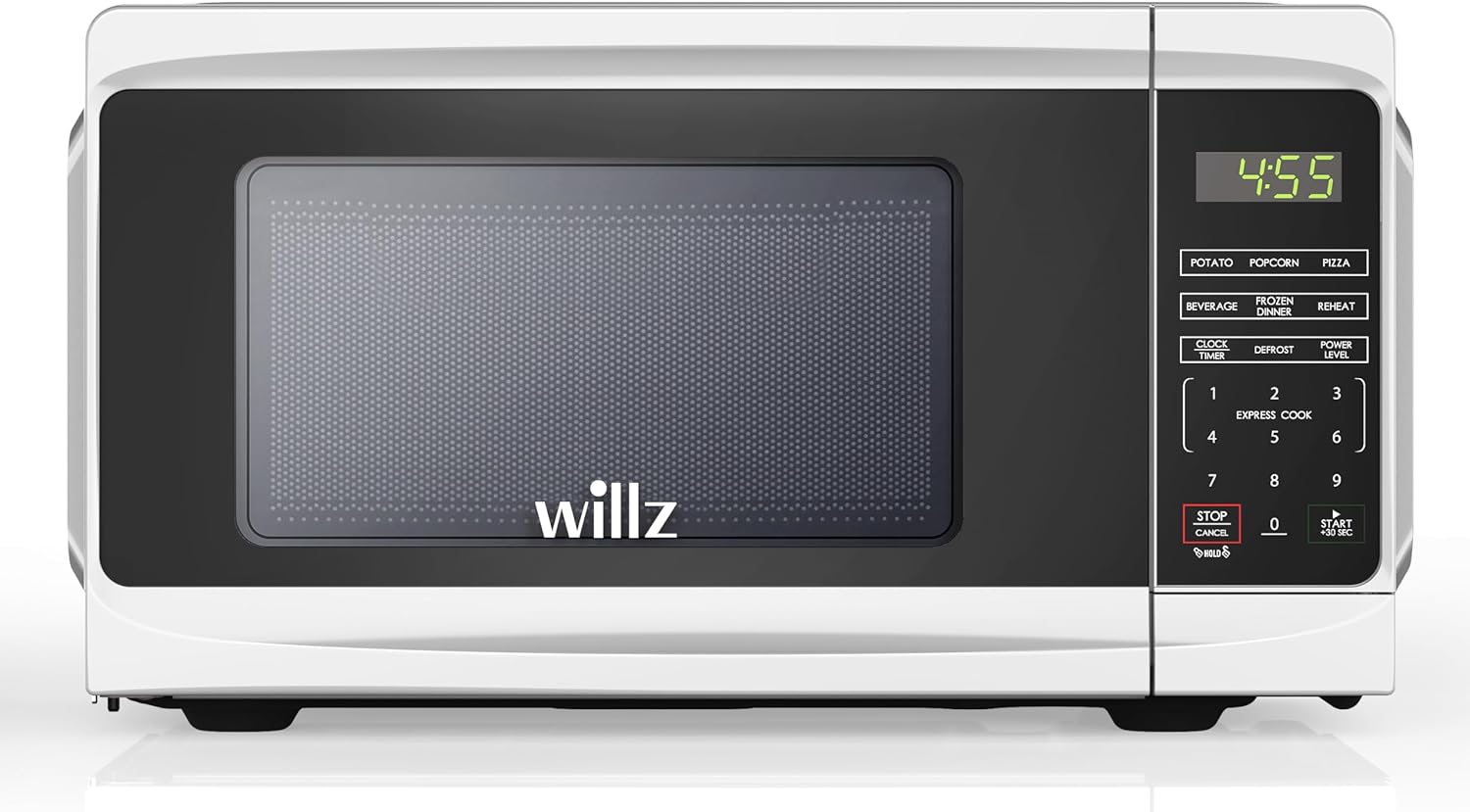
Image: Front view of the Willz WLCMD211WE-10 Countertop Microwave Oven, showcasing its sleek design and control panel.
9. Warranty and Support
9.1 Limited Warranty
This Willz microwave oven comes with a 1 Year Limited Warranty from the date of purchase. This warranty covers defects in materials and workmanship under normal use. It does not cover damage resulting from misuse, accident, alteration, or unauthorized repair.
9.2 Customer Support
For warranty claims, technical assistance, or any questions regarding your Willz microwave oven, please contact Willz customer support. Refer to your purchase documentation or the official Willz website for the most current contact information.