
1. Important Safety Instructions
Please read all instructions carefully before using the Korona 60010 Socket Heater. Retain this manual for future reference.
- Electrical Safety: Ensure the heater is plugged into a properly grounded 220-240V outlet. Do not overload electrical circuits.
- Placement: Do not place the heater near water, in bathrooms, or in areas with high humidity. Maintain a safe distance from flammable materials such as curtains, furniture, and bedding.
- Ventilation: Do not block the air inlets or outlets of the heater. Ensure adequate airflow around the device.
- Supervision: Do not leave the heater unattended while in operation. Keep out of reach of children and pets.
- Overheating Protection: The heater is equipped with an automatic overheat protection system. If it overheats, it will shut off automatically. Unplug the device and allow it to cool before restarting.
- Maintenance: Unplug the heater before cleaning or performing any maintenance.
- Damage: Do not operate the heater if the plug or casing is damaged. Contact qualified service personnel for repairs.
- Extension Cords: Avoid using extension cords. If an extension cord is necessary, ensure it is rated for the heater's power consumption (600W).
2. Product Overview
The Korona 60010 Socket Heater is a compact and efficient heating solution designed for small rooms up to 20 m². It features a digital display, adjustable temperature settings, a timer function, and frost control for optimal comfort and safety.

Figure 1: Front view of the Korona 60010 Socket Heater, showing the digital display and control buttons.
Key Features:
- Digital LED Display: Provides clear temperature and timer information.
- Adjustable Temperature: Set desired temperature between 6°C and 32°C.
- Frost Control Function: Automatically activates the heater if the room temperature drops below the set point, preventing freezing.
- Timer Function: Program the heater to operate for a specific duration.
- Two Fan Speeds: Choose between high and low fan settings.
- Overheat Protection: Built-in safety mechanism for automatic shutdown.
- Compact Design: Plugs directly into a wall socket, saving space.

Figure 2: Detailed view of the digital LED display and control buttons for temperature and timer settings.
3. Setup
Setting up your Korona 60010 Socket Heater is quick and easy.
- Unpack: Carefully remove the heater from its packaging.
- Inspect: Check the device for any signs of damage. Do not use if damaged.
- Plug In: Insert the heater directly into a standard 220-240V wall socket. Ensure it is firmly seated. The heater is designed to be compact and stable when plugged in.
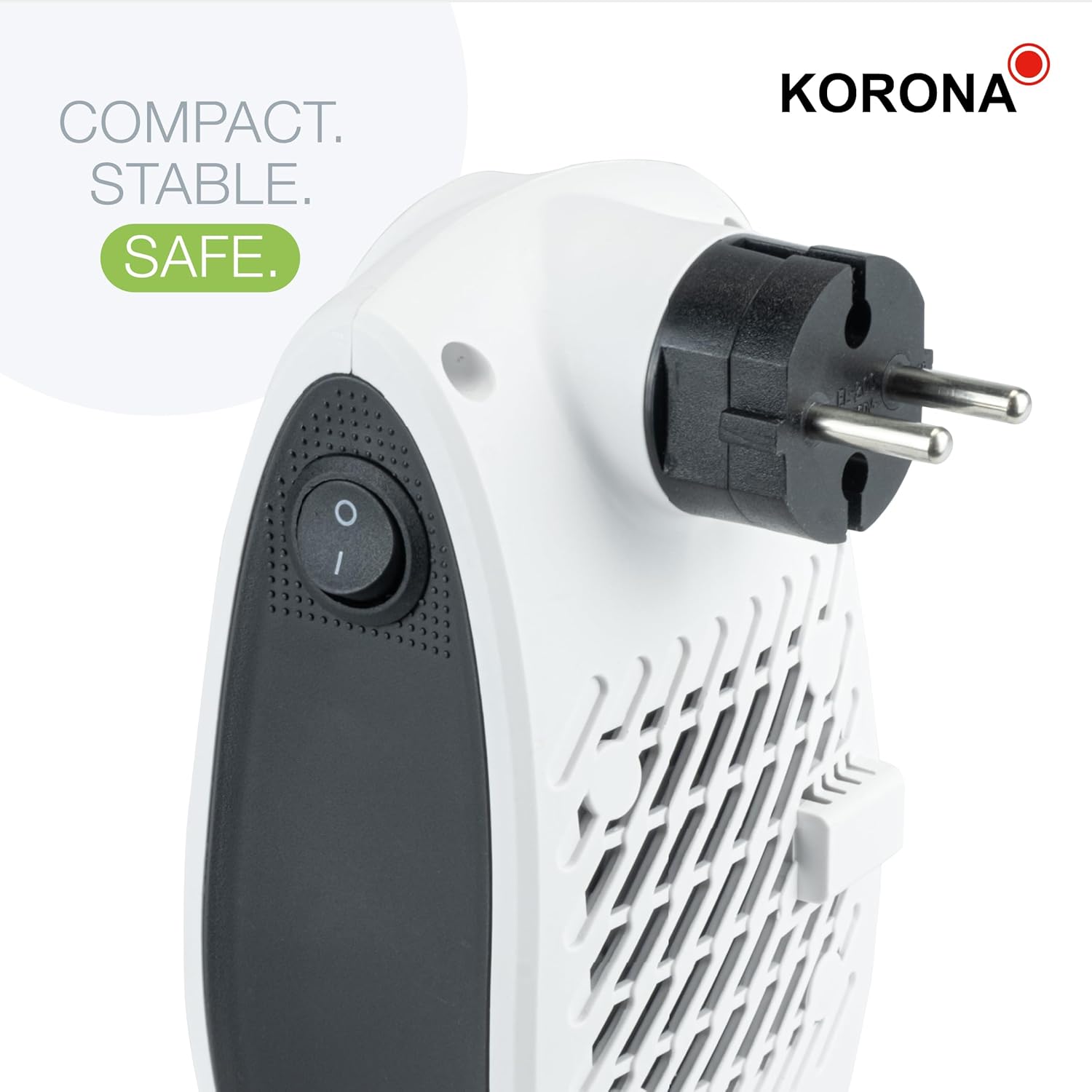
Figure 3: Rear view of the heater, illustrating its compact design and direct plug-in capability.

Figure 4: The heater in operation, plugged directly into a wall socket, ideal for small spaces.
4. Operating Instructions
Follow these steps to operate your Korona 60010 Socket Heater.
4.1 Power On/Off
- To Power On: Flip the power switch located on the side of the unit to the 'ON' (I) position. The digital display will illuminate.
- To Power Off: Flip the power switch to the 'OFF' (O) position.
4.2 Temperature Adjustment
- Once powered on, the display will show the current temperature or the last set temperature.
- Use the '+' and '-' buttons on the control panel to adjust the desired temperature.
- The temperature can be set between 6°C and 32°C.
- The heater will automatically turn on or off to maintain the set temperature.
4.3 Fan Speed Settings
- Press the Fan Speed button (often indicated by a fan icon) to cycle between the two available fan speeds (High and Low).
- The display may indicate the current fan speed setting.
4.4 Timer Function
- Press the Timer button (often indicated by a clock icon) to activate the timer function.
- Use the '+' and '-' buttons to set the desired operating time in hours (e.g., 1-12 hours).
- The heater will automatically shut off once the set time has elapsed.
4.5 Frost Control Function
- The frost control function is automatically active when the heater is plugged in and the power switch is ON.
- If the ambient temperature drops below the set temperature, the heater will automatically activate to prevent the room from becoming too cold, protecting against frost.
- This feature is particularly useful for garages, basements, or rarely used rooms to prevent water pipes from freezing.
5. Maintenance
Regular maintenance ensures optimal performance and longevity of your heater.
- Cleaning: Before cleaning, always unplug the heater from the wall socket and allow it to cool completely.
- Wipe the exterior surfaces with a soft, damp cloth. Do not use abrasive cleaners or solvents.
- Do not immerse the heater in water or any other liquid.
- Periodically clean the air inlets and outlets with a soft brush or vacuum cleaner attachment to remove dust and debris.
- Storage: When not in use, store the heater in a cool, dry place, away from direct sunlight and moisture.
6. Troubleshooting
If you encounter issues with your Korona 60010 Socket Heater, refer to the following common problems and solutions:
| Problem | Possible Cause | Solution |
|---|---|---|
| Heater does not turn on. | No power supply. Power switch is off. Overheat protection activated. | Ensure the heater is securely plugged into a live outlet. Flip the power switch to 'ON' (I). Unplug the heater, allow it to cool for 30 minutes, then plug it back in. |
| Heater turns off unexpectedly. | Overheat protection activated. Timer function has expired. | Unplug the heater, allow it to cool for 30 minutes, then plug it back in. Check for blocked air vents. Check the timer settings and reset if necessary. |
| Heater is running but not heating. | Temperature setting is too low. Fan only mode selected. | Increase the desired temperature setting. Ensure the heater is in heating mode, not just fan mode. |
| Display is not working. | Power issue. Internal fault. | Check power supply and ensure the unit is switched on. If the problem persists, contact customer support. |
7. Specifications
Technical specifications for the Korona 60010 Socket Heater.
| Brand | Korona |
| Model Number | 60010 |
| Power Output | 600 W |
| Voltage | 220-240 Volts ~ 50Hz |
| Heating Technology | Ceramic |
| Adjustable Temperature Range | 6°C - 32°C |
| Heating Coverage | Approx. 10-20 m² |
| Number of Speeds | 2 |
| Special Features | Adjustable Temperature, Digital Display, Fast Heating, Overheat Protection, Frost Control Function, Timer Function |
| Product Dimensions (D x W x H) | 3.54"D x 3.74"W x 6.3"H (approx. 9 cm x 9.5 cm x 16 cm) |
| Item Weight | 1.06 pounds (approx. 480g) |
| Color | White / Black |
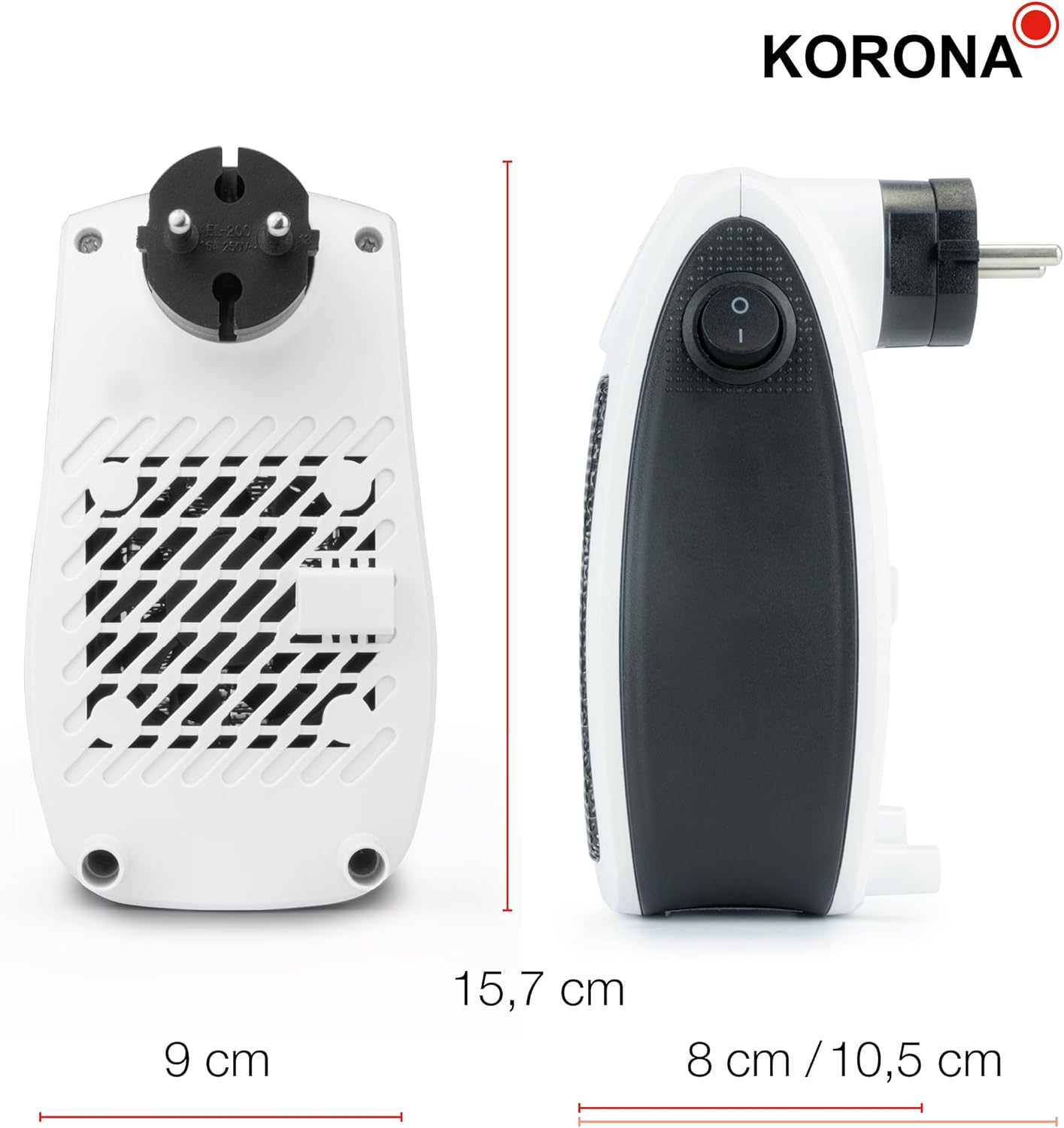
Figure 5: Dimensions of the Korona 60010 Socket Heater.
8. Warranty and Support
Korona products are manufactured to high-quality standards. For warranty information, technical support, or service inquiries, please contact Korona customer service or visit their official website.
Manufacturer Website: www.korona-electric.de
UPC: 4053035600109