
Amazon Basics 2224RF
Amazon Basics Air Purifier Replacement 3-In-1 Filter User Manual
Model: 2224RF
Product Overview
The Amazon Basics Air Purifier Replacement 3-In-1 Filter is designed specifically for the Amazon Basics Air Purifier Model B0CL993435. This high-efficiency filter is crucial for maintaining optimal air quality in your home or office environment.
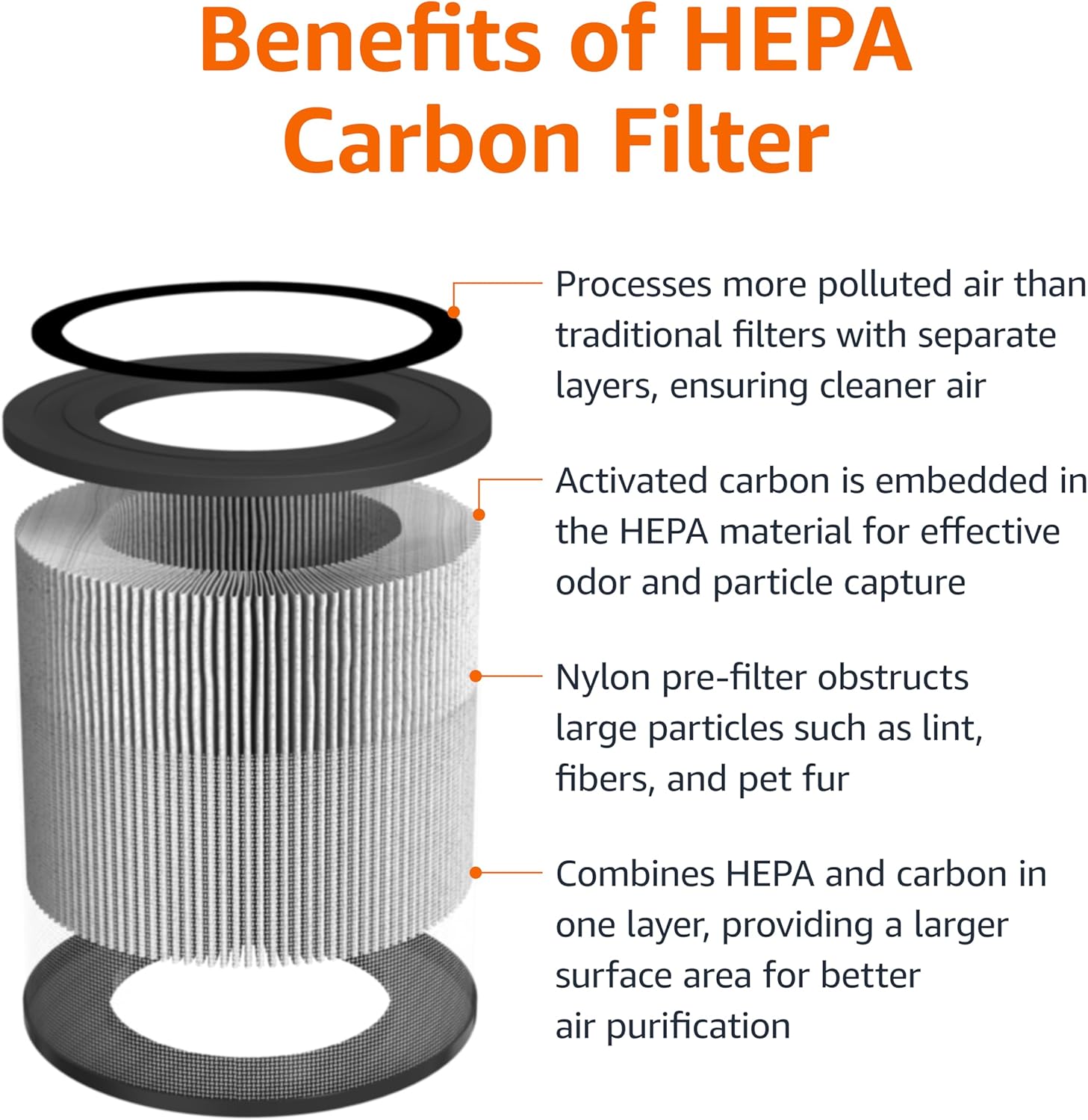
It features a comprehensive 3-in-1 filtration system:
- Nylon Pre-filter: Captures large particles such as lint, fibers, and pet fur.
- H13 HEPA Filter: Effectively removes 99.97% of airborne particles as small as 0.3 microns, including dust, pollen, mold spores, and pet dander.
- Activated Carbon Filter: Absorbs odors from pets, cooking, smoke, and harmful VOCs.

Setup: Filter Installation
Follow these steps to properly install the replacement filter into your Amazon Basics Air Purifier.
- Turn off and Unplug: Ensure the air purifier is turned off and unplugged from the power outlet before proceeding.
- Remove Bottom Cover: Gently turn the air purifier upside down. Unscrew the bottom cover by rotating it counter-clockwise.
- Remove Old Filter: Carefully pull out the old filter from the air purifier. Dispose of the old filter responsibly.
- Insert New Filter: Place the new Amazon Basics 3-In-1 Replacement Filter into the air purifier, ensuring it sits securely.
- Reattach Bottom Cover: Align the bottom cover and screw it back on by rotating it clockwise until it is securely fastened.

Maintenance: Filter Replacement Schedule
For optimal performance and air quality, it is recommended to replace the filter after approximately 2000 hours of operation or when the filter replacement indicator light on your air purifier turns on.
Regular replacement ensures the air purifier continues to effectively capture pollutants and odors.

Troubleshooting
Filter Replacement Indicator Light Remains On After Replacement
If the filter replacement indicator light on your air purifier remains illuminated after installing a new filter, you need to reset the filter reminder.
- Resetting the Filter Reminder: After plugging in and powering on the air purifier, press and hold the filter replacement button (refer to your air purifier's manual for exact button location) for 5 seconds. The indicator light should turn off, signifying the reset is complete.
Specifications
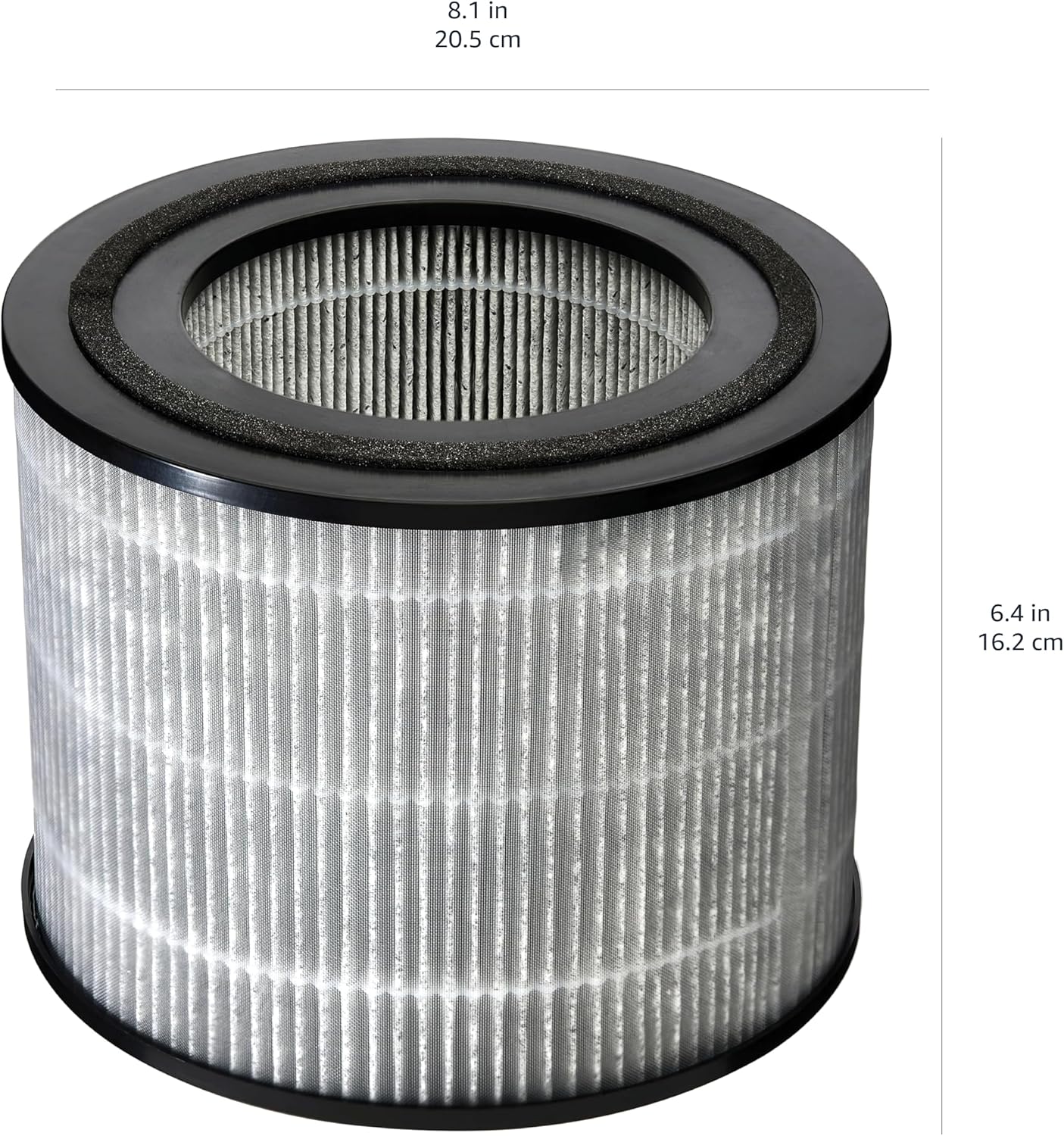
| Product Dimensions | 8.07 x 8.07 x 6.38 inches (20.5 x 20.5 x 16.2 cm) |
| Item Weight | 8.8 ounces |
| Model Number | 2224RF |
| UPC | 840324413397 |
| Filter Type | 3-in-1 (Nylon Pre-filter, H13 HEPA, Activated Carbon) |
| Compatibility | Amazon Basics Air Purifier Model B0CL993435 only |
Warranty and Support
For information regarding product warranty or to seek support, please refer to the official Amazon Basics website or contact Amazon customer service directly.
You can also find additional information and a downloadable user guide for the air purifier (which this filter is compatible with) at the following link: User Guide (PDF).
Visit the Amazon Basics Store for more products and information: Amazon Basics Store.
Related documents2224RF


Ask a question about this manual
Ask about setup, troubleshooting, compatibility, parts, safety, or missing instructions. Manuals+ will review the question and use this page’s manual context to help answer it.