
Introduction
This manual provides detailed instructions for the assembly, operation, and maintenance of your GTPLAYER GT800A Gaming Chair. Designed for comfort and durability, this chair is suitable for gaming, office work, and relaxation. Please read this manual thoroughly before assembly and use to ensure proper function and longevity of your product.
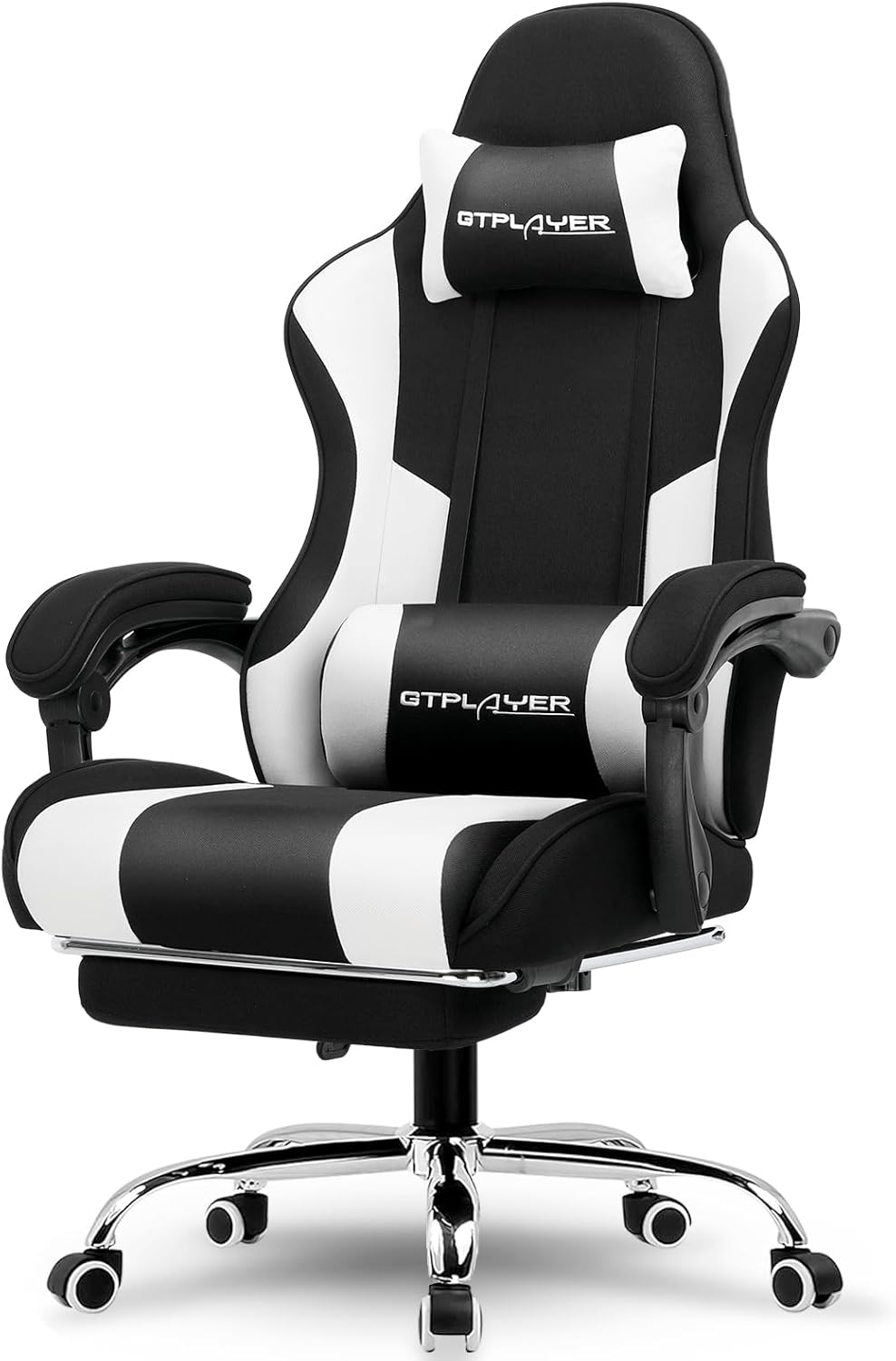
Image: The GTPLAYER GT800A Gaming Chair in black and white fabric, showcasing its ergonomic design and included headrest and lumbar pillows.
Safety Information
To ensure safe operation and prevent injury, please adhere to the following guidelines:
- Do not exceed the maximum weight recommendation of 250 pounds (113 kg).
- Ensure all screws and bolts are securely tightened before use and periodically check for looseness.
- Avoid standing on the chair or using it as a step stool.
- Keep children and pets away from the chair during assembly.
- Use the chair on a stable, level surface.
Setup and Assembly
The GTPLAYER GT800A Gaming Chair requires assembly. All necessary tools and detailed instructions are included in the package. Assembly typically takes one person approximately 30-45 minutes.
- Unpack all components and verify against the parts list in the instruction manual.
- Assemble the chair base by attaching the casters to the metal star base.
- Attach the gas lift cylinder to the center of the base.
- Mount the seat mechanism to the underside of the seat cushion.
- Attach the armrests to the seat cushion.
- Connect the backrest to the seat assembly.
- Place the assembled chair onto the gas lift cylinder.
- Attach the headrest and lumbar support pillows using their straps.

Image: Detailed product dimensions of the GTPLAYER GT800A Gaming Chair, illustrating height, width, and depth measurements for various components.
Operating Instructions
Your GTPLAYER GT800A Gaming Chair offers multiple adjustment features for personalized comfort:
- Seat Height Adjustment: Use the lever located under the seat on the right side to raise or lower the chair to your desired height.
- Backrest Recline: Pull the lever on the left side of the seat to recline the backrest. The backrest can be adjusted from 90 to 135 degrees. Release the lever to lock it in place.
- 360-Degree Swivel: The chair features a smooth 360-degree swivel function for easy movement and access.
- Retractable Footrest: Pull the footrest out from underneath the seat to extend it. Flip the padded section over for use. Push it back in when not needed.
- Adjustable Armrests: The armrests are designed to move with the recline of the chair, providing continuous support.
- Lumbar Support Pillow with Massage Function: The lumbar pillow is adjustable in position. It features a USB-powered massage function. Plug the USB cable into a power source (e.g., power bank, computer USB port) to activate the vibration massage.
- Adjustable Headrest Pillow: The headrest pillow can be moved up or down along the backrest straps to provide optimal neck support.

Image: Illustration of the adjustable recline (90-135 degrees), 360-degree swivel, and seat height adjustment features.

Image: Close-up of the linkage armrest, showing how it moves with the chair's recline for consistent arm support during both working and resting positions.

Image: The lumbar support pillow with 'GTPLAYER' branding, highlighting its USB-powered vibration massage function for lower back comfort.

Image: Diagram illustrating the ergonomic design of the chair, providing neck, shoulder, back, and lumbar support to alleviate fatigue during prolonged activities.
Maintenance
To maintain the appearance and functionality of your GTPLAYER GT800A Gaming Chair:
- Cleaning: Wipe clean with a soft, damp cloth. Avoid harsh chemicals or abrasive cleaners that may damage the fabric.
- Regular Checks: Periodically inspect all screws and connections to ensure they remain tight. Re-tighten if necessary.
- Caster Care: Keep the casters free of debris (hair, dust) to ensure smooth rolling.
Troubleshooting
If you encounter any issues with your chair, refer to the following common solutions:
- Loose Armrests: If armrests feel wobbly or detach, check and tighten the screws securing them to the chair.
- Squeaking Noises: Apply a small amount of lubricant to moving parts or connections if squeaking occurs.
- Chair Not Adjusting Height: Ensure the height adjustment lever is fully engaged and the gas lift cylinder is functioning correctly. If the issue persists, contact customer support.
- Footrest Issues: If the footrest is difficult to extend or retract, check for any obstructions in its mechanism.
Specifications
| Feature | Detail |
|---|---|
| Brand | GTPLAYER |
| Model Name | GT800A |
| Color | Fabric Black White |
| Product Dimensions | 16"D x 18"W x 40"H |
| Seat Size | 19.68 x 20.47 inches |
| Maximum Weight Recommendation | 250 Pounds |
| Material Type | Fabric, Foam (Fill Material) |
| Special Feature | Massage Lumbar, Footrest, Adjustable Height, Recline, Swivel |
| Reclining Position Count | 2 (90-135 degrees) |
| Furniture Base Movement | Swivel |
| Leg Style | Wheels (Heavy Duty Nylon Casters) |
| Product Care Instructions | Wipe Clean |
| Item Weight | 40.5 pounds |
| UPC | 850054645708 |
Warranty and Support
GTPLAYER offers a free replacement or refund within 30 days of purchase, and free replacement or repair within 1 year for manufacturing defects. For any questions, suggestions, or support needs, please contact our customer service team. We are dedicated to ensuring customer satisfaction.
Additionally, protection plans are available for purchase to extend coverage beyond the standard warranty period:
- 2-Year Protection Plan
- 3-Year Protection Plan
- Complete Protect: One plan covers all eligible past and future purchases (monthly billing option available)