1. Product Overview
The JOYROOM JR-CCB03 Bluetooth 5.4 Adapter is designed to provide seamless wireless audio connectivity and charging capabilities in your vehicle. It features advanced Bluetooth 5.4 technology for stable connections and efficient power delivery.
Key Features:
- Bluetooth 5.4 for faster connection and transmission.
- Integrated noise cancellation for clear audio.
- Hands-free calling functionality.
- Dual charging ports (USB-C 45W, USB-A 45W) for simultaneous device charging.
- Retractable USB-C cable with USB-C to L adapter for broad compatibility.
- 180° adjustable design for flexible positioning.
- LED display for status indication.
Package Contents:
- JOYROOM JR-CCB03 Bluetooth 5.4 Adapter
- USB-C to USB-A Charging Cable
- 3.5mm Audio Cable
- Adhesive Pads (for mounting)

Image: The JOYROOM JR-CCB03 Bluetooth 5.4 Adapter, showcasing its compact design and integrated charging ports.

Image: Diagram illustrating the adapter's functions (LED display, multifunctional button, previous/next track, USB flash drive port, USB-C charging port, Type-C cable charging port, Type-C to L adapter) and compatible devices.
2. Setup Guide
2.1 Powering On and Initial Connection
- Plug into Car Cigarette Lighter Socket: Insert the JR-CCB03 into your car's cigarette lighter socket. The device will power on automatically.
- Find an Unused FM Station: Turn on your car radio and find an unused FM station (one with static or no broadcast).
- Match FM Frequency: Long-press the multifunctional button on the adapter to enter FM pairing mode. Adjust the adapter's frequency to match the unused FM station on your car radio.
- Bluetooth Pairing: On your mobile device, enable Bluetooth and search for available devices. Select "JR-CCB03" from the list to pair. A voice prompt will confirm successful connection.

Image: Visual guide for connecting the adapter: 1) Find an unused FM station, 2) Tune the adapter to the same channel, 3) Connect via Bluetooth on your phone.
2.2 USB Drive Playback (Alternative Audio Source)
- Plug into Car Cigarette Lighter Socket: Insert the JR-CCB03 into your car's cigarette lighter socket.
- Find an Unused FM Station: Turn on your car radio and find an unused FM station. Long-press the multifunctional button on the device to match it to that station.
- Insert USB Drive: Insert a USB drive containing audio files into the USB flash drive port. Music will play automatically after a successful connection.
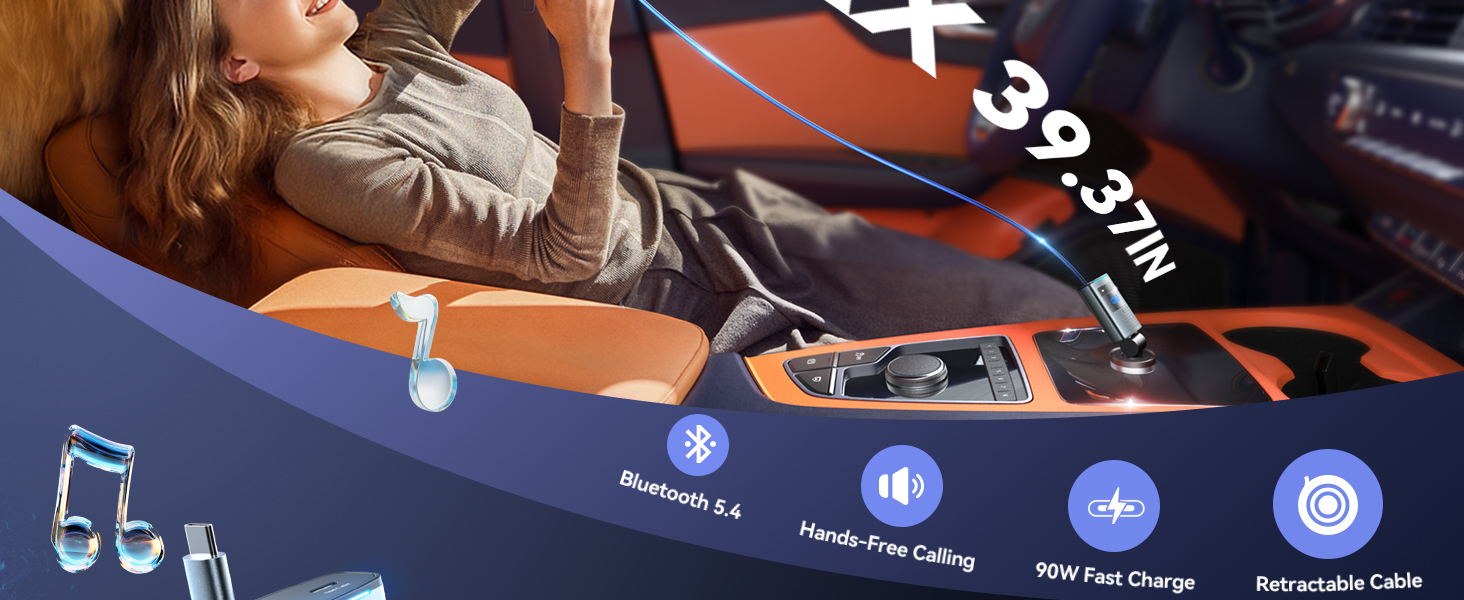
Image: Visual guide for USB drive playback: 1) Plug in the JR-CCB03, 2) Match FM frequency, 3) Insert USB drive for automatic music playback.
3. Operating Instructions
3.1 Music Playback
- Play/Pause: Short press the multifunctional button.
- Next Track: Short press the "Next" button (usually marked with >>|).
- Previous Track: Short press the "Previous" button (usually marked with |<<).
- Volume Adjustment: Use the volume controls on your paired device or car stereo. The adapter's volume can also be adjusted via its dedicated buttons.
3.2 Call Management
- Answer Call: Short press the multifunctional button.
- End Call: Short press the multifunctional button during a call.
- Decline Call: Long press the multifunctional button.
- Redial Last Number: Double-press the multifunctional button.
3.3 Bass Boost Function
The adapter includes a bass boost feature to enhance audio output. Locate the dedicated bass boost switch on the device and toggle it to the "ON" position for increased bass. Toggle to "OFF" to disable.
4. Maintenance
- Keep the device dry and away from moisture.
- Clean the device with a soft, dry cloth. Avoid using harsh chemicals or abrasive cleaners.
- Store the device in a cool, dry place when not in use.
- Avoid extreme temperatures.
5. Troubleshooting
- No Power: Ensure the adapter is securely plugged into the car's cigarette lighter socket. Check the car's fuse for the cigarette lighter.
- Cannot Pair Bluetooth: Make sure Bluetooth is enabled on your mobile device and the adapter is in pairing mode (indicated by a flashing light on the LED display). Ensure no other devices are currently connected to the adapter. Try restarting both the adapter and your mobile device.
- Poor Audio Quality/Static: Verify that the FM frequency on the adapter matches an unused, clear station on your car radio. Adjust the frequency if necessary. Ensure your mobile device's volume is adequate. Check for strong interference from other electronic devices.
- Callers Cannot Hear Me Clearly: Ensure the adapter's microphones are not obstructed. Adjust the adapter's position for optimal microphone pickup.
- USB Drive Not Playing: Ensure the USB drive is formatted correctly (FAT32 is commonly supported) and contains compatible audio files (e.g., MP3). Reinsert the USB drive.
6. Specifications
| Feature | Detail |
|---|---|
| Product Dimensions | 1.89 x 1.65 x 0.6 inches |
| Item Weight | 0.704 ounces |
| Item Model Number | JR-CCB03 |
| Batteries | 1 Lithium Polymer batteries required (included) |
| Connectivity Technology | Bluetooth 5.4 Transmitter |
| Material | Metal |
| Manufacturer | JOYROOM |
7. Safety Information
For safe driving, always use the device in a hands-free manner and follow local laws regarding phone usage while driving. Keep the device within reach but avoid blocking your view of the road. Always maintain a safe distance from the device's microphones to ensure clear call quality.

Image: Illustration emphasizing safe, hands-free operation of the device while driving, contrasting it with the dangers of distracted driving.
8. Warranty and Support
For warranty information and customer support, please refer to the documentation included with your purchase or visit the official JOYROOM website. Keep your proof of purchase for any warranty claims.


