
Introduction
The Nokta Simplex Ultra WHP is a professional waterproof metal detector designed for adults, featuring wireless headphones and an 11-inch search coil. This manual provides essential information for the proper setup, operation, and maintenance of your device, ensuring optimal performance and longevity. The Simplex Ultra WHP is built with enhanced technical performance and is fully waterproof up to 16 ft (5 m), making it suitable for various detection environments.
Safety Information
Please read and understand all safety instructions before operating the metal detector.
- This product is waterproof up to 5 meters (16 feet). Ensure all seals and caps are securely fastened before submerging the device in water.
- Always follow local regulations and guidelines for underwater metal detecting. Be aware of currents, tides, and underwater hazards.
- Use wireless headphones at safe volumes to protect your hearing. Prolonged exposure to loud sounds can cause permanent hearing damage.
- Keep the device away from strong magnetic fields, which can interfere with its operation.
- Do not attempt to disassemble or modify the detector, as this will void the warranty and may cause damage or injury.
Package Contents
Verify that all items listed below are included in your package:
- Nokta Simplex Ultra WHP Metal Detector with 11-inch DD Search Coil
- Wireless Headphones
- Nokta AccuPoint Pinpointer
- Premium Digger Finds Pouch
- PP Leg Holster
- Nokta Cap
- USB Charging Cable
- Search Coil Cover

Image: Main components of the Nokta Simplex Ultra WHP package, including the metal detector, wireless headphones, cap, and finds pouch.

Image: The accessory package for the Nokta Simplex Ultra WHP, featuring a cap, digger, finds pouch, and leg holster.
Setup
1. Assembly of the Metal Detector
- Attach the 11-inch DD search coil to the lower shaft using the provided bolt and washers.
- Connect the lower shaft to the middle shaft, and then connect the middle shaft to the upper shaft (control box assembly). Ensure all connections are secure.
- Wrap the search coil cable snugly around the shaft, leaving enough slack for adjustment, and plug it into the connector on the control box. Tighten the waterproof connector by hand.
- Adjust the shaft length to a comfortable position for your height, allowing the search coil to be parallel to the ground when sweeping.

Image: The fully assembled Nokta Simplex Ultra WHP metal detector, ready for use, shown with wireless headphones.
2. Charging the Device and Pinpointer
The Simplex Ultra WHP and AccuPoint Pinpointer are equipped with rechargeable batteries.
- Connect the provided USB charging cable to the charging port on the control box of the detector and to a USB power adapter (not included) or power bank.
- Connect the pinpointer to its dedicated charging cable and a USB power source.
- The charging indicator on the device will show charging status. Ensure the device is fully charged before first use (approximately 15 hours of battery life).

Image: Illustration of the Nokta Simplex Ultra WHP metal detector and AccuPoint pinpointer connected to a USB power source for charging, highlighting long battery life.
3. Pairing Wireless Headphones
The wireless headphones provide clear audio feedback without the hassle of cables.
- Ensure both the metal detector and headphones are powered on.
- Activate Bluetooth pairing mode on the headphones (refer to headphone manual for specific instructions).
- On the detector's control panel, navigate to the Bluetooth settings and initiate a search for devices.
- Select the headphones from the list of available devices to pair. A successful connection will be indicated on the detector's screen and/or by an audio cue from the headphones.
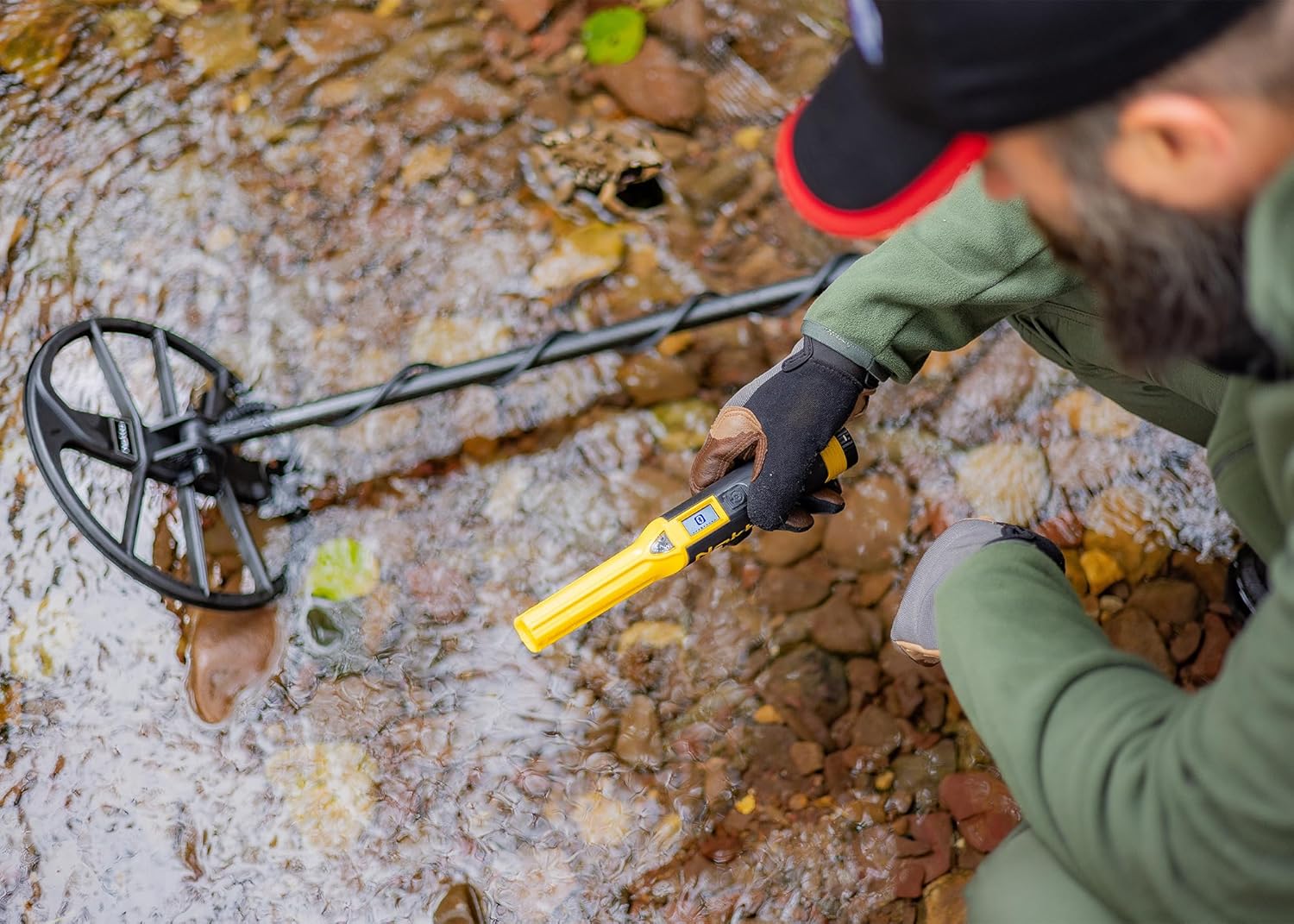
Image: Close-up of the Nokta Simplex Ultra WHP control unit and its accompanying wireless headphones, illustrating the wireless connectivity.
Operating Instructions
1. Power On/Off
- To power on, press and hold the power button on the control box until the screen illuminates.
- To power off, press and hold the power button again until the device shuts down.
2. Mode Selection
The Simplex Ultra WHP offers various search modes optimized for different environments and target types. Use the mode selection buttons to cycle through available modes such as Field, Park, Beach, and All Metal. The waterproof design allows for seamless transition between land and water environments.
3. Ground Balancing
Ground balancing is crucial for stable operation and accurate detection, especially in mineralized soils or saltwater beaches.
- Select the appropriate search mode for your environment.
- Hold the search coil parallel to the ground, about 1-2 inches above the surface.
- Press and hold the ground balance button while pumping the coil up and down over the ground. Release the button once a stable ground balance reading is achieved.
4. Using the AccuPoint Pinpointer
The AccuPoint Pinpointer helps to precisely locate targets after the main detector has identified a general area.
- Once a target is detected with the main unit, carefully dig a plug of soil.
- Turn on the AccuPoint Pinpointer and sweep it over the excavated soil or inside the hole to narrow down the target's exact location.
- The pinpointer will emit an audio and/or vibration alert, increasing in intensity as it gets closer to the target.

Image: A person using the Nokta AccuPoint Pinpointer to locate a target in sand on a beach, demonstrating its precision.

Image: A person utilizing the waterproof Nokta AccuPoint Pinpointer in shallow water, highlighting its capability in wet environments.
5. Official Product Videos
Video: Official demonstration of the Nokta AccuPoint Pinpointer, showcasing its features and use in various environments for precise target location.
Video: An overview of the Nokta Simplex Metal Detector, highlighting its new generation features, lightweight design, waterproofing, and user-friendly interface.
Maintenance
- Cleaning: After each use, especially in saltwater or dirty conditions, rinse the search coil and lower shaft with fresh water. Wipe the control box with a damp cloth. Do not use abrasive cleaners or solvents.
- Battery Care: For optimal battery life, avoid fully discharging the battery frequently. Store the device with a partial charge (around 50%) if not used for extended periods. Recharge regularly.
- Waterproofing: Regularly inspect all O-rings and seals for any signs of wear or damage. Ensure they are clean and properly seated before submerging the detector.
- Storage: Store the metal detector in a cool, dry place, away from direct sunlight and extreme temperatures.
Troubleshooting
| Problem | Possible Cause | Solution |
|---|---|---|
| Detector does not power on | Low battery; loose cable connection | Charge the battery; check all cable connections, especially the search coil cable. |
| Erratic signals or false positives | Improper ground balance; electromagnetic interference; highly mineralized soil | Perform ground balance; move away from power lines or other electronics; adjust sensitivity settings. |
| Wireless headphones not connecting | Headphones not in pairing mode; low battery on headphones or detector; interference | Ensure headphones are in pairing mode; fully charge both devices; try re-pairing in a different location. If issues persist, power cycle both devices. |
| No depth indication | Target too small or too deep; incorrect mode | Ensure the target is within the detector's capabilities; try a different search mode; sweep slower. |
Specifications
| Feature | Detail |
|---|---|
| Brand | NOKTA DETECTION TECHNOLOGIES |
| Model Number | 11000629 |
| Material | Carbon Fiber |
| Power Source | Rechargeable Battery (1 Lithium Polymer battery included) |
| Battery Life | Approximately 15 Hours |
| International Protection Rating | IP65 (Waterproof up to 5 meters / 16 feet) |
| Operating Frequency | 7 KHz |
| Search Coil Size | 11 Inches |
| Item Weight | 1.2 Kilograms (2.64 pounds) |
| Product Dimensions | 52"L x 25"W x 10"H (Adjustable Length) |
| Recommended Uses | Metal Detection |
Warranty and Support
The Nokta Simplex Ultra WHP Metal Detector comes with a 3-year warranty, covering manufacturing defects and workmanship under normal use. For warranty claims, technical support, or further assistance, please contact NOKTA DETECTION TECHNOLOGIES directly through their official website or authorized service centers.
For the most up-to-date information, software updates, and additional resources, visit the official Nokta Detection Technologies website: www.noktadetectors.com

