
Introduction
This manual provides essential information for the proper setup, operation, and maintenance of your Panasonic TH-55SQE2W 55 Inch 4K UHD Professional Display. Designed for continuous 24-hour operation, this display offers high picture quality and versatile connectivity for various professional environments.
The TH-55SQE2W features a 500 cd/m² brightness and an anti-reflective panel with 25% haze, enhancing visibility in brightly lit spaces. It also includes an Intel SDM specification slot for integrated applications such as digital signage or wireless presentation systems.
Safety Information
Please read all safety instructions carefully before operating the display. Keep this manual for future reference. Always disconnect the power cord from the outlet before cleaning or performing any maintenance. Do not expose the display to rain or moisture to prevent fire or electric shock. Ensure proper ventilation around the display to prevent overheating.
Only use attachments/accessories specified by the manufacturer. Refer all servicing to qualified service personnel. Do not attempt to repair this product yourself.
Package Contents
Upon unpacking, verify that all components are present and undamaged. The package typically includes:
- Panasonic TH-55SQE2W Display Unit
- Power Cord
- Remote Control (with batteries)
- Setup Guide
- Warranty Card
Note: Specific accessories may vary by region.
Setup
Physical Installation
The TH-55SQE2W display supports both vertical and tilt installation, making it suitable for various professional environments. Ensure the mounting surface or stand is capable of supporting the display's weight (approximately 43.5 pounds).

Figure 1: Front view of the Panasonic TH-55SQE2W display.
When installing, ensure adequate space for ventilation around the display. The robust components are designed for professional use and continuous operation, even in vertical orientations.
Connecting Devices
The display offers a wide range of connectivity options:
- HDMI: 4 ports for connecting various video sources.
- USB-C: 1 port (15W) for data and power delivery.
- USB-A: 3 ports for connecting peripherals.
- DisplayPort: 1 port for high-resolution video input.
- Digital Out: 1 port.
- Intel SDM Slot: For integrating optional modules like built-in PCs or wireless presentation systems.

Figure 2: Rear view of the display, highlighting connectivity ports and the Intel SDM slot.
Connect your desired input sources to the appropriate ports. Ensure all cables are securely connected.
Power On/Off
After connecting all necessary cables, plug the power cord into a wall outlet. Press the power button on the display or the remote control to turn the unit on. To turn off, press the power button again.
Operating Instructions
Basic Operation and Menu Navigation
The display operates on Android OS, providing a user-friendly interface. Use the remote control to navigate through menus, select input sources, and adjust display settings. The display is compatible with HTML5 browsers, facilitating easy use for digital signage applications.
Wireless Display Function
The TH-55SQE2W includes a Wireless Display function, allowing you to transmit your PC's screen content to the display without the need for physical cables. Refer to the on-screen instructions or the detailed setup guide for specific pairing procedures.
Picture Quality and Settings
The display features 4K resolution (3840 x 2160) and a brightness of 500 cd/m², ensuring clear and vibrant images. The non-glare surface treatment reduces reflections, improving visibility in various lighting conditions. Access the display's settings menu to adjust brightness, contrast, color, and other picture parameters to suit your environment and content.
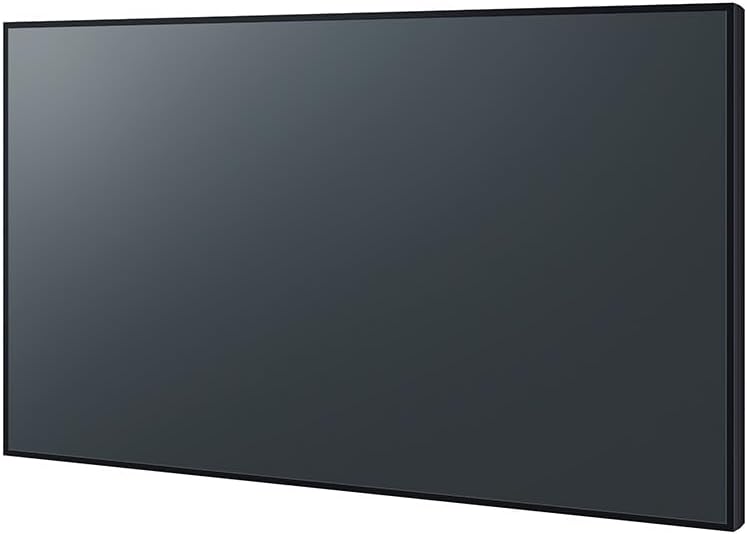
Figure 3: Side profile of the Panasonic TH-55SQE2W display.
Maintenance
Regular maintenance ensures optimal performance and longevity of your display.
- Cleaning the Screen: Gently wipe the screen with a soft, lint-free cloth. For stubborn marks, slightly dampen the cloth with water or a non-abrasive screen cleaner. Avoid using harsh chemicals or abrasive materials.
- Cleaning the Cabinet: Use a soft, dry cloth to wipe the display's cabinet.
- Ventilation: Ensure that the ventilation openings are not blocked to prevent overheating.
Always disconnect the power before cleaning.
Troubleshooting
If you encounter issues with your display, refer to the following common troubleshooting steps:
- No Power: Check if the power cord is securely connected to both the display and the power outlet. Ensure the outlet is functional.
- No Picture: Verify that the correct input source is selected. Check all video cables for secure connections. Try connecting a different video source.
- Poor Picture Quality: Adjust picture settings (brightness, contrast, sharpness). Ensure the input source is providing a high-quality signal.
- Remote Control Not Working: Check and replace batteries. Ensure there are no obstructions between the remote and the display's sensor.
For persistent issues, contact Panasonic customer support.
Specifications
| Model Number | SQE2W |
| Screen Size | 55 Inches |
| Resolution | 3840 x 2160 (4K UHD) |
| Aspect Ratio | 16:9 |
| Image Brightness | 500 cd/m² |
| Screen Surface Description | Matte (Non-Glare) |
| Total USB Ports | 4 (1x USB-C, 3x USB-A) |
| HDMI Ports | 4 |
| DisplayPort | 1 |
| Intel SDM Slot | Yes |
| Operating System | Android OS |
| Continuous Operation | 24/7 |
| Item Weight | 43.5 pounds |
| Package Dimensions | 54 x 35 x 7 inches |
| Manufacturer | Panasonic |
| Date First Available | October 17, 2023 |
Warranty and Support
For warranty information, please refer to the warranty card included with your product or visit the official Panasonic website. Keep your proof of purchase for warranty claims.
For technical support, service, or inquiries, please contact Panasonic customer service through their official channels. Contact details can typically be found on the Panasonic website or in the product documentation.
Panasonic Official Website: www.panasonic.com