Introduction
This manual provides instructions for the VINABTY AA81-00243A TM930 Service Remote Controller. This remote is specifically designed for accessing service menus and performing service-related functions on compatible Samsung televisions and monitors. It is not intended for general daily operation.
Setup
1. Battery Installation
The remote controller requires two (2) AAA batteries for operation. Follow these steps to install the batteries:
- Locate the battery compartment cover on the back of the remote control.
- Slide the cover downwards or press the latch to open it.
- Insert two AAA batteries, ensuring the positive (+) and negative (-) terminals align correctly with the markings inside the compartment.
- Replace the battery compartment cover until it clicks securely into place.

Image: Front view of the VINABTY AA81-00243A TM930 Service Remote Controller, showing all buttons and the "ONLY FOR SERVICE" label.
Operating Instructions
This remote is designed for specific service functions. Its primary use is to access the service menu on compatible Samsung displays.
Accessing the Service Menu
- Ensure the television or monitor is powered on.
- Point the remote control directly at the display's IR receiver.
- Press the INFO button (labeled 'i' below the '7' button).
- Immediately after pressing INFO, press the FACTORY button.
- The service menu should now appear on the screen.
Note: The service menu contains advanced settings. Exercise caution when making adjustments, as incorrect changes can affect display performance or functionality. It is recommended that only qualified technicians use these functions.
Button Functions
- MENU: Accesses the standard user menu.
- SOURCE: Changes input source.
- TOOLS: Provides quick access to common functions.
- EXIT: Exits current menu or function.
- Directional Pad (Up/Down/Left/Right) & Enter: Navigates menus and confirms selections.
- FACTORY: Used in conjunction with INFO to access the service menu.
- INFO (i): Displays information or used for service menu access.
- Number Buttons (0-9): For direct channel input or numerical selections within menus.
- PRE-CH: Returns to the previously viewed channel.
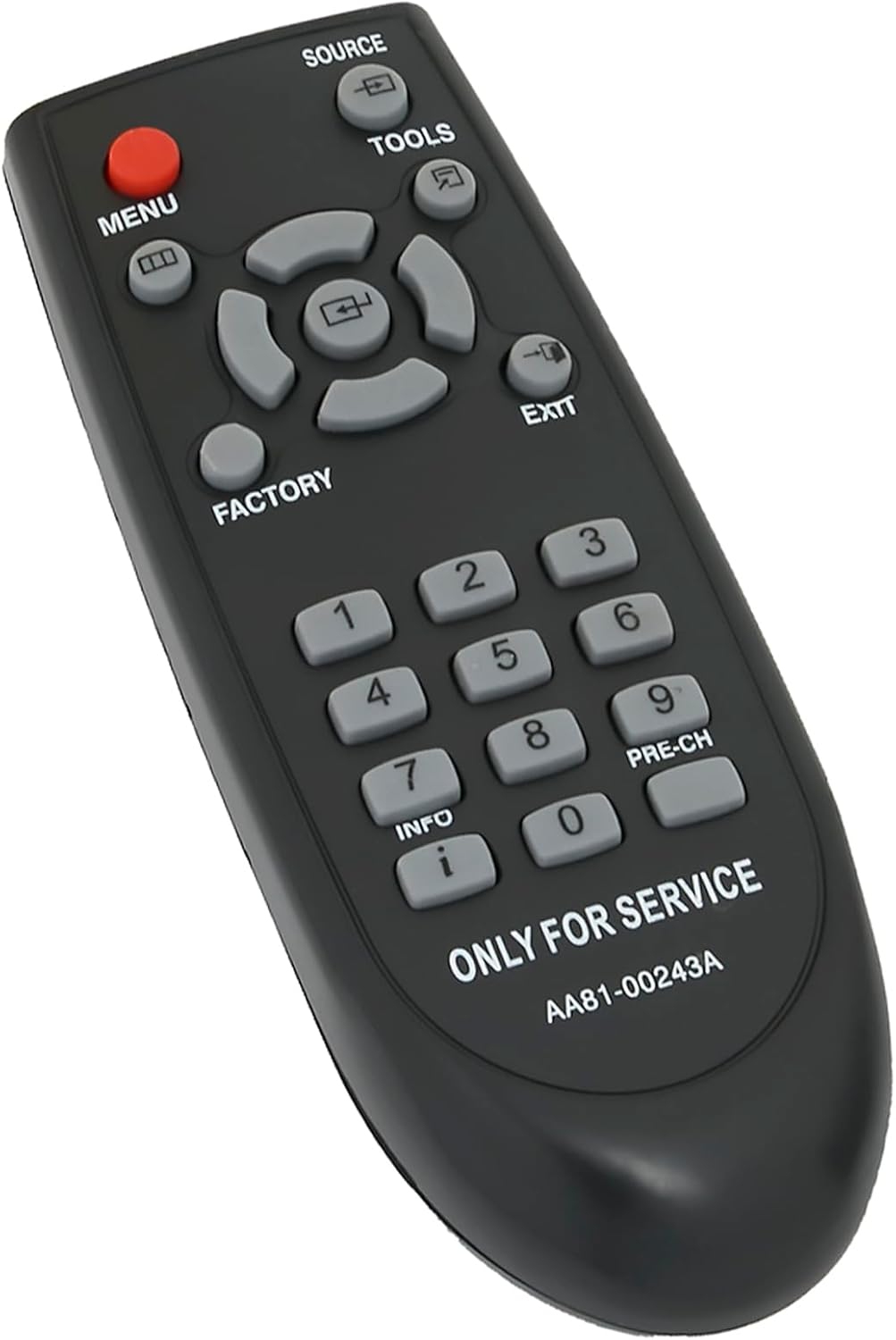
Image: Angled view of the remote control, highlighting the ergonomic design and button layout.
Compatibility
The VINABTY AA81-00243A TM930 Service Remote Controller is compatible with a range of Samsung TV and monitor models. This list is not exhaustive but includes commonly supported models:
- Samsung TV models: S90D, QN95B, Q80R, UN55KS8500FXZA, UE43AU8000, KS8000 4K SUHD TV, D376997
- Samsung Monitor models: M80 Display, Odyssey OLED G8 Ultrawide
- Samsung Hospitality TV models: HG32NF690GFXZA, HG40NF690GFXZA, HG43NF690GFXZA, HG43NF690UFXZA, HG49NF690GFXZA, HG50NF690UFXZA, HG55NF690UFXZA, HG65NF690UFXZA, HG75NF690UFXZA

Image: The service remote positioned next to a modern Samsung television, visually representing its intended use and compatibility with various Samsung displays.
Maintenance
Battery Replacement
Replace batteries when the remote's response becomes inconsistent or stops working. Always replace both AAA batteries simultaneously with new ones. Do not mix old and new batteries, or different types of batteries.
Cleaning
To clean the remote control, gently wipe its surface with a soft, dry cloth. For stubborn dirt, slightly dampen the cloth with water. Avoid using harsh chemicals, abrasive cleaners, or excessive moisture, as these can damage the remote's electronics or finish.
Storage
Store the remote control in a cool, dry place away from direct sunlight and extreme temperatures. If the remote will not be used for an extended period, it is advisable to remove the batteries to prevent leakage.
Troubleshooting
- Remote not responding:
- Check if the batteries are correctly installed with the correct polarity.
- Replace the batteries with new AAA batteries.
- Ensure there are no obstructions between the remote control and the display's IR receiver.
- Confirm you are within the effective range of the remote control.
- Service menu not appearing:
- Verify that the display is powered on and functioning correctly.
- Ensure the correct button sequence is followed: press INFO then immediately FACTORY.
- Confirm the display model is listed as compatible.
Specifications
| Model Number | AA81-00243A |
| Product Dimensions | 5.9 x 2 x 0.7 inches |
| Item Weight | 1.76 ounces |
| Battery Type | 2 x AAA batteries (not included) |
| Brand | VINABTY |
| Manufacturer | XINHAO |
| Color | Black |
| Special Feature | Ergonomic design |
| Compatible Devices | Samsung Televisions and Monitors (specific models listed in Compatibility section) |

Image: Top-down view of the remote control, illustrating its physical dimensions (length and width).
Warranty and Support
For warranty information or technical support regarding your VINABTY AA81-00243A TM930 Service Remote Controller, please refer to the purchase documentation or contact the retailer from whom the product was purchased. Specific warranty terms may vary by region and seller.

