Introduction
Thank you for choosing the JOROTO X3P Stationary Exercise Bike. This manual provides essential information for the safe assembly, operation, and maintenance of your new fitness equipment. The JOROTO X3P indoor cycling bike is designed with user experience in mind, incorporating over 100 design changes and 2000 tests to ensure it meets diverse user needs. Please read this manual thoroughly before first use and keep it for future reference.
Important Safety Information
- Consult a physician before starting any exercise program.
- Keep children and pets away from the equipment during use.
- Place the exercise bike on a flat, stable surface. Ensure adequate space around the bike for safe operation.
- Inspect the bike for loose or damaged parts before each use. Do not use if any parts are damaged.
- Wear appropriate exercise attire and footwear.
- Do not exceed the maximum user weight capacity of 350 lbs (158 kg).
- Use the emergency stop knob to quickly halt the flywheel if necessary.
- Keep hands and feet clear of all moving parts.
Package Contents
Before assembly, ensure all parts listed below are present. Assembly tools are included with your purchase.
- Main Frame
- Front Stabilizer
- Rear Stabilizer
- Pedals (Left and Right)
- Seat Post and Seat
- Handlebar Post and Handlebar
- Monitor/Display Console
- Tablet Holder
- Hardware Kit (bolts, washers, nuts, assembly tools)
Setup and Assembly
Follow these steps to assemble your JOROTO X3P Exercise Bike. It is recommended to have two people for assembly due to the weight of some components.
- Attach Stabilizers: Secure the front and rear stabilizers to the main frame using the provided bolts and washers. Ensure they are tightened securely.
- Install Pedals: Identify the left (L) and right (R) pedals. The left pedal screws counter-clockwise, and the right pedal screws clockwise. Thread them into the crank arms and tighten firmly with a wrench.
- Mount Seat Post and Seat: Insert the seat post into the main frame and adjust to your desired height. Secure it with the adjustment knob. Attach the padded seat to the seat post.
- Install Handlebar Post and Handlebar: Insert the handlebar post into the main frame. Attach the multi-grip handlebar to the post and secure it.
- Connect Monitor and Tablet Holder: Attach the monitor to the handlebar assembly. Connect any necessary sensor cables. Mount the 9.5-inch tablet holder above the monitor.
- Level the Bike: Adjust the four stabilizer feet at the base of the bike to ensure it is stable on your floor surface. This prevents wobbling during your workout.

Image: Fully assembled JOROTO X3P Exercise Bike with tablet holder.
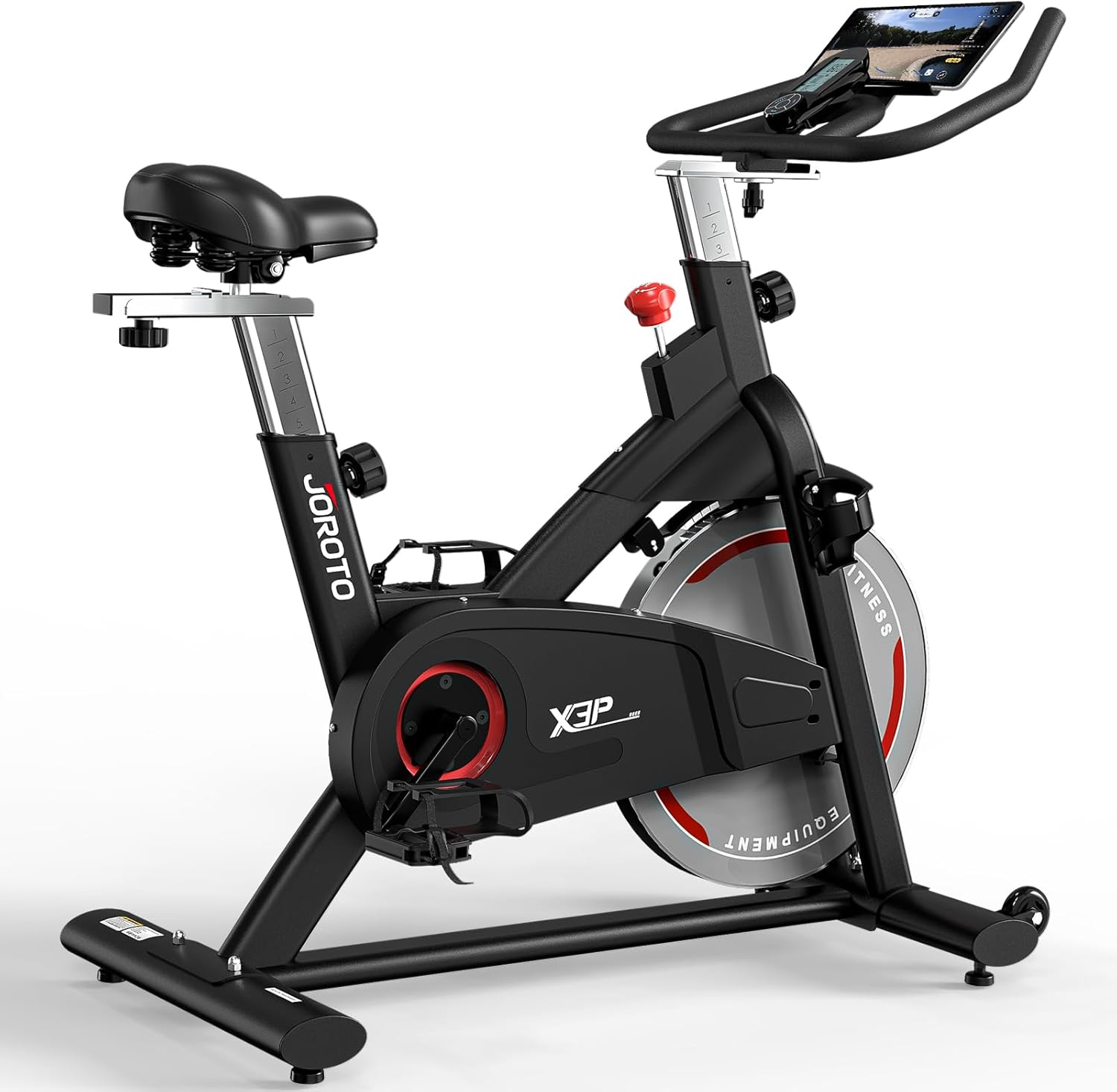
Image: Side view of the JOROTO X3P Exercise Bike.
Operating Instructions
Adjusting the Bike
The JOROTO X3P offers comprehensive adjustability to fit various user heights and preferences.
- Seat Adjustment: The padded seat can be adjusted 4-ways (up/down, forward/backward). Loosen the adjustment knob, move the seat to your desired position, and tighten the knob securely. The inseam range is approximately 22.6 to 33.8 inches.
- Handlebar Adjustment: The handlebar can be adjusted 4-ways (up/down, forward/backward). Loosen the adjustment knob, position the handlebar for comfort, and tighten the knob firmly.

Image: Demonstrates the 4-way adjustable handlebar and seat for personalized fit.
Adjusting Resistance
The bike features a micro-adjustable magnetic resistance system for a smooth and quiet workout.
- Increase Resistance: Turn the red resistance knob clockwise to increase the magnetic tension and make pedaling harder.
- Decrease Resistance: Turn the red resistance knob counter-clockwise to decrease the magnetic tension and make pedaling easier.
- Emergency Stop: Press down firmly on the red resistance knob to engage the emergency stop function, bringing the flywheel to an immediate halt.

Image: Close-up of the micro-adjustable resistance knob and emergency stop feature.

Image: Illustration of the magnetic resistance and quiet belt drive system.
Using the Smart Display and Tablet Holder
The digital display tracks your workout metrics, and the tablet holder provides entertainment or guided workouts.
- Monitor Functions: The smart digital display tracks real-time data including Scan, Time, Speed, RPM (Revolutions Per Minute), Distance, and Calories burned. Use the button on the console to cycle through these metrics or set it to scan mode to automatically rotate.
- Tablet Holder: The integrated 9.5-inch tablet holder securely accommodates various devices, from smartphones to laptops, enhancing your workout experience by allowing you to watch videos or follow fitness apps.
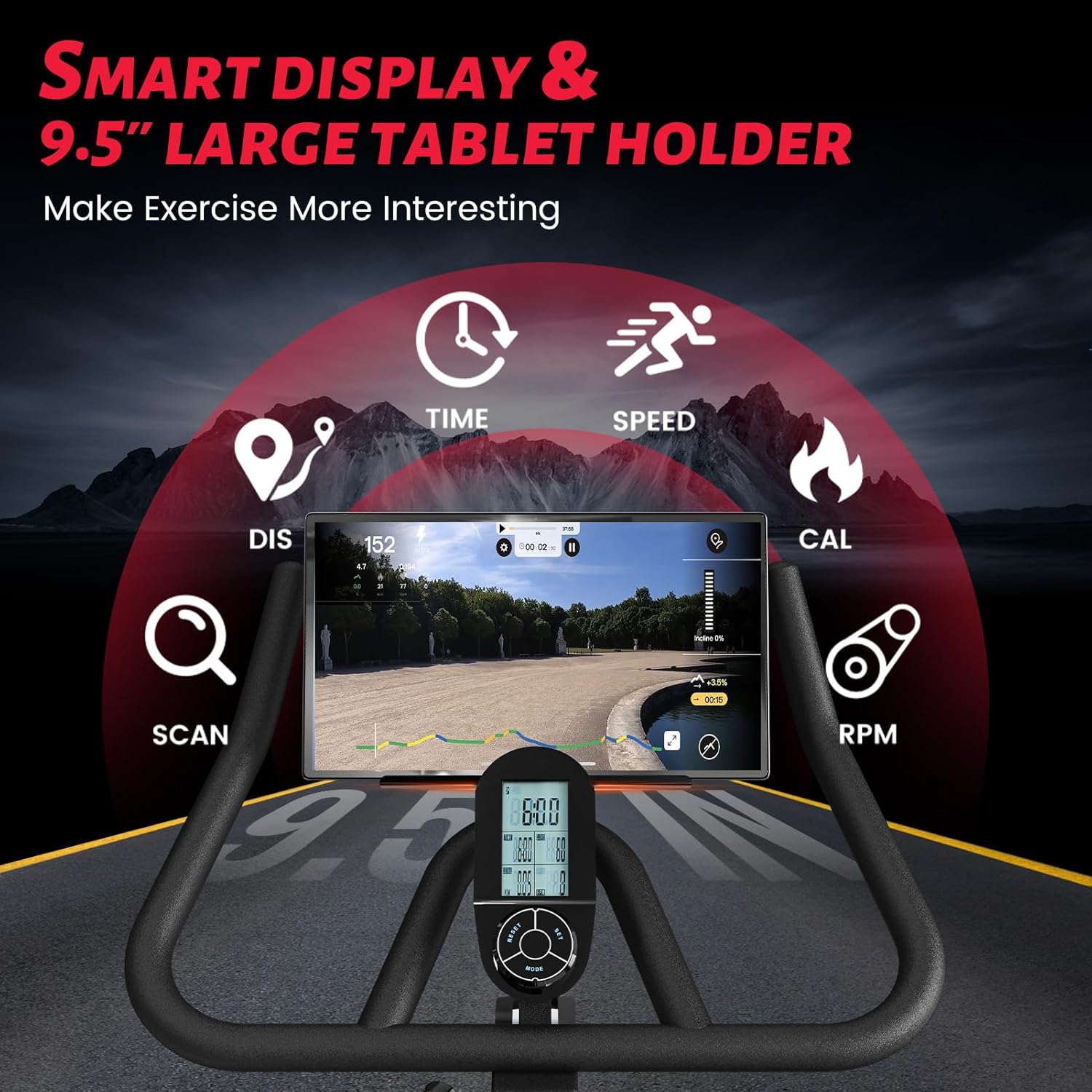
Image: View of the smart digital display and the spacious 9.5-inch tablet holder.
Maintenance
The JOROTO X3P exercise bike is designed to be low-maintenance due to its magnetic resistance and belt drive system.
- Cleaning: Wipe down the bike with a damp cloth after each use to remove sweat and dust. Avoid using abrasive cleaners.
- Check Connections: Periodically check all bolts, nuts, and screws to ensure they are tight. Loose connections can affect stability and performance.
- Lubrication: The magnetic resistance and belt drive system require no lubrication.
- Storage: Store the bike in a dry, cool place away from direct sunlight and extreme temperatures.
Troubleshooting
| Problem | Possible Cause | Solution |
|---|---|---|
| Bike is unstable or wobbles. | Uneven floor surface; loose stabilizer feet. | Adjust the leveling feet under the stabilizers until the bike is stable. Ensure all assembly bolts are tight. |
| Resistance is not changing or feels inconsistent. | Resistance knob not properly adjusted; internal mechanism issue. | Ensure the resistance knob is turned fully in both directions to test the range. If the issue persists, contact customer support. |
| Display monitor is not working. | Batteries are dead or incorrectly installed; loose cable connection. | Check and replace batteries if necessary. Ensure all cables connecting to the monitor are securely plugged in. |
| Unusual noise during operation. | Loose parts; friction from moving components. | Check all bolts and nuts for tightness. Ensure no foreign objects are near the flywheel or pedals. If noise persists, contact customer support. |
Specifications
- Model: X3P
- Brand: JOROTO
- Color: X3P
- Drive System: Belt Drive
- Resistance Mechanism: Magnetic
- Material: Alloy Steel
- Product Dimensions (L x W x H): 80 x 45 x 112 cm (31.5 x 17.7 x 44.1 inches)
- Product Weight: 44.5 kg (98 lbs)
- Flywheel Weight: 18 kg (40 lbs)
- Maximum User Weight Capacity: 350 lbs (158 kg)
- Recommended Maximum Height: 195 cm (6 ft 4 in)
- Inseam Range: 22.6 - 33.8 inches
- Power Source for Display: Battery Powered (Batteries not included)
- Features: Digital Display, 9.5-inch Tablet Holder, 4-way Adjustable Handlebar, 4-way Adjustable Padded Seat, Emergency Stop
- Recommended Use: Indoor

Image: Highlights the bike's stability, 350 lbs weight capacity, and 40 lbs flywheel weight.
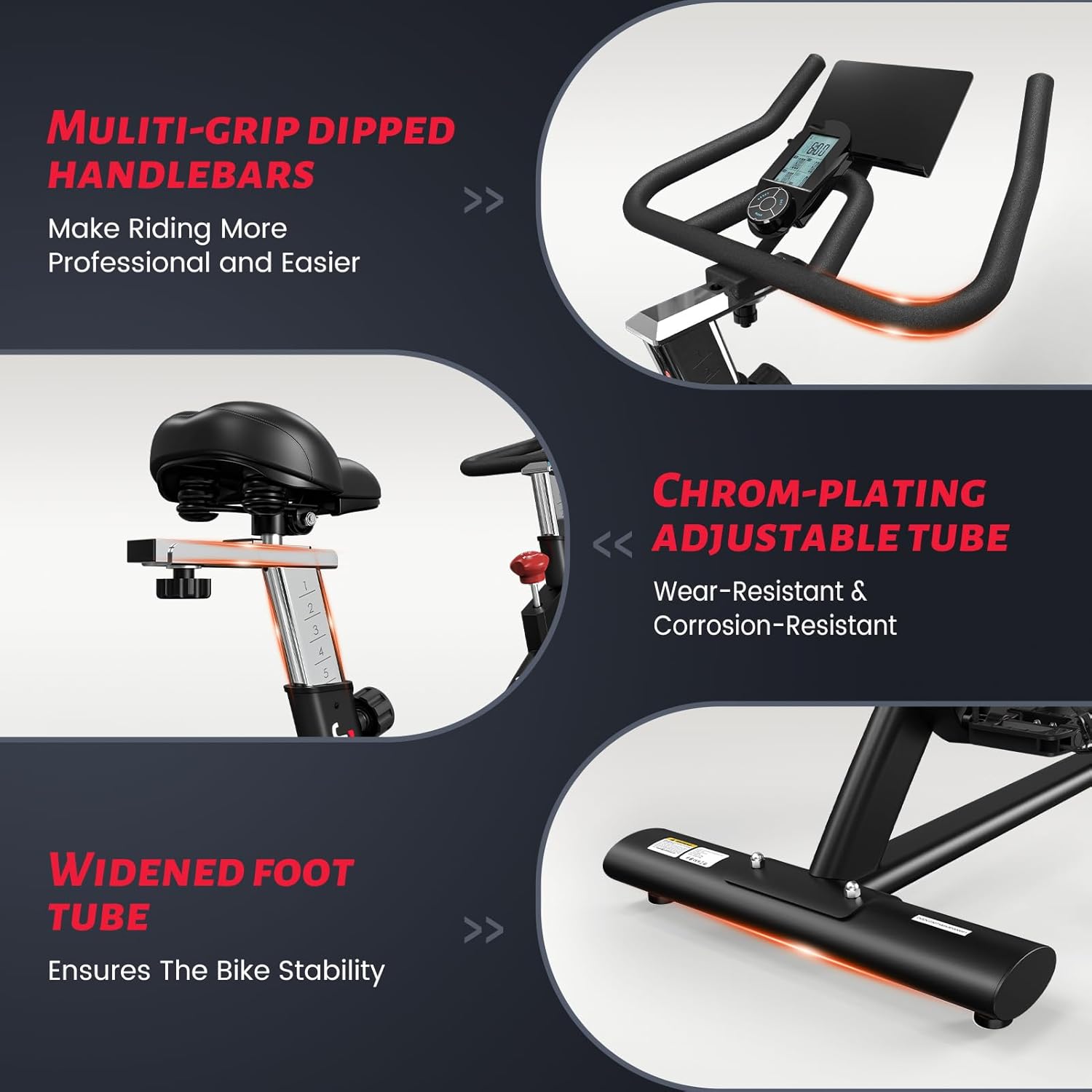
Image: Details on multi-grip handlebars, chrom-plating adjustable tube, and widened foot tube for stability.
Warranty Information
The JOROTO X3P Stationary Exercise Bike comes with a one-year warranty from the date of purchase. This warranty covers manufacturing defects and issues arising from normal use. Please retain your proof of purchase for warranty claims. Any damage caused by misuse, improper assembly, or unauthorized modifications is not covered under this warranty.
Customer Support
Should you encounter any problems with your JOROTO X3P Exercise Bike or have questions regarding its operation or maintenance, please do not hesitate to contact our customer support team. We are committed to providing solutions and aim to respond to all inquiries within 24 hours.
For support, please visit the JOROTO Store on Amazon or refer to the contact information provided with your purchase.


