
1. Important Safety Information
Please read this instruction manual thoroughly before using the unit. For specific information about your own blood pressure, consult your physician. Keep this manual for future reference.
- Do not self-diagnose or self-treat based on measurement results. Always consult your physician for evaluation of your blood pressure readings.
- Do not use the device on an injured arm or an arm under medical treatment.
- Consult your physician before using the device if you have severe blood flow problems or blood coagulation disorders.
- Do not use the device on infants, toddlers, or individuals who cannot express their consent.
- Avoid using the device in a moving vehicle.
2. Package Contents
Verify that the following components are included in your package:
- Main Unit (Blood Pressure Monitor)
- Arm Cuff
- Instruction Manual
- 4 "AA" Alkaline Batteries
- Warranty Card
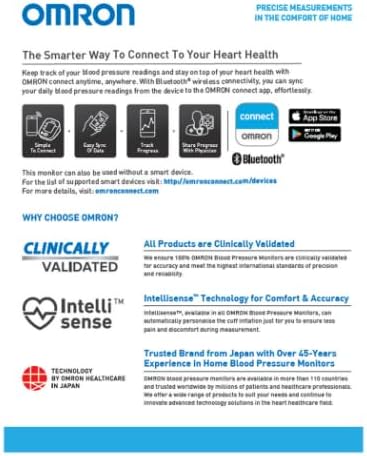
Image 2.1: Contents of the Omron HEM-7141T1-AP Blood Pressure Monitor package.
3. Product Overview
The Omron HEM-7141T1-AP is an automatic upper arm blood pressure monitor designed for home use. It features Intellisense technology for comfortable measurements and Bluetooth connectivity for data synchronization with the OMRON connect app.

Image 3.1: Front view of the monitor highlighting key features such as the display, START/STOP button, Bluetooth button, and indicators for Cuff Wrapping Guide, Hypertension, and Body Movement Detection.
Main Unit Components:
- Display: Shows blood pressure readings (Systolic, Diastolic), Pulse rate, and various indicators.
- START/STOP Button: Powers the unit on/off and starts/stops measurements.
- Bluetooth Button: Initiates Bluetooth pairing and data transfer.
- Cuff Jack: Port for connecting the arm cuff.
- Battery Compartment: Located on the bottom or back of the unit.
4. Setup
4.1 Battery Installation
- Open the battery cover on the back of the main unit.
- Insert four "AA" alkaline batteries according to the polarity markings (+/-) inside the compartment.
- Close the battery cover securely.
4.2 Attaching the Arm Cuff
- Insert the air plug of the arm cuff into the air jack on the left side of the main unit until it clicks.
- Ensure the connection is secure to prevent air leakage during measurement.
4.3 Bluetooth Pairing (OMRON connect App)
The monitor can connect to the OMRON connect app on your smartphone for tracking and managing your blood pressure data.
- Download the "OMRON connect" app from the App Store (iOS) or Google Play Store (Android).
- Enable Bluetooth on your smartphone.
- Open the OMRON connect app and follow the on-screen instructions to add a new device.
- On the blood pressure monitor, press and hold the Bluetooth button until the Bluetooth icon flashes on the display.
- Confirm pairing within the app. Once paired, the Bluetooth icon will stop flashing and remain lit.
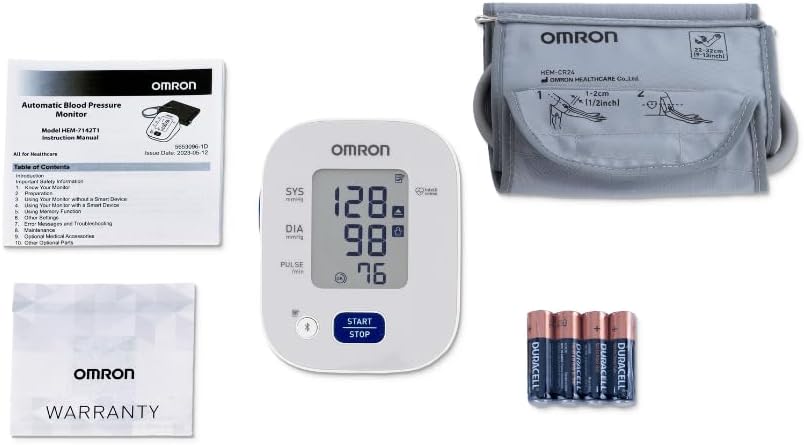
Image 4.1: Steps for connecting the monitor to the OMRON connect app via Bluetooth.
5. Operating Instructions
5.1 Proper Measurement Posture
For accurate readings, ensure you are seated comfortably with your back supported, feet flat on the floor, and your arm resting on a table so the cuff is at heart level. Remain still and avoid talking during measurement.
5.2 Applying the Arm Cuff
- Place the cuff on your upper left arm. The air tube should run down the inside of your arm and be aligned with your middle finger.
- The bottom edge of the cuff should be 1 to 2 cm above your elbow.
- Wrap the cuff snugly around your arm. Ensure it is not too tight or too loose. The "OK" indicator on the display will confirm correct cuff wrapping.

Image 5.1: Correct arm cuff placement for accurate blood pressure readings.
5.3 Taking a Measurement
- Press the START/STOP button. The cuff will begin to inflate automatically.
- Remain still and quiet during the measurement.
- Once the measurement is complete, the cuff will deflate, and your Systolic, Diastolic, and Pulse readings will be displayed.
- Press the START/STOP button again to turn off the unit. The measurement will be automatically stored in memory.

Image 5.2: Example of blood pressure readings displayed on the monitor.
5.4 Understanding Indicators
- Hypertension Indicator: If your systolic blood pressure is 135 mmHg or above, or your diastolic blood pressure is 85 mmHg or above, a heart symbol will appear on the display, indicating hypertension.
- Body Movement Detection: If body movement is detected during measurement, a body movement symbol will appear. This may affect accuracy. Re-measure if this occurs.
- Irregular Heartbeat Detection: If an irregular heartbeat is detected two or more times during a measurement, an irregular heartbeat symbol will appear. Consult your physician if this symbol appears frequently.
- Cuff Wrapping Guide: An "OK" symbol indicates the cuff is wrapped correctly. If the symbol does not appear or indicates incorrect wrapping, adjust the cuff and re-measure.

Image 5.3: Explanation of display indicators for accurate monitoring.
5.5 Memory Function
The monitor automatically stores up to 30 measurement values. To view past readings, press the memory button (often integrated with the Bluetooth button or a separate button, refer to Image 3.1 for specific button layout if available). Each press will cycle through the stored readings from most recent to oldest.
5.6 Using with OMRON connect App
After pairing, measurements are automatically transferred to the OMRON connect app. You can view trends, graphs, and share your data with your healthcare provider through the app.
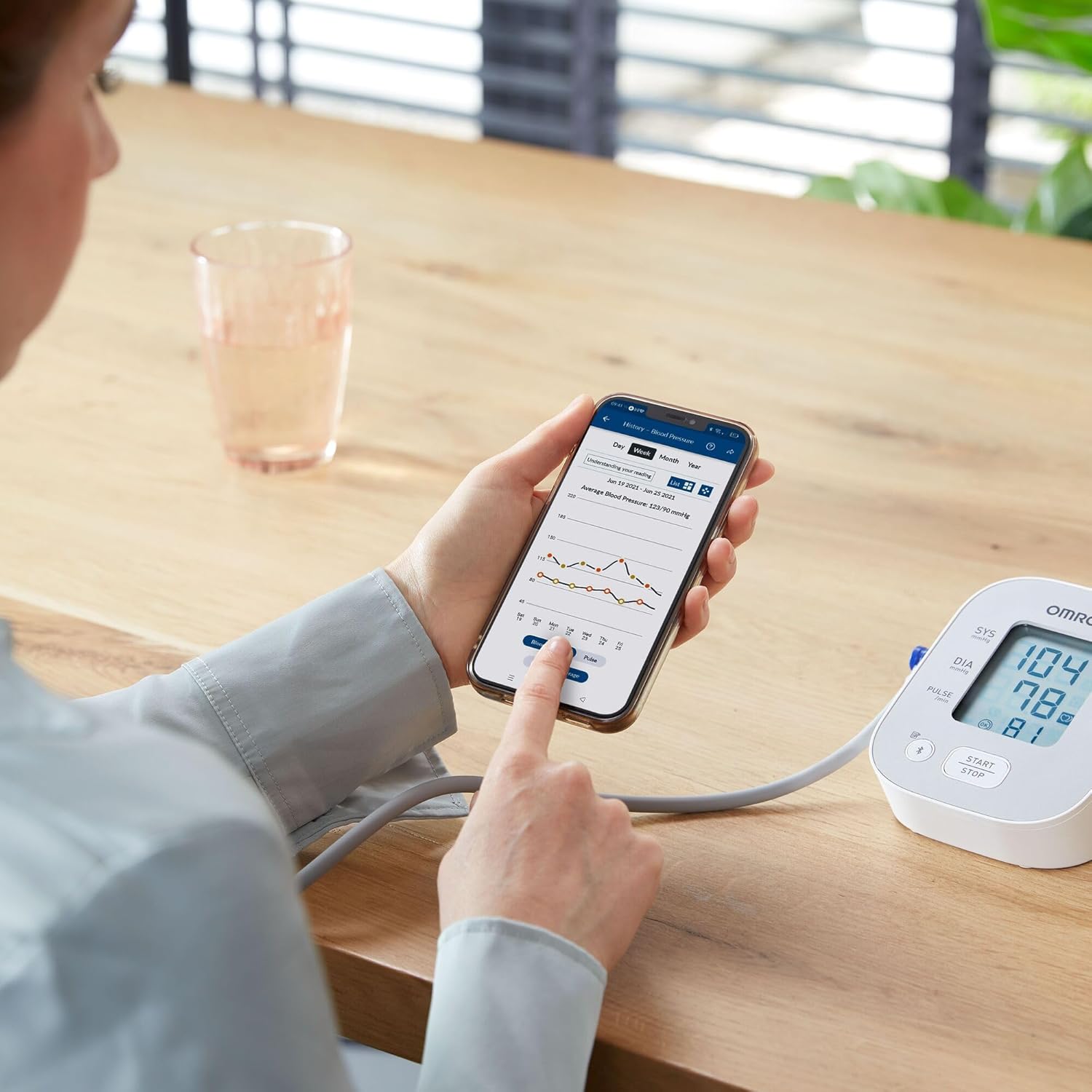
Image 5.4: Monitoring blood pressure data and trends using the OMRON connect app.
6. Maintenance
6.1 Cleaning
- Wipe the main unit and cuff with a soft, dry cloth.
- If necessary, use a soft cloth moistened with water and a mild soap, then wipe dry.
- Do not use abrasive cleaners or solvents.
- Do not wash the cuff or immerse the unit in water.
6.2 Storage
- Store the unit and cuff in a clean, safe location.
- Avoid extreme temperatures, humidity, direct sunlight, and dust.
- Do not fold the cuff tightly or crease the air tube.
6.3 Battery Replacement
When the low battery indicator appears on the display, replace all four "AA" batteries with new ones. Do not mix old and new batteries or different types of batteries.
7. Troubleshooting
| Problem | Possible Cause | Solution |
|---|---|---|
| Unit does not power on. | Batteries are dead or incorrectly inserted. | Replace batteries or reinsert them with correct polarity. |
| "E1" or "Cuff Error" displayed. | Cuff is not properly attached or wrapped. | Ensure air plug is securely inserted and cuff is correctly wrapped. |
| Inaccurate readings. | Movement during measurement, incorrect posture, or cuff placement. | Remain still, ensure correct posture and cuff placement. Re-measure. |
| Bluetooth pairing fails. | Bluetooth is off on smartphone, app not open, or device too far. | Ensure Bluetooth is enabled, app is open, and device is within range. Try re-pairing. |
8. Specifications
| Feature | Detail |
|---|---|
| Model | HEM-7141T1 |
| Display | Digital LCD |
| Measurement Method | Oscillometric method |
| Measurement Range | Pressure: 0 to 299 mmHg, Pulse: 40 to 180 beats/min |
| Accuracy | Pressure: ±3 mmHg, Pulse: ±5% of display reading |
| Memory | 30 measurements |
| Power Source | 4 "AA" batteries 1.5V |
| Battery Life | Approximately 1000 measurements (with new alkaline batteries) |
| Console Weight | Approx. 250g (excluding batteries) |
| Dimensions | Approx. 12.5L x 11.5W x 16.5Th cm |
| Cuff Size | Medium (fits arm circumference 22-32 cm) |
| Connectivity | Bluetooth® Low Energy |
9. Warranty and Support
The Omron HEM-7141T1-AP Blood Pressure Monitor comes with a 6-year warranty. This includes a 3-year standard warranty, with an additional 3 years provided upon online registration of your product.
For technical support, service, or warranty claims, please refer to the contact information provided on your warranty card or visit the official Omron website for your region.
Always read the label and follow the directions for use.


