
K&F CONCEPT KF33.084
Contents
K&F Concept 12X50 Binoculars Instruction Manual
Model: KF33.084
1. Introduction
This manual provides comprehensive instructions for the proper use, setup, maintenance, and troubleshooting of your K&F Concept 12X50 Binoculars. Please read this manual thoroughly before using the product to ensure optimal performance and longevity.
2. Product Overview
The K&F Concept 12X50 Binoculars are designed for clear, high-magnification viewing, suitable for various outdoor activities such as bird watching, hunting, hiking, and stargazing. They feature 12x magnification, a 50mm objective lens, BAK-4 prisms, and Fully Multi-Coated (FMC) lenses for enhanced light transmission and image clarity.
2.1 Package Contents
- K&F Concept 12X50 Binoculars
- Smartphone Adapter
- Tripod Adapter
- Cleaning Cloth
- Carrying Bag
- Neck Strap
- Lens Caps
- Instruction Manual

Image 2.1: K&F Concept 12X50 Binoculars with all included accessories.
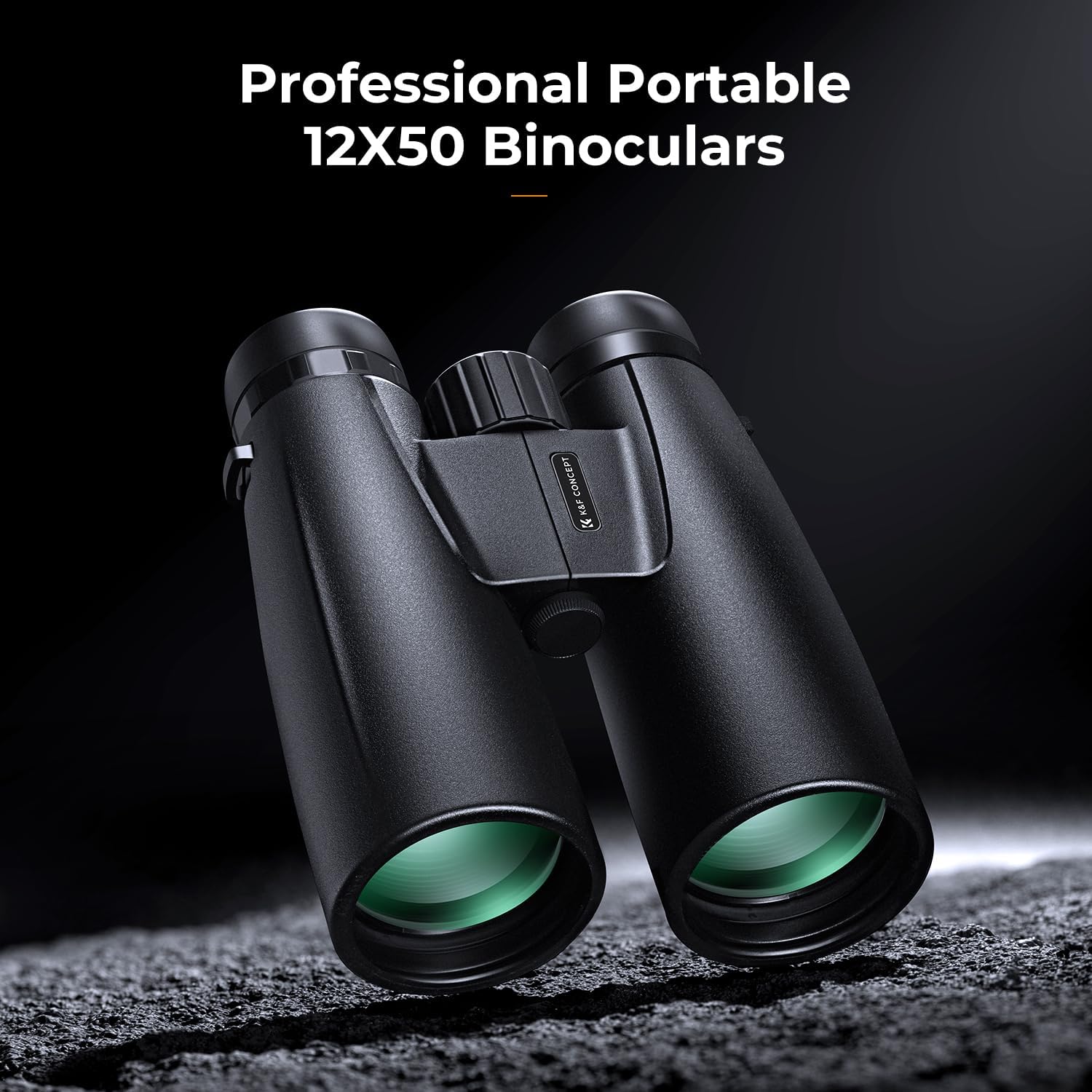
Image 2.2: Front view of the K&F Concept 12X50 Binoculars.
2.2 Optical Features
- 12x Magnification: Brings distant objects 12 times closer.
- 50mm Objective Lens: Large aperture for maximum light gathering, providing bright images.
- BAK-4 Prisms: High-quality prisms for superior light transmission and sharp, clear images without dark edges.
- FMC (Fully Multi-Coated) Lenses: Multiple layers of anti-reflective coatings on all air-to-glass surfaces to reduce light loss and glare, enhancing brightness and contrast.

Image 2.3: Illustration of the 50mm objective lens providing clear imaging.

Image 2.4: Comparison illustrating the superior light transmission of BAK-4 prisms.

Image 2.5: Illustration of multi-layer lens coating for high light transmission and sharp images.
3. Setup
Follow these steps to prepare your binoculars for use:
- Adjust Interpupillary Distance: Hold the binoculars with both hands and look through the eyepieces. Bend the binoculars at the hinge until you see a single, clear circular field of view.
- Adjust Eyecups: If you wear glasses, twist down or fold down the eyecups to bring your eyes closer to the lenses. If you do not wear glasses, leave the eyecups in the up position.
- Focus the Left Eyepiece: Close your right eye and look through the left eyepiece. Rotate the central focus wheel until the image is sharp and clear.
- Adjust the Diopter (Right Eyepiece): Close your left eye and look through the right eyepiece. Rotate the diopter ring (usually on the right eyepiece) until the image is sharp and clear. Do not use the central focus wheel for this step.
- Fine-tune Focus: With both eyes open, use the central focus wheel to adjust the focus for different distances. The diopter setting should remain constant for your vision.

Image 3.1: Visual guide for adjusting interpupillary distance, central focus, and diopter.
3.1 Attaching the Smartphone Adapter
The included smartphone adapter allows you to capture photos and videos through your binoculars. Follow these steps:
- Securely attach the smartphone adapter to one of the binocular eyepieces.
- Mount your smartphone onto the adapter, ensuring the phone's camera lens aligns with the eyepiece.
- Adjust the phone's position and zoom until the binocular's field of view fills the screen.
3.2 Attaching the Tripod Adapter
For extended viewing sessions or when using the smartphone adapter, a tripod can provide stability. Use the tripod adapter as follows:
- Locate the threaded screw hole on the front hinge of the binoculars.
- Screw the tripod adapter into this hole.
- Attach the tripod adapter to your tripod's quick-release plate or head.
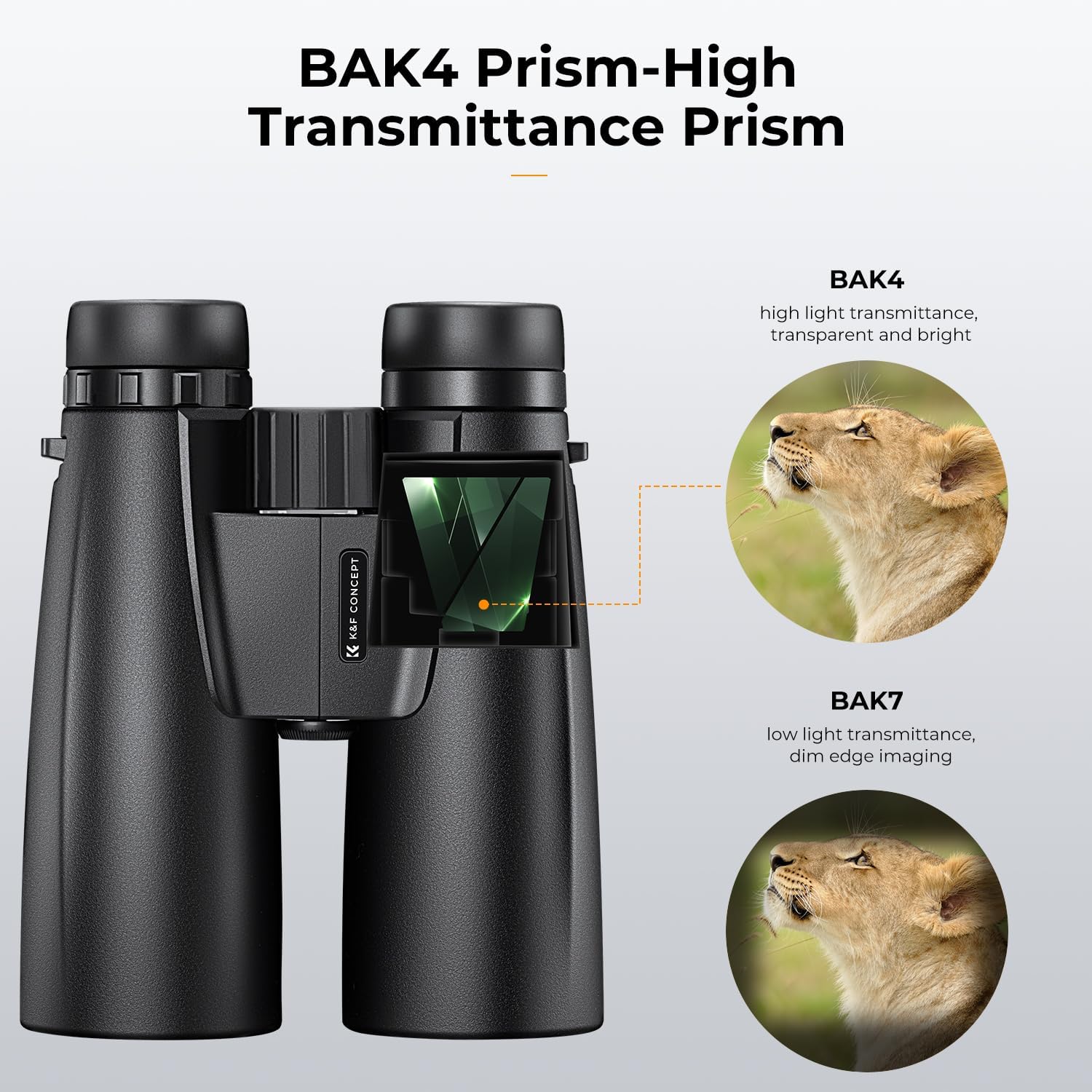
Image 3.2: Binoculars set up on a tripod with a smartphone adapter for capturing images.

Image 3.3: The tripod converter and mobile phone clip accessories.
4. Operating
Once set up, your binoculars are ready for observation.
4.1 General Observation
Look through the eyepieces and use the central focus wheel to bring your desired subject into sharp focus. The 12x magnification provides a detailed view of distant objects, while the 50mm objective lenses ensure a bright image even in lower light conditions.

Image 4.1: A user observing distant objects with the binoculars.

Image 4.2: The binoculars allow for easy tracking of targets hundreds of meters away.

Image 4.3: Examples of scenes that can be observed and documented with the binoculars.
5. Maintenance
Proper care will extend the life and performance of your binoculars.
5.1 Cleaning
- Lenses: Use the provided cleaning cloth or a soft, lint-free cloth specifically designed for optical lenses. Gently wipe the lens surfaces. For stubborn smudges, use a small amount of optical lens cleaning fluid applied to the cloth, not directly to the lens.
- Body: Wipe the body of the binoculars with a soft, damp cloth. Avoid harsh chemicals or abrasive materials.
5.2 Storage
- Store the binoculars in their carrying bag when not in use to protect them from dust and scratches.
- Keep the lens caps on the objective lenses and eyepieces.
- Store in a cool, dry place, away from direct sunlight and extreme temperatures.
- Avoid storing in areas with high humidity to prevent mold growth on lenses.

Image 5.1: The binoculars can be stored in the provided carrying bag for protection.
6. Troubleshooting
If you encounter issues with your binoculars, refer to the following common problems and solutions:
6.1 Blurry Image
- Check Focus: Ensure the central focus wheel is adjusted correctly for the distance of your subject.
- Check Diopter: Verify the diopter setting on the right eyepiece is correctly adjusted for your individual vision.
- Clean Lenses: Dust or smudges on the lenses can cause blurriness. Clean them gently with the provided cloth.
6.2 Double Image or Eye Strain
- Adjust Interpupillary Distance: Ensure the binoculars are bent at the hinge so that you see a single, perfectly circular field of view.
6.3 Dim Image
- Lighting Conditions: Binoculars perform best in adequate light. In very low light, even high-quality optics may appear dim.
- Clean Lenses: Dirty lenses can significantly reduce light transmission.
7. Specifications
| Feature | Specification |
|---|---|
| Magnification | 12x |
| Objective Lens Diameter | 50 mm |
| Field of View | 263 ft / 1000 yds |
| Prism Type | BAK-4 |
| Lens Coating | FMC (Fully Multi-Coated) |
| Item Model Number | KF33.084 |
| Item Weight | 2.42 pounds |
| Package Dimensions | 9.65 x 6.93 x 3.15 inches |

Image 7.1: Dimensions of the K&F Concept 12X50 Binoculars.
8. Warranty and Support
For warranty information or technical support, please refer to the documentation included with your purchase or contact K&F Concept customer service directly. Contact details can typically be found on the manufacturer's official website or on the product packaging.
Ask a question about this manual
Ask about setup, troubleshooting, compatibility, parts, safety, or missing instructions. Manuals+ will review the question and use this page’s manual context to help answer it.