
1. Product Overview
The COLORWING M832 Portable Thermal Printer is a compact, inkless printing solution designed for convenience and efficiency. With 300DPI clarity, it supports various paper sizes including US Letter and A4, and is compatible with multiple devices such as smartphones, tablets, and laptops. Its lightweight design makes it ideal for on-the-go printing needs, eliminating the hassle of ink cartridges and ribbons.

Figure 1.1: The COLORWING M832 printer showcasing its compact size and compatibility with different paper formats and mobile devices.

Figure 1.2: Key features of the COLORWING M832 printer, emphasizing its portability, inkless technology, and ease of use.
Video 1.1: An official overview of the COLORWING M832 Portable Printer, demonstrating its compact design and various applications.
2. Setup and Installation
2.1 What's in the Box
- 1 x Letter Portable Printer
- 1 x Letter Thermal Paper Roll
- 1 x Flannel Storage Bag
- 1 x Type-C Charging Cable
- 1 x USB-A to Type-C Adapter
2.2 Charging the Printer
Before first use, fully charge the printer using the provided Type-C charging cable. A full charge takes approximately 2 hours and provides enough power for continuous printing of up to 150 sheets. The blue indicator light will stop blinking once fully charged.

Figure 2.1: Charging the printer and its battery life, highlighting the 2-hour charge time for 150 pages of continuous printing.
2.3 Loading Paper
To load the thermal paper roll, press the two release buttons on the sides of the printer to open the top cover. Insert the paper roll into the compartment, ensuring the paper feeds smoothly through the slot. Close the cover until it clicks securely into place. The printer supports various paper types including roll, flat, and continuous thermal paper, as well as thermal labels.

Figure 2.2: Instructions for loading various paper types and adjusting the baffle for different paper widths.
2.4 Connecting to Your Device
The COLORWING M832 offers versatile connectivity. For mobile devices (iOS and Android smartphones/tablets), download the dedicated app and connect via Bluetooth. For computers (Windows, Mac, Linux, Chrome, and Win ARM systems), connect using the USB cable. The printer is designed for quick and easy setup, allowing you to start printing within minutes.

Figure 2.3: Connectivity options for the printer, including Bluetooth for mobile devices and USB for computers.
3. Operating Instructions
3.1 Printing from Mobile Devices
After connecting your mobile device via Bluetooth, open the COLORWING app. You can select various content types to print, including documents, web pages, and images. The app provides options for customizing print settings and previewing your output before printing. Ensure your device's Bluetooth is enabled and the printer is powered on for seamless operation.

Figure 3.1: Step-by-step guide for printing from mobile devices using the dedicated app.
3.2 Printing from Computers
For computer users, download the appropriate driver for your operating system (Windows, Mac, Linux, Chrome, Win ARM). Connect the printer to your computer using the provided USB cable. Once the driver is installed and the printer is recognized, you can print documents directly from your computer applications. This method ensures broad compatibility and ease of integration into your existing workflow.

Figure 3.2: Step-by-step guide for printing from computers using a USB connection.
3.3 Print Quality and Paper Compatibility
The M832 printer delivers crisp, clear prints with a 300DPI resolution, surpassing many portable thermal printers on the market. It supports a wide range of paper sizes, including US Letter, A4, 4.33'', 3.14'', and 2.08'' inches. The adjustable baffle ensures proper alignment for various paper widths. Only thermal paper is required, eliminating the need for ink, ribbon, or toner, contributing to cost savings and a cleaner printing experience.
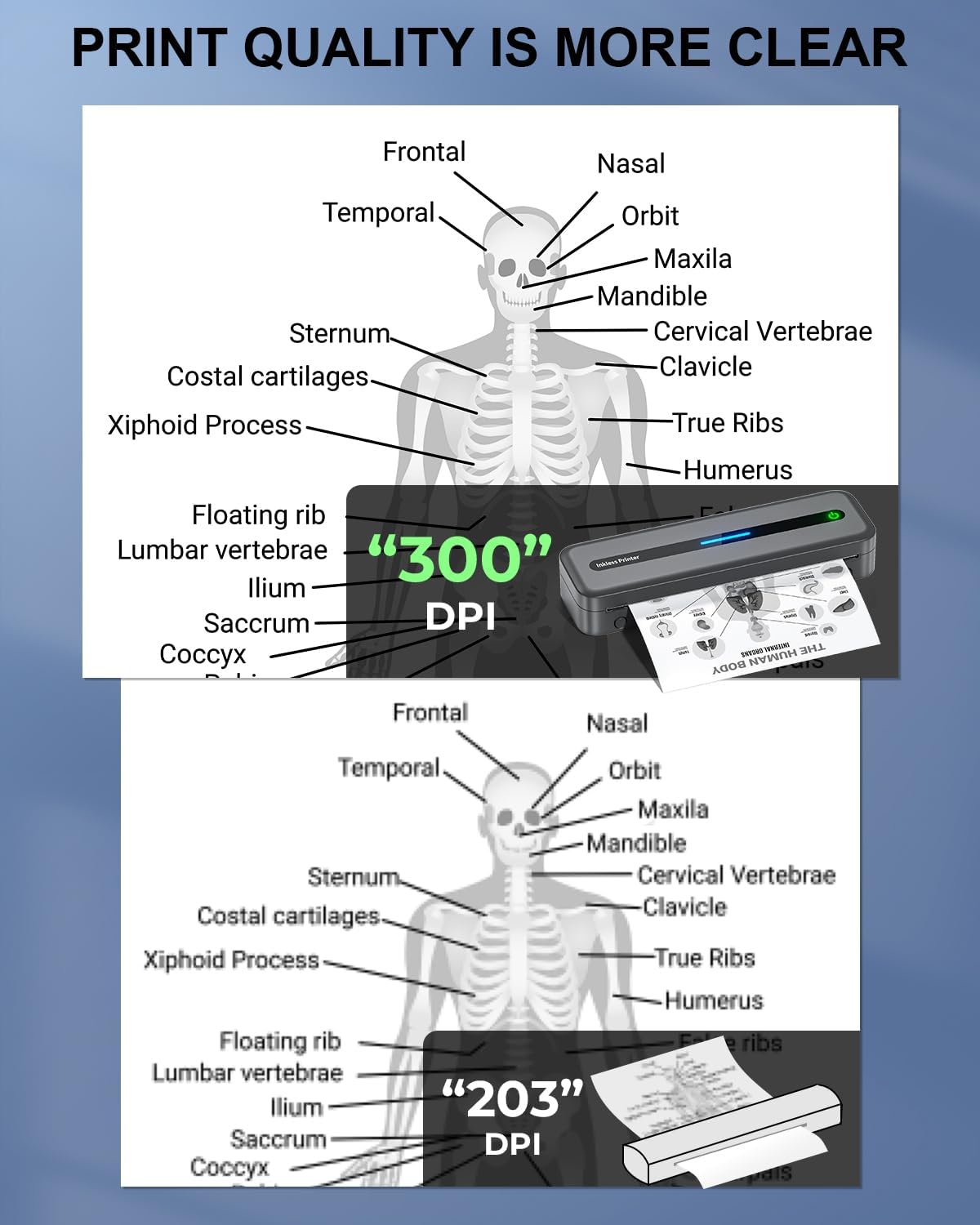
Figure 3.3: Comparison of print quality, demonstrating the superior clarity of 300DPI resolution.
4. Maintenance
The COLORWING M832 printer is designed for low maintenance due to its inkless thermal printing technology. Simply ensure you have a supply of thermal paper. Keep the paper compartment clean and free of debris to prevent feeding issues. Avoid exposing the printer to extreme temperatures or direct sunlight to maintain optimal performance and longevity.
5. Troubleshooting
If you encounter any issues with your COLORWING M832 printer, please refer to the troubleshooting section in the full user guide (PDF link provided in product details) or contact customer support for assistance. Common issues often relate to connectivity or paper loading. Ensure the printer is charged and correctly connected to your device.
6. Specifications
| Product Dimensions | 10.39"D x 3.07"W x 1.77"H |
| Item Weight | 1.5 pounds |
| Printing Technology | Thermal |
| Printer Ink Type | Inkless |
| Maximum Print Resolution | 300dpi (Black & White) |
| Maximum Print Speed (Monochrome) | 20 ppm |
| Sheet Size | US Letter/A4/4.33''/3.14''/2.08'' Inches |
| Max Input Sheet Capacity | 160 |
| Connectivity Technology | Bluetooth, USB |
| Compatible Devices | iOS, Android, Smartphones, Laptops, PC, Tablets |
| Battery | 1 Lithium Polymer (included) |
| Model Name | M832-GY |
7. Warranty and Customer Support
The COLORWING Portable Thermal Printer comes with a Lifetime Warranty. The COLORWING Team is committed to providing excellent customer support. If you have any questions or require assistance, please reach out to us. We offer remote help and are available via call or click away to ensure your printing experience is seamless and enjoyable. Your privacy and rights are protected as our product is FCC-certified, ensuring compliance with relevant regulations and standards.

Figure 7.1: FCC certification ensures product safety and compatibility.

Figure 7.2: Multiple channels available for customer support, ensuring quick resolution of issues.
