1. Introduction
Thank you for choosing the ganopterygon A8 PRO Wireless Earbuds. These earbuds are designed to provide a high-quality audio experience with advanced features for various activities. This manual will guide you through the setup, operation, and maintenance of your new earbuds.
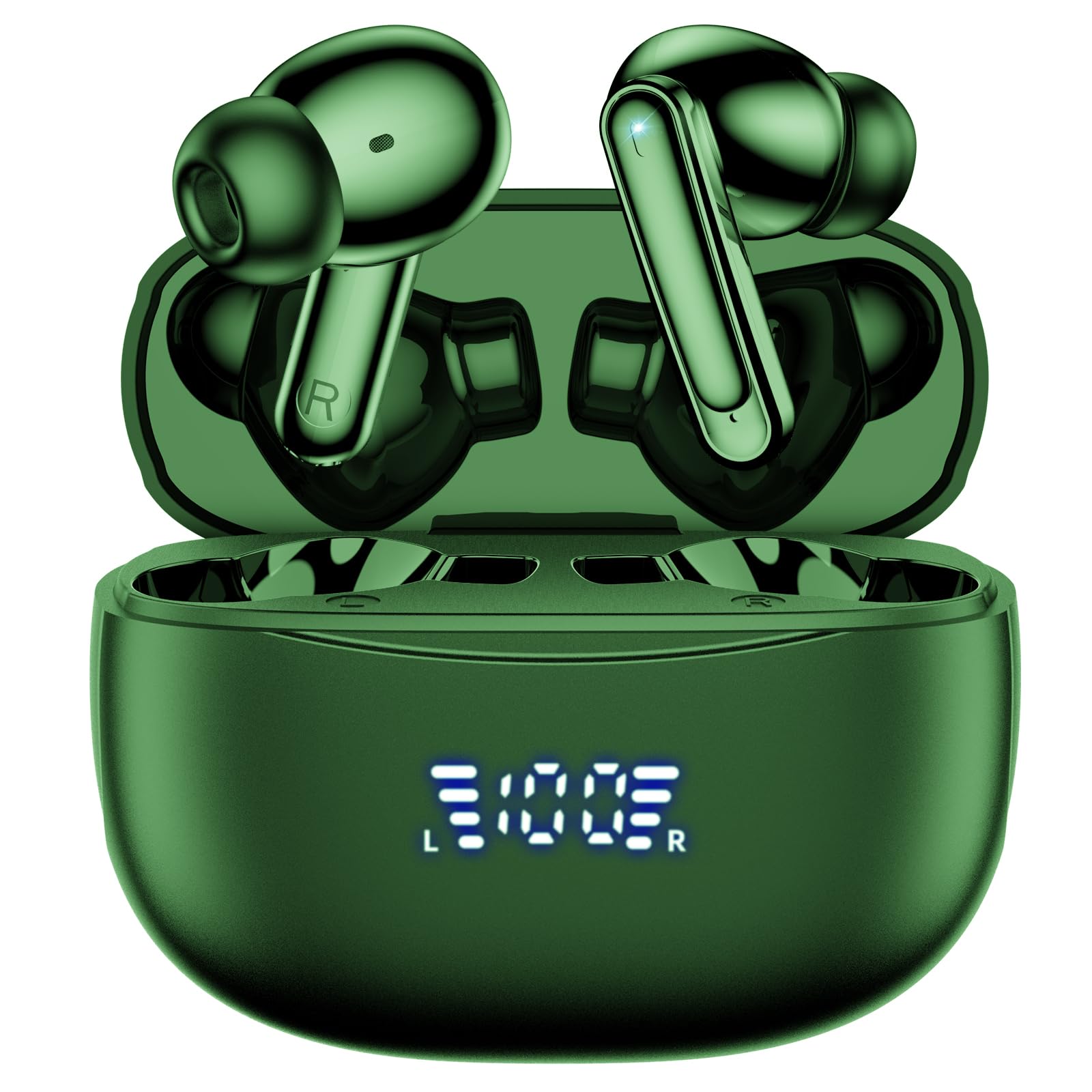
Image: The ganopterygon A8 PRO Wireless Earbuds in their charging case, displaying the LED power indicator.
2. What's in the Box
Upon unboxing your ganopterygon A8 PRO Wireless Earbuds, please ensure all the following components are present:
- 1 x Charging Case
- 2 x Earbuds (Left and Right)
- 1 x USB-C Charging Cable
- 3 x Sets of Ear Tips (Small, Medium, Large)

Image: All included accessories: the charging case, two earbuds, a USB-C charging cable, and three sizes of ear tips.
3. Setup
3.1. Charging the Earbuds and Case
Before first use, fully charge the earbuds and the charging case. Connect the provided USB-C cable to the charging port on the case and a compatible USB power source. The LED power display on the front of the case will indicate the charging status and battery level.

Image: The charging case with its digital LED display indicating the battery percentage for both the case and individual earbuds.
3.2. Pairing with Your Device
The A8 PRO earbuds feature one-step pairing. After the initial connection, they will automatically connect to your device as soon as you open the charging case.
- Ensure your device's Bluetooth is turned on.
- Open the charging case. The earbuds will automatically enter pairing mode.
- On your device, search for Bluetooth devices and select "A8 PRO" from the list.
- Once connected, you will hear a confirmation tone.

Image: A visual representation of the advanced Bluetooth 5.3 technology, highlighting its faster connection speed compared to previous versions.
3.3. Wearing the Earbuds
For optimal sound quality and comfort, choose the ear tips that best fit your ears from the three provided sizes (S, M, L). Insert the earbuds gently into your ear canal and twist slightly to secure them. The ergonomic design ensures a comfortable and stable fit.
Video: Demonstration of how to properly wear the ganopterygon A8 PRO Wireless Earbuds for optimal comfort and secure fit.
4. Operating Instructions
4.1. Touch Controls
The A8 PRO earbuds feature intuitive touch controls on each earbud. Refer to the diagram below for specific functions:

Image: Detailed guide to the touch controls on the earbuds, including actions for volume adjustment, track navigation, call management, and voice assistant activation.
| Action | Left Earbud (L) | Right Earbud (R) |
|---|---|---|
| Single Tap | Volume Down | Volume Up |
| Double Tap (2X) | Play/Pause | |
| Triple Tap (3X) | Previous Track | Next Track |
| Single Tap (Call) | Answer/End Call | |
| Long Press (2 sec) | Reject Call | |
| Long Press (3 sec) | Activate Voice Assistant | |
| Both Click (5 sec) | Reset Earbuds | |
4.2. Battery Life and Playtime
The earbuds provide over 6 hours of continuous music or talk time on a single charge. With the charging case, the total playtime extends up to 42 hours. The LED display on the charging case shows the remaining battery percentage for both the case and each earbud.
For quick power, a 15-minute charge can provide approximately 1 hour of playback.
5. Maintenance
5.1. IPX7 Waterproof Rating
The A8 PRO earbuds feature an IPX7 waterproof nano-coating, making them resistant to rain and sweat. This allows for use during fitness activities and in light rain conditions. However, they are not designed for swimming or submersion in water for extended periods.

Image: The earbuds shown in water, demonstrating their IPX7 waterproof capability, suitable for resisting sweat and rain.
5.2. Cleaning and Storage
To maintain optimal performance and hygiene:
- Regularly clean the earbuds and charging case with a soft, dry cloth.
- Remove ear tips and clean them with water and mild soap if necessary, ensuring they are completely dry before reattaching.
- Store the earbuds in their charging case when not in use to protect them and keep them charged.
- Avoid exposing the earbuds to extreme temperatures or direct sunlight for prolonged periods.
6. Troubleshooting
If you encounter any issues with your earbuds, please refer to the following common solutions:
- Earbuds not pairing: Ensure both earbuds are in the charging case, then open the lid to activate pairing mode. Check your device's Bluetooth settings and try reconnecting.
- Only one earbud working: Place both earbuds back into the charging case, close the lid, wait a few seconds, then open it again. This often re-syncs them.
- No sound: Check the volume level on both your device and the earbuds. Ensure the earbuds are properly connected to your device.
- Charging issues: Verify the USB-C cable is securely connected to both the case and the power source. Ensure the charging contacts on the earbuds and inside the case are clean and free of debris.
- Poor fit/falling out: Experiment with the different sizes of ear tips provided to find the most secure and comfortable fit for your ears.
If the issue persists, try resetting the earbuds by performing the "Both Click (5 sec)" action as described in the Touch Controls section.
7. Specifications
Detailed technical specifications for the ganopterygon A8 PRO Wireless Earbuds:
| Feature | Description |
|---|---|
| Model Name | A8 PRO |
| Brand | ganopterygon |
| Connectivity Technology | Wireless (Bluetooth 5.3) |
| Audio Driver Size | 13 Millimeters Dynamic Driver |
| Frequency Range | 20 Hz - 20,000 Hz |
| Battery Life (Earbuds) | 6+ hours per charge |
| Total Playtime (with Case) | Up to 42 hours |
| Quick Charge | 15 minutes charge for 1 hour playback |
| Water Resistance Level | IPX7 Waterproof |
| Noise Control | Active Noise Cancellation (Environmental Noise Cancelling) |
| Control Method | Touch Control |
| Material | Plastic |
| Color | Black |
| Product Dimensions | 1.97 x 1.38 x 0.79 inches |
| Item Weight | 3.52 ounces |

Image: An internal view of the earbud, highlighting the 13mm dynamic driver and high-quality aluminum components designed for superior sound and durability.
8. Warranty and Support
Information regarding product warranty and customer support details is not provided within this manual. Please refer to the product packaging or the retailer's website for warranty terms and contact information for customer service.


