
1. Introduction
Thank you for choosing the Devoko Computer Desk. This manual provides detailed instructions for the assembly, operation, maintenance, and troubleshooting of your new desk. Please read this manual carefully before assembly and retain it for future reference to ensure proper use and longevity of the product.

Image 1.1: The Devoko Computer Desk, showcasing its minimalist design and black finish.
2. Safety Information
- Always assemble the desk on a soft, clean surface to prevent scratches.
- Ensure all screws and fasteners are securely tightened before use. Periodically check and re-tighten if necessary.
- Do not overload the desk. Refer to the specifications for maximum weight capacity.
- Keep small parts and packaging materials away from children to prevent choking hazards.
- Avoid placing hot items directly on the desk surface without protection.
3. Package Contents
Before beginning assembly, verify that all components listed below are present and undamaged. If any parts are missing or damaged, please contact customer support.
- Desktop Panels
- Desk Frame Components (legs, crossbars, X-braces)
- Installation Tool (Allen key)
- User Manual
- Spare Screw Kit (contains one spare screw for each model)
4. Setup and Assembly Instructions
Assembly of the Devoko Computer Desk is designed to be straightforward and can typically be completed in under 30 minutes. All parts are numbered for easy identification. Follow these steps:
- Unpack Components: Carefully remove all parts from the packaging and lay them out on a clean, soft surface. Identify each part using the provided numbering.
- Assemble the Frame: Attach the main frame components (legs and crossbars) using the provided screws and Allen key. Ensure all connections are firm.
- Install X-Braces: Secure the X-shaped support bars to the frame. These braces enhance the desk's stability.
- Attach Desktop Panels: Place the desktop panels onto the assembled frame and secure them with the remaining screws.
- Adjust Feet: Once the desk is fully assembled, place it in its desired location. Adjust the leveling feet at the bottom of each leg to ensure the desk is stable and level on uneven surfaces.

Image 4.1: Illustration of the robust frame design, highlighting the reinforced X-bar and metal frame for reliable support and a maximum load capacity of 300 lbs (approximately 136 kg).

Image 4.2: A detailed view of the corner bracket, demonstrating its role in enhancing the desk's structural stability.

Image 4.3: Close-up of an adjustable foot pad, which allows for leveling the desk on uneven floor surfaces.
5. Operating and Usage
The Devoko Computer Desk is designed for versatile use in various environments, including home offices, study areas, or gaming setups. Its generous 100 cm tabletop accommodates extended configurations, such as a 32-inch monitor, keyboard, and mouse, providing ample space for your work or leisure activities.

Image 5.1: The Devoko Computer Desk integrated into a modern office environment, featuring a monitor and various desk accessories.
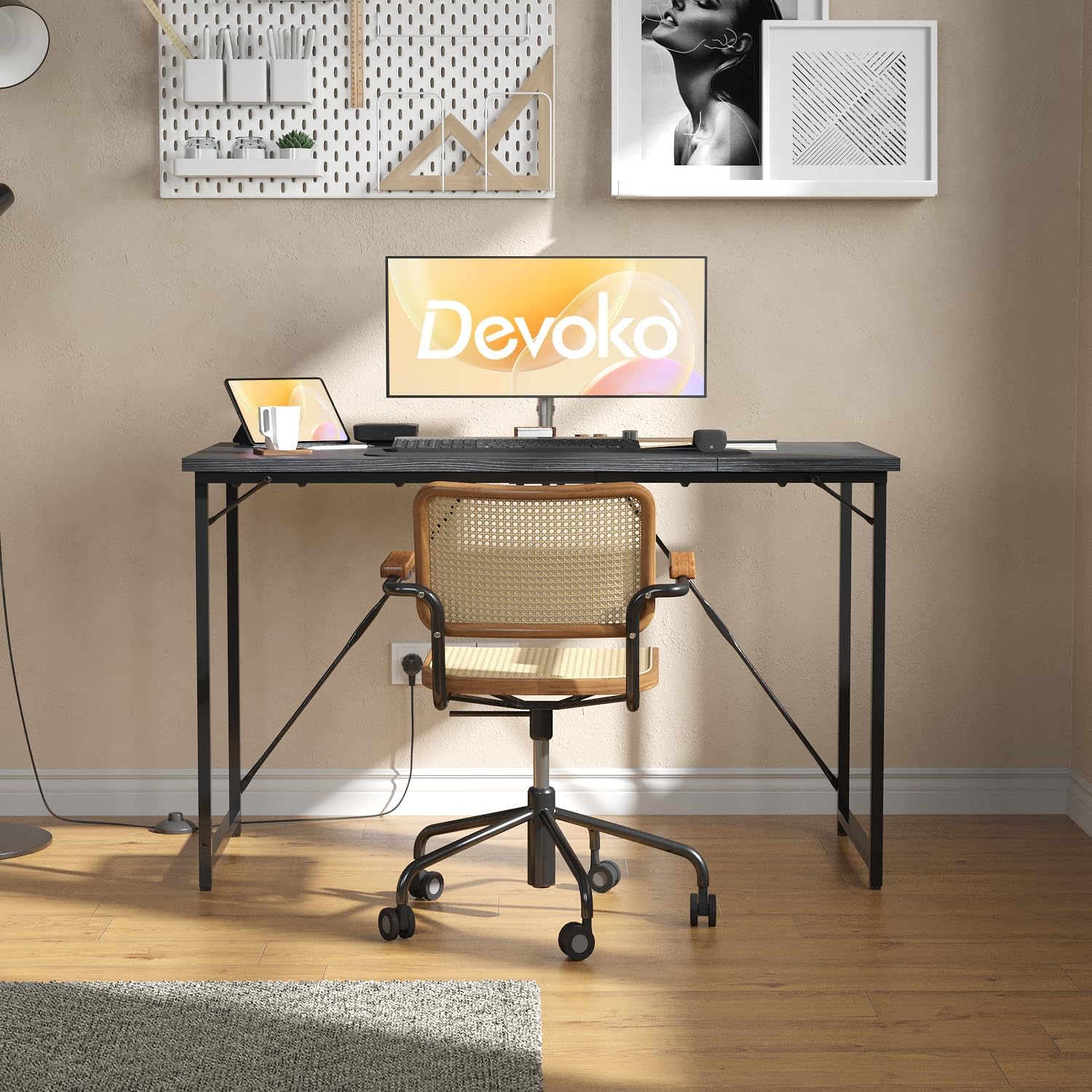
Image 5.2: A front view of the Devoko Computer Desk, set up with a monitor, keyboard, and mouse, demonstrating its functional workspace.
6. Maintenance
The desk features a waterproof surface, making it easy to clean and maintain. Follow these guidelines to keep your desk in optimal condition:
- Cleaning: Wipe the surface with a damp cloth and mild detergent. Avoid abrasive cleaners or harsh chemicals that could damage the finish.
- Spills: Promptly wipe up any spills to prevent potential damage, although the surface is designed to be waterproof.
- Protection: Use coasters for drinks and protective pads for hot items to further preserve the desk's surface.
- Inspection: Periodically check all screws and connections for tightness and re-tighten as needed to maintain stability.

Image 6.1: An illustration highlighting the waterproof nature of the desk surface, indicating its durability and ease of maintenance.

Image 6.2: A close-up view of the desk's textured surface, emphasizing its waterproof quality and ease of cleaning.
7. Troubleshooting
- Desk is wobbly: Ensure all screws are tightened. Adjust the leveling feet at the bottom of each leg to compensate for uneven floor surfaces.
- Parts do not fit: Double-check the part numbers against the assembly instructions. Ensure components are oriented correctly. Do not force parts together.
- Missing parts: Refer to the package contents list. If parts are missing, contact customer support for assistance.
8. Specifications
| Feature | Detail |
|---|---|
| Brand | Devoko |
| Model Number | G-0266-100-BK |
| Color | Black |
| Dimensions (L x W x H) | 100 x 50 x 75 cm |
| Material | Metal (frame), Engineered Wood (desktop) |
| Desktop Thickness | 12 mm |
| Weight Capacity | Up to 80 kg (approx. 176 lbs) / 300 lbs (approx. 136 kg) |
| Special Features | Adjustable leveling feet, Reinforced X-braces, Waterproof surface |
| Assembly Time | Less than 30 minutes |

Image 8.1: A diagram illustrating the precise dimensions of the Devoko Computer Desk: 100 cm length, 50 cm width, and 73.5 cm height.

Image 8.2: A visual representation highlighting the 12mm thickness of the desk's high-quality desktop material.
9. Support
Your satisfaction is important to us. If you encounter any issues during the use of your Devoko Computer Desk or have any questions, please do not hesitate to contact our customer support team for assistance. We are committed to providing a comfortable and reliable experience with our products.


