1. Product Overview
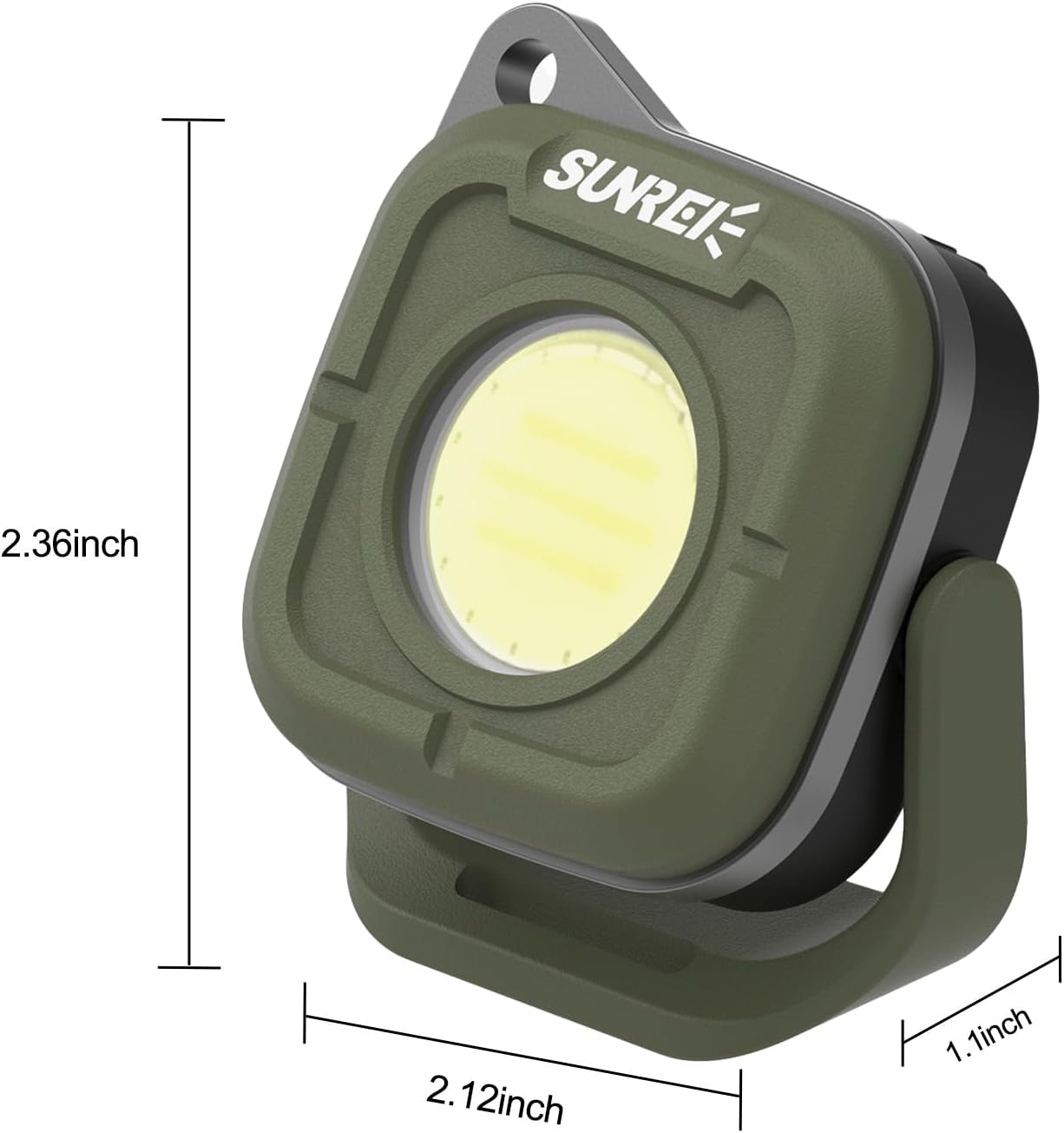
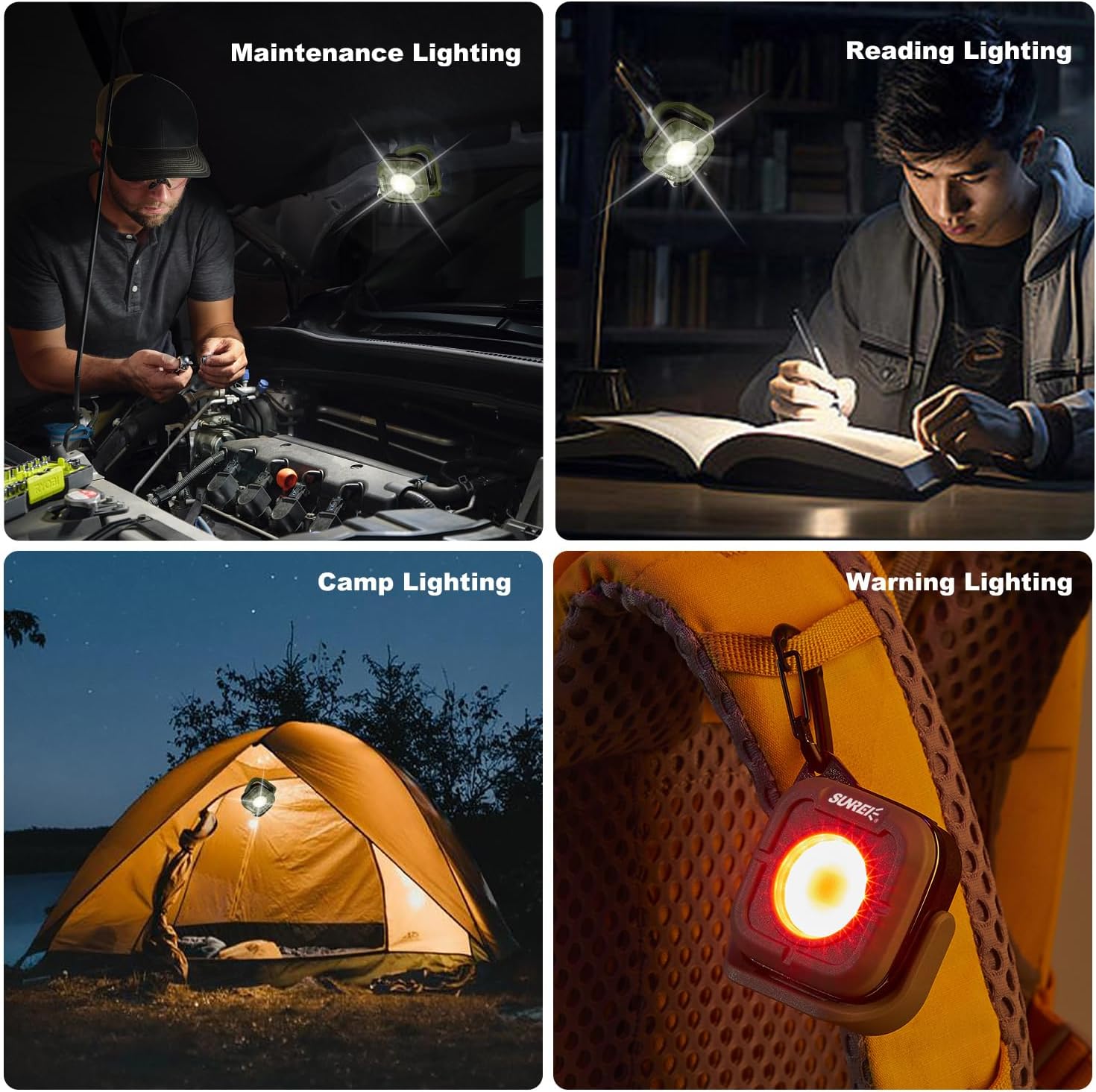
The SUNREI C500 is a versatile mini portable LED work light designed for various applications, including camping, car repair, and emergency lighting. It features multiple lighting modes, adjustable color temperatures, a 180-degree rotating stand, magnetic base, and a hook for convenient placement.

Key Features:
- Multiple Modes: 5 modes including low, medium, high brightness, red light, and SOS.
- Adjustable Color Temperature: 4 settings (2700K, 3500K, 4500K, 6500K) for varied lighting needs.
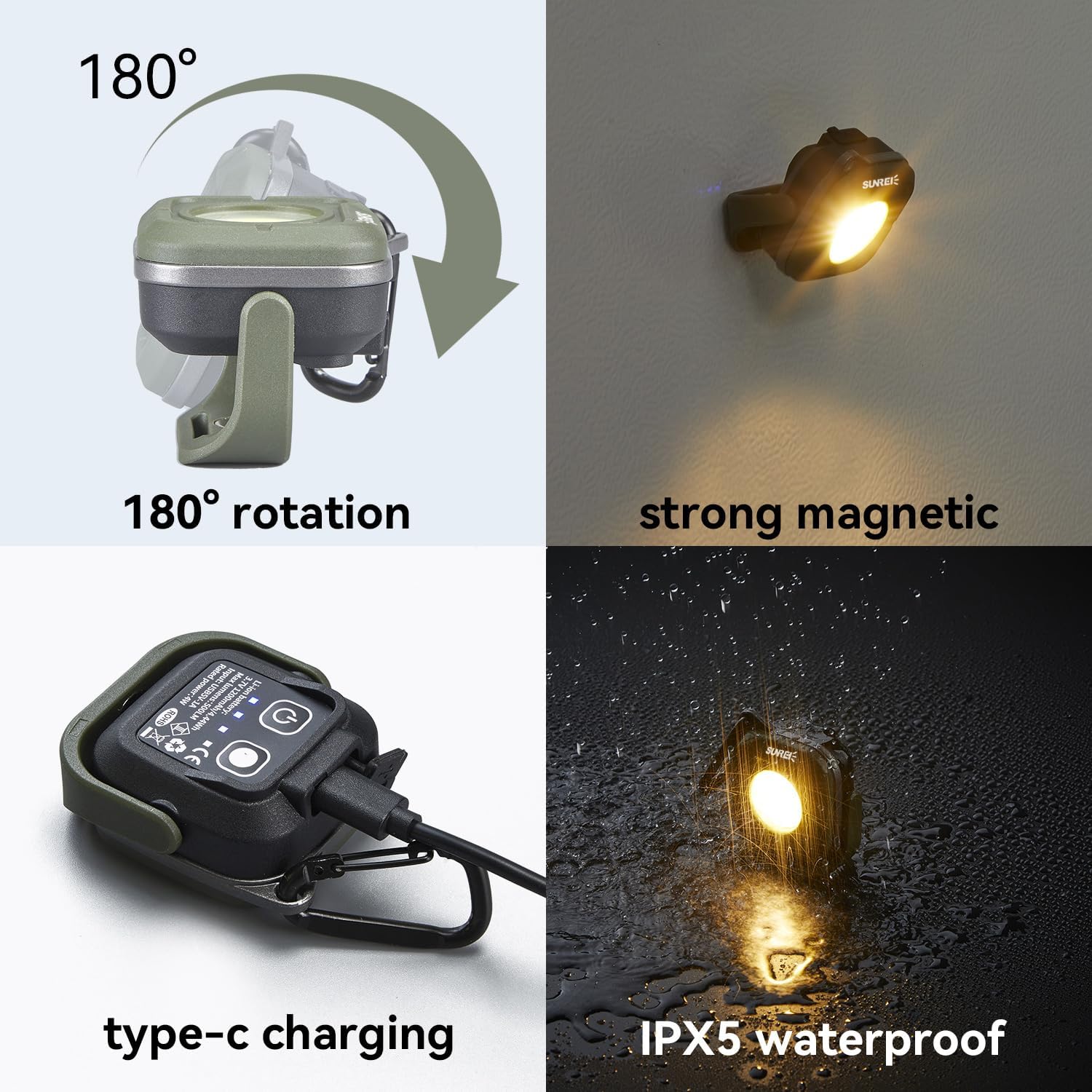
- 180° Rotation: Allows for flexible light positioning.
- Magnetic Base & Hook: Provides multiple mounting options.
- IPX5 Waterproof: Resistant to water splashes from any direction.
- Rechargeable Battery: Built-in 1200mAh lithium battery with Type-C charging.
2. Setup and Charging
2.1 Initial Charge
Before first use, fully charge the device. The built-in 1200mAh lithium battery provides up to 15.5 hours of runtime in energy-saving mode and can be fully charged in approximately 1.7 hours.
2.2 Charging Procedure
- Locate the Type-C charging port on the device.
- Connect the provided Type-C charging cable to the port.
- Connect the other end of the cable to a compatible USB power source (e.g., wall adapter, power bank, computer USB port).
- The power indicator lights will show charging status. All lights illuminated indicate a full charge.


3. Operating Instructions
3.1 Power On/Off and Brightness Adjustment
The device features a power switch to control its illumination.
- Power On: Click the power switch once to turn on the light at low brightness (35LM).
- Brightness Cycle: Subsequent clicks will cycle through medium brightness (110LM) and high brightness (350LM).
- Extremely Bright Mode: Hold down the power button for more than 1 second to activate the extremely bright mode (500LM).
- Power Off: Continue clicking the power switch after high brightness to turn off the light, or hold the power switch for 1 second in any mode to turn off.
3.2 Color Temperature Adjustment
The device offers four color temperature settings to suit different environments.
- Click the color temperature adjustment button to cycle through 2700K, 3500K, 4500K, and 6500K.
- Each brightness level can be adjusted to two different color temperatures.
3.3 Red Light and SOS Modes
For emergency or warning situations, the device includes red light functions.
- From the off state or after cycling through white light modes, click the power switch to activate red highlight mode (625nm).
- Click again for red flashing (SOS) mode.


3.4 Positioning and Mounting
The C500 offers flexible positioning options:
- 180° Rotating Stand: Adjust the light angle as needed.
- Magnetic Base: Attach the light to metallic surfaces for hands-free operation.
- Hook Function: Use the integrated lock hook to hang the light on backpacks, keychains, or other suitable points.

3.5 Product Video
4. Maintenance
4.1 Cleaning
To clean the device, wipe it with a soft, damp cloth. Avoid using abrasive cleaners or solvents that could damage the surface or internal components.
4.2 Storage
When not in use for extended periods, store the work light in a cool, dry place away from direct sunlight and extreme temperatures. Ensure the battery is partially charged (around 50%) before storage to prolong its lifespan.
4.3 Battery Care
The device uses a rechargeable lithium-ion battery. To maintain battery health:
- Avoid fully discharging the battery frequently.
- Charge the device regularly, even if not in frequent use.
- Do not expose the device to temperatures above 60°C (140°F) or below -20°C (-4°F).
5. Troubleshooting
5.1 Light Not Turning On
- Check Battery: Ensure the device is charged. Connect it to a power source using the Type-C cable.
- Power Button: Press the power button firmly. If it still doesn't turn on, try holding it for a few seconds.
5.2 Light Not Charging
- Cable Connection: Verify that the Type-C cable is securely connected to both the device and the power source.
- Power Source: Test the charging cable and power adapter with another device to ensure they are functional.
- Charging Port: Inspect the charging port for any debris or damage.
5.3 Dim or Inconsistent Light Output
- Battery Level: A low battery can cause dim light. Recharge the device.
- Mode Selection: Ensure the desired brightness mode is selected. Cycle through the brightness settings.
6. Specifications
| Feature | Specification |
|---|---|
| Model Number | SU-C500-Army green |
| Light Source Type | LED |
| Brightness | 500 Lumens (Max) |
| Color Temperature | 2700K, 3500K, 4500K, 6500K |
| Power Source | Battery Powered |
| Battery Type | Rechargeable Lithium Polymer |
| Battery Capacity | 1200mAh |
| Charging Port | Type-C |
| Water Resistance | IPX5 Waterproof |
| Material | ABS |
| Item Weight | 5.3 ounces (0.15 Kilograms) |
| Product Dimensions | 2.4 x 2.1 x 1.1 inches |
7. Warranty and Support
For warranty information, technical support, or any inquiries regarding your SUNREI C500 Mini Portable LED Work Light, please contact the manufacturer directly through their official channels or visit the SUNREI Store on Amazon.


