
SUNREI SU-C500
SUNREI Mini Portable LED Work Light User Manual
Model: SU-C500
Introduction
Thank you for choosing the SUNREI Mini Portable LED Work Light. This compact and versatile light is designed for various applications, offering multiple lighting modes, adjustable color temperatures, and robust features like magnetic attachment and IPX5 waterproofing. Please read this manual carefully to ensure proper use and maintenance of your device.
Product Features
- Versatile Lighting: Features 5 modes and 4 color temperatures (2700K, 3500K, 4500K, 6500K), offering 13 distinct lighting choices including low, medium, high brightness, and a 625nm red light mode with SOS function for emergencies.
- Adjustable & Durable Design: The light can be rotated 180° and includes a stand for flexible positioning. Constructed from high-quality ABS material, it boasts an IPX5 waterproof rating, protecting it from various weather conditions.
- Convenient Portability & Charging: Equipped with a lock hook for easy attachment to backpacks or keychains. Features a Type-C charging port for fast and convenient recharging.
- Extended Battery Life: Built-in 1200mAh rechargeable lithium battery provides up to 15.5 hours of runtime in energy-saving mode, with a full charge achieved in approximately 1.7 hours.
- Multi-Application Use: Ideal for a wide range of activities including camping, fishing, grilling, car repair, emergency lighting, and use in workshops, garages, and basements.
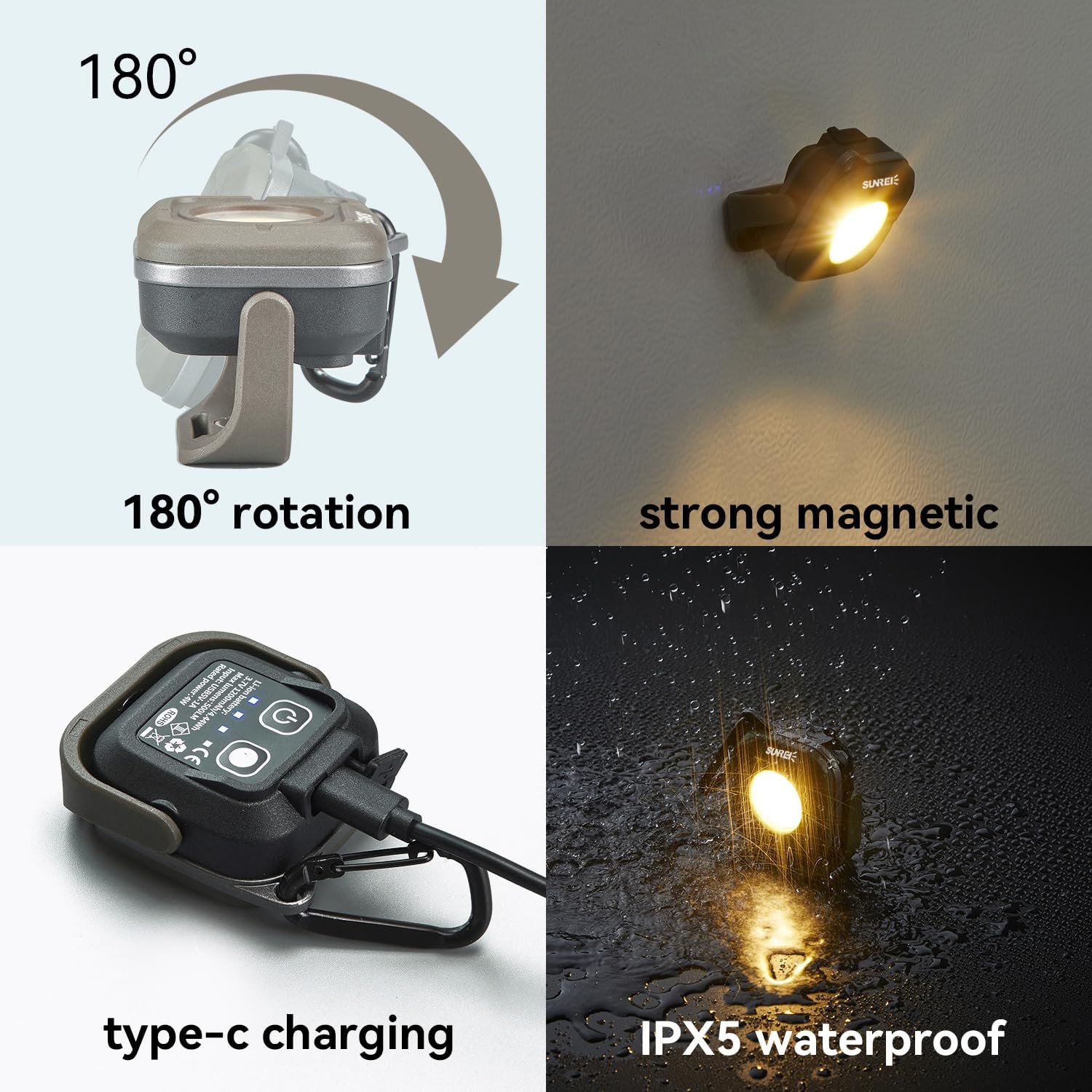
Figure 1: Key features including 180° rotation, strong magnetic base, Type-C charging, and IPX5 waterproof rating.
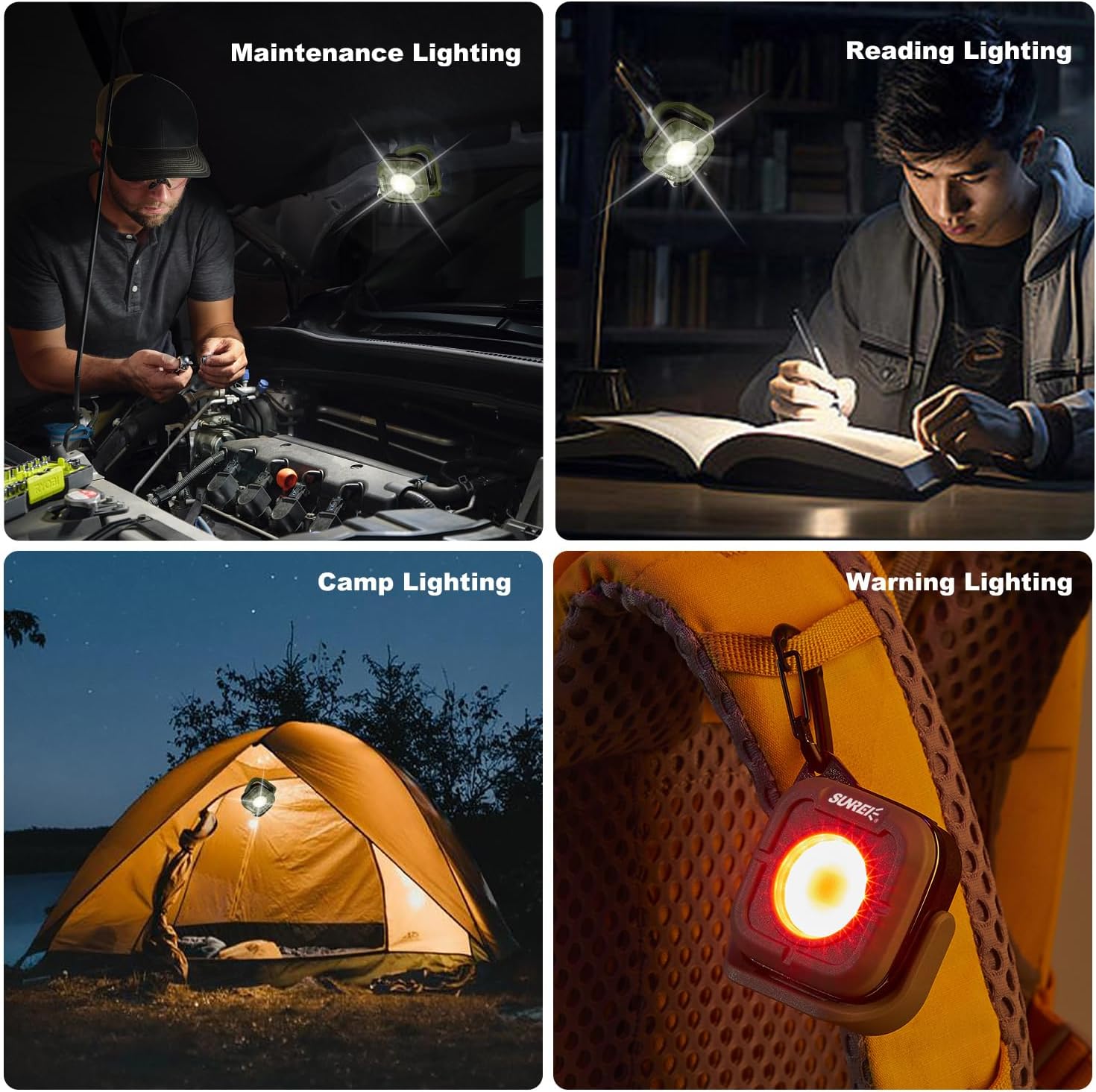
Figure 2: Versatile applications of the work light, including maintenance, reading, camping, and warning uses.
Video 1: Official product video demonstrating the SUNREI Mini Portable LED Work Light's features and various uses in different environments.
Setup & Charging
Initial Charge
Before first use, fully charge the SUNREI Mini Portable LED Work Light. Connect the included Type-C charging cable to the charging port on the device and plug the other end into a compatible USB power source (e.g., wall adapter, power bank, computer USB port). The power indicator lights will show charging status.
A full charge typically takes approximately 1.7 hours. The power indicator lights will change to indicate a full charge.
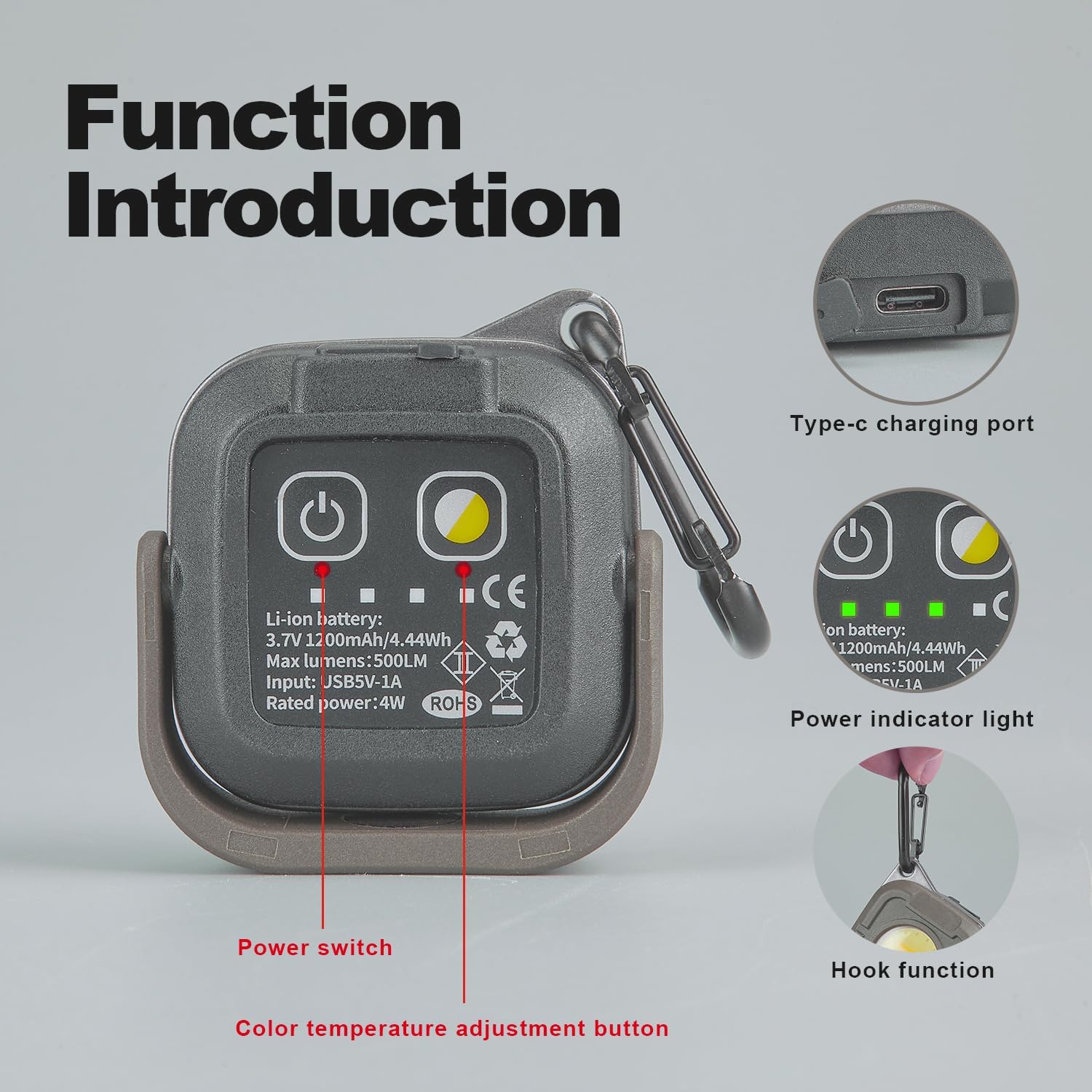
Figure 3: Overview of the light's functions and components, including the Type-C charging port.
Operating Instructions
Power On/Off and Brightness Adjustment
- To turn on the light, click the power switch.
- Subsequent clicks of the power switch will cycle through brightness levels: Low (35LM) → Medium (110LM) → High (350LM).
- To turn off the light, continue clicking the power switch until the light turns off, or hold the power button for more than 1 second from any white light mode to activate the extremely bright mode (500LM), then click again to turn off.
Color Temperature Adjustment
While the light is on in any white light mode, click the color temperature switch to cycle through the available color temperatures: 2700K → 3500K → 4500K → 6500K. Each brightness level can be adjusted to 2 different color temperatures.
Red Light and SOS Mode
From the white light modes, continue clicking the power switch past the High brightness setting to activate the Red Highlight mode (625nm). Click again for Red Flashing (SOS) mode. Another click will return to the Low brightness white light mode.

Figure 4: Detailed operational flow for brightness, color temperature, and red light modes.
Maintenance
- Cleaning: Wipe the light with a soft, damp cloth. Do not use abrasive cleaners or solvents.
- Storage: Store the light in a cool, dry place when not in use. If storing for extended periods, charge the battery every 3-6 months to maintain battery health.
- Water Resistance: The light is IPX5 waterproof, meaning it can withstand splashes and light rain. Do not submerge the device in water.
Troubleshooting
| Problem | Possible Cause | Solution |
|---|---|---|
| Light does not turn on. | Battery is depleted. | Charge the light using the provided Type-C cable. |
| Light is dim or flickers. | Low battery or incorrect mode. | Recharge the battery. Cycle through modes to ensure desired brightness is selected. |
| Cannot change color temperature. | Not in a white light mode. | Ensure the light is in one of the white light brightness modes (Low, Medium, High) before attempting to change color temperature. |
| Charging not working. | Cable or power source issue. | Try a different Type-C cable or a different USB power adapter. Ensure the cable is fully inserted. |
Specifications
| Attribute | Value |
|---|---|
| Brand | SUNREI |
| Model Number | SU-C500 |
| Style | C500 |
| Color | khaki |
| Power Source | Battery Powered |
| Light Source Type | LED |
| Material | ABS |
| White Brightness | 500 Lumens (Max) |
| Included Components | 1*Magnetic Work Light, 1*diffuser, Charging Cable |
| Battery Cell Composition | Lithium Ion / Lithium Polymer |
| Battery Capacity | 1200mAh |
| Runtime | Up to 15.5 hours (energy saving mode) |
| Charging Time | Approx. 1.7 hours |
| Water Resistance Level | IPX5 Waterproof |
| Item Weight | 0.15 Kilograms (5.3 ounces) |
| Product Dimensions | 4.5 x 3.7 x 1.57 inches |

Figure 5: Product dimensions for the SUNREI Mini Portable LED Work Light.
Warranty and Support
For warranty information, technical support, or any inquiries regarding your SUNREI Mini Portable LED Work Light, please refer to the official SUNREI website or contact their customer service directly. Contact details can typically be found on the product packaging or the manufacturer's official online channels.
Related documentsSU-C500

Ask a question about this manual
Ask about setup, troubleshooting, compatibility, parts, safety, or missing instructions. Manuals+ will review the question and use this page’s manual context to help answer it.