
Introduction
Thank you for choosing the gorsun E97 Wireless Bluetooth Headphones. These over-ear headphones are designed to provide a high-fidelity audio experience with deep bass, extended playtime, and versatile connectivity. This manual will guide you through the setup, operation, and maintenance of your new headphones.

Image: The gorsun E97 Wireless Bluetooth Headphones in blue, showcasing their sleek over-ear design.
What's in the Box
Please check the package contents to ensure all items are present:
- gorsun E97 Wireless Bluetooth Headphones
- USB C Cable
- User Manual
Product Overview
Familiarize yourself with the key components of your gorsun E97 headphones.

Image: A close-up of the headphone earcup, highlighting its ergonomic design, 90-degree rotation, adjustable headband, and foldable mechanism for portability.
The headphones feature soft memory foam ear cups and an adjustable, stretchable headband for comfortable all-day wear. They are designed to be lightweight and foldable for easy storage and transport.

Image: An exploded view illustrating the internal high-definition audio components, designed for balanced and crystal-clear sound.
Setup
Charging the Headphones
Before first use, fully charge your headphones.
- Connect the provided USB-C cable to the charging port on the headphones.
- Connect the other end of the cable to a USB power source (e.g., computer, wall adapter).
- The indicator light will show charging status (refer to the specific light behavior in your quick start guide).
- A full charge takes approximately 2 hours and provides up to 55 hours of playtime.

Image: Close-up of the USB Type-C charging port on the headphone, indicating modern charging compatibility.
Bluetooth Pairing
Pair your headphones with your device for wireless audio.
- Ensure the headphones are charged and powered off.
- Press and hold the power button until the indicator light flashes, indicating pairing mode.
- On your device (PC, phone, laptop), enable Bluetooth and search for available devices.
- Select "gorsun E97" from the list of devices.
- Once connected, the indicator light will change (refer to your quick start guide for specific light behavior).
The headphones utilize advanced Bluetooth 5.3 technology, ensuring a stable connection with a transmission range of up to 33 feet (10 meters).

Image: The gorsun E97 headphones positioned next to a smartphone, illustrating Bluetooth 5.3 connectivity and a 10m distance range for stereo sound.
Operating Instructions
Sound Modes (EQ)
Your gorsun E97 headphones offer three distinct EQ sound modes to customize your listening experience:
- Bass Mode: Enhances low frequencies for a powerful, thumping sound.
- Voice Mode: Optimizes mid-range frequencies for clear vocal reproduction.
- Pop Mode: Provides a balanced sound profile suitable for general music listening.
To switch between these modes, locate and press the EQ button on the headphone earcup.
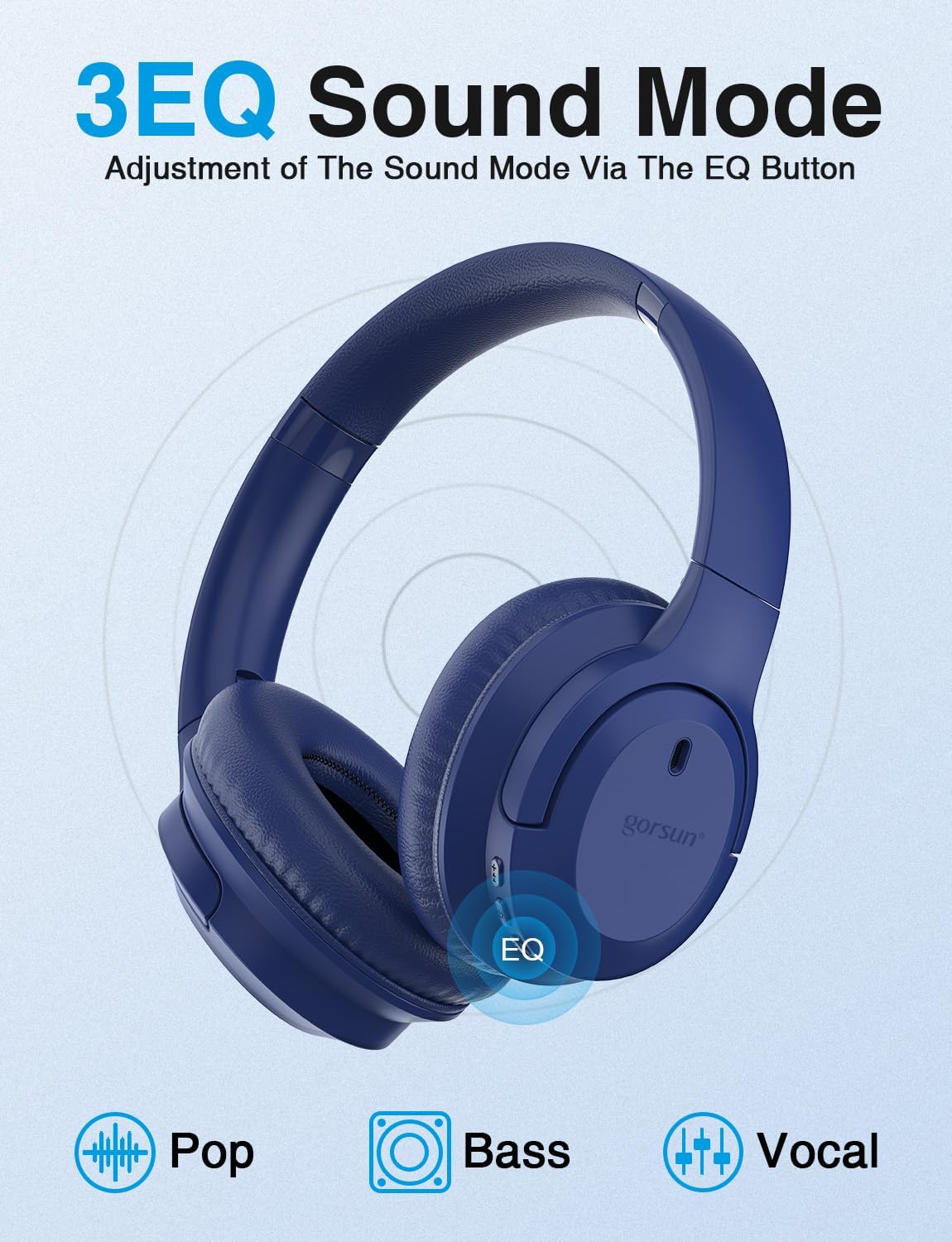
Image: The gorsun E97 headphones with the EQ button clearly marked, demonstrating the three available sound modes: Pop, Bass, and Vocal.
Making Calls
The headphones feature a built-in microphone for hands-free calls.
- To answer an incoming call, press the multi-function button once.
- To end a call, press the multi-function button once again.
- To reject an incoming call, press and hold the multi-function button for 2 seconds.
Video: An official product video demonstrating the features of the gorsun E97 Wireless Bluetooth Headphones, including their design, sound modes, and connectivity options.
Wired Connection
For situations where Bluetooth is not available or preferred, you can use the included 3.5mm audio cable for a wired connection.
- Plug one end of the 3.5mm audio cable into the audio jack on the headphones.
- Plug the other end into the 3.5mm audio output of your device.
- The headphones will automatically switch to wired mode.

Image: Illustration showing the flexibility of the gorsun E97 headphones, offering both wireless Bluetooth freedom and a wired backup option via a 3.5mm audio jack.
Maintenance
To ensure the longevity and optimal performance of your gorsun E97 headphones, please follow these maintenance guidelines:
- Cleaning: Use a soft, dry cloth to clean the headphones. Do not use abrasive cleaners or solvents.
- Storage: When not in use, store the headphones in a cool, dry place, away from direct sunlight and extreme temperatures. Utilize their foldable design for compact storage.
- Water Resistance: These headphones are not water resistant. Avoid exposure to liquids, moisture, or humidity.
- Handling: Avoid dropping the headphones or subjecting them to strong impacts.
Troubleshooting
If you encounter any issues with your headphones, please refer to the following common solutions:
| Problem | Possible Solution |
|---|---|
| Headphones won't turn on | Ensure the headphones are fully charged. |
| Cannot pair with device |
|
| No sound or low volume |
|
| Poor call quality |
|
Specifications
| Feature | Detail |
|---|---|
| Model Name | GS-E97 |
| Connectivity Technology | Wireless (Bluetooth 5.3) |
| Bluetooth Range | 10 Meters (33 feet) |
| Headphones Jack | 3.5 mm Jack |
| Battery Life | 55 Hours |
| Charging Time | 2 Hours |
| Control Type | Media Control, Touch |
| Earpiece Shape | Over Ear |
| Material | Acrylonitrile Butadiene Styrene (ABS) |
| Item Weight | 14 ounces |
| Frequency Range | 20 Hz - 20,000 Hz |
| Water Resistance Level | Not Water Resistant |
Warranty and Support
For warranty information and customer support, please refer to the documentation included with your purchase or visit the official gorsun website.
You can also visit the gorsun Store on Amazon for more product details and assistance.