
Septpenta K57pro
Septpenta K57pro Smart Watch User Manual
Model: K57pro
1. Introduction and Overview
The Septpenta K57pro Smart Watch is a versatile and durable wearable device designed for both daily use and outdoor activities. It features a 1.96-inch IPS touchscreen display, comprehensive health monitoring capabilities, and multiple sports modes. Compatible with Android 4.4 and above, and iOS 8.0 and above, this smartwatch keeps you connected and informed with call and message reminders, music control, and more.

Figure 1: Septpenta K57pro Smart Watch with orange strap.
2. Package Contents
Please check the package for the following items:
- 1 x Septpenta K57pro Smart Watch
- 1 x Charging Cable (Contact Magnetic Charging)
- 1 x User Manual

Figure 2: The Septpenta K57pro Smart Watch alongside its magnetic charging cable.
3. Setup Guide
3.1 Charging the Smart Watch
Before first use, fully charge your smartwatch. Connect the magnetic charging cable to the charging contacts on the back of the watch and plug the USB end into a compatible power source (e.g., USB wall adapter, computer USB port). A full charge typically provides 5 to 10 days of working time and up to 30 days of standby time.
Figure 3: The K57pro Smart Watch boasts a long battery life, offering up to 10 days of typical use and 30 days standby.
3.2 App Installation
To unlock the full potential of your K57pro Smart Watch, download and install the FitCloudPro app on your smartphone. Search for "FitCloudPro" in your device's app store (Google Play Store for Android, Apple App Store for iOS) or scan the QR code provided in the physical manual (if available).
3.3 Pairing with Your Smartphone
- Ensure your smartwatch is charged and powered on.
- Enable Bluetooth on your smartphone.
- Open the FitCloudPro app.
- Follow the in-app instructions to search for and connect to your K57pro Smart Watch. The app will guide you through the pairing process.
- Once paired, the watch will synchronize time and data with your phone.
4. Operating Instructions
4.1 Basic Navigation
The K57pro Smart Watch features a 1.96-inch IPS square screen with full view angle and a resolution of 320x386. Navigate through menus and functions by swiping across the touchscreen and tapping on icons.
4.2 Call and Message Reminders
With its built-in Bluetooth chipset and speaker, the smartwatch allows you to receive call and message notifications directly on your wrist. It will vibrate to alert you to incoming calls and messages. You can answer calls, play music, read messages, store contacts, and view call records directly from the watch.
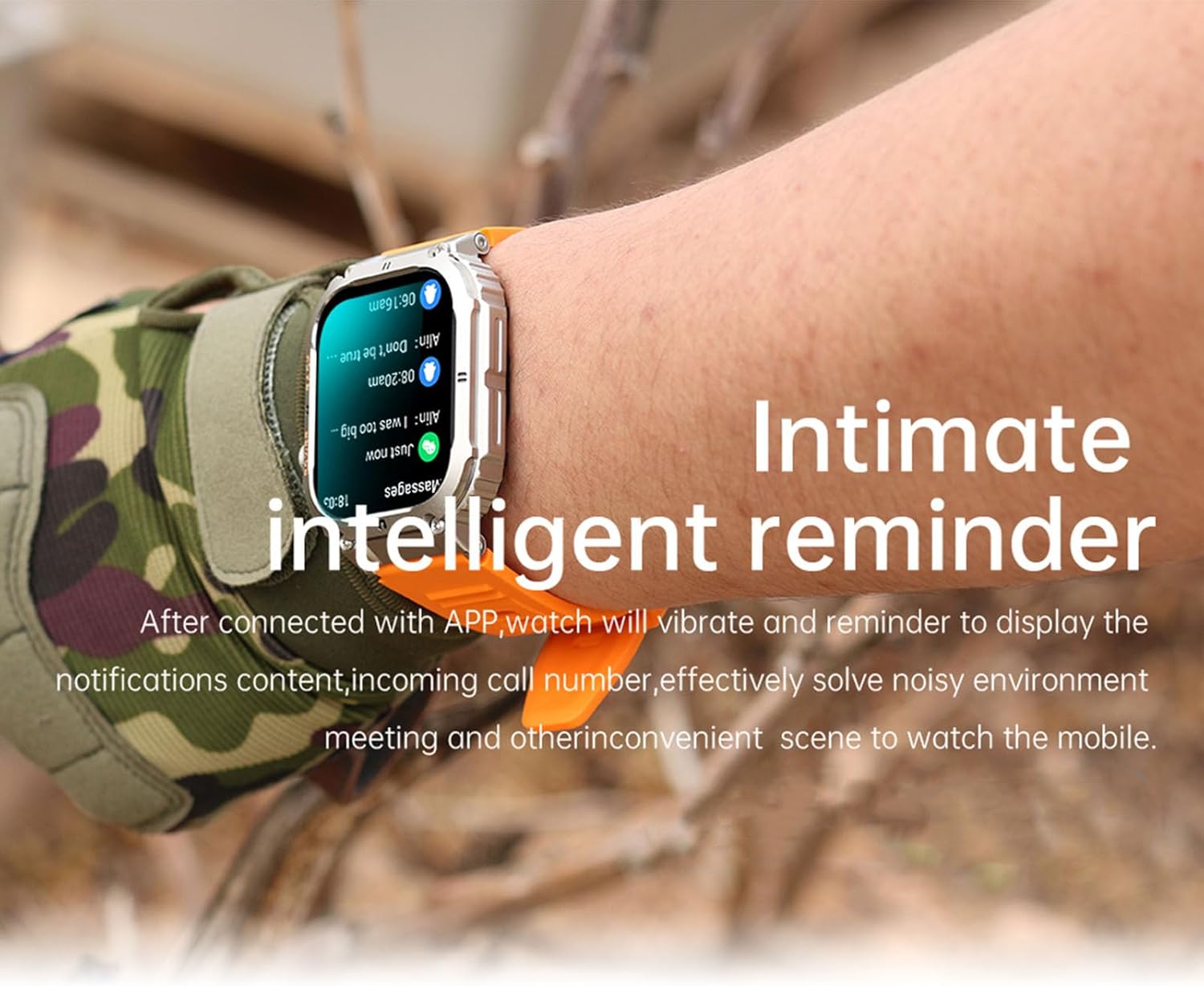
Figure 4: The smartwatch provides intimate intelligent reminders for calls and messages.
4.3 Health Monitoring
The K57pro Smart Watch supports comprehensive health data monitoring, including heart rate and sleep tracking. It also features blood oxygen detection. Use the FitCloudPro app to view detailed reports and analyze your health status over time.
- Heart Rate: Monitors your heart rate throughout the day.
- Sleep Monitoring: Tracks your sleep patterns and quality.
- Blood Oxygen: Measures your blood oxygen saturation levels.
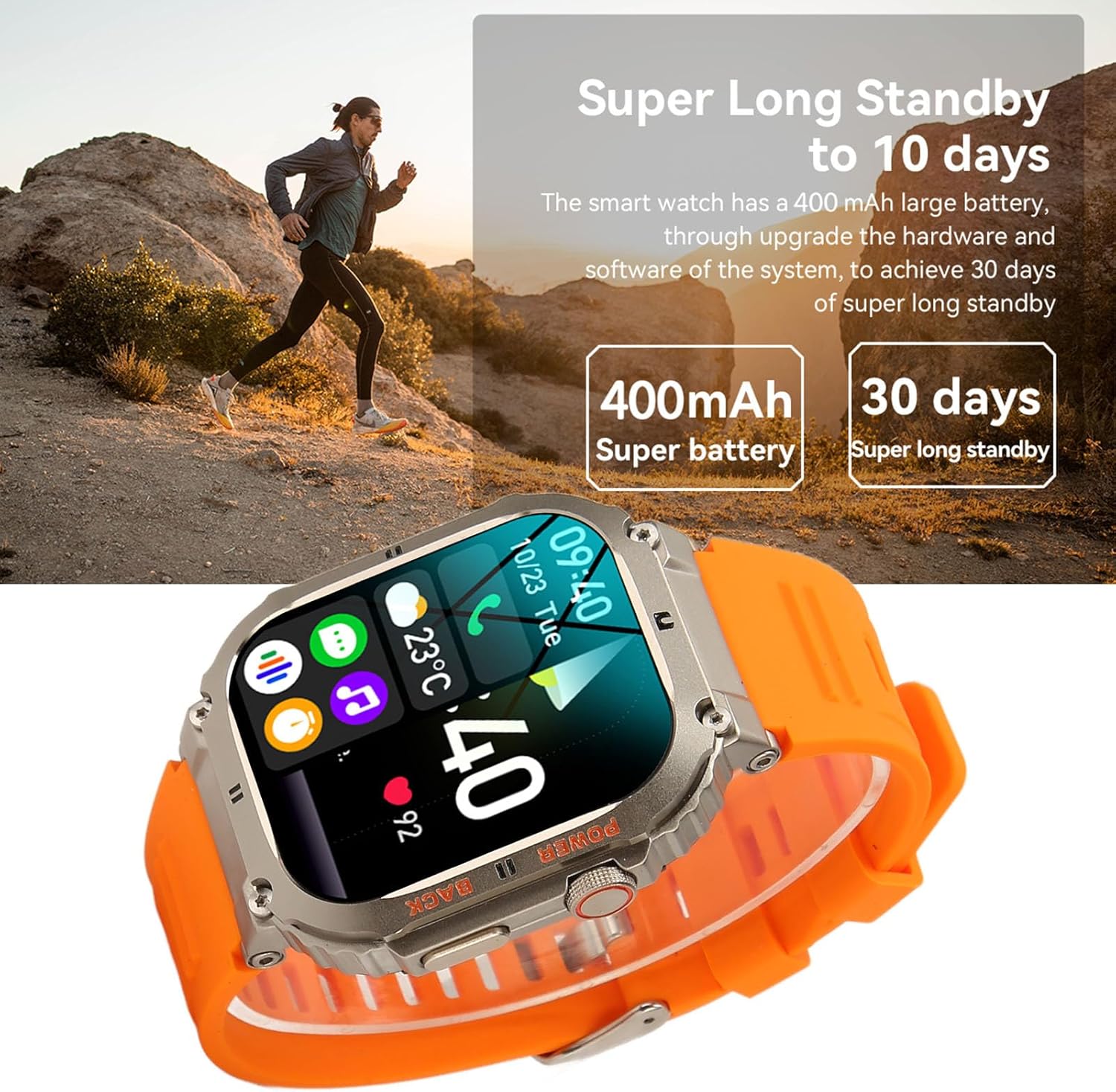
Figure 5: The K57pro Smart Watch features blood oxygen detection.
4.4 Multiple Sports Modes
This fitness watch offers various sports modes to accurately record your activity data. Select the appropriate mode before starting your exercise:
- Walking
- Running
- Cycling
- Skiing
- Mountaineering
- Swimming
- Baseball
- Soccer
- Basketball
- And more...
The watch automatically and accurately records your steps, distance, and calories burned, helping you track your fitness progress.

Figure 6: The K57pro Smart Watch is designed for sports and includes Bluetooth calling.
4.5 Customization
Personalize your smartwatch experience by customizing the watch dial. Through the FitCloudPro app, you can define your favorite image as the dial or choose from a variety of pre-set options.

Figure 7: Customize your watch dial through the FitCloudPro app.
4.6 Other Practical Functions
The smartwatch offers additional convenient features:
- Weather Forecast
- Alarm Clock
- Camera Control
- Music Control
- Timer
- Sedentary Reminder
5. Maintenance
To ensure the longevity and optimal performance of your Septpenta K57pro Smart Watch, follow these maintenance guidelines:
- Cleaning: Wipe the watch and strap regularly with a soft, dry cloth. For stubborn dirt, use a slightly damp cloth and then dry thoroughly. Avoid harsh chemicals or abrasive materials.
- Water Resistance: The watch is designed to be daily waterproof. Avoid prolonged submersion in water, hot water, or steam. Do not press buttons underwater.
- Durability: The watch features a unique combination of composite materials and a metal casing, providing high strength, anti-fall, anti-smash, and dust-proof performance. While durable, avoid extreme impacts or dropping the device from significant heights.
- Storage: Store the watch in a cool, dry place when not in use. Avoid direct sunlight or extreme temperatures.

Figure 8: The K57pro Smart Watch features a strong fuselage, designed to be anti-fall and anti-smash.

Figure 9: The watch is built with quality comparable to military products, suitable for harsh environments.
6. Troubleshooting
If you encounter issues with your Septpenta K57pro Smart Watch, please refer to the following common solutions:
- Watch not turning on:
- Ensure the watch is fully charged. Connect it to the charging cable and a power source for at least 30 minutes.
- Press and hold the power button for several seconds.
- Cannot pair with smartphone:
- Make sure Bluetooth is enabled on your smartphone.
- Ensure the FitCloudPro app is open and running.
- Place the watch close to your smartphone during pairing.
- Restart both the watch and your smartphone.
- Clear Bluetooth cache on your phone (Android) or forget the device and re-pair (iOS).
- Notifications not received:
- Check if the watch is successfully paired with the app.
- Ensure notification permissions are enabled for the FitCloudPro app in your phone's settings.
- Verify that notification settings are enabled within the FitCloudPro app for specific applications.
- Inaccurate health data:
- Ensure the watch is worn snugly on your wrist, not too loose or too tight.
- Clean the sensor on the back of the watch.
- For best results, remain still during measurements.
- Screen unresponsive:
- Restart the watch by holding down the power button.
- Ensure the screen is clean and dry.
7. Specifications
| Feature | Description |
|---|---|
| Model Number | K57pro |
| Screen Size | 1.96 inch IPS square screen full view angle |
| Screen Resolution | 320x386 IPS screen |
| Main Chip | 8763EWE |
| Memory Flash | 128MB |
| Bluetooth Version | 5.0 |
| Battery Capacity | 360mAh Lithium battery |
| Charging Method | Contact magnetic charging |
| Standby Time | Approx. 30 days |
| Working Time | Approx. 5 to 10 days |
| Speaker | 0916 external speaker |
| Motor | Built-in vibration reminder |
| Compatibility | Android 4.4 and above, iOS 8.0 and above |
| App Name | FitCloudPro |
| Item Weight | Approx. 172g / 6.1oz |
| Manufacturer | Septpenta |
8. Warranty and Support
For any questions, technical support, or warranty inquiries regarding your Septpenta K57pro Smart Watch, please contact Septpenta customer service through the official channels provided at the point of purchase or on the Septpenta brand website. Please retain your proof of purchase for warranty claims.
Important Warning

Please read the product instructions carefully before use to ensure correct use.
Ask a question about this manual
Ask about setup, troubleshooting, compatibility, parts, safety, or missing instructions. Manuals+ will review the question and use this page’s manual context to help answer it.