
Introduction
The LIORQUE TM083 Visual Timer is designed to provide a clear, visual representation of time passing, making it suitable for various activities such as studying, cooking, classroom management, and more. Its intuitive design helps users, especially children, develop a better sense of time management. This manual provides instructions for setup, operation, and maintenance of your visual timer.
Product Features
- Visual Countdown Display: A colored disk gradually disappears as time elapses, offering an easy-to-understand visual cue of remaining time.
- Rechargeable Battery: Equipped with a built-in rechargeable battery, eliminating the need for frequent battery replacements.
- Adjustable Alarm: Offers both a sound alarm and a flashing light reminder for flexible use in different environments.
- Easy Operation: Simple twist-and-set mechanism for quick time adjustment.
- Silent Operation: Designed to operate with minimal sound, allowing for focused work or study.
- Magnetic Back: Features a magnetic back for convenient placement on metallic surfaces.
Package Contents
- LIORQUE TM083 Visual Timer
- USB Charging Cable (Type-C)
- User Manual
Setup
1. Initial Charging
Before first use, fully charge the timer. Connect the provided USB Type-C cable to the charging port on the back of the timer and plug the other end into a compatible USB power adapter (not included). The charging indicator light will illuminate during charging.
2. Power On/Off
Locate the ON/OFF switch on the back of the timer. Slide the switch to the 'ON' position to power on the device. Slide it to 'OFF' when not in use to conserve battery life.

Image: Rear view of the timer highlighting the power switch, charging port, and alarm settings.
Operating Instructions
1. Setting the Timer
To set the desired time, rotate the central knob clockwise. The red (or rainbow) visual disk will expand to indicate the set duration, up to 60 minutes. The timer will begin counting down immediately after setting.

Image: Instructions for setting the timer by rotating the knob.
2. Stopping the Alarm
When the set time expires, the alarm will activate according to your chosen setting (sound or light). To stop the alarm, press the top button on the timer. Alternatively, you can slightly turn the knob clockwise and then immediately return it to the zero position.

Image: A hand pressing the top button, which can also stop the alarm.
3. Pausing the Timer
The timer features a pause function. Press the top button once to pause the countdown. The indicator light will turn red. Press it again to resume the countdown, and the indicator light will turn green. Note: The pause function can be disabled if not desired.
Alarm Settings
The LIORQUE TM083 offers two types of reminders:
- Flashing Light Reminder (Mute): Ideal for quiet environments like classrooms or libraries. Slide the alarm switch on the back of the timer to the light icon position. When time is up, a light will flash without sound.
- Buzzer Reminder (Sound): Suitable for general use where an audible alert is preferred. Slide the alarm switch on the back of the timer to the sound icon position. When time is up, a buzzer will sound.
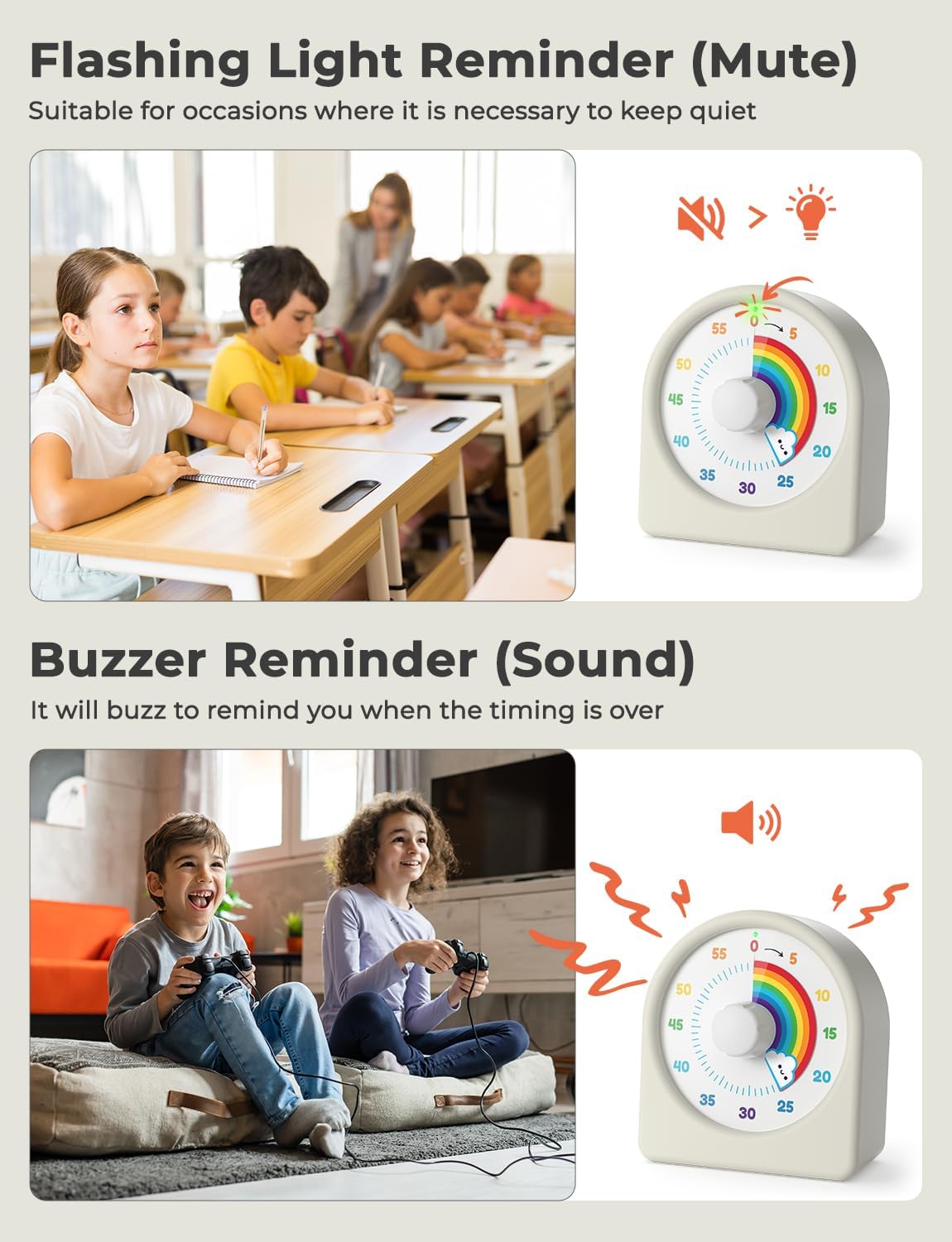
Image: Visual representation of the flashing light and buzzer alarm options.
Maintenance
- Cleaning: Wipe the timer with a soft, dry cloth. Avoid using abrasive cleaners or solvents.
- Storage: Store the timer in a cool, dry place away from direct sunlight and extreme temperatures.
- Battery Care: To prolong battery life, avoid fully discharging the timer frequently. Charge it when the battery indicator is low.
Troubleshooting
| Problem | Possible Cause | Solution |
|---|---|---|
| Timer does not start or respond. | Timer is off or battery is depleted. | Ensure the ON/OFF switch is in the 'ON' position. Charge the timer fully. |
| Alarm does not sound. | Alarm setting is on 'Light' mode or volume is too low. | Check the alarm switch on the back and set it to the 'Sound' icon. |
| Timer not charging. | Faulty cable or power adapter, or charging port issue. | Try a different USB cable and power adapter. Ensure the cable is securely connected. |
Specifications
- Model Number: TM083
- Color: White
- Brand: LIORQUE
- Product Dimensions: 2.95"D x 1.26"W x 3.22"H
- Item Weight: 120 Grams (4.2 ounces)
- Screen Size: 7.7 Centimeters
- Batteries: 1 C battery required (included, rechargeable)

Image: Product dimensions.
Warranty and Support
For warranty information or technical support, please refer to the contact details provided with your purchase documentation or visit the official LIORQUE website. Keep your proof of purchase for warranty claims.
