
Introduction
This manual provides essential information for the safe and efficient operation of your CHIQ U55QH7C 55-inch 4K QLED Smart TV. Please read it thoroughly before using the product and retain it for future reference.
The CHIQ U55QH7C is a 55-inch 4K QLED Smart TV featuring Dolby Vision HDR10, a frameless design, and Android TV OS with integrated Google Play, Netflix, and Prime Video. It supports Bluetooth 5.0, HDMI 2.0, and USB 2.0 connectivity, and is compatible with Alexa.

Image: An overview of the CHIQ U55QH7C TV's key features, including QLED, 4K HDR, Dolby Vision, Android TV OS, 1.07 billion colors, Google Assistant, 2GB RAM + 16GB ROM, frameless design, dbx-tv, and Dolby Audio.
Safety Information
Please read and follow these safety precautions to prevent damage to your TV and ensure your safety:
- Power Source: Only use the power cord and adapter supplied with the TV. Ensure the voltage matches your local power supply.
- Ventilation: Do not block ventilation openings. Allow adequate space around the TV for proper airflow.
- Water and Moisture: Do not expose the TV to rain, moisture, or place objects filled with liquids on or near the TV.
- Heat Sources: Keep the TV away from heat sources such as radiators, heat registers, stoves, or other heat-producing appliances.
- Cleaning: Unplug the TV before cleaning. Use a soft, dry cloth. Never use harsh chemicals or abrasive cleaners.
- Mounting: If wall-mounting, ensure the wall mount is compatible with the TV's VESA standards and installed by qualified personnel.
- Children: Do not allow children to climb on the TV or stand.
- Lightning: Unplug the TV during lightning storms or when unused for long periods.
What's in the Box
Upon unpacking, ensure all the following components are present:
- CHIQ U55QH7C 55-inch 4K QLED Smart TV
- TV Stand
- Bluetooth Remote Control
- 2 x AAA Batteries (for remote control)
- Power Charger
- User Manual

Image: The CHIQ U55QH7C TV with its included Bluetooth remote control.
Setup Instructions
1. Unpacking and Placement
Carefully remove the TV from its packaging. Place the TV on a stable, flat surface or mount it on a wall using a compatible VESA mount.

Image: Diagram showing the dimensions of the CHIQ U55QH7C TV with and without the stand. Dimensions with stand: 1230.9 x 275 x 768.4 mm (W x D x H). Dimensions without stand: 1230.9 x 88.6 x 713.4 mm (W x D x H).
- Dimensions with Stand (W x D x H): 1230.9 x 275 x 768.4 mm
- Dimensions without Stand (W x D x H): 1230.9 x 88.6 x 713.4 mm
- VESA Mount Compatibility: VESA MIS-F 200 x 200 mm, 200 x 100 mm
2. Connecting Peripherals
The TV offers various connectivity options for external devices.

Image: Rear view of the CHIQ U55QH7C TV, illustrating the location of various input and output ports.
- HDMI Ports: 3 (HDMI 2.0) for connecting Blu-ray players, game consoles, etc.
- USB Ports: 1 (USB 2.0) for connecting USB drives.
- Bluetooth: Version 5.0 for wireless audio devices or the remote control.
- Other Ports: Includes composite video input (1), component input (2), and audio output ports (2).
3. Power Connection
Connect the power charger to the TV and then plug it into a suitable power outlet (AC100-240V/50-60HZ).
4. Remote Control Setup
Insert the two AAA batteries into the Bluetooth remote control. Follow the on-screen instructions to pair the remote with your TV during initial setup.
Operating Instructions
1. Initial Power On and Android TV Setup
Press the power button on the remote control. The TV will guide you through the initial Android TV setup process, including network connection, Google account login, and channel scanning.

Image: The Android TV home screen of the CHIQ U55QH7C, displaying various apps and content recommendations.
2. Navigating Android TV
Use the Bluetooth remote control to navigate the Android TV interface. Access your favorite streaming applications like Netflix, Prime Video, and Google Play directly from the home screen.

Image: The CHIQ U55QH7C TV displaying a grid of popular streaming applications available on Android TV.
3. Smart Features
- Google Assistant: Use the voice control feature on your remote to search for content, launch apps, or get information.
- Chromecast Built-in: Cast movies, shows, photos, and more from your phone or tablet directly to your TV.
- Alexa Compatibility: Integrate your TV with Alexa-enabled devices for voice control.

Image: The CHIQ U55QH7C TV screen showing the Google Assistant interface, ready for voice commands.

Image: The CHIQ U55QH7C TV displaying content cast from a mobile device, illustrating the Chromecast built-in feature.
4. Picture and Sound Settings
Access the TV settings menu to adjust picture modes, brightness, contrast, and sound profiles. The TV features QLED technology, 4K resolution, Dolby Vision HDR10, and Dolby Audio for an enhanced viewing and listening experience.
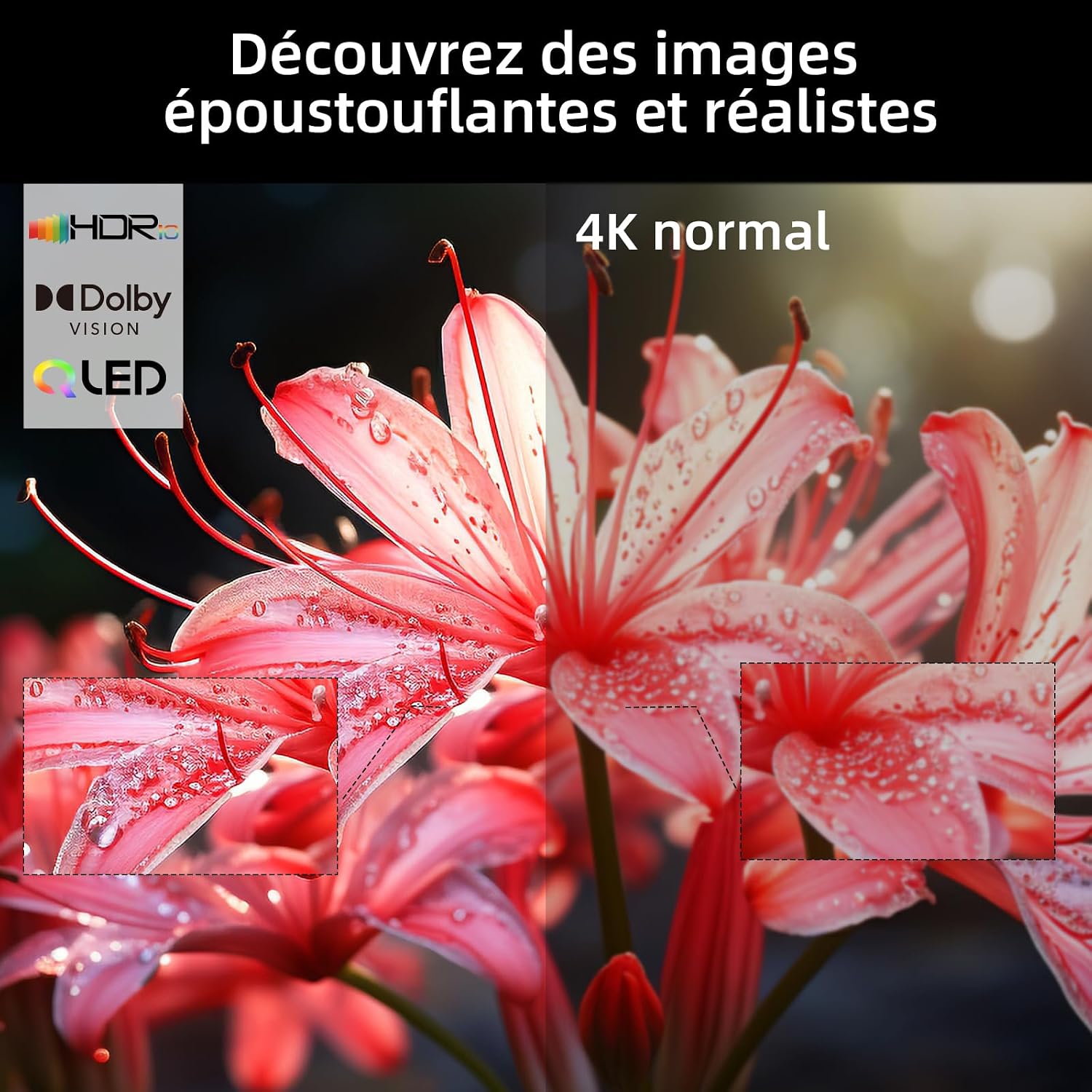
Image: A visual comparison on the CHIQ U55QH7C TV demonstrating the enhanced detail and color of HDR and 4K content versus standard 4K.

Image: A close-up view of the CHIQ U55QH7C TV highlighting its frameless design for a more immersive visual experience.
Maintenance
To ensure the longevity and optimal performance of your CHIQ U55QH7C TV, follow these maintenance guidelines:
- Cleaning the Screen: Gently wipe the screen with a soft, dry, lint-free cloth. For stubborn marks, slightly dampen the cloth with water or a specialized screen cleaner (do not spray directly onto the screen).
- Cleaning the Body: Use a soft, dry cloth to wipe the TV's frame and stand. Avoid abrasive cleaners or solvents.
- Ventilation: Ensure the ventilation openings on the back of the TV are not blocked to prevent overheating.
- Power Cord: Regularly check the power cord for any damage. If damaged, contact customer support for replacement.
Troubleshooting
If you encounter issues with your TV, refer to the following common troubleshooting steps:
- No Power:
- Check if the power cord is securely plugged into both the TV and the wall outlet.
- Ensure the power outlet is functional by testing it with another device.
- Press the power button on the TV itself, not just the remote.
- No Picture/Sound:
- Verify that the correct input source is selected (e.g., HDMI 1, AV).
- Check all cable connections (HDMI, antenna, etc.) are secure.
- Ensure the volume is not muted or set to zero.
- Remote Control Not Working:
- Replace the AAA batteries in the remote control.
- Ensure there are no obstructions between the remote and the TV.
- Re-pair the Bluetooth remote control if necessary (refer to initial setup).
- Poor Picture Quality:
- Check the antenna or cable connection.
- Adjust picture settings (brightness, contrast, sharpness) in the TV menu.
- If using an external device, check its output resolution settings.
- Internet Connectivity Issues:
- Restart your Wi-Fi router.
- Check the TV's network settings to ensure it's connected to the correct network.
- Try connecting via an Ethernet cable if Wi-Fi issues persist.
For further assistance, please contact CHIQ customer support.
Specifications
| Feature | Detail |
|---|---|
| Model Name | U55QH7C |
| Brand | CHIQ |
| Screen Size | 55 Inches |
| Display Technology | QLED |
| Resolution | 4K (3840 x 2160) |
| Refresh Rate | 120 Hz |
| HDR Format Support | Dolby Vision, HDR10 |
| Operating System | Android TV |
| Connectivity Technology | Bluetooth 5.0, HDMI 2.0 (3 ports), USB 2.0 (1 port) |
| Smart Home Compatibility | Works with Alexa, Google Smart Home, Chromecast Built-in |
| Audio Format | Dolby Audio (2.0 channels, 18W output) |
| Power Consumption | 84 Watt |
| Energy Efficiency Class | G |
| VESA Mounting | 200 x 200 mm, 200 x 100 mm |
| Included Components | TV, TV Stand, Bluetooth Remote, Batteries (2x AAA), Charger, User Manual |

Image: The energy efficiency label for the CHIQ U55QH7C TV, indicating an energy class G and 84 kWh/1000h consumption.
For detailed product information, refer to the EU EPREL database: https://eprel.ec.europa.eu/qr/1743257
Warranty and Support
CHIQ provides a comprehensive warranty and support for your television:
- Product Warranty: 24 months after-sales service.
- Minimum Guaranteed Product Support: 7 years.
- Minimum General Warranty Offered by Supplier: 2 years.
- Availability of Spare Parts: Minimum 7 years from the end of market placement.
For technical support, warranty claims, or service inquiries, please refer to the contact information provided in your warranty card or visit the official CHIQ website.


